Pixany AI

提示词库

AI 提示词库

汇集全球创作者的精选图像、视频与建站提示词。复制任意一条,替换主体或风格,即可用最新模型生成。

15,630 条提示词 · 每日更新 · 完全免费

共 227 条

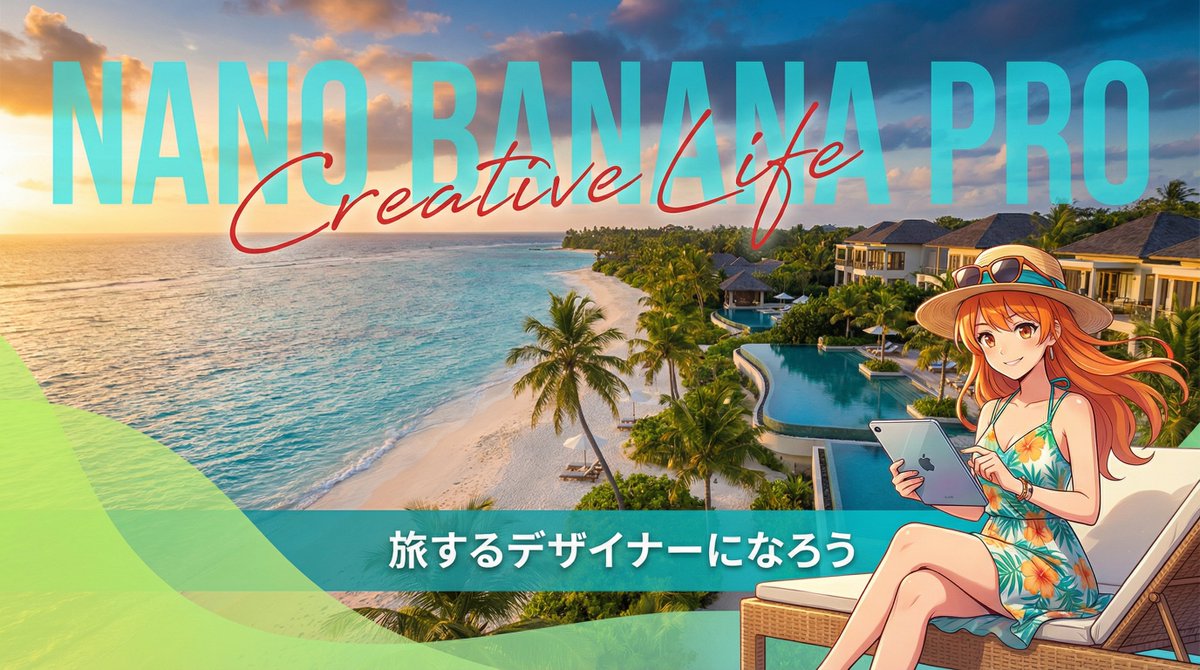
Resort Workcation Eyecatch Prompt (YAML Structure)

Resort Workcation Eyecatch Prompt (YAML Structure)

metadata: title: "Nano Banana Pro Design Course Eyecatch - Resort Workcation Style" model_context: "Luxury Resort Advertisement mixed with Digital Nomad Anime aesthetics" image_structure: composition_type: "Scenic Wide Shot + Integrated Typography + Character Overlay" visual_flow: "Background Scenery -> Huge Text -> Character Details" layers: layer_background: shape: "Full screen background." content: "Photoreal, Breathtaking tropical beach resort at golden hour (sunset/sunrise)." details: elements: "Turquoise ocean, white sandy beach, palm trees swaying, luxury hotel buildings in the distance." atmosphere: "Relaxing, luxurious, open, and inspiring." lighting: "Warm golden sunlight mixed with tropical blue shadows." layer_typography_integrated: location: "Center to Left side, integrated into the sky and horizon." elements: - type: "Background Big Text" text: "{argument name="large background text" default="Nano Banana Pro"}" style: "Massive, semi-transparent sans-serif font standing behind the hotel/trees or blending with the clouds. White or Cyan color." - type: "Overlay Script Text" text: "{argument name="overlay script text" default="Creative Life"}" style: "Elegant, red or dark pink handwritten script font overlaying the big text. Adds a luxury touch." - type: "Bottom Banner Text" text: "{argument name="bottom banner text" default="Let's become a traveling designer"}" style: "Clean sans-serif text in a solid bar at the bottom or floating with a shadow." layer_character_foreground: location: "Right side or Bottom-Right." content: "Japanese Kawaii Anime Girl enjoying workcation." style: "2D Cel-shaded anime art, vibrant and cute." details: subject: "A cute anime girl in resort fashion." appearance: hair: "Bright color (like orange or blonde) swaying in the sea breeze." clothing: "Tropical sundress, straw hat, sunglasses on head." props: "Holding a high-tech tablet or laptop, smiling confidently." pose: "Relaxed but productive pose, maybe sitting on a deck chair or standing on the beach." layer_graphic_overlay: location: "Bottom Left corner." shape: "Abstract wave or curve shape (similar to reference)." color: "Translucent Lime Green or Teal gradient." purpose: "Adds a modern graphic design element to frame the text." style_and_tone: art_style: "Travel Magazine Cover Aesthetic" color_palette: primary: "Turquoise, Golden Orange, White" secondary: "Lime Green (Accent), Pink (Script text)" quality_tags: - "Best quality" - "Scenery focus" - "Cinematic lighting" - "Detailed water" - "Anime key visual"
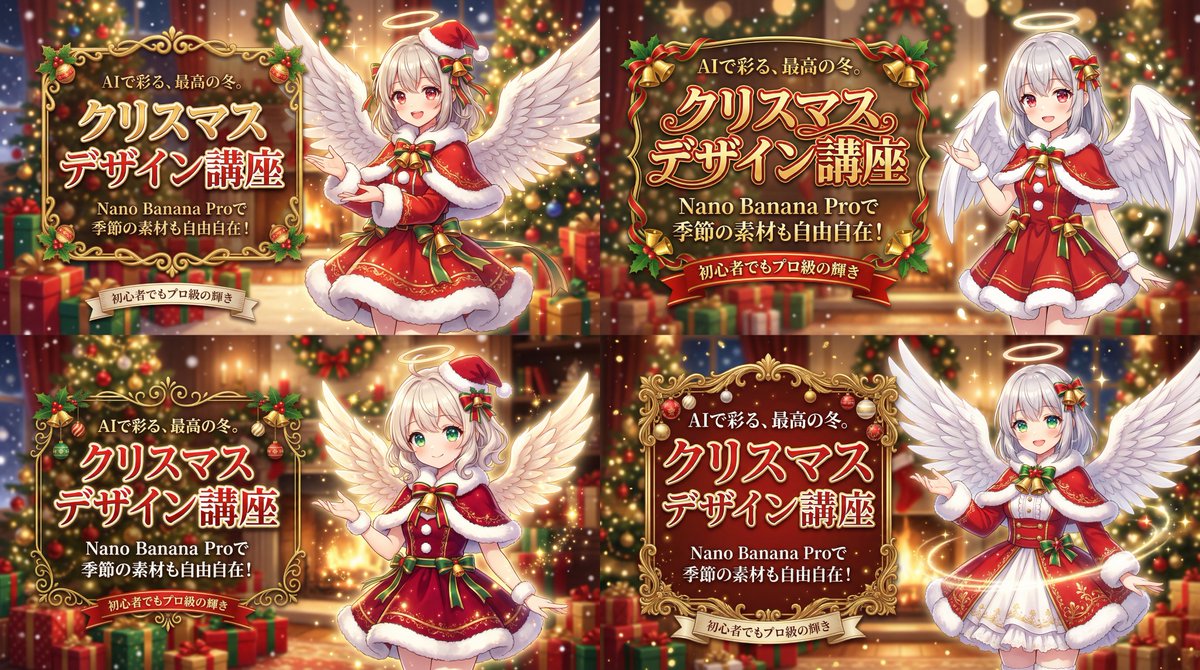
Christmas Angel Design Course Eyecatch Prompt (YAML Structure)

Christmas Angel Design Course Eyecatch Prompt (YAML Structure)

metadata: title: "Nano Banana Pro Design Course Eyecatch - Christmas Angel Ver." model_context: "Seasonal Christmas Advertisement mixed with Cute Anime aesthetics" image_structure: composition_type: "Full Background + Right Character + Left Decorated Text" visual_flow: "Left Text (Seasonal Benefit) -> Right Character (AI Generation Result)" layers: layer_background_full: shape: "Covers the entire screen." content: "Luxurious Christmas interior scene." details: elements: "Decorated Christmas trees with glowing lights, piles of wrapped presents, warm fireplace glow, bokeh lights in the background." atmosphere: "Warm, magical, festive, with soft falling snow or glitter effect." focus: "Shallow depth of field, blurring the background elements to make the foreground pop." layer_visual_right: shape: "Occupies the right half of the screen." content: "Japanese Kawaii Anime Angel character in Christmas outfit." style: "2D Cel-shaded anime art, high detail, warm and vibrant colors." details: subject: "A cute anime girl with large feathered angel wings." appearance: hair: "Silver or platinum blonde hair." eyes: "Large, sparkling red or green eyes." clothing: "A festive Santa Claus style dress with fur trim, ribbons, and bells. A small halo or Santa hat on her head." pose: "Smiling warmly, making a presenting gesture towards the text on the left." vfx: "Glowing particles and soft light around her wings and halo." layer_typography_left: location: "Left-aligned, positioned in the middle-left area." container: "Elaborate, decorative golden frame or scroll border (Christmas ornament style) around the main text." elements: - type: "Header/Hook" text: "{argument name="header text" default="AIで彩る、最高の冬。"}" style: "Small gold or white text above the main title." - type: "Main Title" text: "{argument name="main title" default="Christmas\nDesign Course"}" style: "Large, ornate, gold or red gradient font with white outline and shadow. Highly decorative." - type: "Sub-Title/Benefit" text: "{argument name="subtitle" default="With Nano Banana Pro,\nseasonal materials are freely available!"}" style: "Smaller white or gold text below the main title." - type: "Bottom Tagline" text: "{argument name="bottom tagline" default="Pro-level brilliance even for beginners"}" style: "Small text at the bottom, maybe on a ribbon banner element." style_and_tone: art_style: "Festive Anime Illustration with Luxurious Background" color_palette: primary: "Red, Green, Gold" secondary: "White (Snow/Wings), Warm light colors" quality_tags: - "High resolution" - "Anime key visual" - "Detailed background" - "Atmospheric lighting" - "Festive"
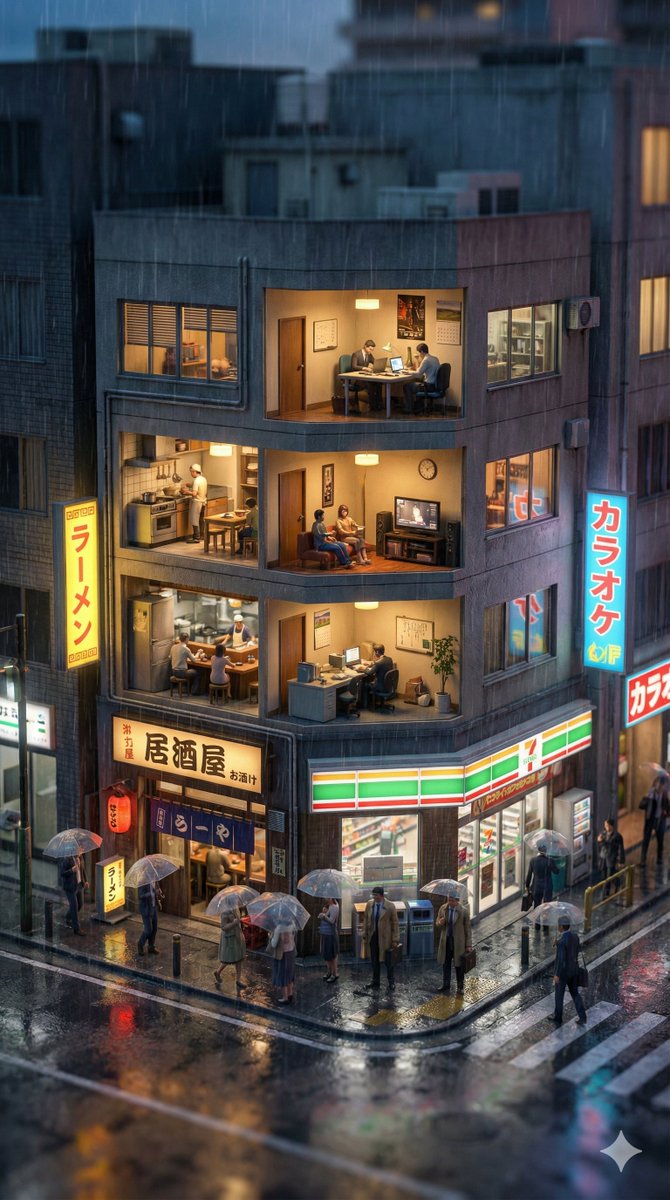
Vertical Tilt-Shift Miniature City Cross-Section

Vertical Tilt-Shift Miniature City Cross-Section

A hyper-realistic vertical tilt-shift photograph of a cross-section of a typical building in {argument name="city name" default="{city_name}"} during {argument name="current time" default="{current_time}"}. The current weather is {argument name="current weather" default="{current_weather}"}. The scene looks like an intricate miniature diorama. The lighting and sky color accurately reflect the {argument name="current time" default="{current_time}"}, while the street textures and atmosphere visually demonstrate the {argument name="current weather" default="{current_weather}"} conditions. At street level, the environment is lifelike. Tiny detailed figures are visible going about their activities. Strong miniature effect with heavy blur at the top and bottom. 8k resolution, volumetric lighting. --ar 9:16

Universal 3D Anatomy Dissection Prompt

Universal 3D Anatomy Dissection Prompt

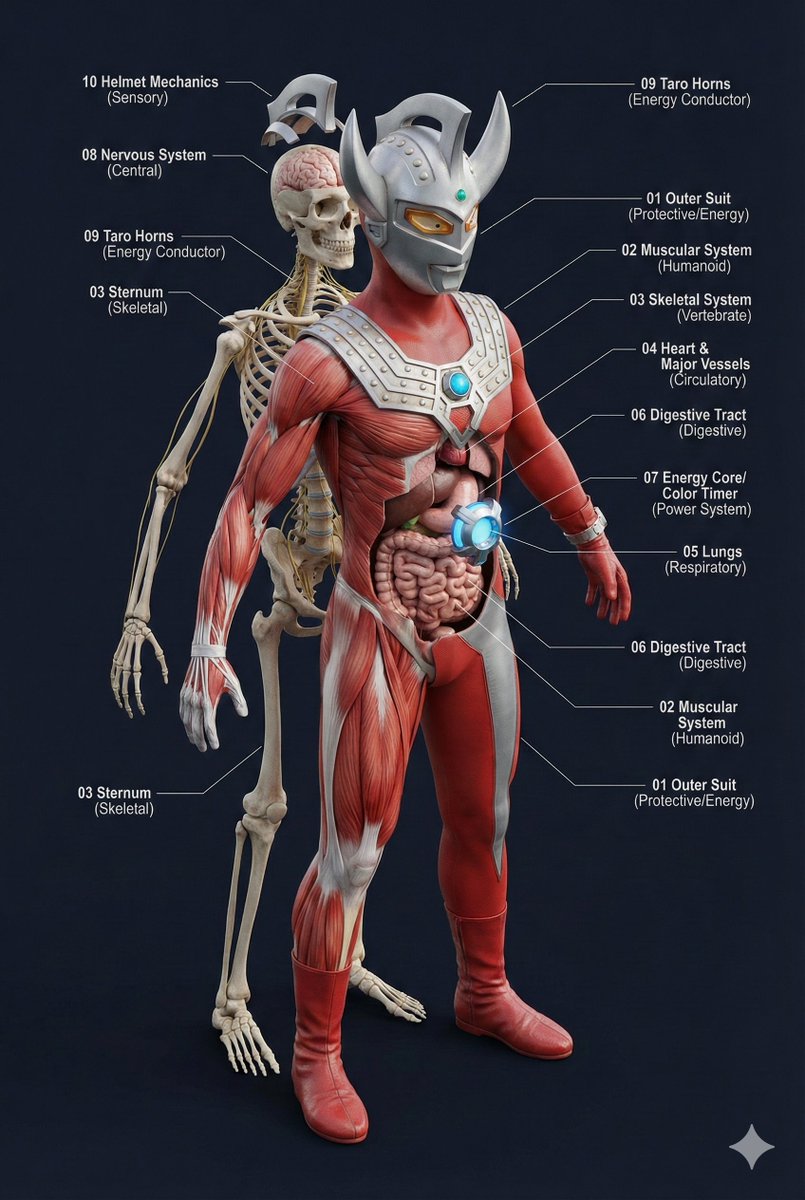
A single prompt can 'dissect' the body structure of any creature?! This universal prompt can generate: ✨ Ultra-detailed 3D anatomical diagrams ✨ Automatically adapted skeletal/visceral systems ✨ Numbered professional medical annotations Whether it's the internal structure of Pikachu or the core of Godzilla, everything can be seen through! 👀

Multi-Step Home Renovation Video Transition Prompt

Multi-Step Home Renovation Video Transition Prompt

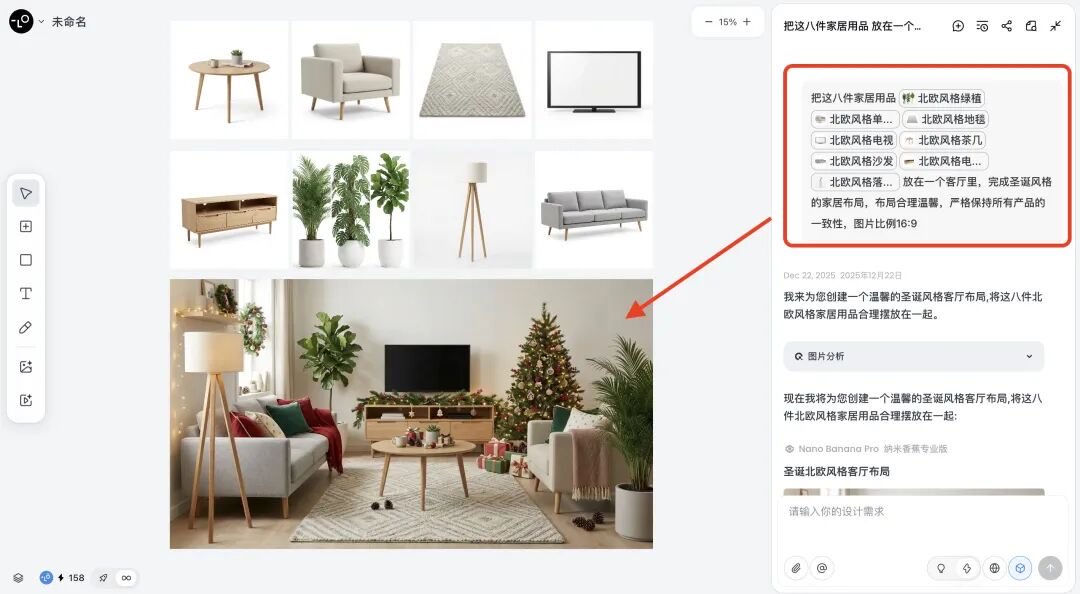
Also, restore my house to its bare shell state before renovation, and gradually renovate it into a Christmas-themed house step-by-step. Here, Nano Banana Pro needs to generate at least 5 intermediate process images so that the first and last frames have that video transition effect.

Hyper-realistic Cinematic Portrait with Neon Urban Aesthetic

Hyper-realistic Cinematic Portrait with Neon Urban Aesthetic

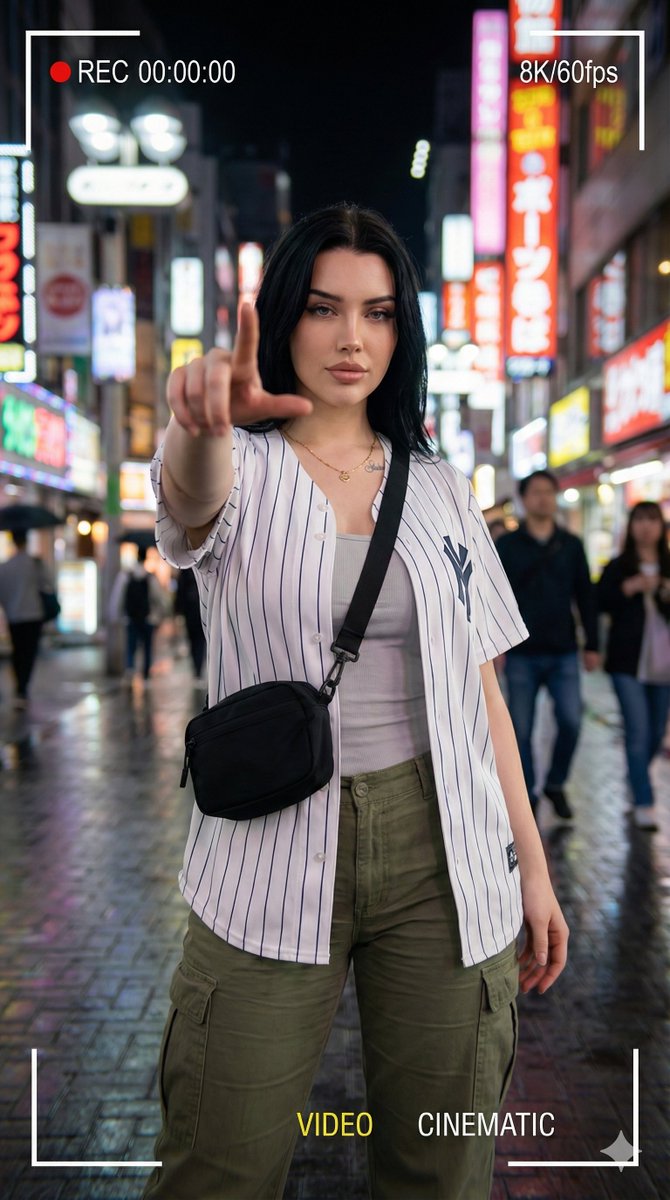
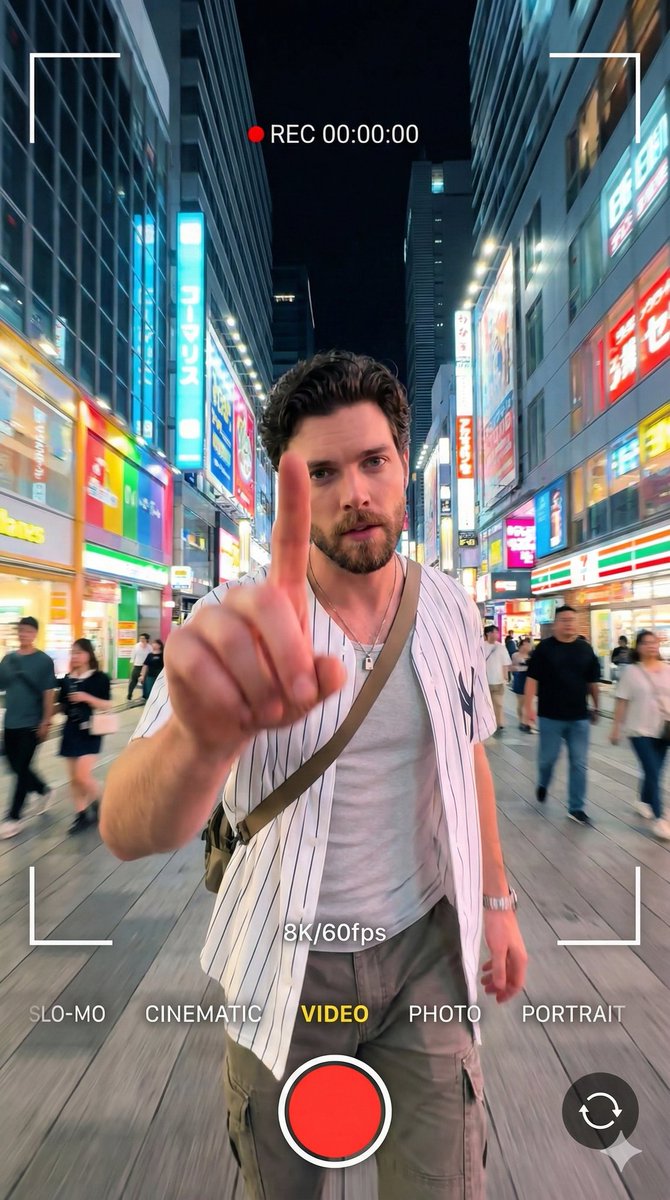
{ "request_id": "portrait_neon_urban_001", "configuration": { "model": "v6. 0_or_latest", "output_settings": { "dimensions": { "width": 1080, "height": 1920, "aspect_ratio": "9:16", "target_resolution": "64K DSLR" } } }, "scene_composition": { "subject": { "entity": "Young woman", "pose": "Standing confidently", "action": "Extending index finger forward toward camera lens", "interaction": "Dynamic gesture / POV interaction", "wardrobe": { "outerwear": "{argument name="outerwear color" default="dark crimson red"} striped baseball-style shirt", "undergarment": "Light inner shirt", "bottoms": "Cargo pants", "accessories": [ "Necklace", "Crossbody bag" ] } }, "environment": { "location": "Urban street", "time_of_day": "Night", "ambience": "Neon-lit", "background_elements": [ "Colorful city lights", "Blurred passersby" ] }, "cinematography": { "camera": { "perspective": "Wide-angle", "depth_of_field": "Soft bokeh", "motion": "Slight motion blur" }, "lighting": { "style": "Cinematic", "primary_sources": ["cyber punk street lights", "City glow"] }, "ui_overlay": { "enabled": true, "aesthetic": "Smartphone video recording", "on_screen_elements": [ "REC 00:00:00", "8K/60fps", "Frame brackets", "VIDEO indicator", "CINEMATIC indicator" ] } } }, "technical_rendering": { "style": "Hyper-realistic", "engines": [ "Octane Render", "Unreal Engine 5" ] }, "negative_prompt": { "stylistic_exclusions": [ "cartoon", "illustration", "anime" ], "quality_exclusions": [ "low quality", "pixelated", "blurry" ], "anatomical_exclusions": [ "bad anatomy", "deformed hands", "extra fingers", "missing limbs", "bad proportions" ], "branding_exclusions": [ "watermark (except for requested UI overlays)" ] } }

Split-Screen YouTube Thumbnail: JD Vance Political Commentary

Split-Screen YouTube Thumbnail: JD Vance Political Commentary

Split-screen YouTube thumbnail composition. LEFT SIDE (60%): JD Vance's face, professional warm lighting, determined confident expression with slight smirk, slight low angle shot looking up, high contrast and saturated colors, dark blurred background, heroic and resolute mood. RIGHT SIDE (40%): Shattered fractured glass effect overlaying darkened desaturated images of MAGA supporters and political figures pulling in different directions, visible crack lines and fragmentation throughout, chaotic and divided composition, dark grays and muted reds, broken and unstable visual. TOP OF ENTIRE THUMBNAIL: Bold yellow text with thick black outline reading "{argument name="text" default="JD VANCE DESTROYS THE PLOT"}", text spans across both sides at top third.

Tiny People, Giant Problem Diorama Prompt

Tiny People, Giant Problem Diorama Prompt

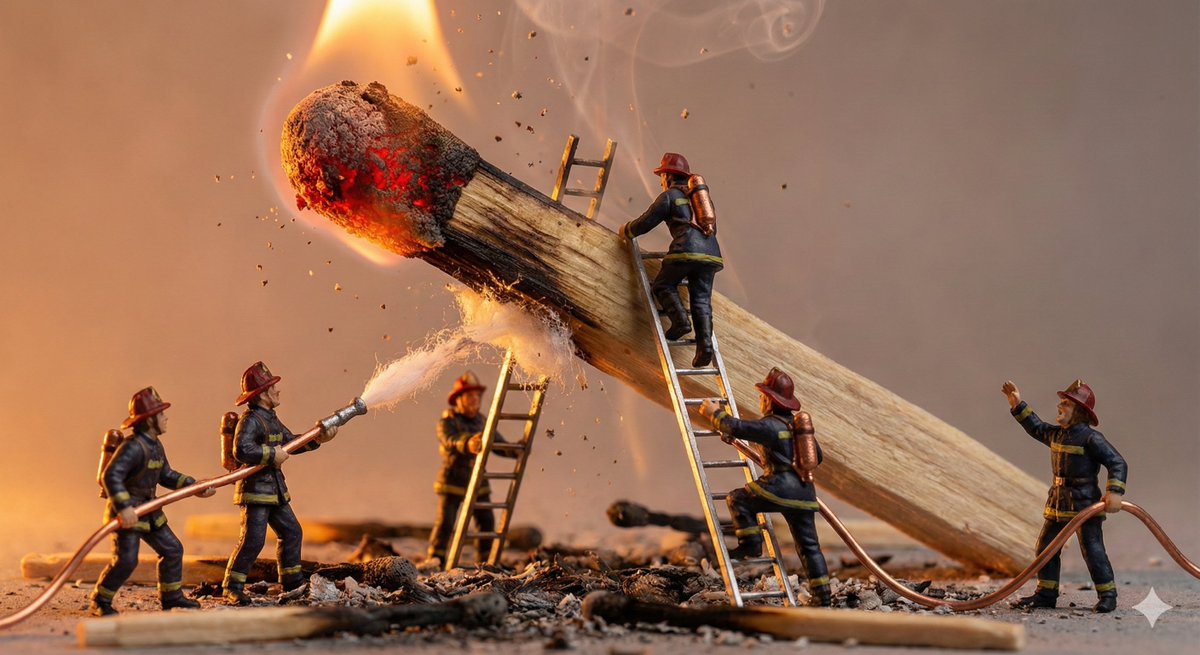
A miniature diorama showing tiny {argument name="PEOPLE / CHARACTERS" default="PEOPLE / CHARACTERS"} struggling with an oversized {argument name="EVERYDAY OBJECT" default="EVERYDAY OBJECT"}. Exaggerated scale contrast, expressive poses, cinematic lighting. Ultra-detailed props, handcrafted realism, macro lens perspective.

Architectural Diorama Coin Art Grid Prompt

Architectural Diorama Coin Art Grid Prompt

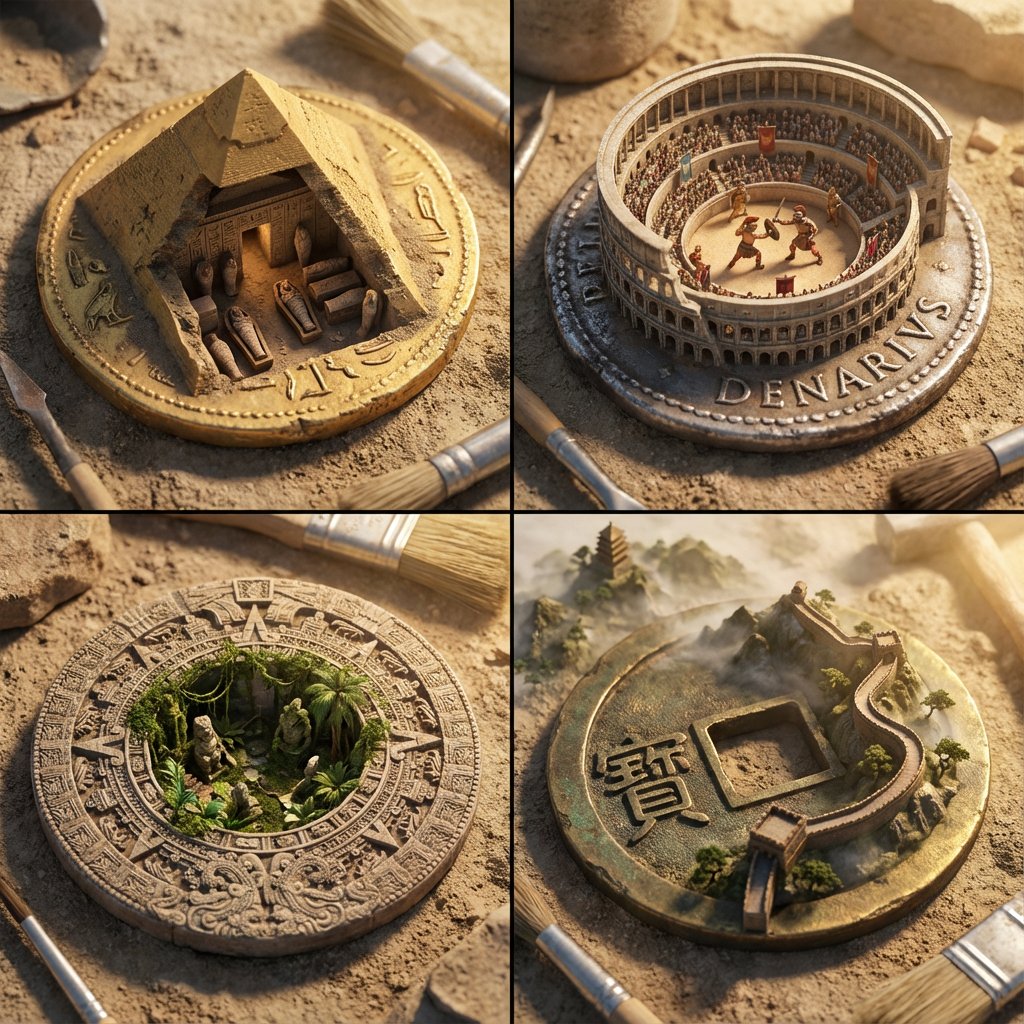
A 2x2 grid of ancient currency that has morphed into architectural dioramas. [Top Left: Egypt - A gold coin where the pyramid is a cutaway revealing a {argument name="Random Tomb Interior" default="Random Tomb Interior"} with tiny mummies] [Top Right: Rome - A silver Denarius where the Colosseum rises up, containing a {argument name="Random Gladiator Fight" default="Random Gladiator Fight"} with moving figures] [Bottom Left: Aztec - A stone disk coin where the temple steps open to reveal a {argument name="Random Jungle Overgrowth" default="Random Jungle Overgrowth"} taking over] [Bottom Right: China - A bronze coin with a square hole, featuring the Great Wall winding out of the coin into a {argument name="Random Mountain Landscape" default="Random Mountain Landscape"}] Archaeological photography, dusty textures, sun-drenched lighting, distinct cultural styles, sharp focus.

Corporate Tech/Anime Eyecatch Image Prompt

Corporate Tech/Anime Eyecatch Image Prompt

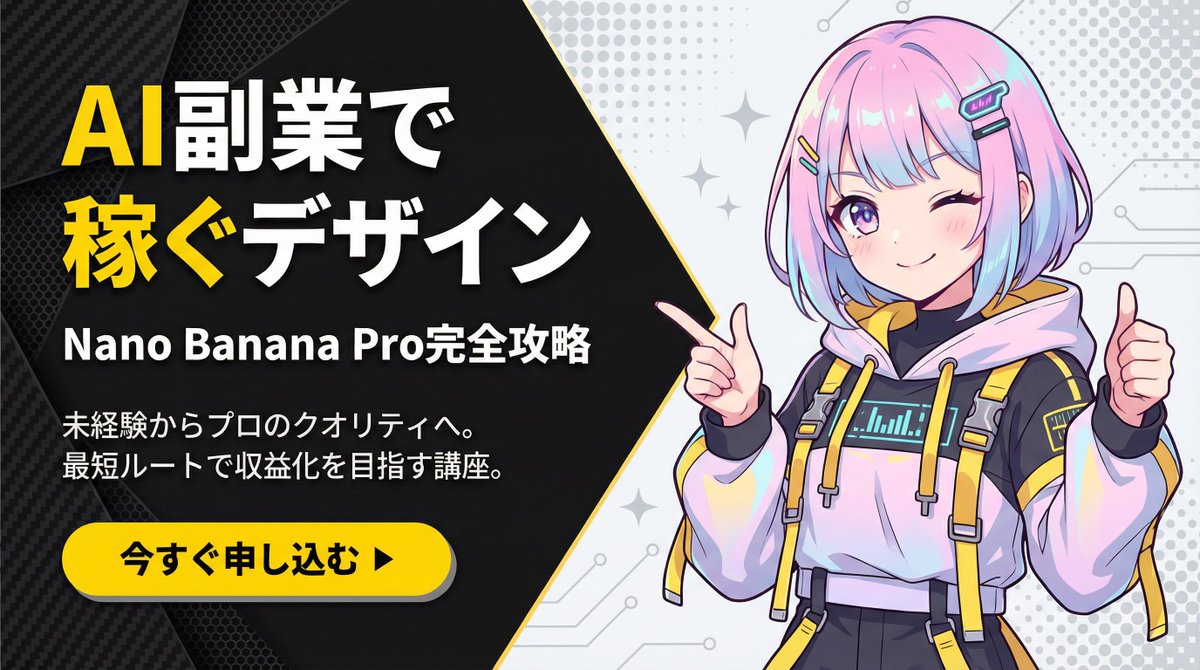
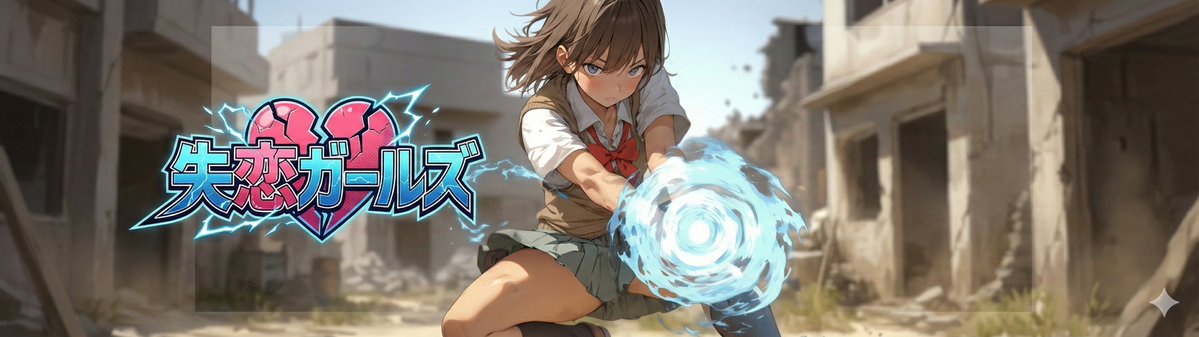
metadata: model_context: "Corporate Tech, High-Energy Business Youtube Thumbnail mixed with Anime Art" image_structure: composition_type: "Diagonal Split Layout (Arrowhead Shape)" visual_flow: "Left Text (Problem/Solution) -> Right Visual (Result/Character)" layers: layer_background_left: shape: "Geometric polygon covering left 60% of screen, with a sharp arrow-point extending into the right side" color: "Matte Black (#1A1A1A)" texture: "Subtle carbon fiber or mesh pattern to add tech depth" layer_typography: location: "Centered within the left black area" alignment: "Left-aligned or Centered" elements: - type: "Headline (Main)" text: "{argument name="main headline" default="Design to Earn\nwith AI Side Jobs"}" style: "Extremely bold, heavy Gothic font (Impact style). White text." highlight: "Apply Bright Yellow (#FFD700) color to the word '稼ぐ' (Earn) and 'AI'" - type: "Sub-Headline (Detail)" text: "{argument name="sub headline" default="Complete Guide to Nano Banana Pro"}" style: "Smaller white sans-serif text, clean and readable" - type: "Body Text (Explanation)" text: "{argument name="explanation text" default="From beginner to professional quality.\nCourse aiming for monetization via the shortest route."}" style: "Small, thin grey or white text block, justified layout" layer_cta_button: shape: "Rounded Pill Shape" color: "Bright Yellow (#FFD700)" text: "{argument name="CTA text" default="Apply Now ▶"}" text_color: "Black" location: "Bottom left, below the text block" style: "Flat design with slight drop shadow" layer_visual_right: shape: "Fills the remaining right side (behind the arrow overlap)" content: "Japanese Kawaii Anime Girl illustration" style: "2D Cel-shaded anime art, high detail, vibrant colors" details: subject: "A cute anime girl with a futuristic / cyber-fashion look" appearance: hair: "Pastel pink and blue gradient bob cut, with cyber hair clips" eyes: "Large sparkling anime eyes, confident smile" clothing: "Stylish tech-wear hoodie with yellow accents to match the background theme" pose: "Dynamic pose, pointing finger towards the text on the left or giving a thumbs up" background_context: "Simple light grey or white background with abstract pop patterns (dots/stars) to make the character stand out" style_and_tone: art_style: "Modern Corporate Tech Design mixed with Japanese Anime aesthetics" color_palette: primary: "Black, Yellow" secondary: "Pastel Pink/Blue (Character), White"

Nano Banana Pro Profile Image Generator with Aspect Ratio Control

Nano Banana Pro Profile Image Generator with Aspect Ratio Control

# ===== USER CONTROLS ===== aspect_ratio: "{argument name="aspect ratio" default="3:1"}" # examples: 3:1, 21:6, 16:9, 9:19.5, 2:1 ... (set any) title_text: "{argument name="title text" default="<<YOUR_TEXT>>"}" title_style_preset: "{argument name="logo style preset" default="cool"}" # cool, cute, cool_cute, luxury, pop, cyber, minimal, retro, kawaii face_zoom: "{argument name="face zoom" default="off"}" # off, on logo_position: "{argument name="logo position" default="right"}" # up, down, left, right subject: > Create a wide banner using the provided reference image content. The primary face must be centered, and a title logo (derived from title_text + title_style_preset) must be placed clearly in the composition. composition: > Use the aspect ratio defined in USER CONTROLS (aspect_ratio). Keep important elements comfortably inside the frame with inner padding: - Keep the face and the title logo at least 15% away from the left/right edges. - Keep the face and the title logo at least 16% away from the top/bottom edges. Background may extend to the edges. action: > Place the reference image content with maximum fidelity. Auto-crop/scale/reposition to fit the banner with no stretching. Detect the primary face (if multiple faces, pick the largest/most prominent). Center the primary

8K Cinematic Portrait with Video UI Overlays

8K Cinematic Portrait with Video UI Overlays

{ "prompt": "A 64K DSLR resolution portrait of a young man with short dark curly hair and a well-groomed beard, standing confidently in a bright neon-lit urban street at night. He is wearing a white striped baseball-style shirt, a light inner shirt, cargo pants, a necklace, and a crossbody bag. He is extending his index finger forward towards the camera lens in a dynamic gesture. The image features a smartphone video recording aesthetic with visible on-screen UI overlays: 'REC 00:00:00', '8K/60fps', frame brackets, and mode indicators like 'VIDEO' and 'CINEMATIC'. The background features colorful city lights and blurred passersby with a soft bokeh effect. Cinematic lighting, slight motion blur, wide-angle perspective. Octane render, Unreal Engine 5 style.", "negative_prompt": "cartoon, illustration, anime, low quality, pixelated, blurry, bad anatomy, deformed hands, extra fingers, missing limbs, bad proportions, watermark (except for requested UI overlays)", "aspect_ratio": "9:16", "width": 1080, "height": 1920, "model_version": "v6.0_or_latest" }

Low-Angle Paragliding Selfie Action Shot

Low-Angle Paragliding Selfie Action Shot

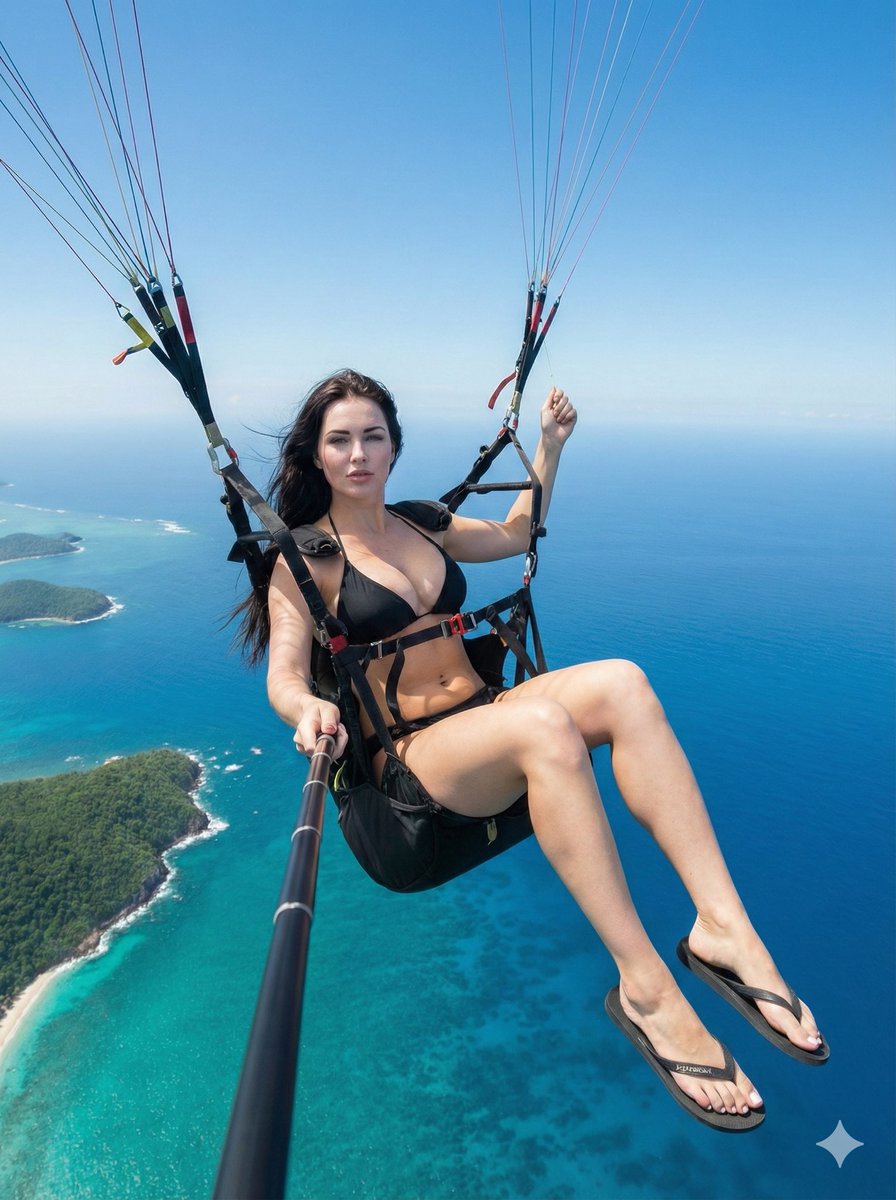
{ "generation_request": { "subject_reference": { "Gender": "Female", A Beautiful Woman in her 20s. "facial_preservation": "High fidelity, exact features, no stylization, no alteration to identity" }, "prompts": { "positive_prompt": "High-resolution aerial action photography of [Reference Woman] paragliding. Low-angle wide-angle selfie shot captured via a selfie stick held in her left hand. She is suspended in a professional paragliding harness with legs freely dangling, wearing a black bikini and simple flip-flops. Her right hand grips the paragliding control handle. The background is an expansive, vibrant tropical coastline with deep turquoise ocean and clear blue sky. Bright natural daylight, sharp focus, hyper-realistic skin texture, cinematic composition, dynamic motion, true-to-life proportions.", "negative_prompt": "CG, 3d render, anime, cartoon, painting, drawing, illustration, altered face, distorted features, bad anatomy, deformed hands, missing fingers, helmet, sunglasses, wetsuit, sneakers, cloudy, dark lighting, blurry, noise, grain, low resolution" }, "scene_details": { "camera_angle": "Low perspective, wide-angle, looking up from selfie stick", "lighting": "Bright natural daylight, hard sunlight", "attire": [ "Black bikini", "Simple flip-flops" ], "pose_constraints": { "left_hand": "Holding selfie stick pointed toward self", "right_hand": "Holding paragliding control handle", "legs": "Dangling freely" } }, "technical_settings": { "aspect_ratio": "9:16", "style": "Ultra-realistic, raw photography" } } }

Augmented Reality Music Player Portrait

Augmented Reality Music Player Portrait

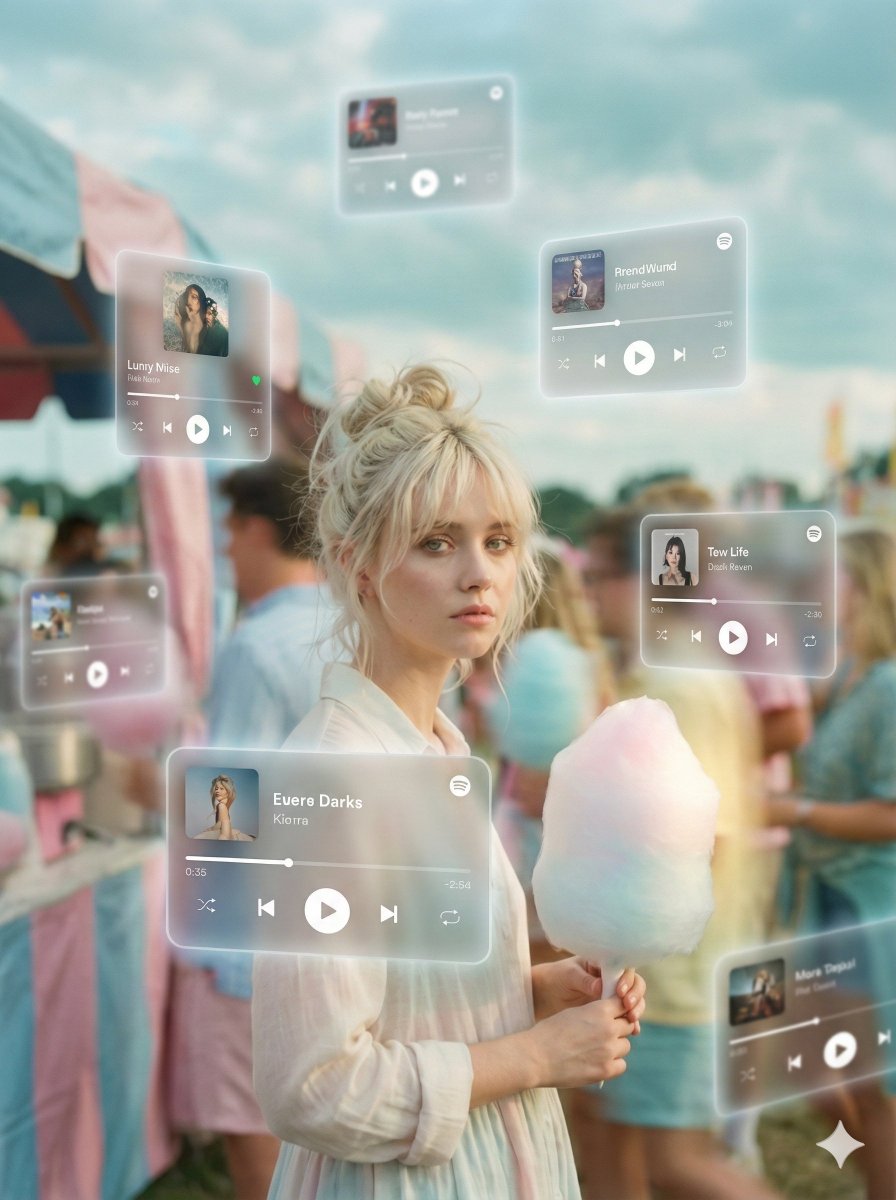
A dreamlike, movie-quality augmented reality visual where numerous hovering Spotify player interface cards orbit the central figure (the person shown) in a complete 3D spatial composition, with each music player card strategically placed at varying distances, some prominently positioned in front and partially covering the subject, while others float behind and alongside them, utilizing the authentic Apple Music UI/Spotify UI elements playback progress indicators and featuring songs by {argument name="artist name" default="Artist Name"}; all cards display smooth rounded edges with subtle angular perspective shifts, presenting a translucent, frosted-glass aesthetic that radiates a gentle diffused border luminescence with measured cinematic light bloom interacting organically with the ambient lighting of the scene; the composition showcases a cool-to-neutral color palette with rich yet preserved shadow detail, strategic bursts of color from album artwork, medium-high contrast levels with gradual highlight transitions, delicate focal depth variation where nearer cards maintain crisp detail while farther ones receive gentle blur treatment, and understated motion-enhancing accents, all while keeping the subject photorealistic, centrally positioned, and authentically integrated into their physical surroundings.

Nano Banana Pro X Header Image Generation Prompt (21:6 Aspect Ratio)

Nano Banana Pro X Header Image Generation Prompt (21:6 Aspect Ratio)

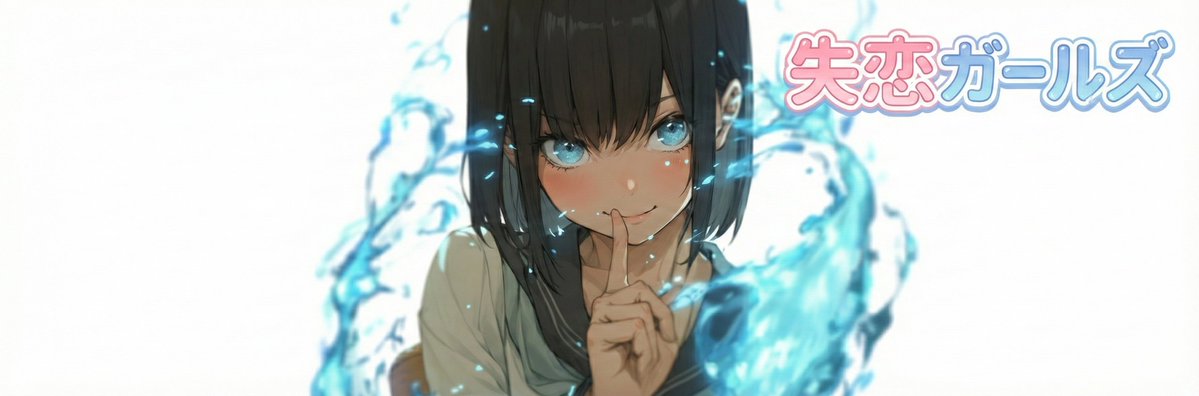
# ===== USER CONTROLS ===== title_text: "{argument name="display string" default="<<YOUR_TEXT>>"}" title_style_preset: "{argument name="logo design preset" default="cool"}" # cool, cute, cool_cute, luxury, pop, cyber, minimal, retro, kawaii face_zoom: "{argument name="zoom on/off" default="off"}" # off, on subject: > Create a 21:6 wide banner using the provided reference image content. The primary face must be centered inside an invisible safe zone (not drawn), and a title logo (derived from title_text + title_style_preset) must be placed inside the same safe zone. composition: > Aspect ratio 21:6. Invisible safe zone (DO NOT draw it): - Left margin: 15% of width - Right margin: 15% of width - Top margin: 16% of height - Bottom margin: 16% of height Keep the entire face AND the entire title logo fully inside this safe zone. Background may extend to the edges. action: > Place the reference image content with maximum fidelity. Auto-crop/scale/reposition to fit a 21:6 banner with no stretching. Detect the primary face (if multiple faces, pick the largest/most prominent). Center the primary face within the safe zone both horizontally and vertically. Never crop off the face/eyes; keep the full face comfortably inside the safe zone (not near edges). Face zoom behavior: - If face_zoom is OFF: keep the original framing as much as possible while still centering the face in the safe zone. - If face_zoom is ON: zoom/crop to a bust-up portrait centered on the face (head and shoulders visible; include upper chest; do no

Nano Banana Pro X Header Image Generation Prompt

Nano Banana Pro X Header Image Generation Prompt

# ===== USER CONTROLS ===== title_text: "{argument name="display string" default="<<YOUR_TEXT>>"}" title_style_preset: "{argument name="logo design preset" default="cool"}" # cool, cute, cool_cute, luxury, pop, cyber, minimal, retro, kawaii face_zoom: "{argument name="zoom on/off" default="off"}" # off, on subject: > Create a 3:1 wide banner using the provided reference image content. The primary face must be centered inside an invisible safe zone (not drawn), and a title logo (derived from title_text + title_style_preset) must be placed inside the same safe zone. composition: > Aspect ratio 3:1. Invisible safe zone (DO NOT draw it): - Left margin: 15% of width - Right margin: 15% of width - Top margin: 16% of height - Bottom margin: 16% of height Keep the entire face AND the entire title logo fully inside this safe zone. Background may extend to the edges. action: > Place the reference image content with maximum fidelity. Auto-crop/scale/reposition to fit a 3:1 banner with no stretching. Detect the primary face (if multiple faces, pick the largest/most prominent). Center the primary face within the safe zone both horizontally and vertically. Never crop off the face/eyes; keep the full face comfortably inside the safe zone (not near edges). Face zoom behavior: - If face_zoom is OFF: keep the original framing as much as possible while still centering the face in the safe zone. - If face_zoom is ON: zoom/crop to a bust-up portrait centered on the face (head and shoulders visible; include upper chest; do not crop the top of the head or chin; keep facial features prominent). Create negative space inside the safe zone for the title logo by adjusting crop/reposition/out

Multi-Angle Scene Generation Prompt (Oshi no Ko Style)

Multi-Angle Scene Generation Prompt (Oshi no Ko Style)

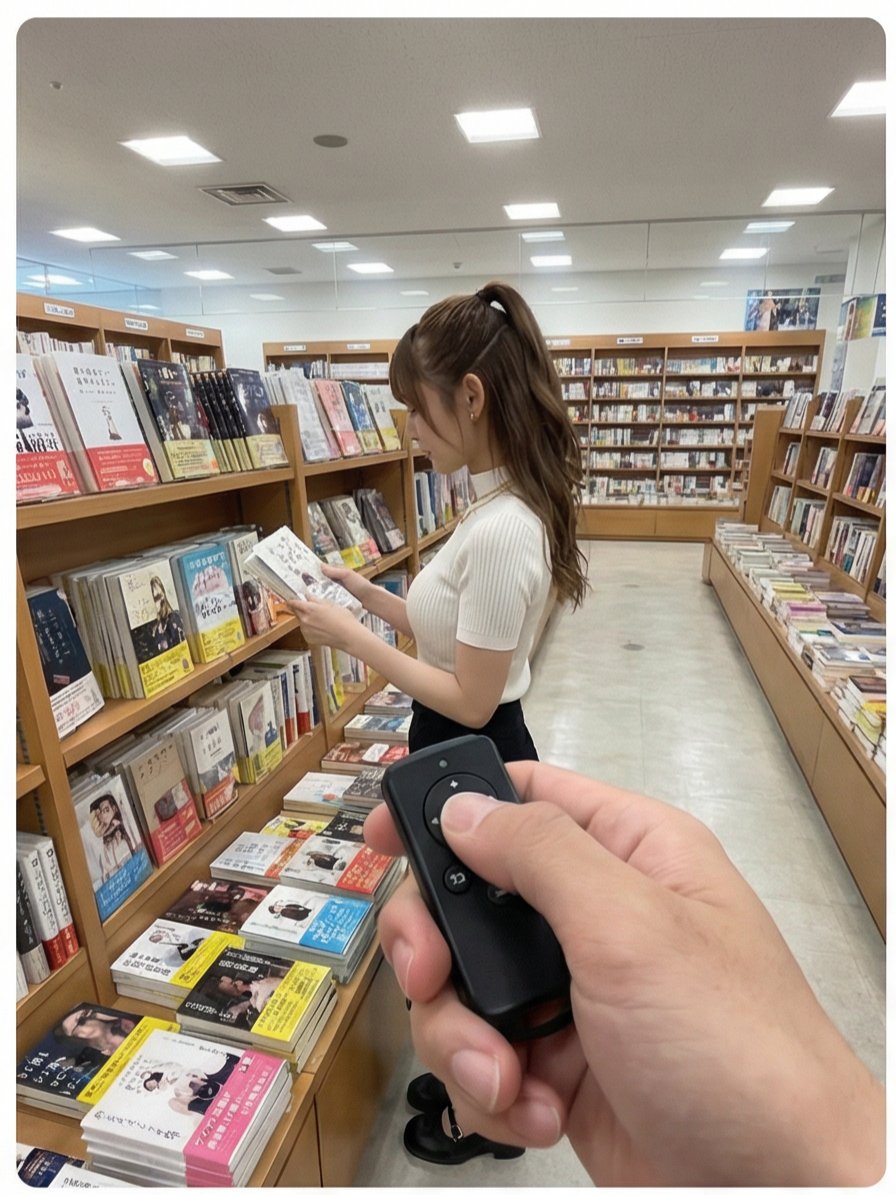
Read the motif depicted in the attached image, generate multi-angle shots, and create four scenes divided into a 2x2 grid. [Action 1] The senior colleague (senpai) is looking at books on a shelf. The photographer presses a button on a remote control in their hand, and a distinctive electronic sound/chime rings. [Dialogue 1] The senpai is surprised, immediately turns to the camera, and playfully says, "Stop it." [Action 2] The photographer rings the electronic sound again. [Action 3] The senpai looks down shyly, squats momentarily, then stands up, laughing and covering their face with their hands. [Text Overlay] "{argument name="text overlay 1" default="Tried pressing the senpai's switch while they were shopping at the bookstore"}" "{argument name="text overlay 2" default="#This feeling is too cute www"}" "{argument name="text overlay 3" default="#Definitely inviting me www"}"

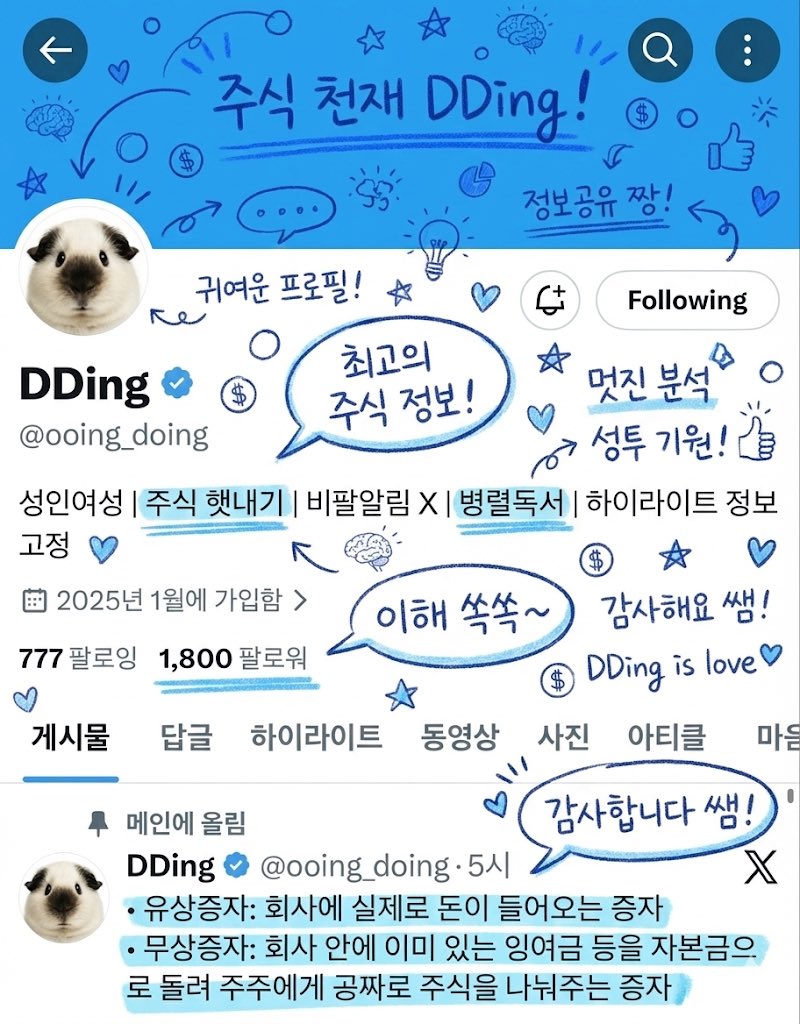
Adding Compliment Stickers to a Twitter Profile Image

Adding Compliment Stickers to a Twitter Profile Image

Add lots of Korean handwritten doodles, underlines, highlighters, and speech bubbles using a blue colored pencil. The doodles should primarily be compliments about the subject, and it's okay to add a few hand-drawn clip arts.

Photorealistic MacBook Screen POV Selfie Prompt

Photorealistic MacBook Screen POV Selfie Prompt

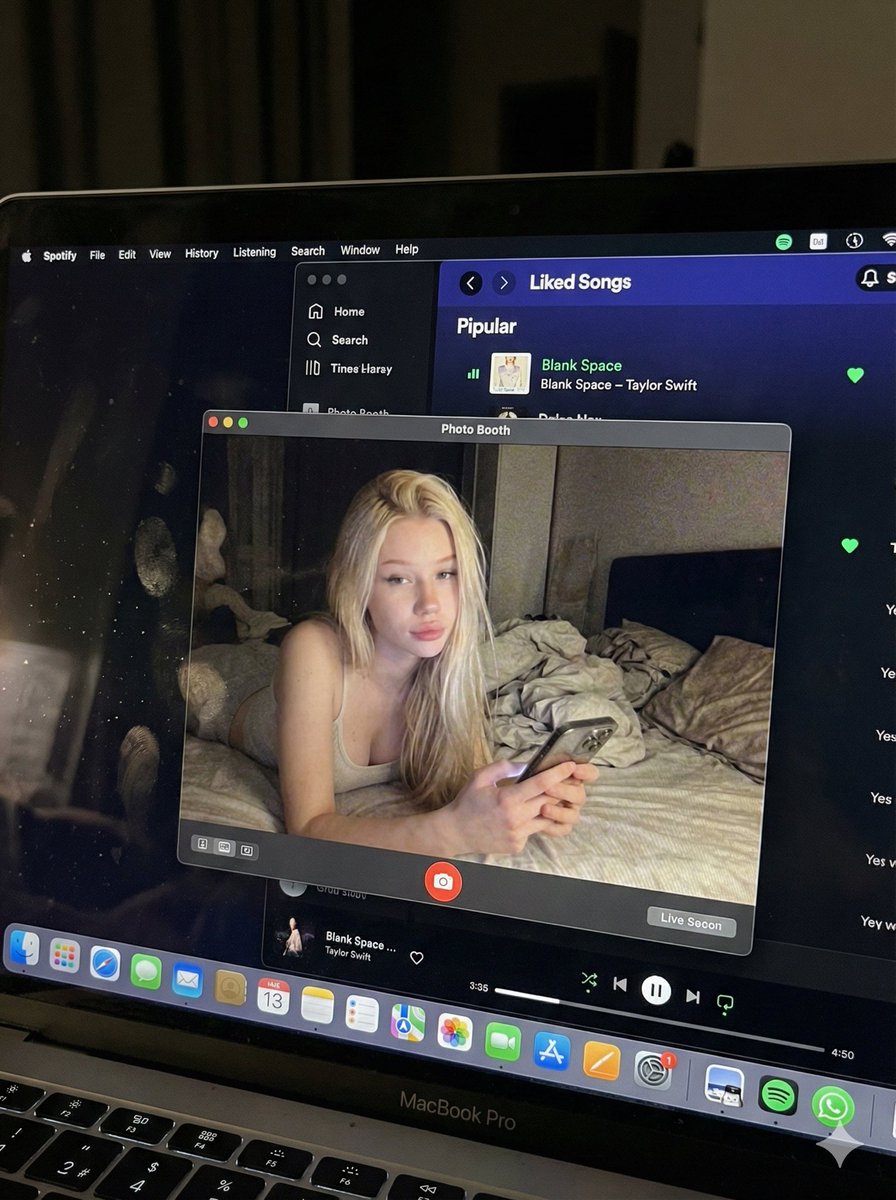
{ "image_settings": { "aspect_ratio": "3:4", "resolution": { "width": 1152, "height": 1536 } }, "prompt": { "identity_lock": { "reference": "{argument name="reference" default="input_photo"}", "preserve": [ "{argument name="preserve 1" default="face"}", "{argument name="preserve 2" default="facial proportions"}", "{argument name="preserve 3" default="eye shape"}", "{argument name="preserve 4" default="nose"}", "{argument name="preserve 5" default="lips"}", "{argument name="preserve 6" default="skin tone"}", "{argument name="preserve 7" default="skin texture"}", "{argument name="preserve 8" default="hairline"}", "{argument name="preserve 9" default="overall identity"}" ], "rules": [ "{argument name="rule 1" default="no face swap"}", "{argument name="rule 2" default="no beautify"}", "{argument name="rule 3" default="no smoothing"}", "{argument name="rule 4" default="no reshaping"}", "{argument name="rule 5" default="no AI look"}" ] }, "scene": { "camera_angle": "{argument name="camera angle" default="high-angle downward shot, POV"}", "composition": "{argument name="composition" default="MacBook screen fills most of the frame, thin strip of physical keyboard visible at the bottom"}", "screen_surface": [ "{argument name="screen surface 1" default="visible RGB pixel grid"}", "{argument name="screen surface 2" default="subtle moire effect"}", "{argument name="screen surface 3" default="micro dust on glass"}", "{argument name="screen surface 4" default="faint fingerprints"}", "{argument name="screen surface 5" default="soft ambient reflections"}" ] }, "digital_interface": { "os": "{argument name="os" default="macOS dark mode"}", "background_app": { "name": "{argument name="background app name" default="Spotify"}", "view": "{argument name="background app view" default="Liked Songs"}", "visible_tracks": [ "{argument name="track 1" default="Blank Space – Taylor Swift"}", "{argument name="track 2" default="Shake It Off – Taylor Swift"}", "{argument name="track 3" default="Cruel Summer – Taylor Swift"}", "{argument name="track 4" default="Love Story – Taylor Swift"}" ] }, "foreground_app": { "name": "{argument name="foreground app name" default="Photo Booth"}", "state": "{argument name="foreground app state" default="live preview window"}", "position": "{argument name="foreground app position" default="floating, center-right"}" } }, "photo_booth_content": { "environment": { "room": "{argument name="room" default="dim bedroom"}", "background": "{argument name="background" default="off-white wall, rumpled bedding"}", "lighting": "{argument name="lighting" default="low-light, nocturnal, cool screen glow mixed with warm skin tones"}" }, "subject": { "pose": "{argument name="subject pose" default="lying down, relaxed, candid"}", "expression": "{argument name="subject expression" default="natural, slightly relaxed"}", "outfit": "{argument name="subject outfit" default="light-colored tank top"}", "prop": { "item": "{argument name="prop item" default="iPhone 15 Pro"}", "hand": "{argument name="prop hand" default="right hand"}" } } }, "realism_rules": [ "{argument name="realism rule 1" default="this is a photo of a screen, not a screenshot"}", "{argument name="realism rule 2" default="raw smartphone photo look"}", "{argument name="realism rule 3" default="natural noise"}", "{argument name="realism rule 4" default="imperfect glass"}", "{argument name="realism rule 5" default="no studio lighting"}", "{argument name="realism rule 6" default="no HD polish"}" ] }, "negative_prompt": [ "{argument name="negative 1" default="screenshot"}", "{argument name="negative 2" default="flat UI"}", "{argument name="negative 3" default="perfect screen"}", "{argument name="negative 4" default="clean glass"}", "{argument name="negative 5" default="studio lighting"}", "{argument name="negative 6" default="beauty filter"}", "{argument name="negative 7" default="cartoon"}", "{argument name="negative 8" default="3d render"}", "{argument name="negative 9" default="painting"}", "{argument name="negative 10" default="watermark"}", "{argument name="negative 11" default="blurred face"}" ] }

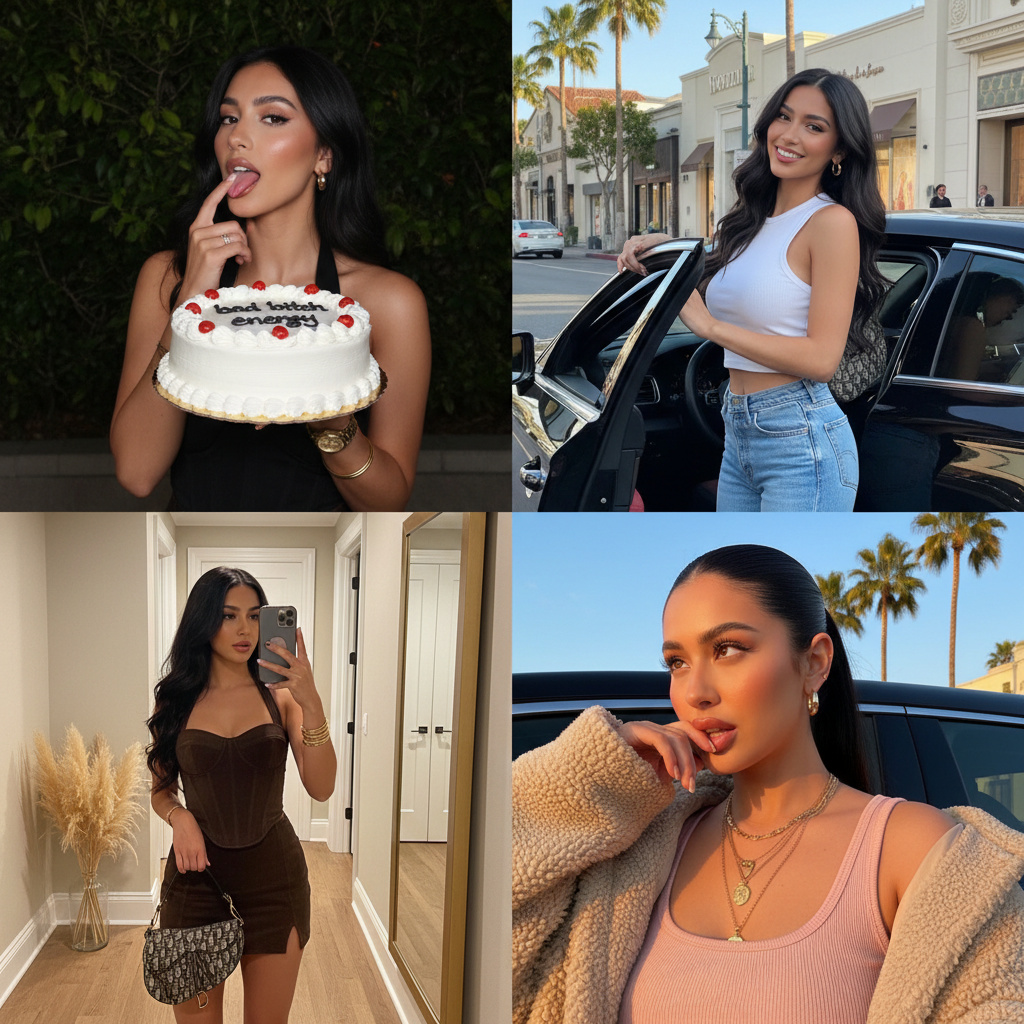
Glamorous Influencer Birthday Collage (2x2 Grid)

Glamorous Influencer Birthday Collage (2x2 Grid)

{ "image_layout": "2x2 grid collage featuring four distinct photographs of the same female subject.", "subject_general": { "gender": "Female", "hair_color": "Dark brown/black", "hair_style": "Long, styled in loose waves in three panels; sleek high ponytail in one panel", "aesthetic": "Glamorous, influencer, trendy, luxury lifestyle" }, "panels": [ { "position": "top_left", "setting": "Outdoors at night, dark background with illuminated green foliage", "action": "Subject is holding a cake with one hand and licking frosting off the index finger of the other hand", "outfit": { "top": "Black halter-neck sleeveless top", "jewelry": "Gold wristwatch, gold bangle bracelet, ring, small hoop earrings" }, "props": { "item": "Round white frosted cake", "details": [ "Red cherries on top", "Decorative white piping along edges", "Black icing text reading 'bad bitch energy'" ] } }, { "position": "top_right", "setting": "Daytime city street, likely an upscale shopping district (e.g., Rodeo Drive) with palm trees and storefronts visible", "action": "Subject is leaning out of the open door of a black luxury car, looking at the camera", "outfit": { "top": "White sleeveless ribbed crop top", "bottom": "Blue denim jeans", "accessories": "Shoulder bag (strap visible), gold hoop earrings" }, "lighting": "Bright natural sunlight casting shadows" }, { "position": "bottom_left", "setting": "Indoor hallway, beige walls, wooden floor", "action": "Full-body mirror selfie", "outfit": { "style": "Matching two-piece set", "color": "Dark brown/chocolate", "top": "Velvet/suede corset-style bustier top", "bottom": "Mini skirt", "accessories": "Patterned designer handbag (resembling Dior Saddle bag), stack of gold bracelets" }, "background_details": [ "Large rectangular mirror with gold frame leaning against wall", "Vase with pampas grass in the corner", "Doorway visible in reflection" ] }, { "position": "bottom_right", "setting": "Inside a vehicle or outdoors, golden hour sunlight", "action": "Close-up selfie, hand raised near mouth/chin", "outfit": { "top": "Light pink/mauve ribbed tank top", "outerwear": "Beige fuzzy/sherpa jacket worn off-the-shoulder", "jewelry": "Layered gold necklaces with pendants, hoop earrings" }, "hair_styling": "Sleeked back high ponytail", "background_details": "Car window frame, palm trees and blue sky visible in background" } ] }

Advanced Two-Step Prompting Strategy for Nano Banana Pro Thumbnails

Advanced Two-Step Prompting Strategy for Nano Banana Pro Thumbnails

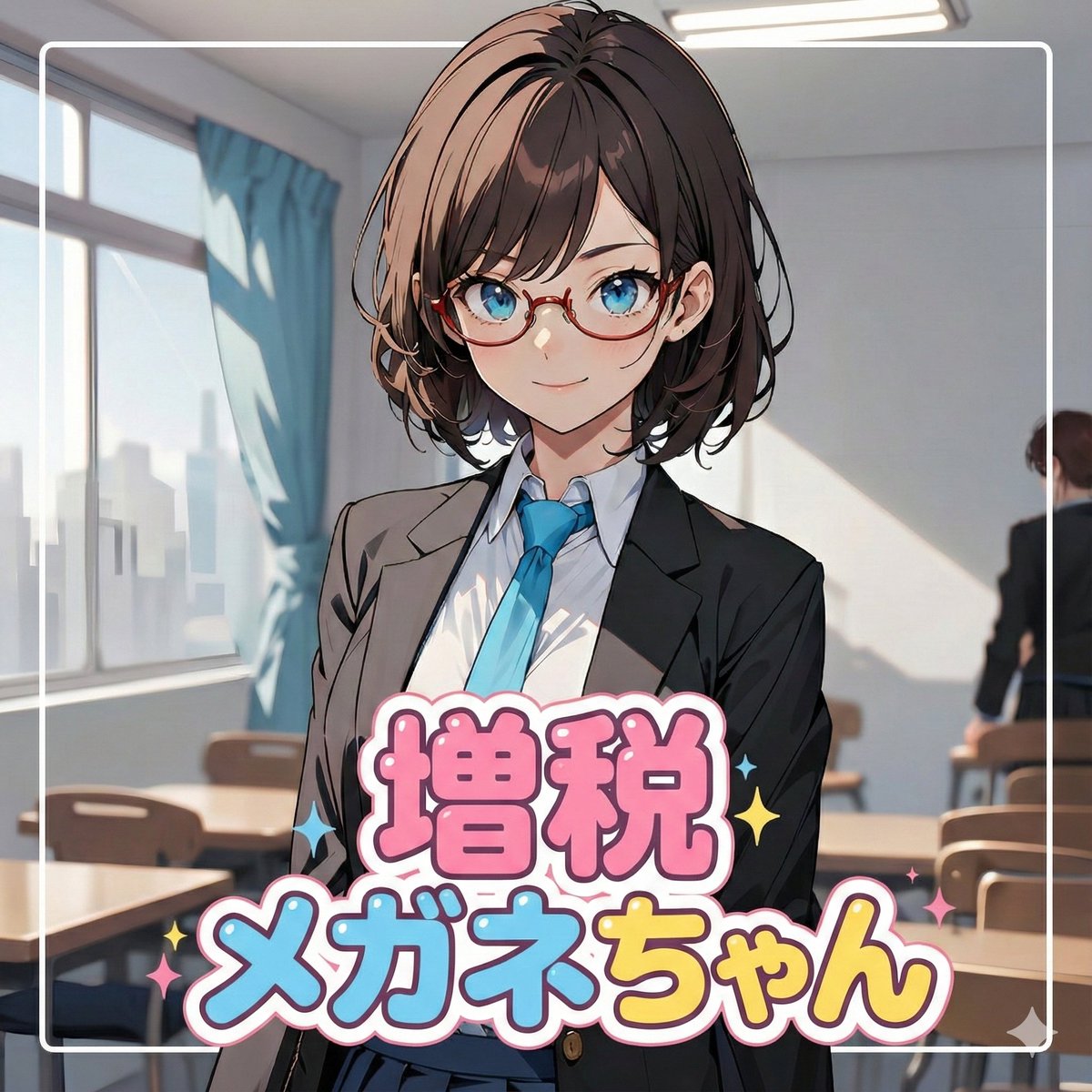
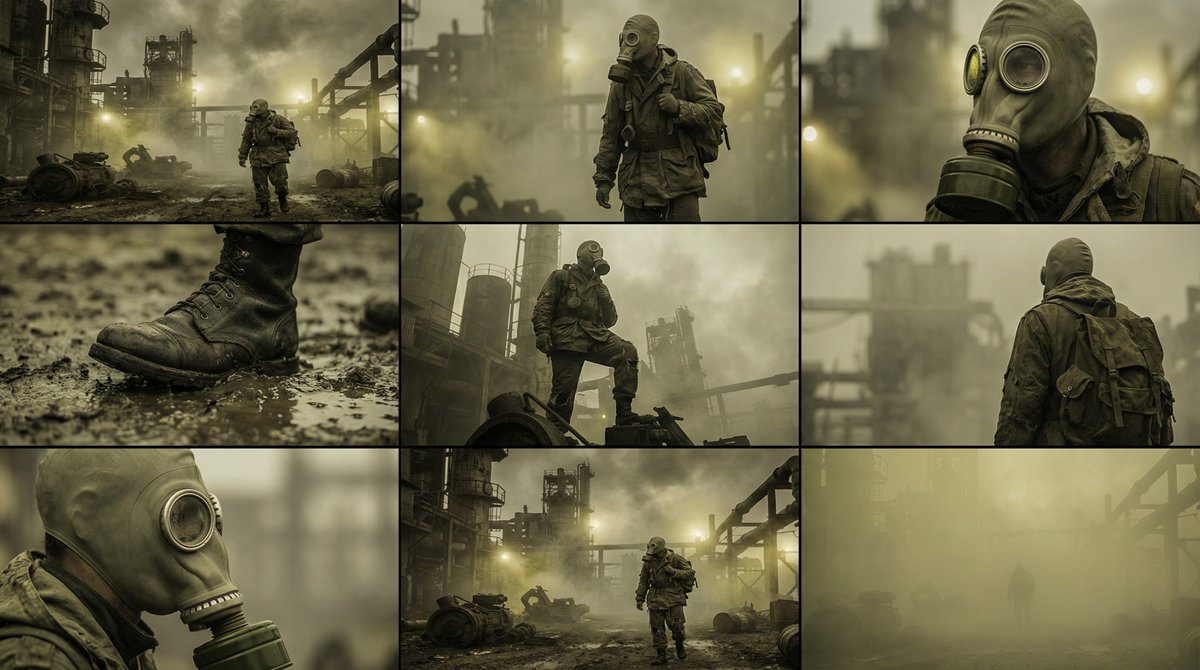
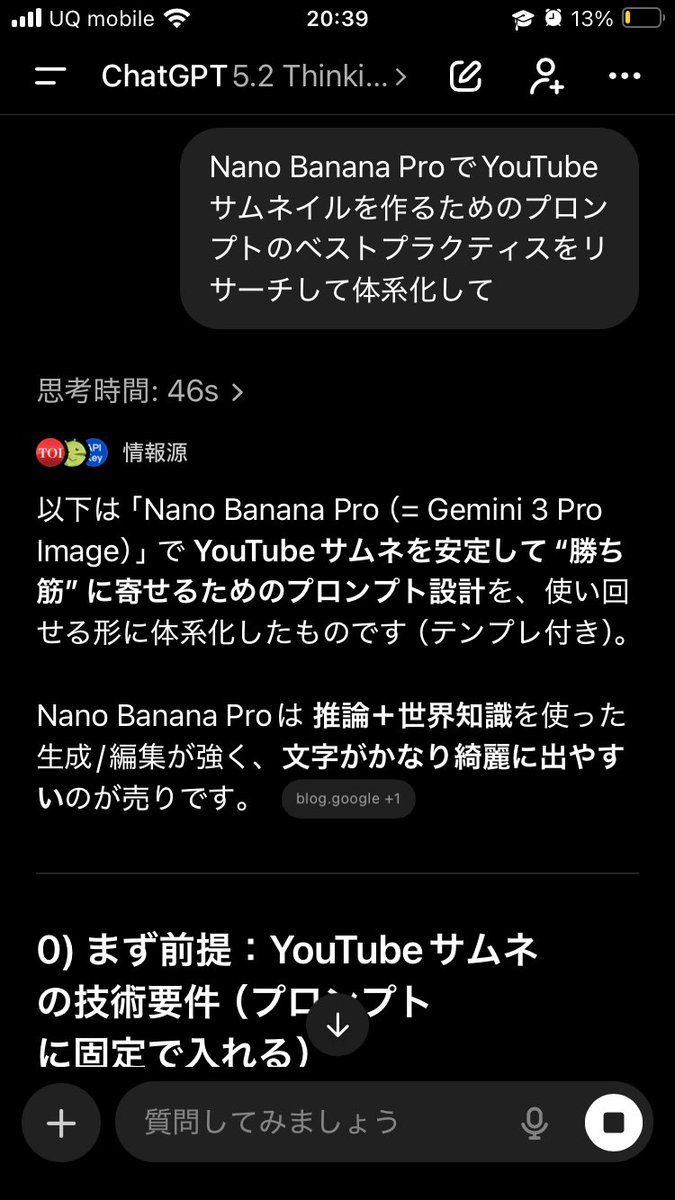
Actually, there's a trickier way to use this. First, have it systematically summarize the information → Then, based on that, have it create the output/deepen the discussion Just doing this makes the quality of the output completely different. This is because if you first create a blueprint in the AI's mind—including "terminology," "judgment criteria," "prohibited items," "patterns," and "priorities"— The next instructions will be output according to that blueprint, making it less likely to deviate. For example, if you want Nano Banana Pro to create a thumbnail: ① First, ask GPT-5.2: "Thoroughly research and systematize the best practices for creating prompts for YouTube thumbnails using Nano Banana Pro. Include common mistakes as well." ② After that, ask: "Based on the current system, create a prompt for making a YouTube thumbnail on the theme of {argument name="theme" default="XX"} using Nano Banana Pro. The video content is like this, and I want to include {argument name="wording" default="this kind of wording"}." Then, input the completed prompt into Nano Banana Pro. It becomes much easier to get the desired output. If you just ask it to "create" every time, the AI outputs based on the moment, leading to inconsistent results. But if you create a map (system) first, it's powerful. Moreover, this method works for side business strategies, sales copy, and video scripts. The versatility is insane. I highly recommend having the AI organize how to create good output before having it perform the task, and then having it think based on that organization. By the way, the thumbnail created this time is the third image. Since the first attempt was mediocre, I had it systematize how to create attractive YouTube thumbnails before generating the prompt.

部分提示词收录自 X 平台创作者,版权归原作者所有。