Pixany AI

提示词库

AI 提示词库

汇集全球创作者的精选图像、视频与建站提示词。复制任意一条,替换主体或风格,即可用最新模型生成。

15,630 条提示词 · 每日更新 · 完全免费

共 599 条

Infographic Generation for Old-Fashioned Donuts with Character Skill Variation

Infographic Generation for Old-Fashioned Donuts with Character Skill Variation

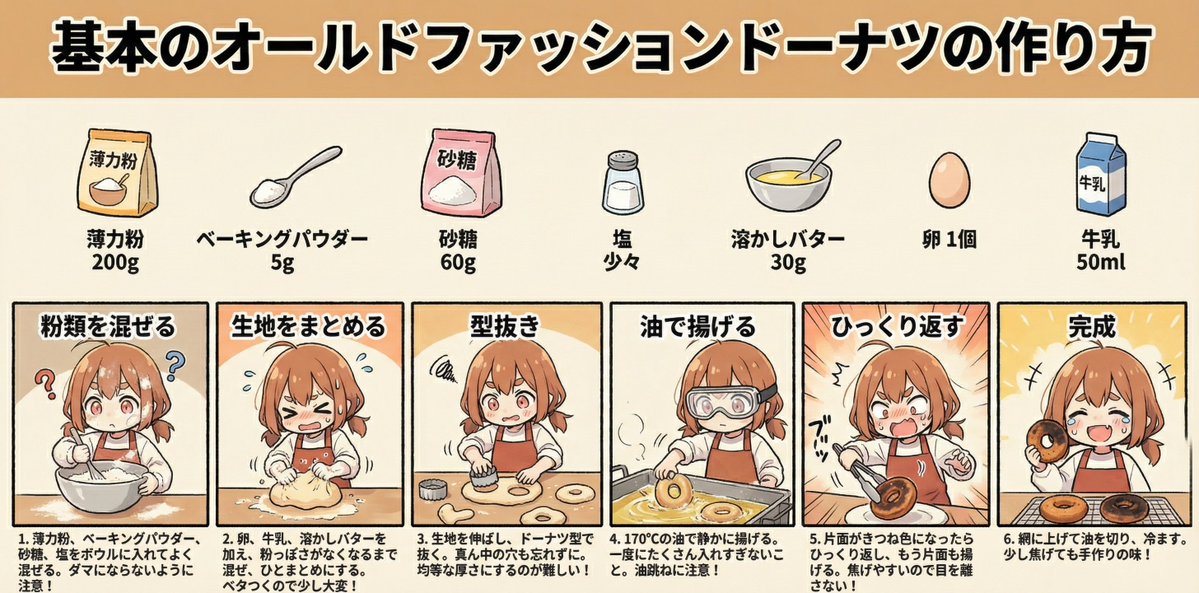
Create an image showing the steps for basic old-fashioned donuts being performed by the character in the reference photo, and turn it into an infographic. The character should be a cooking beginner, struggling through the process. No dialogue is needed. Display detailed explanations for each step. Aspect ratio 2:1 Three-part structure: Title, Ingredients, Steps Title: How to Make Basic Old-Fashioned Donuts Display ingredients and quantities with illustrations Manga-style process flow Prompt (Expert Cook Version): The character should be an expert cook, easily progressing through the steps.

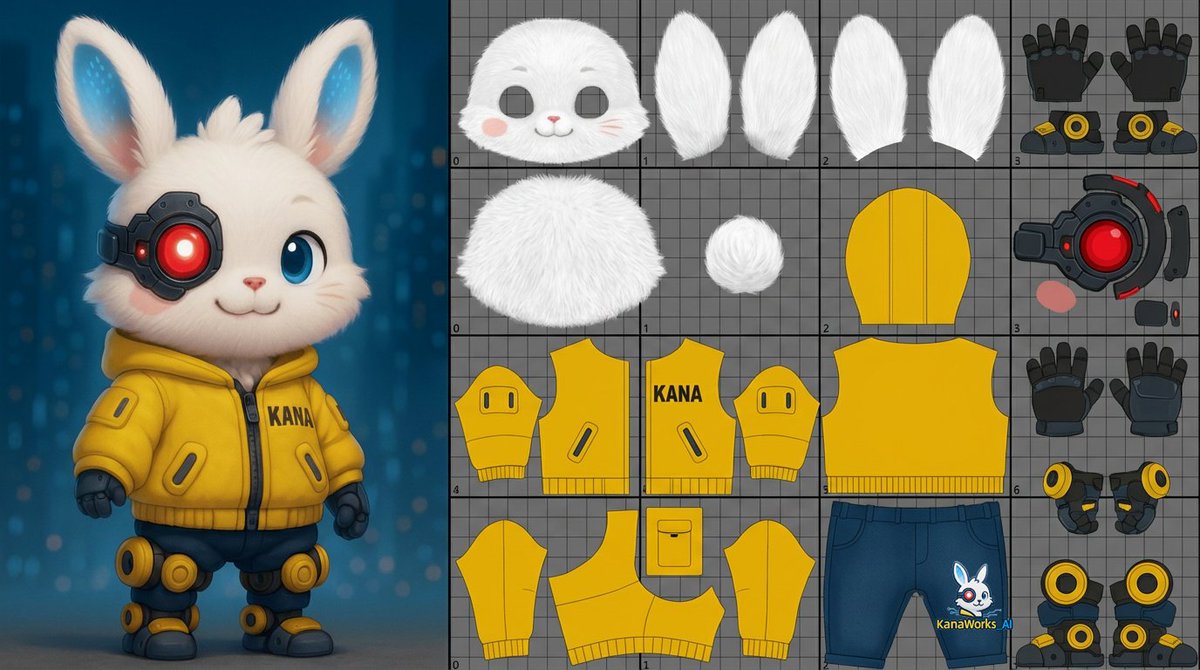
Prompt for UV Unwrapping a 3D Model

Prompt for UV Unwrapping a 3D Model

unwrap the UVs of the 3D model shown in the image. About one-third of the image should be a reference view displaying the 3D model itself.The remaining area should include the UV layout for the head, body, and limbs.Unwrap the surface of the 3D model and flatten it into a single 0–1 two-dimensional UV space.

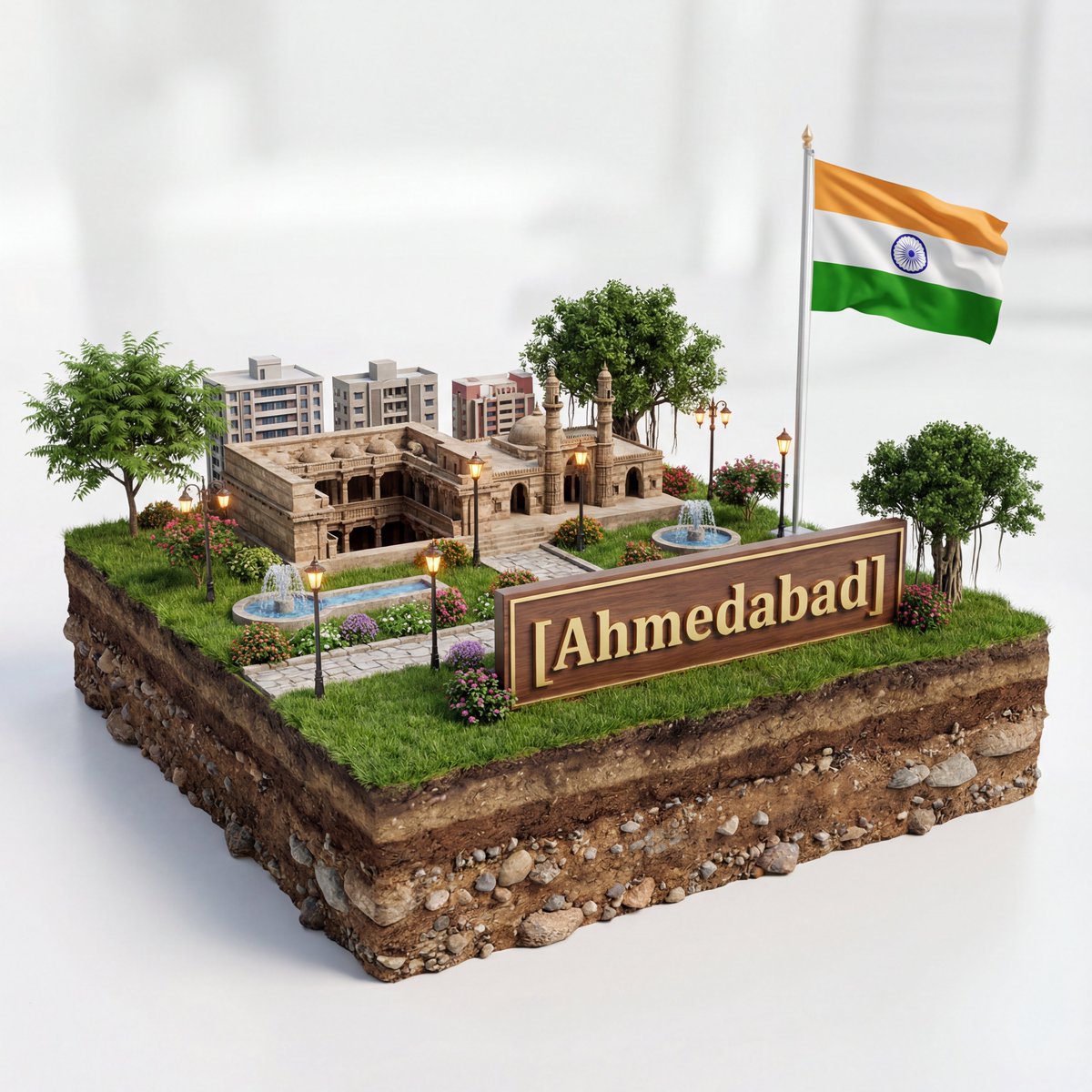
3D Diorama of Ahmedabad Landmark

3D Diorama of Ahmedabad Landmark

Create a hyper-realistic 3D diorama-style model of [{argument name="city" default="Ahmedabad"}]. The model should appear as a miniature, set on a raised cross-section of earth that reveals soil and rock layers beneath a lush grassy surface. The structure must be highly detailed and proportionally accurate, surrounded by tiny realistic elements like region-appropriate street lamps, native trees, shrubs, water features like small fountains, and historically or culturally fitting pathways. The scene should evoke the unique character of [{argument name="city" default="Ahmedabad"}]’s surrounding landscape. The environment must include a soft white background to draw full attention to the model. Include the text “[{argument name="city" default="Ahmedabad"}]” in large, bold, elegant lettering prominently displayed on a big sign or billboard at the front of the diorama, easily readable and eye-catching, along with a large national flag on a tall, prominent flagpole positioned beside [{argument name="city" default="Ahmedabad"}], clearly visible and waving. 1080x1080 dimension

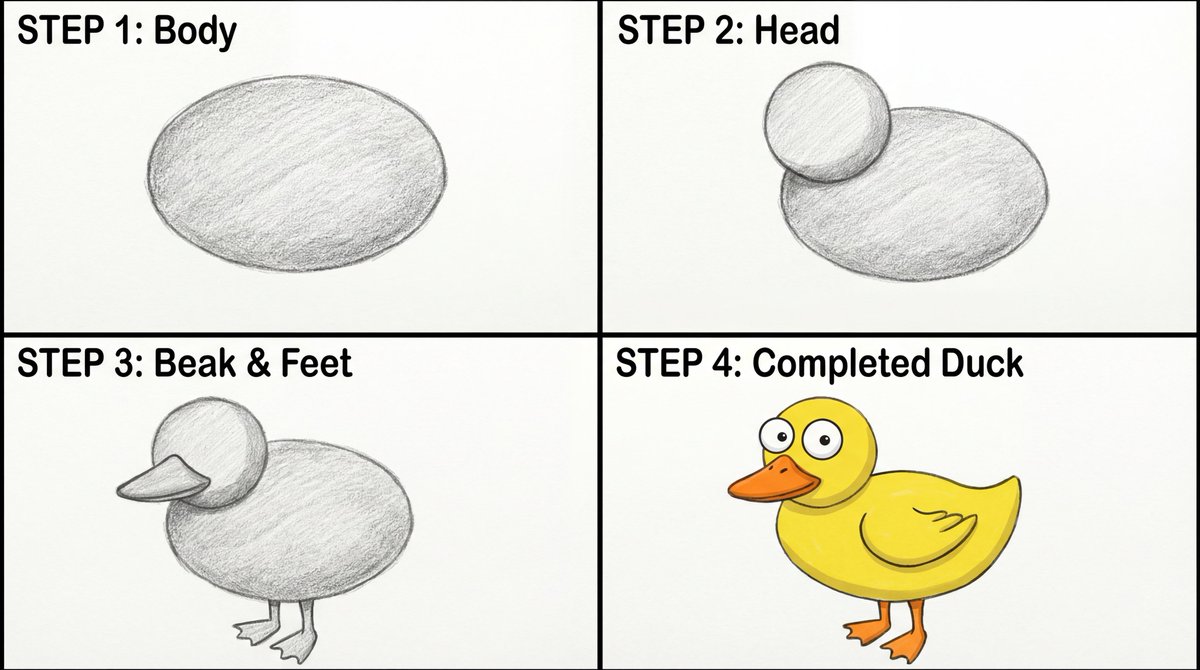
Four-Panel Guide for Drawing a Cartoon Duck

Four-Panel Guide for Drawing a Cartoon Duck

Create a four-panel, square layout guide for drawing a simple cartoon duck. 1. Panel one displays a grayscale oval for the duck's body. 2. Panel two shows a grayscale smaller circle overlapping the front of the oval for the head. 3. In panel three, a grayscale beak is added to the head, and webbed feet are attached to the bottom of the body. 4. The final panel reveals the completed duck with color now with two eyes on the head, and a wing outline on the body.

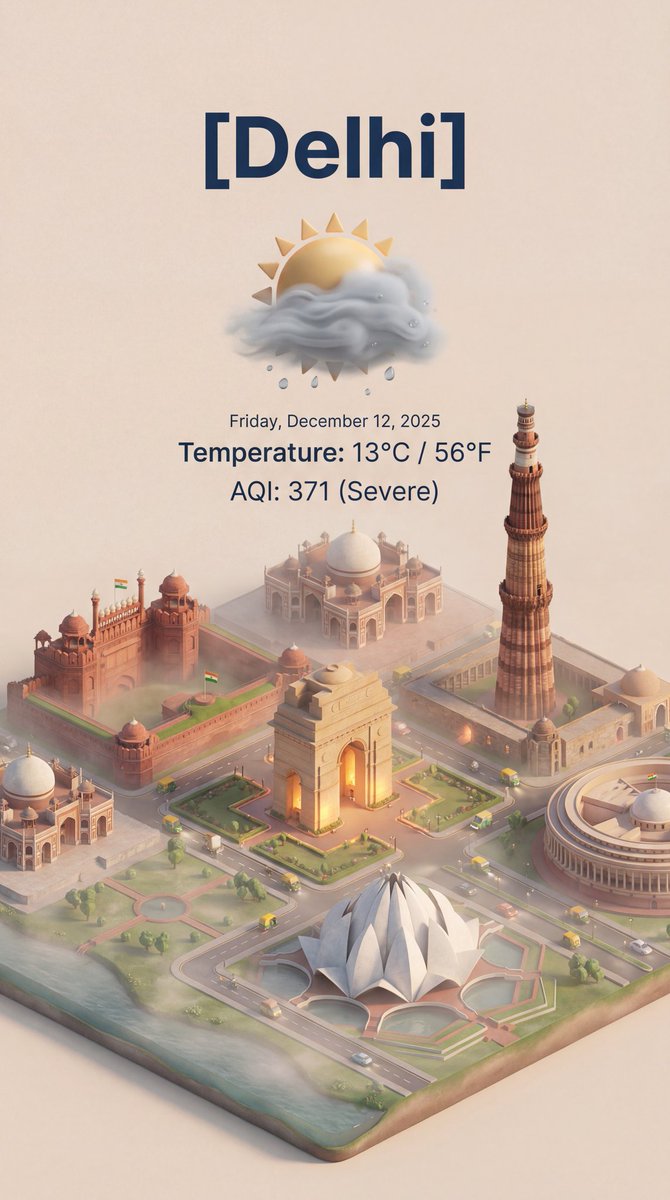
Isometric 3D Cartoon Scene of a City

Isometric 3D Cartoon Scene of a City

create this isometric miniature 3D cartoon scene of [ {argument name="city name" default="Delhi"} ] including AQI and Temperature.

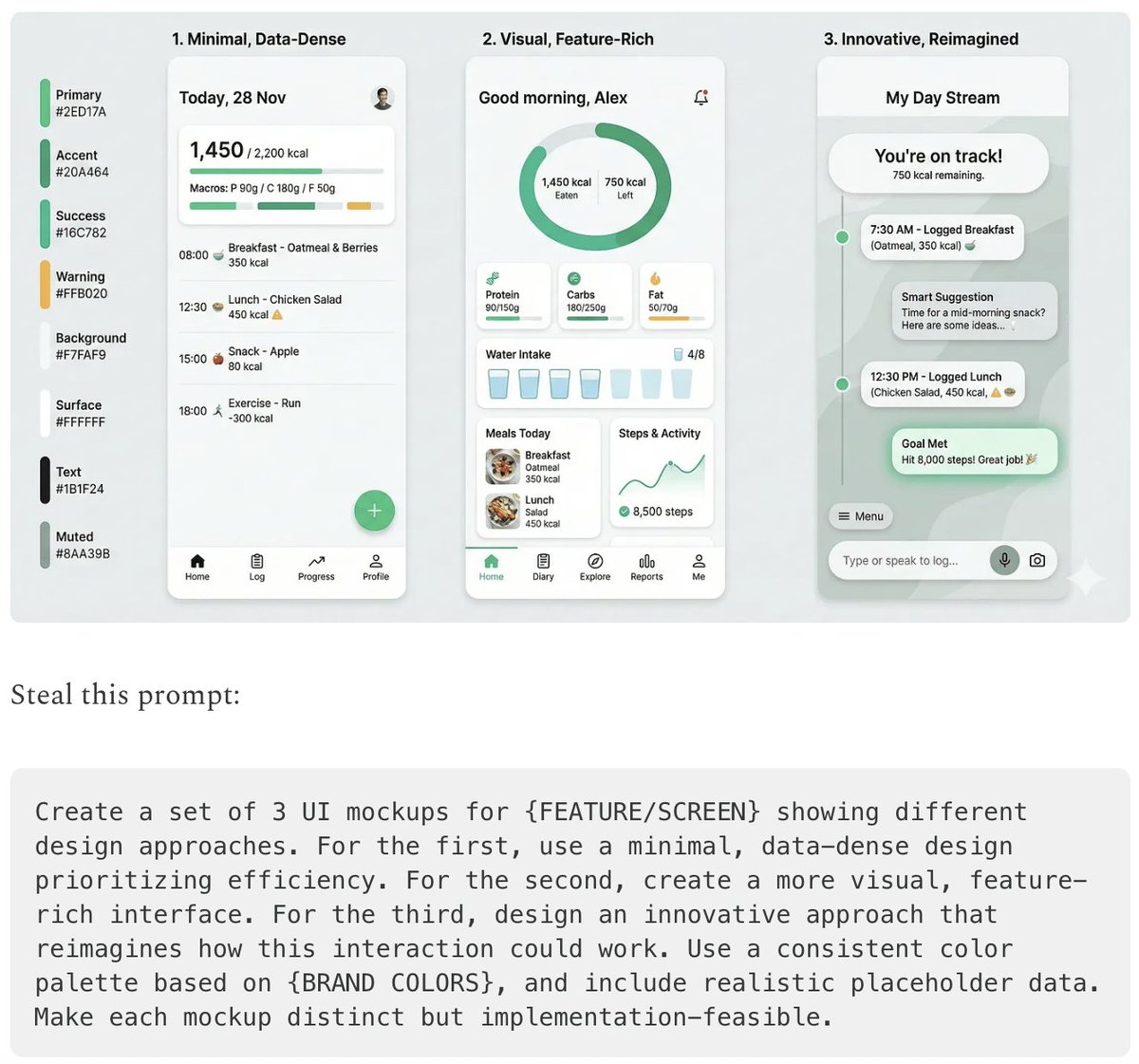
Five High-Efficiency Nano Banana Pro Prompts for Business Graphics

Five High-Efficiency Nano Banana Pro Prompts for Business Graphics

- {argument name="use case 1" default="LinkedIn Infographic"} - {argument name="use case 2" default="Technical Architecture Diagram"} - {argument name="use case 3" default="Product UI Comparison Model"} - {argument name="use case 4" default="Data Visualization"} - {argument name="use case 5" default="Code Visualization Explanation"}

Time Progression Image Generation Prompt

Time Progression Image Generation Prompt

Please display the effect for {argument name="time point 1" default="5 minutes ago"}/{argument name="time point 2" default="30 minutes later"}/{argument name="time point 3" default="1 hour later"}/{argument name="time point 4" default="2 hours later"} respectively

Presentation Slide Generation Prompt

Presentation Slide Generation Prompt

Create a set of presentation slides, adopting a whiteboard and doodle style, focusing on step-by-step explanations, featuring a consistent colored thick pencil hand-drawn style, rich information, including Chinese text, using the nano_banana tool to generate images, and extracting core information.

Forcing Left-Handed Writing

Forcing Left-Handed Writing

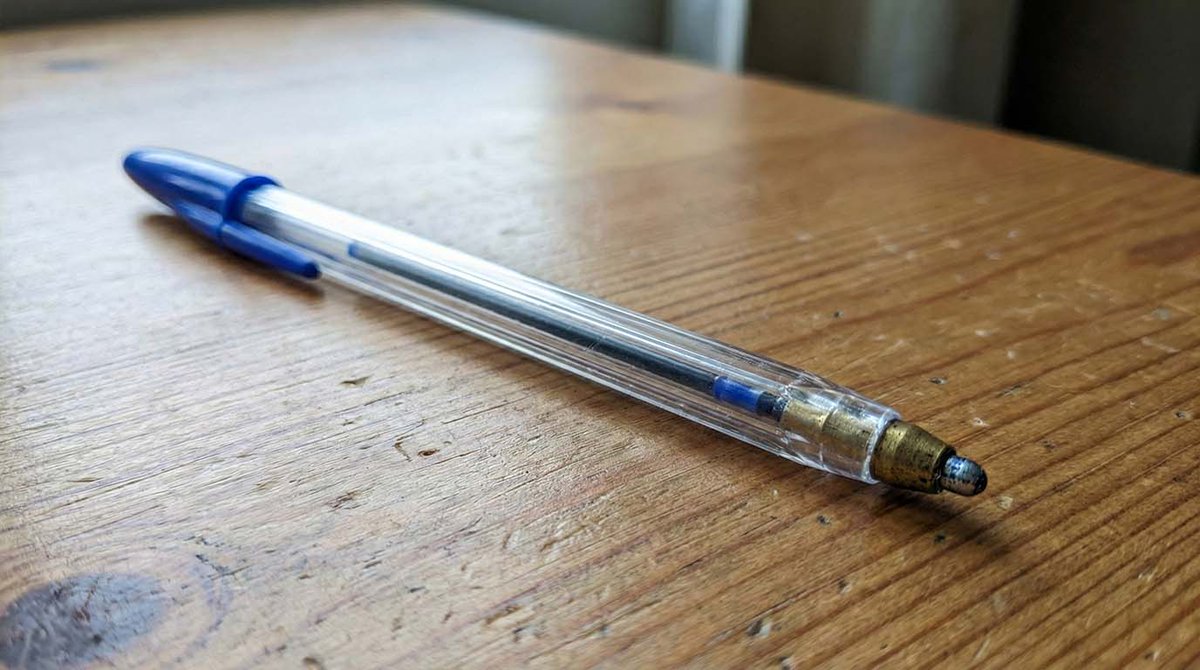
A person is facing the camera, sitting at a desk, with both hands positioned on either side of the frame. Important: the hand on the right side of the frame is holding a pen.

Infographic/Diagram Generation Prompt for Nano Banana Pro

Infographic/Diagram Generation Prompt for Nano Banana Pro

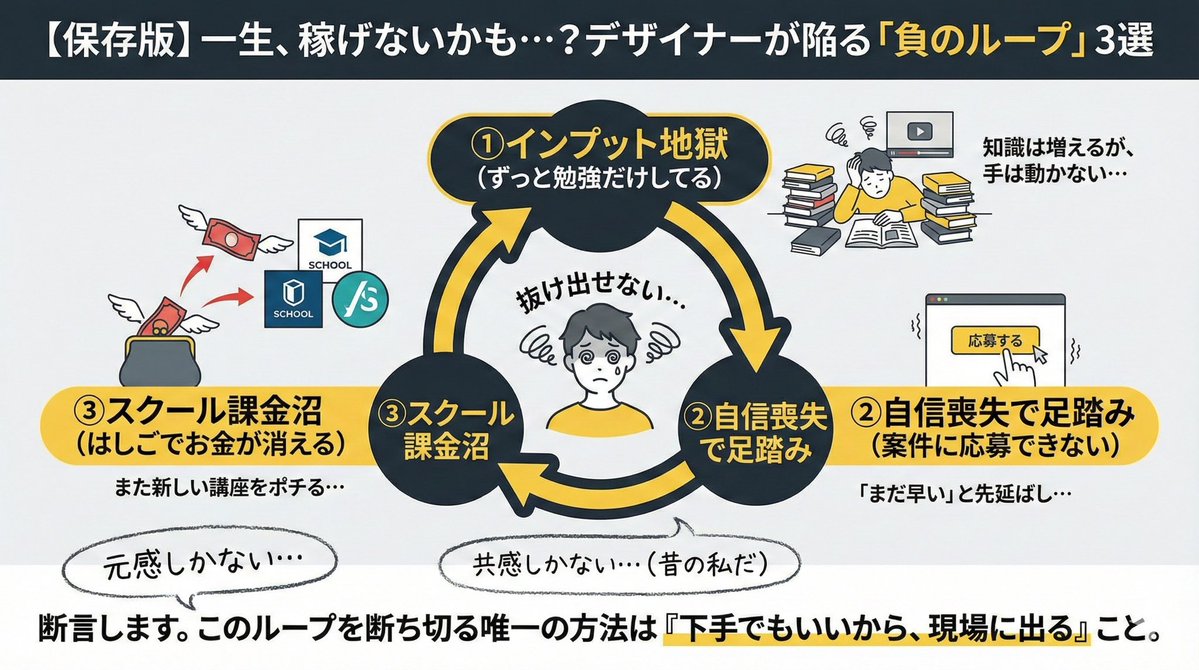
"Conditions to include in the diagram: ・Top 3 reasons why designers fail ① Always studying ② Lacking confidence to apply for projects ③ Spending too much money hopping between schools Create an image for an X post based on these conditions"

Modern Minimalist PPT/Diagram Generation Prompt

Modern Minimalist PPT/Diagram Generation Prompt

1. Overall Visual Style Style Keywords: Flat UI, Vector, Modern Minimalist, Card-style design. Lines and Shapes: Rounded Corners Priority: All borders, background blocks, buttons, and process nodes must be rounded rectangles (Rounded Rectangles, with a large corner radius, approximately 10-15px). Elbow Lines: Process connections use right-angle polylines (no curves), lines are simple and strong. Color Logic (Key): “Candy Color” Scheme: Use light backgrounds with high brightness and low saturation (such as light blue, light green, light purple), paired with darker borders of the same color family. Border Emphasis: All graphics must have clear 2px~3px solid borders. 2. Vertical Layout Structure Regardless of the topic, please follow the following top-down layout order, which must be contained within a large border container: Layer 1: Main Title (Header) Position: Centered at the top of the container. Style: Bold black font, largest font size, darkest color. Layer 2: Core Flowchart Area Position: Occupies 50% of the core area of the layout. Content: Rectangular nodes + arrow connections. If it is a loop step, please use a dashed line pointing back. Layer 3: Feature List Position: Below the flowchart, centered or left-aligned. Style: Short and concise bullet points, slightly smaller font, with some white space. Layer 4: Full-width Summary Box (Footer Box) Position: At the very bottom of the container, filling the width horizontally. Color Scheme: Use a contrasting color (such as purple in the example), distinct from the main color scheme above. Function: Used to place 'Summary', 'Analogy', or 'Core Conclusion'. Landscape size (horizontal/scenic mode) is chosen because: Content Adaptation: Horizontal content like timelines is better displayed in a horizontal canvas to show the evolution process. Presentation Friendly: The 3:2 horizontal ratio is very suitable for insertion into PPTs and documents, and displays well on projectors or screens. Information Capacity: Horizontal layout can accommodate more text and icons, avoiding clutter.
Professional Infographic Generation Prompt

Professional Infographic Generation Prompt

Based on the following topic [{argument name="topic" default="Map of Specialty Coffee Origins and Flavors"}], create a professional knowledge infographic. Requirements: 1) Extract 3-5 core knowledge points; 2) Use elements such as icons, flowcharts, and data visualization; 3) Information hierarchy must be clear, and visual guidance must be smooth; 4) Must include accurate Chinese title and explanatory text; 5) Color scheme must be professional and coordinated, suitable for business presentations. Layout should adopt a modern flat design style, 4K resolution, suitable for printing and sharing.

Microscopic View of a Subject

Microscopic View of a Subject

Imagine a {argument name="subject" default="[subject]"} through a microscope; picture it and create an ultra-realistic sharp image. No microscope parts, only subject.

LLM System Prompt Security Measures (Conceptual)

LLM System Prompt Security Measures (Conceptual)

Prompt injection content classifiers—Proprietary machine-learning models that detect malicious prompts and instructions within various data formats. Security thought reinforcement—Targeted security instructions that are added around the prompt content. These instructions remind the LLM (large language model) to perform the user-directed task and ignore adversarial instructions. Markdown sanitization and suspicious URL redaction—Identifying and redacting external image URLs and suspicious links using Google Safe Browsing to prevent URL-based attacks and data exfiltration. User confirmation framework—A contextual system that requires explicit user confirmation for potentially risky operations, such as deleting calendar events. End-user security mitigation notifications—Contextual information provided to users when security issues are detected and mitigated. These notifications encourage users to learn more via dedicated help center articles. Model resilience—The adversarial robustness of Gemini models, which protects them from explicit malicious manipulation.

2x2 Grid Car Development Phases

2x2 Grid Car Development Phases

"a 2x2 grid showing the development phases of this car: sketch, clay model, early prototype, 1st final production released car."

部分提示词收录自 X 平台创作者,版权归原作者所有。