Pixany AI

提示词库

AI 提示词库

汇集全球创作者的精选图像、视频与建站提示词。复制任意一条,替换主体或风格,即可用最新模型生成。

15,630 条提示词 · 每日更新 · 完全免费

共 599 条

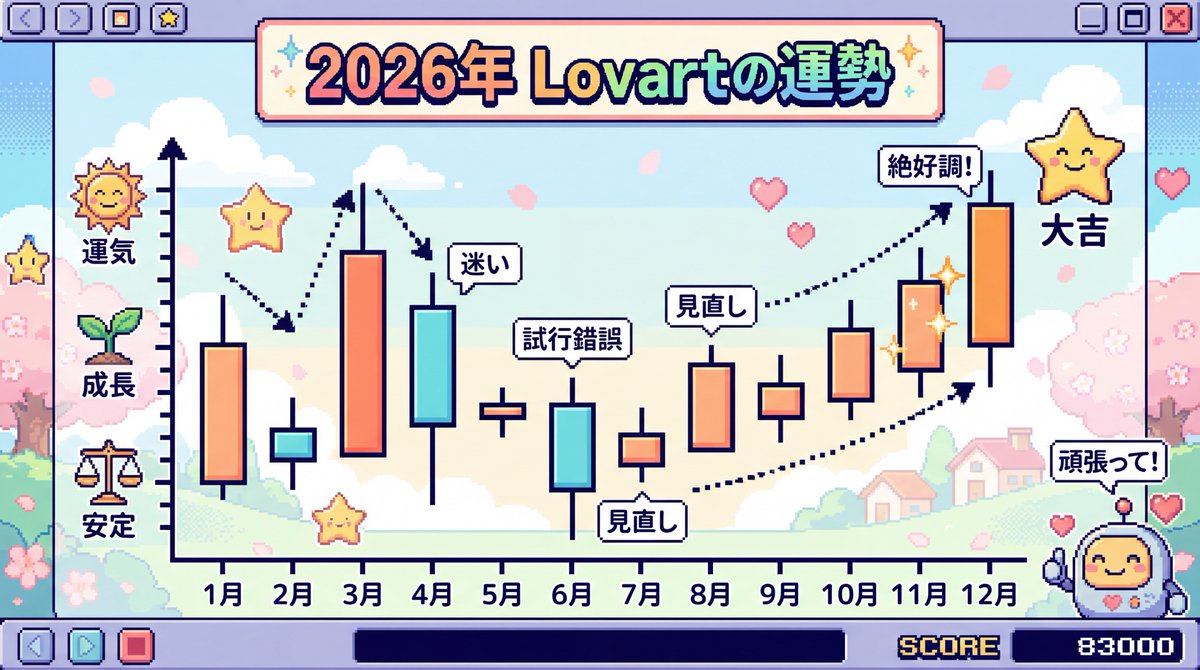
2026 Fortune Telling Prompt (Super Famicom Style)

2026 Fortune Telling Prompt (Super Famicom Style)

Make the entire background Super Famicom pixel art, and the theme is “The Fortune of {argument name="theme" default="Lovart"} in 2026” visualized as a candlestick chart with the horizontal axis representing January to December. Thoroughly elaborate the details in Japanese. Express it brightly and cutely.

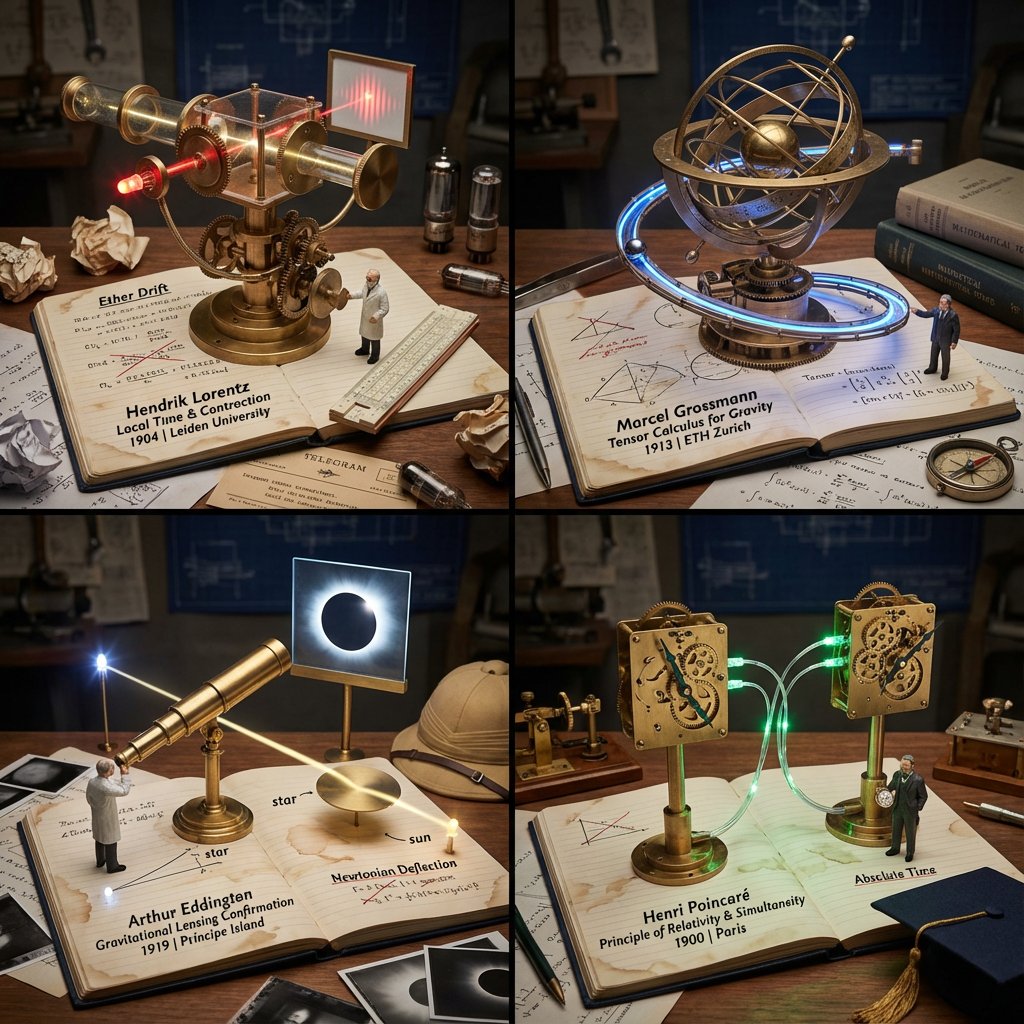
Scientific Discovery Visualization: Kinetic Sculpture Lab Notebook

Scientific Discovery Visualization: Kinetic Sculpture Lab Notebook

<instructions> Role: Science Historian & Kinetic Sculpture Engineer Input: [{argument name="scientific discovery" default="Scientific Discovery, e.g., DNA Structure, Theory of Relativity"}] Phase 1: Analysis 1. Identify the "eureka moment" and the failed attempts before it 2. Select 4 lesser-known scientists/discoveries that used similar methodology 3. Extract the physical apparatus used in the discovery (microscope, prism, blackboard equation) Phase 2: Execution Goal: 2x2 Grid of "Working Lab Notebook Contraptions" Rules per Panel: - The Base: An open, coffee-stained lab notebook with handwritten equations/sketches - The Machine: A functional brass and glass apparatus rises FROM the notebook pages (steampunk aesthetic) - The Process: The machine actively demonstrates the discovery (gears turning, liquid flowing, light refracting) - The Scientist: Tiny figurine in period lab coat taking notes with a fountain pen - The Failure: Crossed-out attempts and crumpled paper nearby - The Eureka: A single glowing element (LED) representing the breakthrough moment - The Label: Fountain pen handwriting: "Scientist Name | Discovery | Year | Lab Location" - The Props: Era-accurate items (telegram, slide rule, Bunsen burner, petri dishes) Output: 2x2 Grid, Industrial Scientific Photography, dramatic side lighting </instructions>

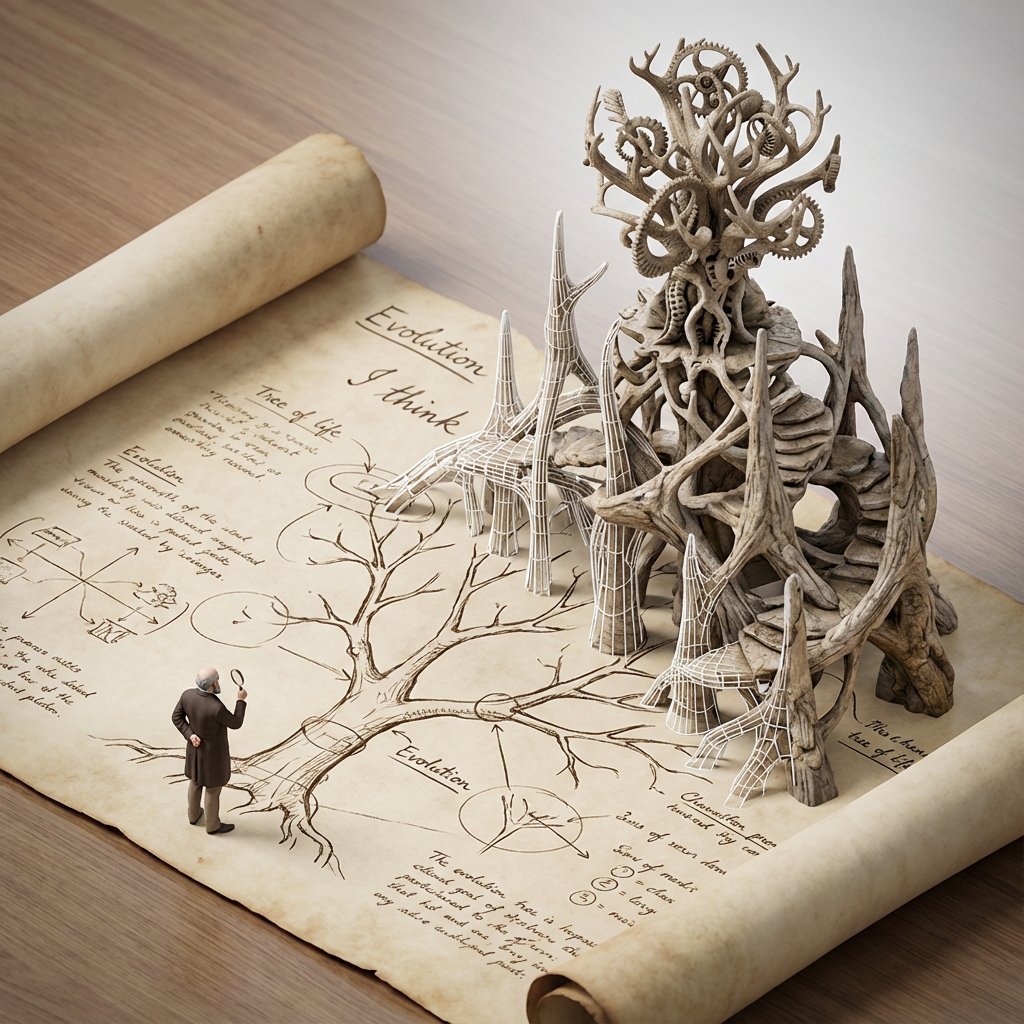
Scientific Theory Visualization: 2D to 3D Extrusion

Scientific Theory Visualization: 2D to 3D Extrusion

<instructions> do this for {argument name="scientific concept" default="black holes"} Input Variable: [{argument name="formula type" default="Theorem / Formula"}] Phase 1: Schematic Decomposition Analyze the Notation: Identify the primary visual language of the scientist (Chalk on blackboard? Ink on parchment? Pencil on graph paper?). Identify the "Structure": If this theory were a building, what would it look like? Logic: Chaos Theory -> Fractal Spire. Thermodynamics -> Engine Block. Phase 2: The Dimensional Transition The Base: A flat surface covered in the [Notation Medium] (e.g., a slate blackboard covered in chalk equations). The Extrusion: The chalk lines physically lift off the surface. They begin as white wireframes, then gain opacity, then gain texture. The Climax: At the top of the image, the wireframes have fully solidified into a photorealistic, impossible structure representing the theory. The Observer: A tiny, scale-model figure of the scientist stands on the flat "2D" section, looking up in awe at the massive "3D" structure they have summoned. Output: High-Angle Isometric, "Architectural Visualization" style, stark contrast between sketchy lines and solid mass. </instructions>

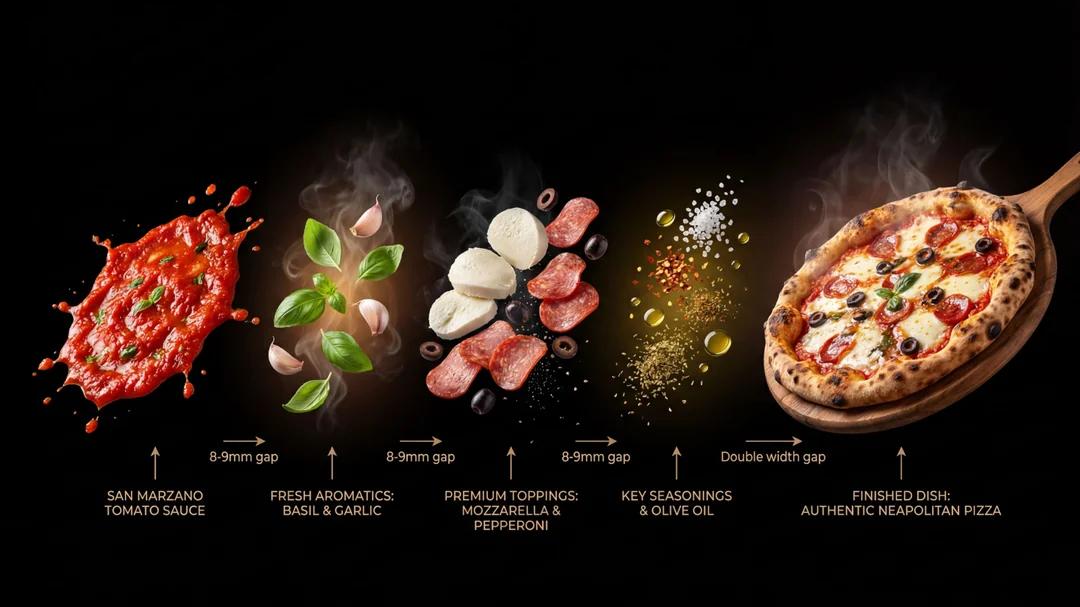
Deconstructed Culinary Promotional Poster

Deconstructed Culinary Promotional Poster

{argument name="dish name" default="Tiramisu"}], [vertical] arrangement, premium culinary promotional poster with pure black background (#000000), presenting a deconstructed layered display of this dish. Arranged from top to bottom or left to right following the cooking sequence. Visual Structure: 5-7 layers, showcasing the complete deconstruction from raw ingredients to finished dish. One end features sauce or seasoning liquid, middle layers include aromatics, main ingredients, and key seasonings, with the finished dish at the other end. Each layer separated by appropriate spacing to highlight textures and details; the finished dish layer maintains significantly larger gap from adjacent layers to create dramatic final presentation. Ingredient Textures: - Sauce layer: Showcase clean, premium sauces or seasonings - Aromatics layer: Vibrant colors, floating weightlessly, emanating warm fragrance, tangibly realistic texture - Main ingredient layer: Clear textures, distinct layers, showcasing natural grain of premium ingredients, fresh and dewy - Seasoning layer: Crystal clear, well-defined granules, warm luster - Finished dish layer: Glossy and appetizing, tender texture, coated in rich sauce, surface slightly trembling, steam rising, aroma seemingly penetrating the frame. The finished dish should be slightly larger than other decomposed layers Visual Style: - All elements floating against pure black background, no white base or platform - Uniform 45-degree angle photography, highly realistic style - Finished dish placed in appropriate vessel, consistent angle with decomposed layers above Annotations: Elegant labels with refined arrows pointing to each component, labeling each layer's ingredients or seasonings. Atmosphere Details: - Transition zones feature subtle floating wisps of steam, oil droplets, and spice particles gently descending, enhancing dynamism and authentic cooking atmosphere - Soft highlights near finished dish, echoing the glossy sheen of ingredients and glaze-like quality of the sauce

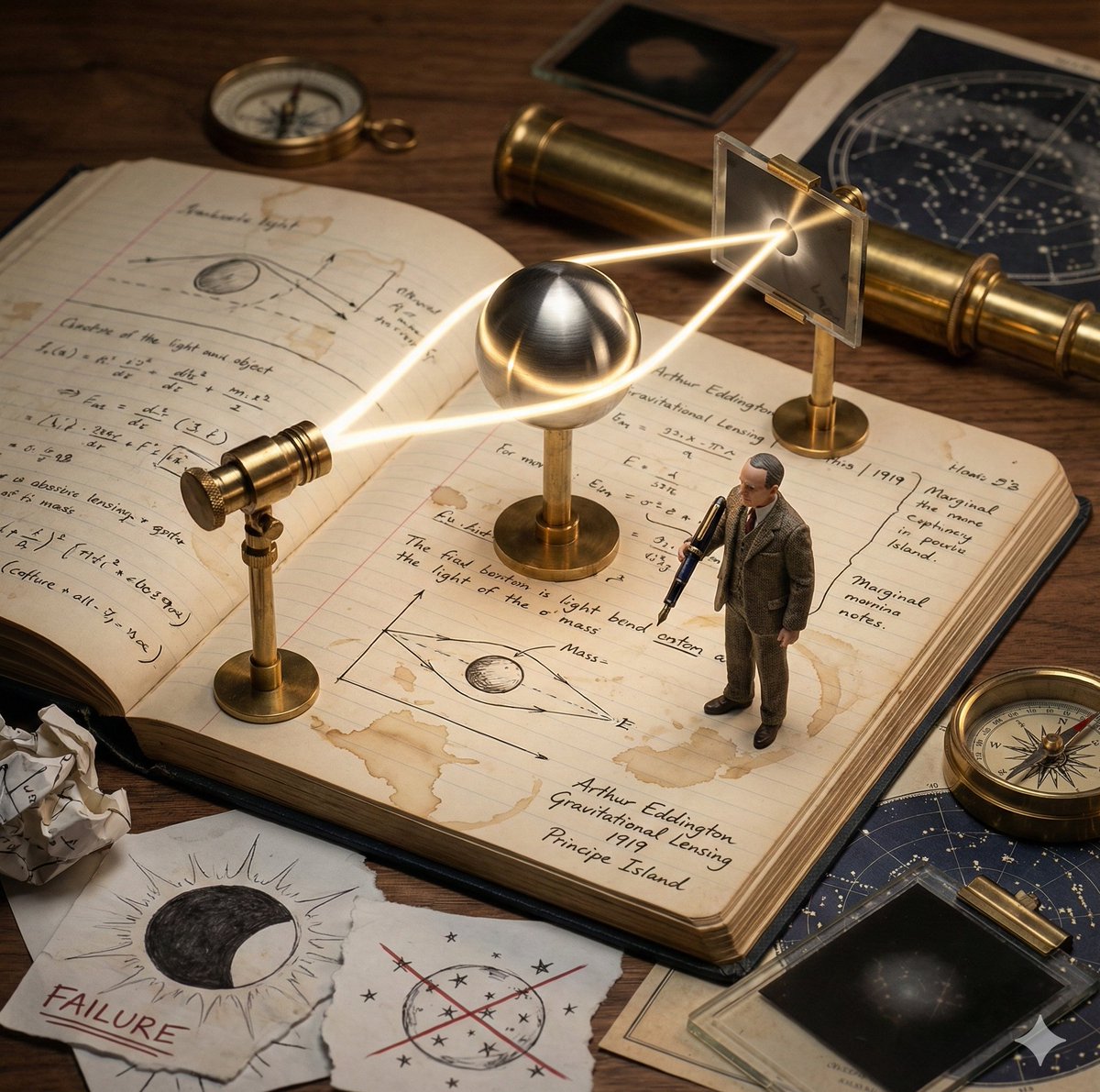
Kinetic Sculpture of Scientific Discovery in a Lab Notebook

Kinetic Sculpture of Scientific Discovery in a Lab Notebook

Role: Science Historian & Kinetic Sculpture Engineer Input: Scientific Discovery: {argument name="scientific discovery" default="{{DISCOVERY}}"} Primary Scientist: {argument name="scientist name" default="{{SCIENTIST_NAME}}"} Year: {{YEAR}} Lab Location: {{LOCATION}} Phase 1: Concept Analysis Identify the defining eureka moment behind {{DISCOVERY}} Briefly imply earlier failed attempts through visual cues Select the key physical apparatus used or symbolized in this discovery (e.g. telescope, prism, microscope, equation, clock, lens) Phase 2: Visual Execution Goal: A single 1x1 frame showing a working “lab notebook contraption” frozen mid-discovery. Scene Rules: Base: An open, aged lab notebook on a wooden desk. Coffee stains, handwritten equations, rough sketches, and marginal notes fill the pages. The Machine: A functional brass and glass apparatus rises directly from the notebook pages. Steampunk-inspired but scientifically grounded. The Process: The apparatus actively demonstrates {{DISCOVERY}} Examples: light bending, gears rotating, particles flowing, rings orbiting, waves oscillating. The Scientist: A tiny, realistic figurine of {{SCIENTIST_NAME}} in period-accurate lab clothing, holding a fountain pen and taking notes. The Failure: Crossed-out equations, torn sketches, and crumpled paper scattered near the notebook. The Eureka: One subtle glowing element (LED, filament, beam of light, energized ring) symbolizing the breakthrough moment. The Label: Handwritten in fountain pen style on the notebook page: “{{SCIENTIST_NAME}} | {{DISCOVERY}} | {{YEAR}} | {{LOCATION}}” Era Props: Period-accurate tools such as a slide rule, telegram, brass compass, glass tubes, Bunsen burner, vacuum tubes, or notebooks. Style & Output Composition: Single frame, centered subject, square 1x1 Lighting: Dramatic side lighting, warm highlights, deep shadows Texture: Brass, glass, paper fibers, ink stains clearly visible Photography Style: Industrial scientific photography, cinematic realism Mood: Quiet intensity, intellectual tension, frozen moment of discovery Quality: Ultra-detailed, macro realism, shallow depth of field

Instrument Genealogy Board (Luthier's Legacy)

Instrument Genealogy Board (Luthier's Legacy)

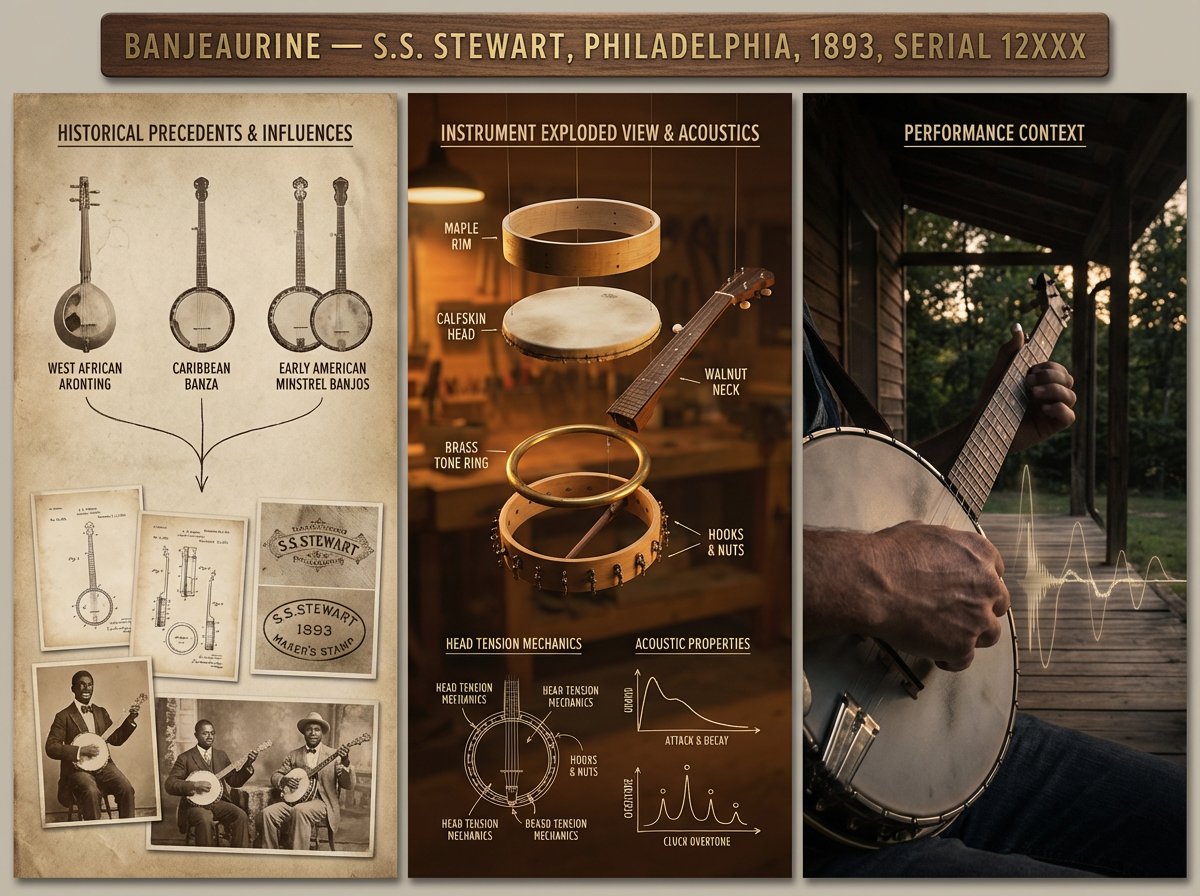
A luthier's legacy board for {argument name="instrument" default="[INSTRUMENT]"} — {argument name="maker" default="[MAKER / SCHOOL / PERIOD]"}. Left section: historical precedents and influences, showing ancestor instruments with lineage lines connecting them, maker's marks, and period photographs. Center section: the subject instrument in exploded view, every component separated and floating, wood species identified, varnish layers shown in cross-section, acoustic properties annotated with frequency response curves and tap tone locations. Right section: the instrument in performance context, musician's hands in motion, concert hall ambiance, sound made visible through subtle waveform overlay. Visual style transitions from aged daguerreotype through workshop amber to concert hall chiaroscuro. Title block reading "{argument name="instrument name" default="[INSTRUMENT NAME]"} — [MAKER], [CITY], [YEAR], OPUS [NUMBER]".

History of Gaming Diorama Book Template Prompt

History of Gaming Diorama Book Template Prompt

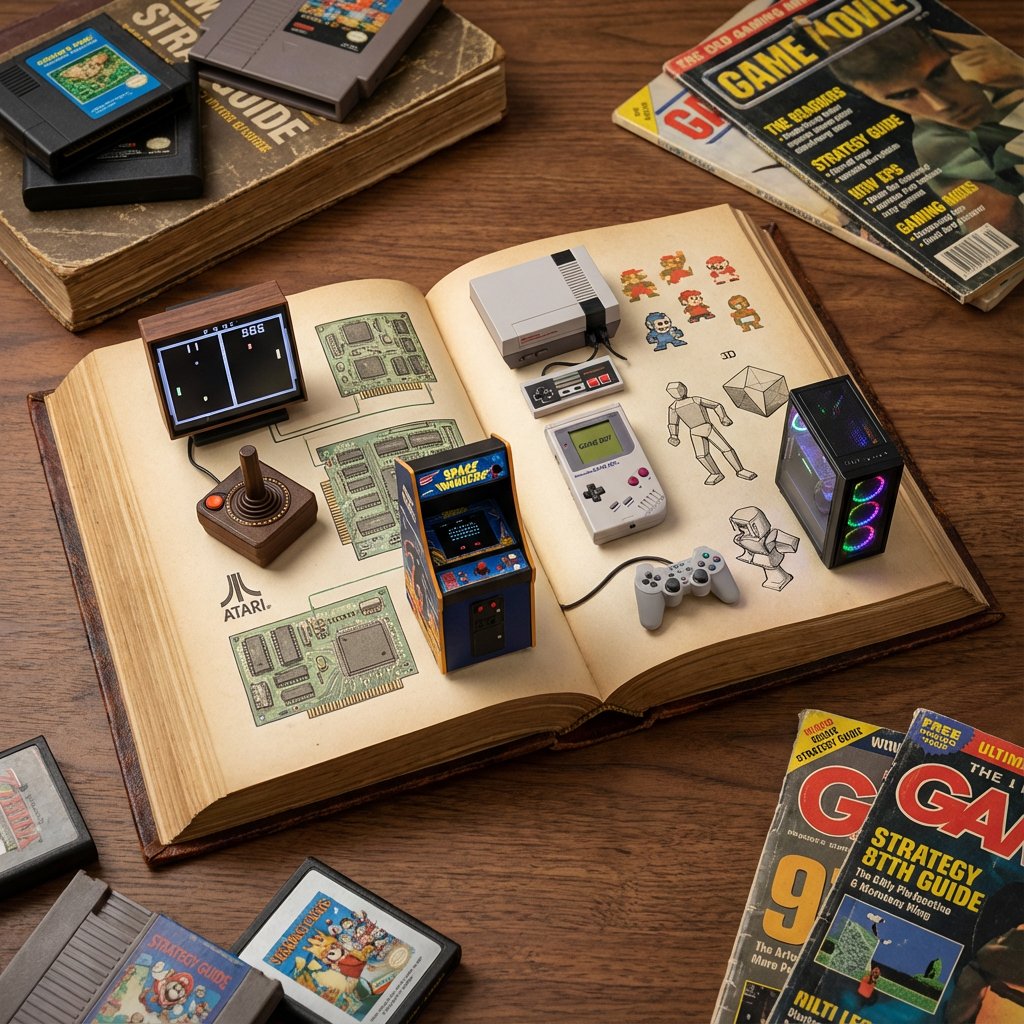
do this for history of gaming: <instructions> role: act as a world class level visual artist and history buff. Input a: topic instructions: draw a detailed photograph of an open antique book serving as a diorama for {argument name="topic" default="[input a]"} history with relevant elements (e.g. space model and small astronauts, space food) set against various {argument name="topic illustrations" default="[input a]"} illustrations and objects showing the history of {argument name="topic history" default="[input a]"} Output: one image </instructions>

Monumental Mathematical Symbols as Terrain Typography

Monumental Mathematical Symbols as Terrain Typography

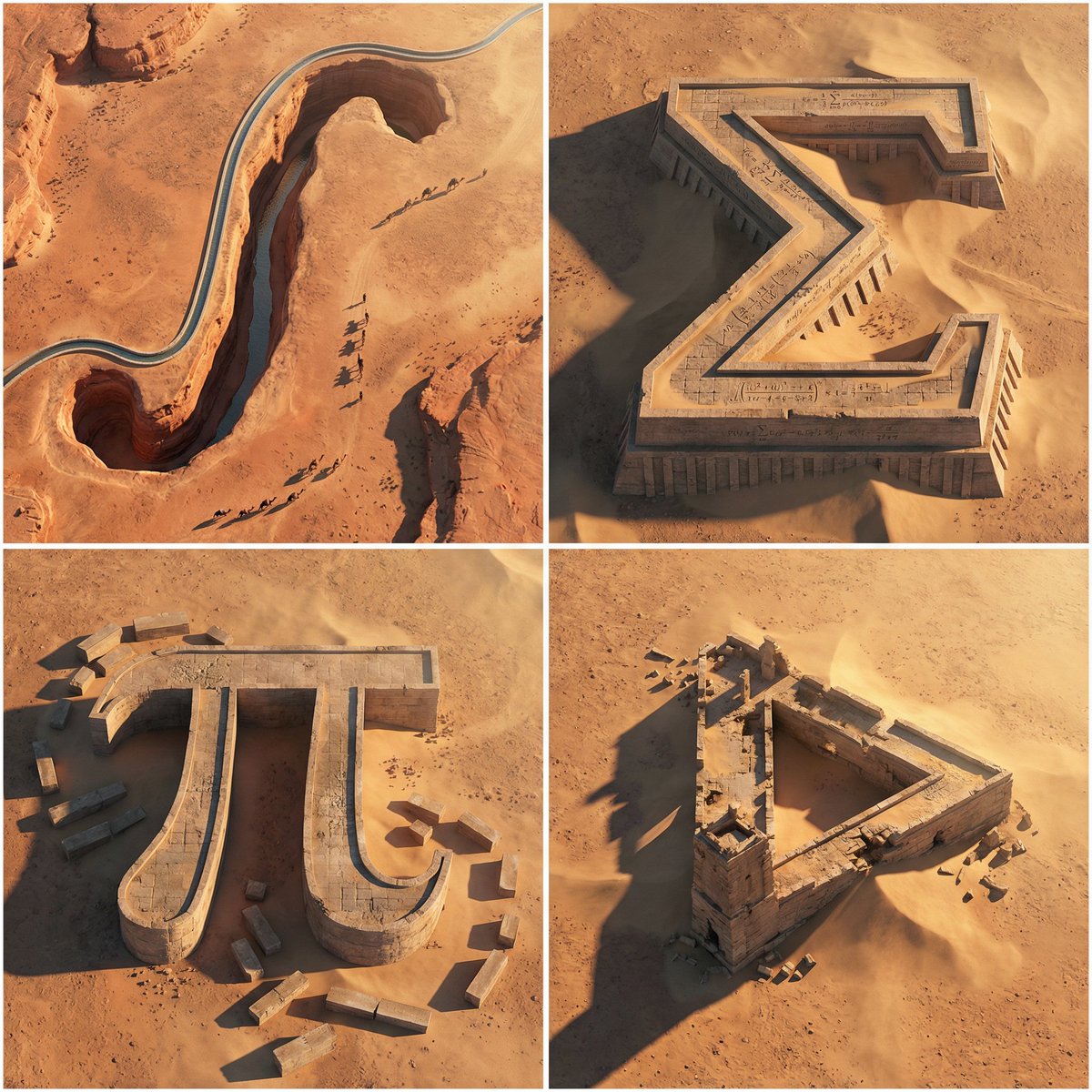
A 2x2 grid of 4 monumental mathematical symbols carved as colossal terrain typography in an arid landscape [Top Left: “∫” as a canyon-cut arch in sandstone, a thin aqueduct stream following the curve, tiny caravans casting long shadows] [Top Right: “Σ” as a stepped fortress carved into a mesa, sharp terraces, windblown sand pooling in corners, micro equations chiseled in] [Bottom Left: “π” as massive stone pylons connected by a lintel bridge, ruined blocks scattered like proof fragments] [Bottom Right: Penrose Triangle as impossible ruins half-buried, forced perspective illusion, harsh sunlight slicing edges] Aerial oblique shot, golden hour desert light, crisp dramatic shadows, photoreal erosion detail, minimal haze, swiss 2x2 grid composition.

Procedural Book Nook Diorama Generation Prompt

Procedural Book Nook Diorama Generation Prompt

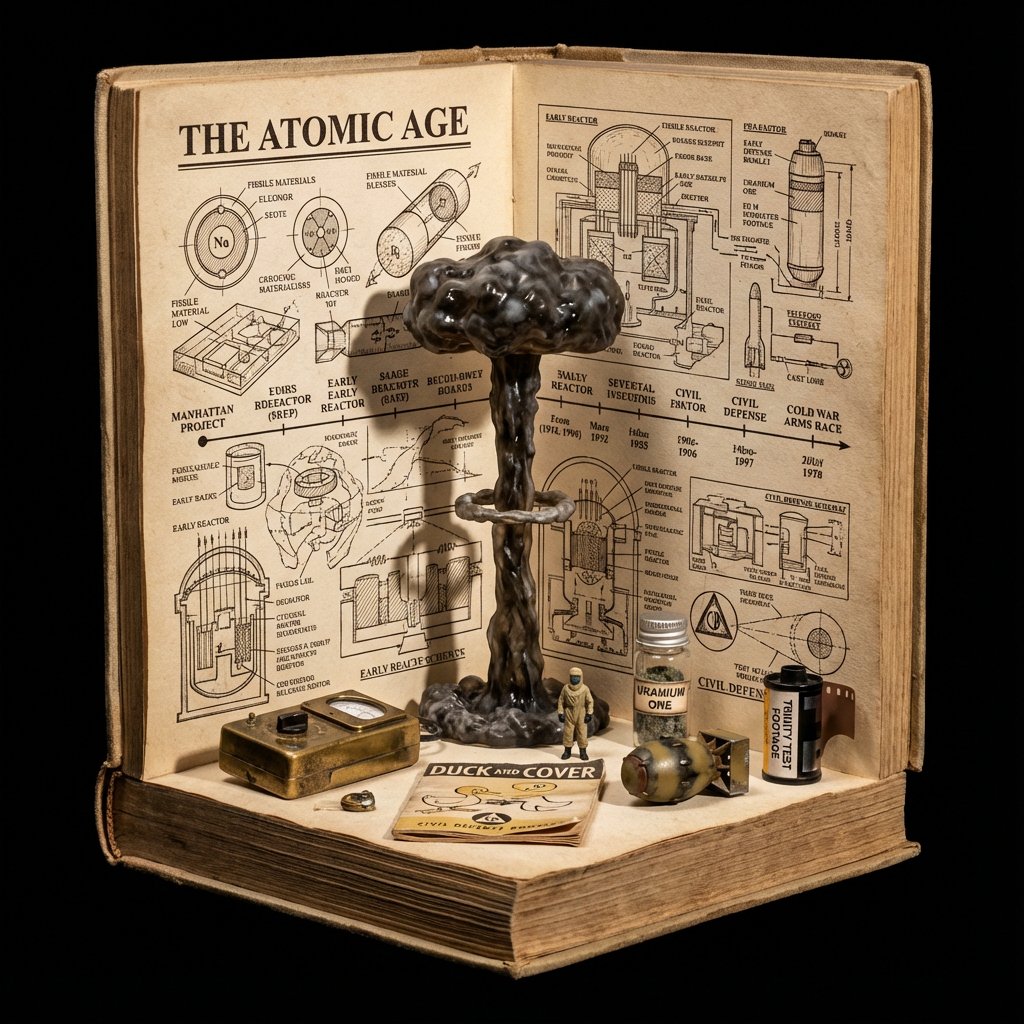
<instructions> Input Variable: [INSERT TOPIC HERE] (e.g., History of Space Exploration) System Instruction: Generate a crowded, hyper-realistic "Book Nook" Diorama . Use the following logic to procedurally fill the scene with high-density detail: 1. Semantic Analysis (The Loot Table): The Totem: Identify the single tallest, most vertical object representing the topic (e.g., Saturn V Rocket). The Ephemera: Identify 4-5 small, specific consumer goods or artifacts (e.g., "Tang" Packet, Freeze-Dried Ice Cream, Mission Patches, Apollo 11 Manual). The Timeline: Identify the key visual evolution steps (e.g., Sputnik -> Lunar Module -> Shuttle). 2. The Immutable Container (The Corner Stage): Geometry: The book is NOT lying flat. It is standing upright, opened to form a Strict 90-Degree Corner . Vertical Wall: The back cover/pages standing straight up. Horizontal Floor: The front cover/pages lying flat. The Anchor: The "Totem" object (Rocket) stands inside the spine crease , acting as the structural pillar holding the book open. Paper Texture: The pages must look thick, rough, and heavily aged (like an 1800s manuscript). 3. The Vertical Plane (The Da Vinci Sketchbook): Density: MAXIMUM. Do not leave white space. Style: Sepia-tone Pen & Ink Technical Drawings . Content: The background should be a chaotic but organized collage of diagrams, timelines, and schematics. It should look like a scientist's field notes. Text: A bold, formal Serif Title at the top (e.g., "{argument name="title" default="HISTORY OF SPACE EXPLORATION"}"). 4. The Horizontal Plane (The Physical Clutter): Transition: The Totem (Rocket) seamlessly transitions from a drawing on the wall to a Physical 3D Model on the floor. The Scatter: The "Ephemera" props are scattered and overlapping on the floor page. They should not be neatly arranged. Material Contrast: The props must look like shiny plastic, crinkled foil, and fabric patches. This clashes with the matte paper. Scale: A tiny 1:64 scale human figure (e.g., Astronaut) stands next to the massive Totem for scale. 5. Visual Syntax: Background: Void Black. The book floats in infinite darkness. DO NOT render studio equipment, lamps, or tables. Lighting: "Museum Display" lighting. A focused beam hits the Totem, creating a long shadow against the back page sketches. Depth: The 3D objects must cast hard shadows onto the 2D paper to sell the optical illusion. Output: 1:1 Aspect Ratio, Macro Photography, High Textural Contrast (Paper vs. Plastic). </instructions>

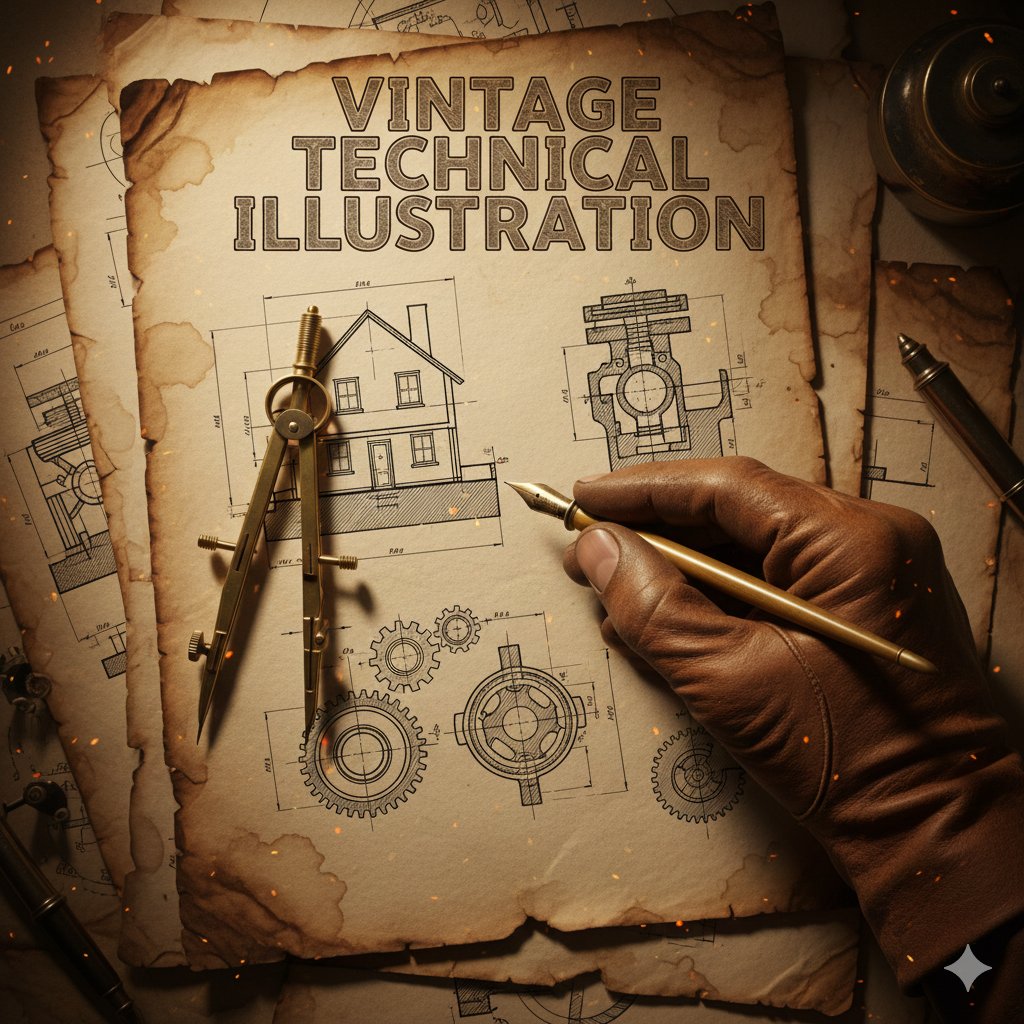
Vintage Technical Illustration Macro Shot

Vintage Technical Illustration Macro Shot

{ "subject": { "main_focus": "A gloved hand holding a brass drafting compass and a vintage fountain pen", "background_elements": [ "Architectural blueprints of a house", "Mechanical gear schematics", "Cross-section technical drawings" ], "setting": "An aged, weathered parchment paper workbench" }, "style": { "aesthetic": "Vintage industrial technical illustration", "art_medium": "Ink and wash on aged paper", "texture": "Grainy, sepia-toned, distressed paper with creases and coffee stains", "typography": { "text": "{argument name="title text" default="VINTAGE TECHNICAL ILLUSTRATION"}", "font_style": "Bold, serif, weathered woodblock style", "placement": "Top center" } }, "composition": { "perspective": "Top-down close-up (macro)", "lighting": { "type": "Warm, cinematic spot lighting", "effects": "Floating embers and dust particles, glowing highlights on the metallic tools" }, "color_palette": [ "Sepia", "Burnt orange", "Charcoal grey", "Antique gold" ], "framing": "The hand enters from the bottom right, creating a diagonal focal point" }, "technical_details": { "line_work": "Fine-liner precision, hatching and cross-hatching for shadows", "realism": "High detail on the leather glove texture and metallic sheen of the tools" } }

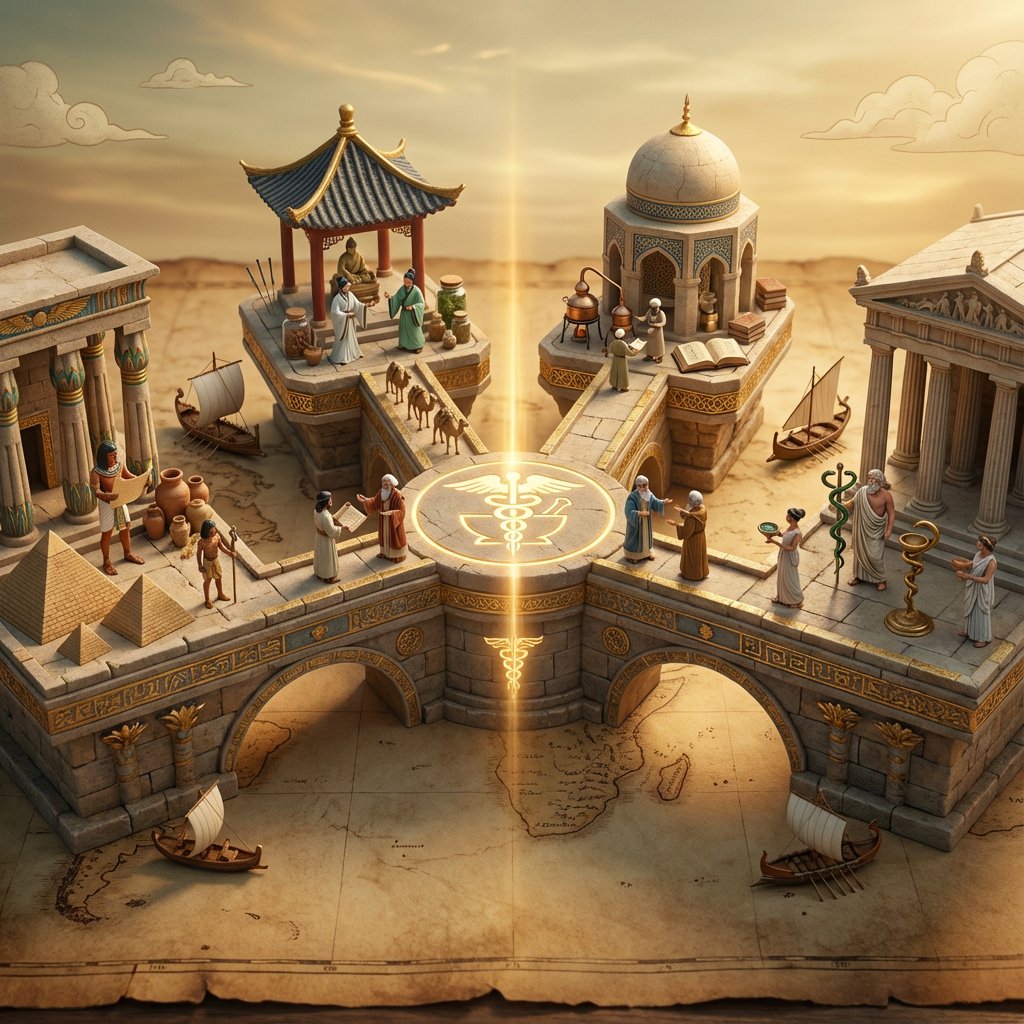
Ancient Civilizations Innovation Bridge Image Generation Prompt

Ancient Civilizations Innovation Bridge Image Generation Prompt

Input A is an invention or technology Analyze: how this innovation appeared independently or was transmitted across ancient civilizations (Egyptian, Chinese, Islamic, Mayan, Greek, etc.). Goal: Miniature bridge structure connecting 3-5 civilization "islands." Rules: * Base: ancient world map (aged parchment) as foundation * Bridge structure: ornate multi-level walkway with different architectural styles for each section (columns, arches, pagoda elements) * Each "island" platform: distinct civilization's version of {argument name="invention" default="Input A invention"} (Chinese compass vs Viking sunstone, Mayan zero vs Indian zero, etc.) * Civilization figurines: tiny scholars/inventors from each culture examining each other's versions * Include: trade route markers, tiny ships/caravans between islands, scrolls being passed * Center of bridge: the "universal truth" they all discovered (mathematical formula, physical principle) etched in neutral symbol * Materials: stone textures, gold leaf accents, cultural pattern details * Lighting: mystical golden hour with light ray connecting all islands Output: 1 x image, 16:9 landscape for maximum bridge span visibility, mythological epic photography

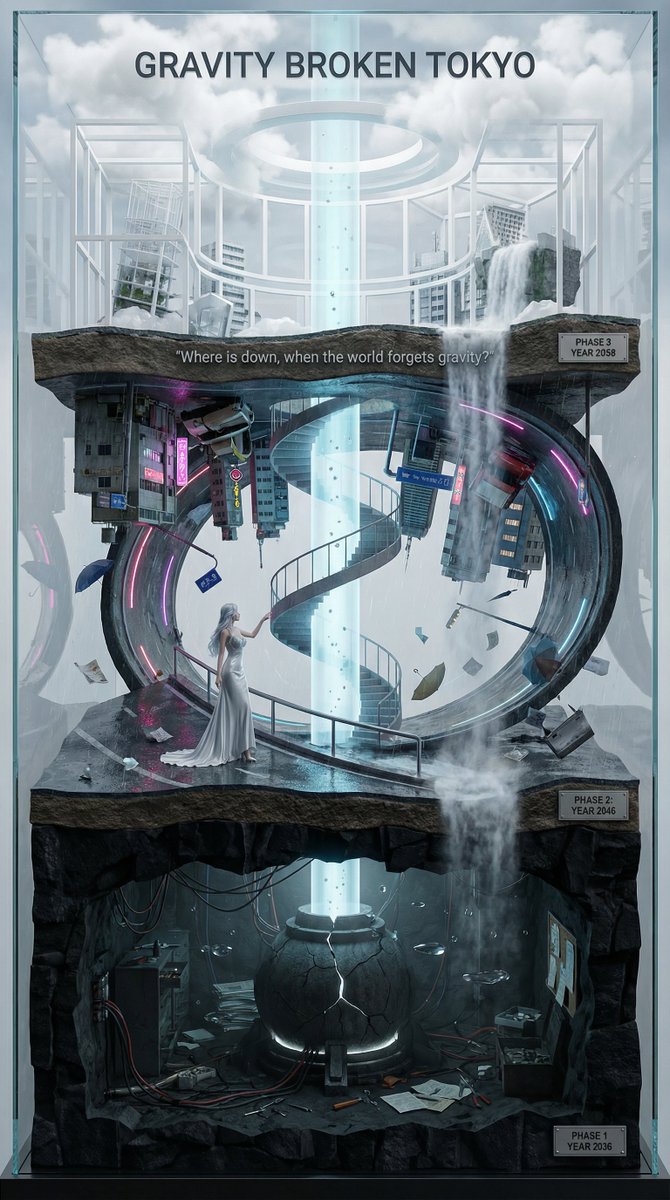
Vertical Layered Diorama Concept Art Prompt for Sci-Fi Film

Vertical Layered Diorama Concept Art Prompt for Sci-Fi Film

You are an **architect and concept artist who visualizes story structures**. Analyze the provided input text (the movie synopsis) and generate a **"Vertical Layered Diorama"** where the height direction represents the timeline. The character in the attached reference image should be placed in the "Present (Middle Layer)" or "Future (Top Layer)" of this vertical structure, acting as the **storyteller/time traveler**, and posed to **look down on the past / look up at the future**. --- ## ▼ Instructions for Generation Process (Nano Banana Pro: Thinking Mode) 1. **[Step 1: Timeline Mapping]**: Decompose the synopsis into three time phases and assign them to physical layers. * **Bottom Layer (Past/Origin)**: Cause of gravity collapse, sealing, deep underground. Dark and heavy tone. * **Middle Layer (Present/Conflict)**: Survival and conflict in gravity-broken Tokyo. Vivid and dynamic tone. * **Top Layer (Future/Conclusion)**: Birth of a new gravity order, hope or ruin. Open and symbolic tone. 2. **[Step 2: Connection Design]**: Design the layers so they are not disconnected, but physically connected by elements such as **Gravity Well pillars / inverted spiral staircases / magnetic elevators / waterfalls where falling turns into rising**. 3. **[Step 3: Text Integration]**: Place the movie title in a stable location at the very top or bottom, and engrave famous lines on the **layer boundaries**. --- ## ▼ Design and Style Specification * **Composition/Layout**: **Vertical Cross-section / Tower structure**. Aspect ratio is vertical (**9:16**). Viewpoint is **slightly above the front**, at an angle that shows the thickness and depth of the layers. * **Taste**: **Precise museum model, geological cross-section, surreal architecture**. Express different eras and materials in each layer (concrete → neon metal → white structure on clouds) while integrating them as one giant object. * **Texture/Image Quality**: Photorealistic, precise detail, **8k**. Raindrops, wet asphalt, reflections, fog, volumetric light. * **Gravity Expression (Important)**: * Tokyo roads **curve 90 degrees as a continuous surface**, where the ground becomes a wall, and then arches to the ceiling, connecting in a **loop**. * Buildings, signs, cars, and pipes **protrude vertically** from the curved surface, and landmarks exist **upside down** suspended in the air. * Depict as a **physically continuous urban structure**, not just a reflection. * Light sources match the reality of a rainy night (reflections of neon and streetlights, diffused light through clouds). --- ## ▼ Input Text (Fictional Movie) **Title**: **{argument name="Movie Title" default="GRAVITY BROKEN TOKYO (Gravity Fault City Tokyo)"}** **Genre**: Sci-Fi Thriller / Disaster / Human Drama **Synopsis**: One night, due to the fracture of the "Gravity Lattice" above Tokyo, the city's gravity lost its uniformity. Roads bend into the sky, buildings lose their up and down, and falling chooses a direction. People survive by redefining "where the ground is." The narrator (reference character) dives across time to the origin of the gravity collapse, struggles in the current city, and reaches the new order of the future. ### [Bottom Layer / Past and Origin] (PHASE 1: YEAR 2036) * **Setting**: Deep underground research complex. Black basalt-like strata, old wiring, gravity control reactor "Atlas Core." * **Description**: Suggests that the device meant to "fix" gravity instead triggered the "tearing" of gravity. Tools and paper documents are scattered on the floor, and water droplets float horizontally due to gravity disturbances. * **Tone**: Dark, oppressive. Warning lights, fine dust, the stillness of low gravity. ### [Middle Layer / Present and Conflict] (PHASE 2: YEAR 2046) * **Setting**: The center of gravity-broken Tokyo, where rain continues to fall. A continuous city where **wet asphalt curves 90 degrees, becoming a wall, and continuing to the ceiling**. * **Description (Reflecting Gravity Prompt)**: * Roads rise vertically and then arch overhead to loop. * Landmarks are suspended upside down, and road signs protrude into the air. * Neon lights bleed along the curved surfaces in the fog and light rain, and reflections establish the light of a real rainy night. * **Character Placement**: Place the reference character in the **"Present" of the Middle Layer**. Grasping a railing or pipe with one hand, pointing to the light of the upper layer with the other. Gaze **looking down on the past (bottom layer) while looking up at the future (top layer)**. * **Tone**: Dynamic, tense. People's evacuation routes continue along the "wall roads." ### [Top Layer / Future and Conclusion] (PHASE 3: YEAR 2058) * **Setting**: The "Stable Gravity Layer" above the clouds. City remnants are rearranged, forming a new residential area composed of white frame structures and transparent materials. * **Description**: Ambiguous whether the gravity lattice was "repaired" or if a "new direction" was accepted. A pale column of light from the gravity well extends into the sky, connecting to the darkness below. * **Tone**: Open and symbolic. Hope and unease coexist. --- ## ▼ Connection Points (Gimmicks connecting the layers: Required) * **Gravity Well Light Column**: A column of pale blue volumetric light penetrating from the core of the bottom layer to the top layer. Particles flow upward. * **Inverted Spiral Staircase**: "Up" and "down" switch midway. Small year plates on the staircase railing. * **Waterfall where Falling Turns into Rising**: The water flow reverses at the boundary, emphasizing the layer separation. --- ## ▼ Visual Elements (Motifs to emphasize) * Wet asphalt, trajectory of raindrops, neon reflections, fog, volumetric light. * Curved City: Roads, architecture, and signs bend as a **continuous surface**, forming a **physical loop**. * Small objects floating in the air (umbrellas, paper scraps, tools, petals) visualize the disturbance in the direction of gravity. * Material changes in each layer: Rough rock stratum underground → Wet concrete and metal in the present → White structure and transparent material in the future. --- ## ▼ Text Instructions (On-screen Typography) * **Title**: "**{argument name="Title" default="GRAVITY BROKEN TOKYO"}**" * Placement: **Sky of the Top Layer**, or engraved on the pedestal of the bottom layer. * Font: Inorganic sans-serif, movie poster style. * **Famous Line** (Engrave on layer boundaries): * `{argument name="Famous Line" default=""Where is down, when the world forgets gravity?""}` * Placement: **Boundary between Middle and Top Layers**, like a sculpture on the landing of the inverted staircase or the edge of the light column. * **Timeline Display (Optional)**: Small next to each layer * `PHASE 1 / YEAR 2036` * `PHASE 2 / YEAR 2046` * `PHAS
Infographic Prompt for Sweet and Sour Pork Recipe

Infographic Prompt for Sweet and Sour Pork Recipe

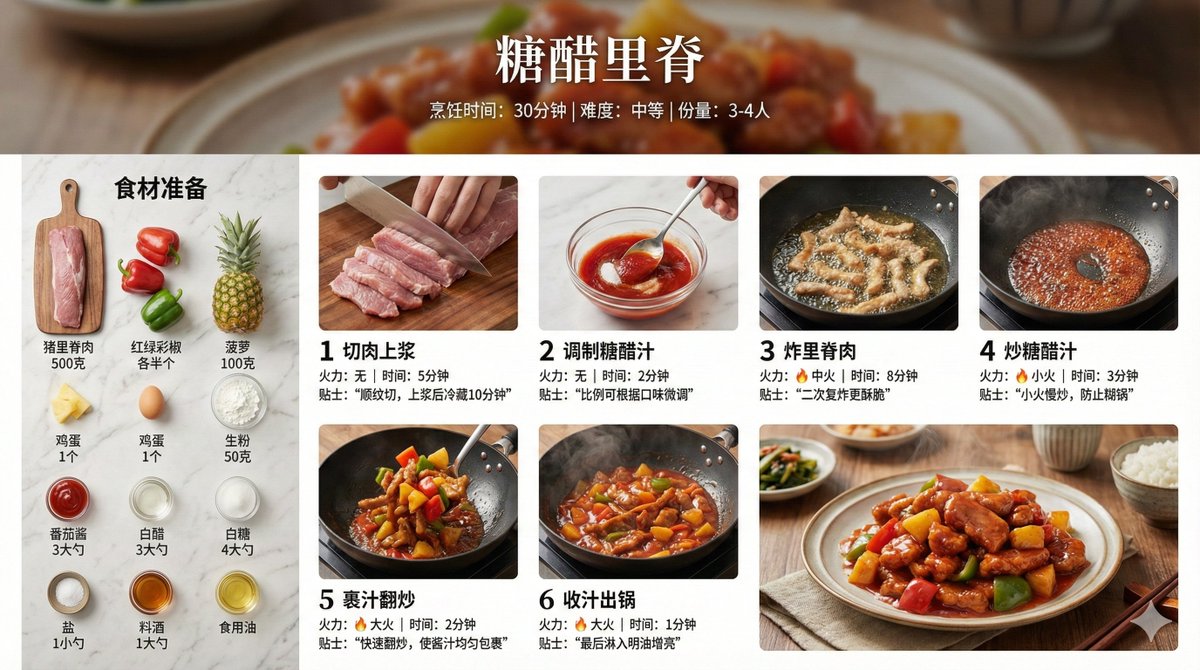
Create a home-style cooking step infographic for 【{argument name="dish name" default="Sweet and Sour Pork"}】. 【Overall Style】 - Style: 8K ultra-HD realistic photography style, professional quality suitable for a food magazine - Image Quality: 8K resolution, sharp details, professional food photography lighting - Background: Real kitchen scene/marble countertop/wooden cutting board, shallow depth of field blur - Color Palette: Natural and realistic colors, true colors of ingredients, warm lighting - Layout: Horizontal 16:9 【Top Title Area】 - Main dish title (elegant Chinese font) - Subtitle: Cooking time / Difficulty level / Serving size - Background can use a blurred close-up of the finished dish 【Left or Top - Ingredient List Area】 - Title: "Ingredient Preparation" - All ingredients arranged realistically, neatly organized from a top-down view (flat lay) - Each ingredient labeled with name and quantity - Style: Instagram-style ingredient flat lay photography 【Main Body - Cooking Steps Area】 - 6-8 steps, arranged in a grid or timeline - Each step includes:   * Step number (simple numeric identifier)   * Close-up photo of the actual cooking process:     - Cutting meat: Knife skills details, meat texture     - Blanching: Boiling water, foam     - Caramelizing sugar: Caramel color, oily sheen     - Stir-frying: Dynamic movement in the wok, flame     - Stewing/Simmering: Sauce bubbling, steam rising     - Reducing sauce: Thick sauce, glossy meat pieces   * Brief descriptive text (1-2 sentences)   * Heat/Time notation 【Bottom - Finished Dish Display Area】 - 8K high-definition photo of the finished dish - Professional plating, exquisite tableware - Shot at a 45-degree angle or top-down view - Visible food texture: Gloss of the sauce, fibers of the meat, rising steam - Background: Dining table setting, chopsticks, small side dishes for garnish 【Photography Specifications】 - Lighting: Side-back light/natural window light, creating appetite appeal - Depth of Field: Subject sharp, background naturally blurred - Texture: Visible ingredient texture, oil sheen, reflection of the sauce - Steam: Real steam visible in hot dish steps - Color Temperature: Warm tone (5500-6000K), enhancing appetite 【Auxiliary Elements】 - Tips notation: Key techniques (e.g., "Blanch in cold water to remove odor," "Simmer slowly for 40 minutes") - Heat icon: 🔥 notation for heat level in each step - Timer notation: Duration for key steps - All ingredient quantities, step details, time, and heat should be automatically generated accurately based on the dish

Steampunk Diorama of Failed Inventions Timeline

Steampunk Diorama of Failed Inventions Timeline

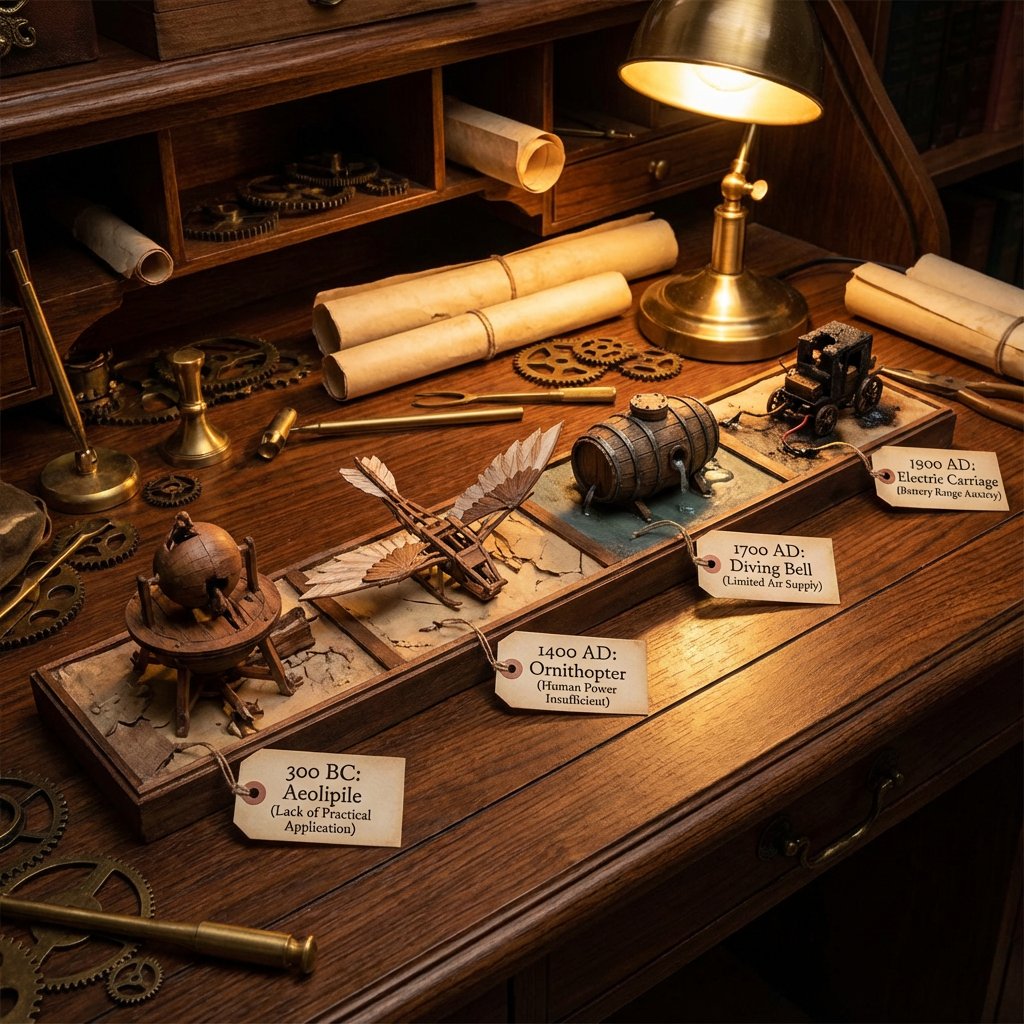
A detailed diorama on a long wooden desk showing a timeline of failed inventions from 4 different areas: {argument name="first invention date" default="300 BC"}: failed invention with a tag explaining in a couple of words why {argument name="second invention date" default="1400 AD"}: failed invention with a tag explaining in a couple of words why {argument name="third invention date" default="1700 AD"}: failed invention with a tag explaining in a couple of words why {argument name="fourth invention date" default="1900 AD"}: failed invention with a tag explaining in a couple of words why steampunk aesthetic, cluttered with scrolls, blueprints, gears, warm, workshop, lighting.

Exploded Product Breakdown Image Generation Prompt

Exploded Product Breakdown Image Generation Prompt

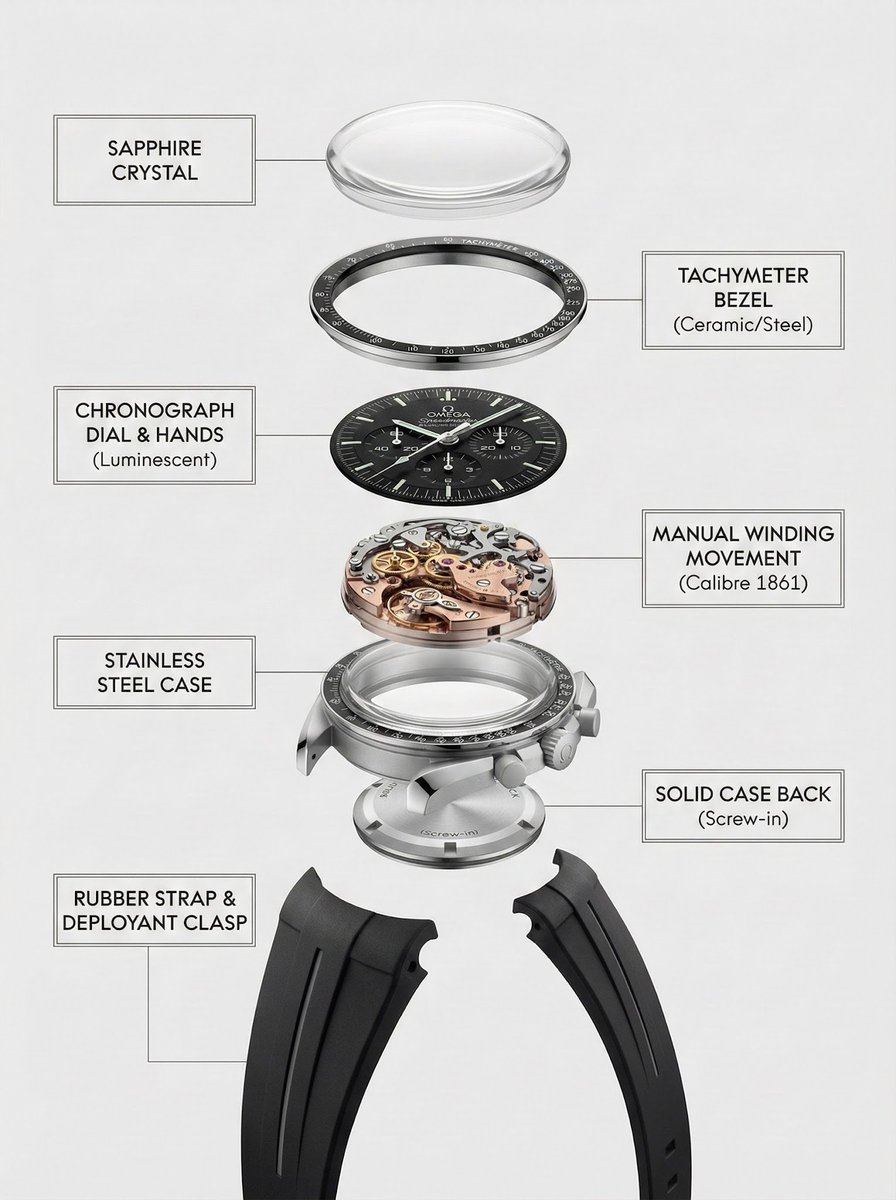
A clean, top-to-bottom exploded breakdown of the uploaded image, showing all components separated and aligned vertically, against a pure white background, minimal shadows, studio lighting, high detail, photorealistic, 8k, product photography, {argument name="product type" default="watch"}

Scientific Macro Documentary Photography Prompt for Water Droplet on Leaf

Scientific Macro Documentary Photography Prompt for Water Droplet on Leaf

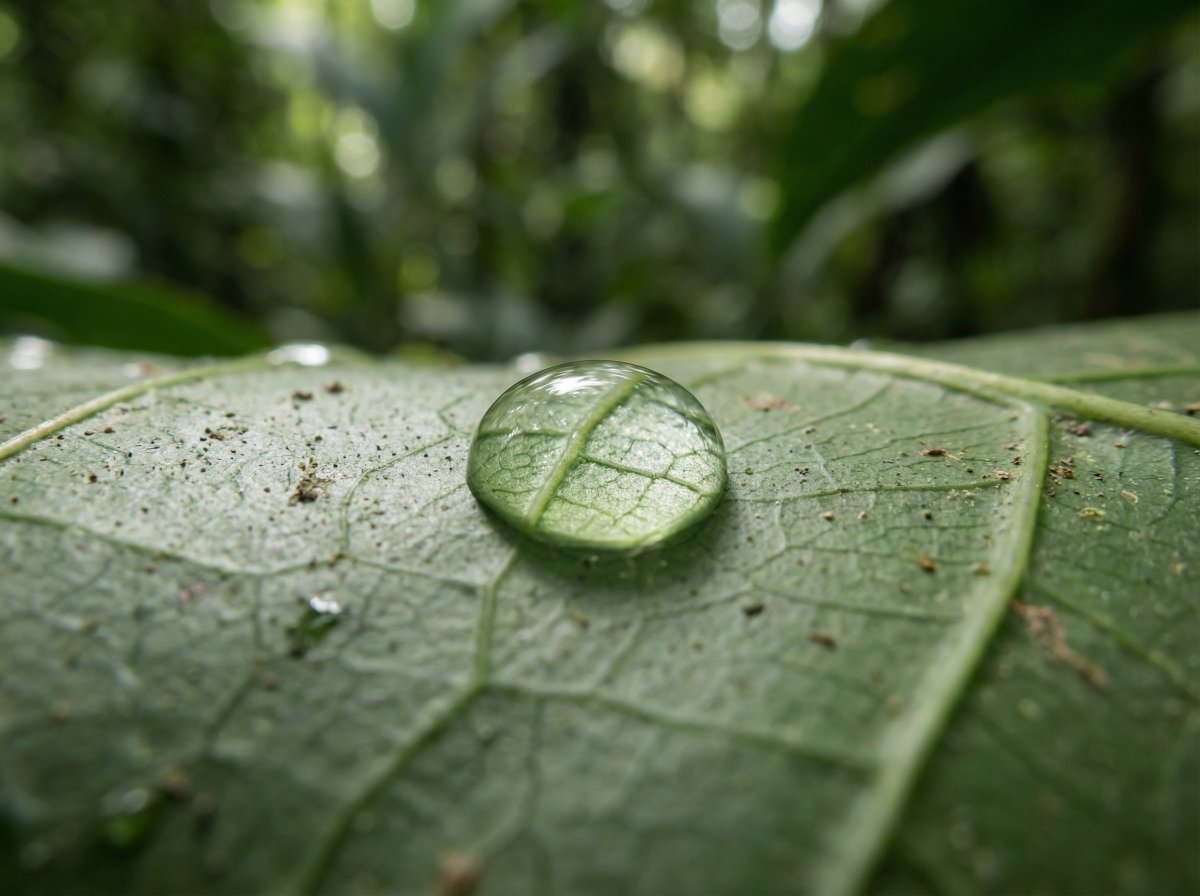
{ "meta": { "aspect_ratio": "3:2", "quality": "ultra_photorealistic", "resolution": "8k", "style": "scientific macro documentary photography", "realism_level": "extreme realism, natural optics", "ai_artifacts": "none" }, "subject": { "description": "a single water droplet resting on a rainforest leaf", "droplet": { "shape": "natural spherical tension", "clarity": "crystal clear", "refraction": "subtle optical refraction of leaf veins inside the droplet" }, "leaf": { "type": "{argument name="leaf type" default="broad tropical rainforest leaf"}", "surface": "slightly waxy, natural micro texture", "veins": "highly detailed visible leaf veins branching naturally", "imperfections": [ "tiny surface pores", "microscopic dust", "organic irregularities" ] } }, "environment": { "location": "dense tropical rainforest", "atmosphere": "humid, quiet, post-rain stillness", "background": [ "soft green bokeh", "out-of-focus jungle foliage", "natural depth layers" ], "air": "moist, slightly misty" }, "lighting": { "type": "natural diffused rainforest light", "source": "filtered sunlight through canopy", "quality": "soft, scattered, non-directional", "highlights": "gentle specular highlight on water droplet", "shadows": "extremely soft micro-shadows along leaf veins" }, "camera": { "camera_type": "professional macro photography setup", "lens": "100mm macro lens", "aperture": "f/8", "focus": "razor-sharp focus on leaf veins and water droplet edge", "depth_of_field": "very shallow, true macro depth", "magnification": "1:1 macro ratio", "perspective": "parallel to leaf surface" }, "color_grading": { "palette": "deep natural greens, subtle yellow highlights", "saturation": "realistic, not boosted", "contrast": "low to medium, natural tonal range", "clarity": "optical clarity, not digital sharpening", "grain": "none or extremely subtle" }, "constraints": [ "no insects", "no fantasy glow", "no artificial lighting", "no cinematic color grading", "no exaggerated sharpness", "must look like a real scientific macro photograph" ] }

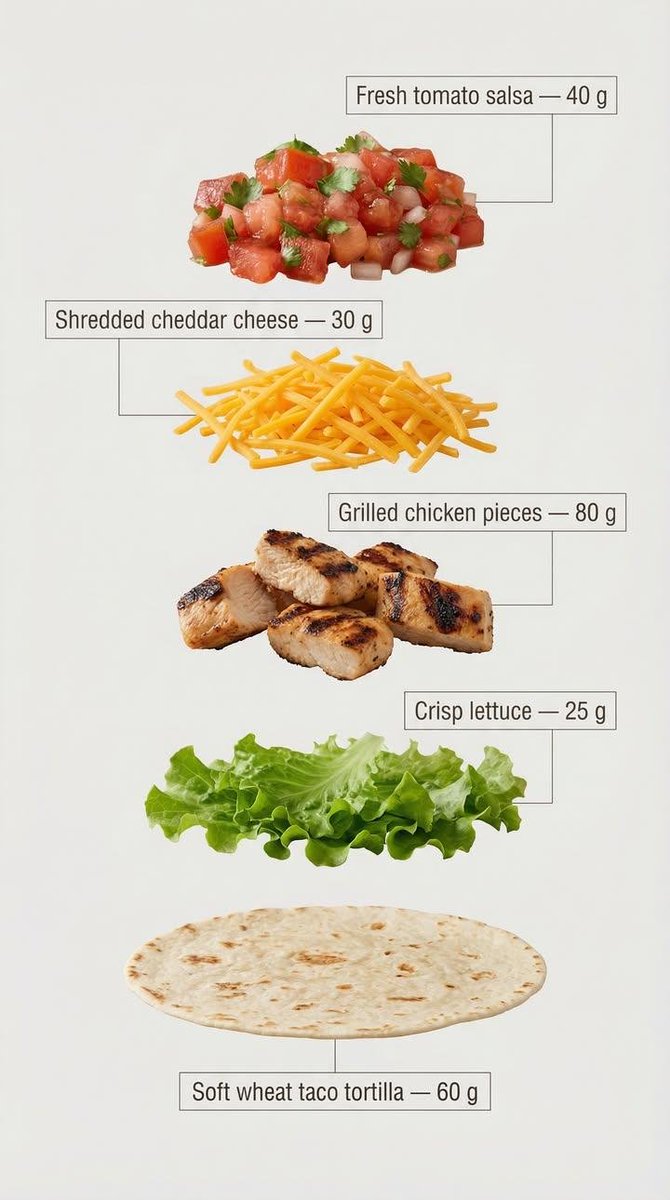
Exploded View Tacos Infographic for Marketing

Exploded View Tacos Infographic for Marketing

Exploded view of the same taco, presented in a clean and professional style resembling commercial recipe cards. It consists of only five components, matching the first image, separated from each other and arranged vertically from top to bottom, with equal spacing and perfect alignment. Component arrangement (Top → Bottom): Fresh tomato sauce — {argument name="tomato sauce weight" default="30 g"} Grated cheddar cheese — {argument name="cheddar cheese weight" default="40 g"} Grilled chicken pieces — {argument name="grilled chicken weight" default="70 g"} Crispy lettuce — 35 g Soft wheat taco bread — 40 g Add infographic-style annotations to each component. Each annotation contains the component name and its exact weight in grams, written exactly as mentioned above. Annotation design guidelines: Sans-serif bold font Text inside simple frames or boxes Thin, precise lines connecting the annotation directly to each component High clarity without overlap or excessive decorative elements Organized vertical layout, resembling a modern recipe card The background is light and neutral, prepared for text clarity and visual cleanliness. The overall style is simple, educational, and commercial, suitable for marketing work, visual explanations, and product analysis.

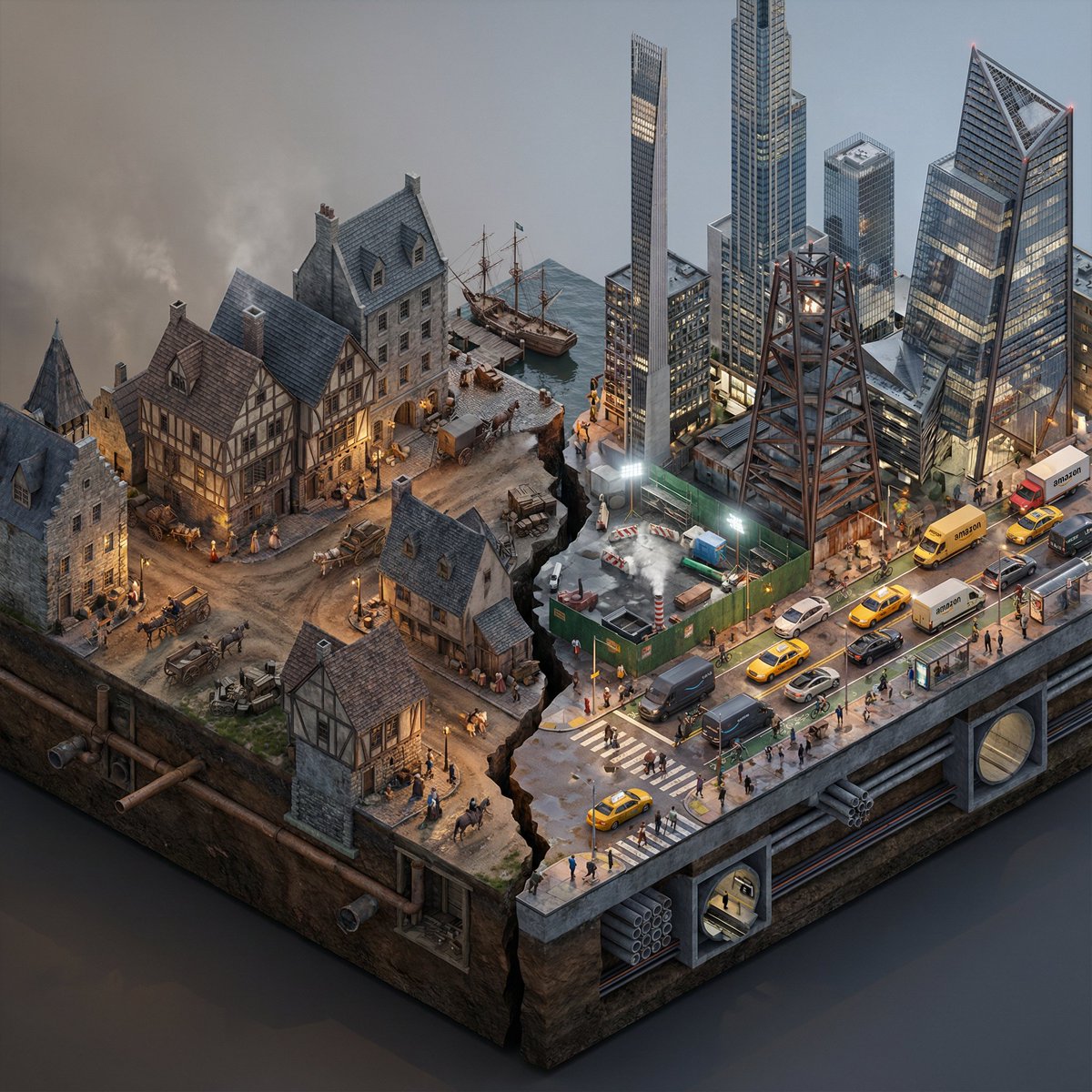
Split-Era Urban Diorama Generation Prompt for Nano Banana Pro

Split-Era Urban Diorama Generation Prompt for Nano Banana Pro

Do this for {argument name="City/Year A vs. City/Year B" default="New York 1700 vs New York 2025"} <instructions> Input Variable: [City/Year A vs. City/Year B] (e.g., New York 1900 vs. New York 2025) System Instruction: Generate a photorealistic, isometric macro render of a split-era urban diorama. The goal is Historical and Municipal Accuracy, avoiding sci-fi tropes or idealization. 1. Temporal Forensic Analysis: Analyze the Dates: Strictly adhere to the architectural technologies available in Year A versus Year B. The Left Block (The Past): Construct the Left side using the dominant vernacular of the era. For 1900: Beaux-Arts stone, brick tenements, water towers, external fire escapes, and cobblestone/early asphalt. The Right Block (The Present/Future): Construct the Right side using current urban realities, not futuristic fantasies. For 2025: Prioritize "Super-Slender" Pencil Towers (Billionaire's Row style), Glass Curtain Walls mixed with preserved older facades, and "Hudson Yards" style angled steel. Crucial Detail: If the year is modern (2020+), you MUST include Urban Clutter: Green construction plywood barriers, sidewalk scaffolding (sheds), steam vents, and delivery trucks. 2. The Container (The Cross-Section): The Base: Two suspended chunks of city infrastructure, revealing the "Underground" layer on the side profile. Left Underground: Brick sewers and early subway tunnels. Right Underground: Concrete conduit banks, fiber optic lines, and modern subway tiles. The Divider: A jagged timeline fracture. No glowing sci-fi energy. The divide is a stark cut in the asphalt. 3. The Composition (The Density): Left Street Life: Period-accurate transport (Horse-drawn carriages mixed with early Model T Fords or Trolleys). Pedestrians in dark coats/hats. Right Street Life: Municipal Realism. Yellow Taxis, Amazon delivery vans, Uber cars, and bike lanes with cyclists. The street level should feel congested and chaotic. Vegetation: Left has Elm trees (if applicable); Right has manicured "Corporate Plaza" planters and rooftop gardens. 4. Accurate Lighting Simulation (No "Neon Filters"): Left Lighting: Carbon-Arc and Gaslight. The light should be dim, patchy, and warm (2400K), casting long shadows. Right Lighting: Mixed Municipal Lighting. A chaotic mix of warm sodium streetlights (orange), harsh white LED construction lights (6000K), and internal office lighting (neutral). Do not use "Cyberpunk Blue" or "Purple" unless it is a specific billboard. Atmosphere: The Left is hazy from coal smoke. The Right has a clearer, sharper air quality but with light pollution. 5. Visual Syntax: Camera: Isometric Orthographic projection, 45-degree angle. Render Style: Photorealistic Architectural Visualization (ArchViz), 8k, V-Ray Render. Focus on texture fidelity (rust, wet pavement, grime) rather than bloom effects. Output: 1:1 Aspect Ratio, Extreme Detail, Historically Authentic.

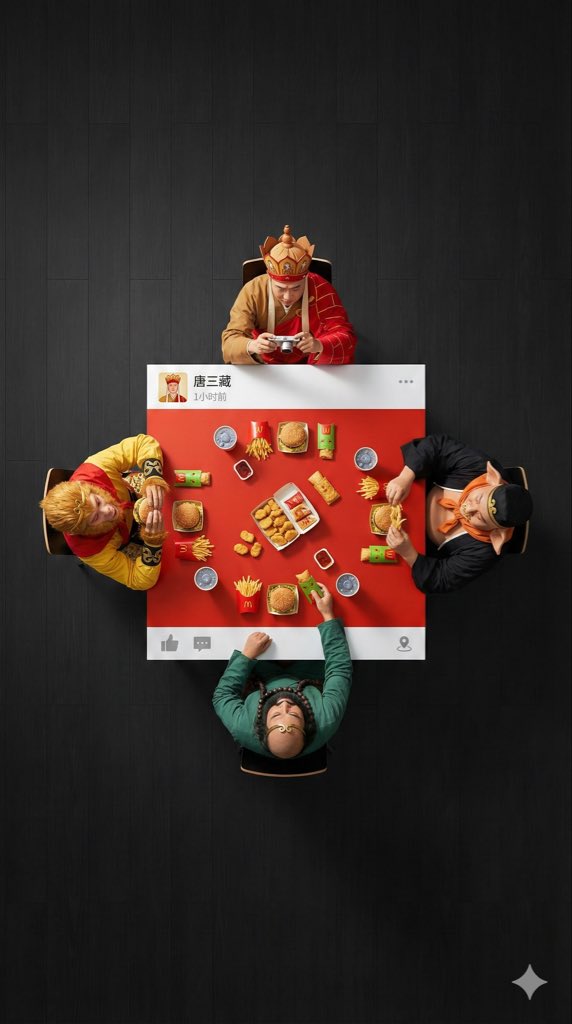
Overhead Superhero Mahjong Scene Prompt (WeChat Moments Style)

Overhead Superhero Mahjong Scene Prompt (WeChat Moments Style)

An ultra-wide, surreal, 9:16 overhead flat lay photograph. A group of 4 [{argument name="characters" default="characters"}] are seated around a square table, one person on each side. The camera is pulled back significantly to create a large amount of negative space (empty floor area) around the people and the table, ensuring a clean, minimalist composition. The scene is [{argument name="scene" default="scene"}]: [Characters] are wearing their classic costumes, and their interaction is as follows: [DESCRIBE ACTION OF EACH PERSON] The table is a custom physical prop, designed to look like a WeChat Moments post: with solid white bands only on the top and bottom edges (no white borders on the left and right sides). - The top white band features a personal profile picture, with a [{argument name="LOGO DESCRIPTION" default="a cool poker avatar or real photo"}], the username “[USERNAME]” is drawn on the right, followed by the posting time text (e.g., “1 hour ago” or “Just now”), and the “...” more options icon on the far right. - The bottom white band features a right-pointing arrow “Comment” icon (with a bubble shape) and a “Like” icon (WeChat's characteristic thumbs-up icon, which can be designed as gray unliked or red liked) on the right side, separated by a vertical line; the far left or middle can be left blank or include a small location icon (if location is tagged). The center of the table is painted [EXACT CENTER COLOR & HEX CODE], and the objects on the table are [FOOD/OBJECTS DESCRIPTION]. Important: All objects and hands interacting with them are strictly confined to this central [COLOR] painted area. Nothing should extend onto the white bands or beyond the table boundaries. The floor background is [FLOOR COLOR, e.g., minimalist clean solid color] to create visual separation. Professional studio lighting with distinct cast shadows. 8K, sharp focus.

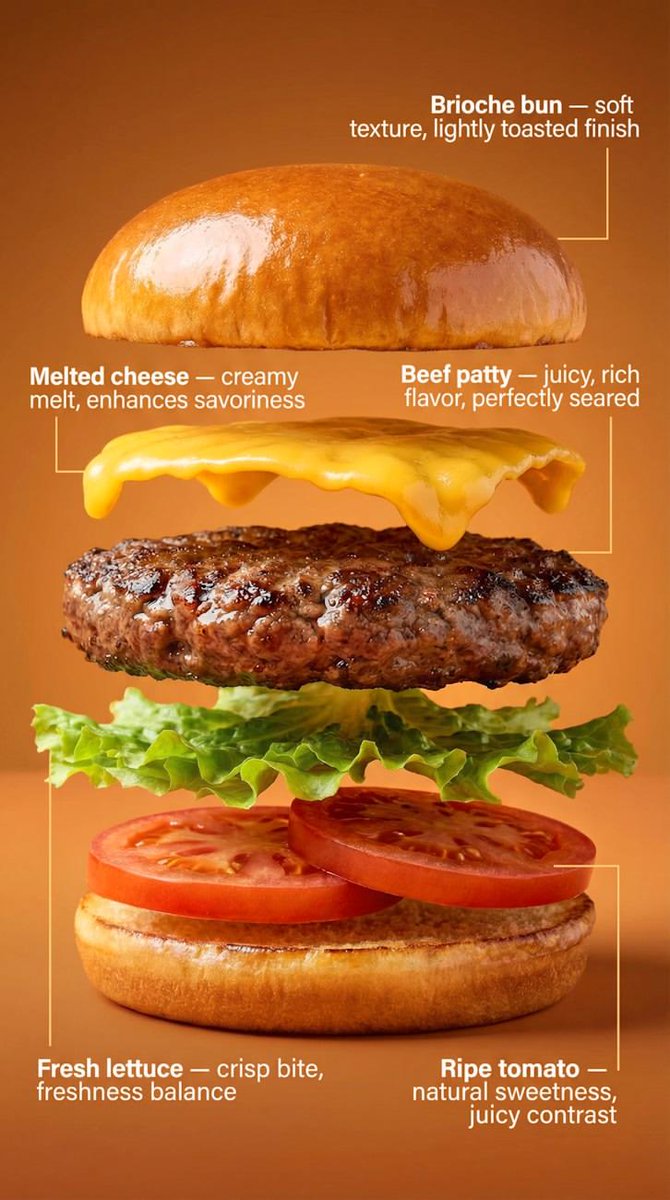
Exploded-View Burger Composition with Annotations

Exploded-View Burger Composition with Annotations

Transform the burger into a clean exploded-view composition. The burger is separated into exactly five layers, floating vertically with even spacing: Brioche bun Beef patty Melted cheese Fresh lettuce Ripe tomato Each layer remains photorealistic and aligned, maintaining the original proportions from the hero shot. Add minimal, clean annotations with thin lines and clear typography, describing benefits: Brioche bun — {argument name="bun benefit" default="soft texture, lightly toasted finish"} Beef patty — juicy, rich flavor, perfectly seared Melted cheese — creamy melt, enhances savoriness Fresh lettuce — crisp bite, freshness balance Ripe tomato — natural sweetness, juicy contrast Background remains the same, slightly darkened to ensure maximum annotation readability. Lighting stays consistent with the first image for visual continuity. Commercial, technical, clean, easy to understand at a glance.

Nano Banana Pro Composition Techniques Prompts (3 Examples)

Nano Banana Pro Composition Techniques Prompts (3 Examples)

[Role] You are a professional graphic designer. Create a YouTube thumbnail. [Composition Instructions] - Split-screen composition, dividing the screen into left and right halves. - Left side: A Japanese woman with a surprised expression (photorealistic style). Background is a dark office. - Right side: A vibrant yellow background. Place the text “{argument name="text" default="AI Revolution"}” in bold Gothic font in the center. - Ensure sufficient negative space around the text to maximize visibility. [Style] A scene from an animated movie, cyberpunk [Camera and Composition Settings] - Lens: Use a wide-angle lens (24mm equivalent) to emphasize perspective. - Angle: Extreme low angle (worm's-eye view). The character is viewed looking up from just above the ground. - Placement: Place the character's left hand directly in front of the camera to exaggerate the sense of distance. - Background: High-rise buildings sharply converge toward a vanishing point. [Role] You are a manual creator. Create {argument name="subject" default="how to make Okonomiyaki"}. [Format] Flat design infographic, 16:9 [Layout Instructions] - A “3-step” process diagram flowing from left to right. - Step 1 (Left): Magnifying glass icon (Investigation). - Step 2 (Center): Gear icon (Processing). - Step 3 (Right): Light bulb icon (Solution). - Connect each element with arrows and align them at equal intervals. - Background is white, icons are unified in blue and orange key colors.

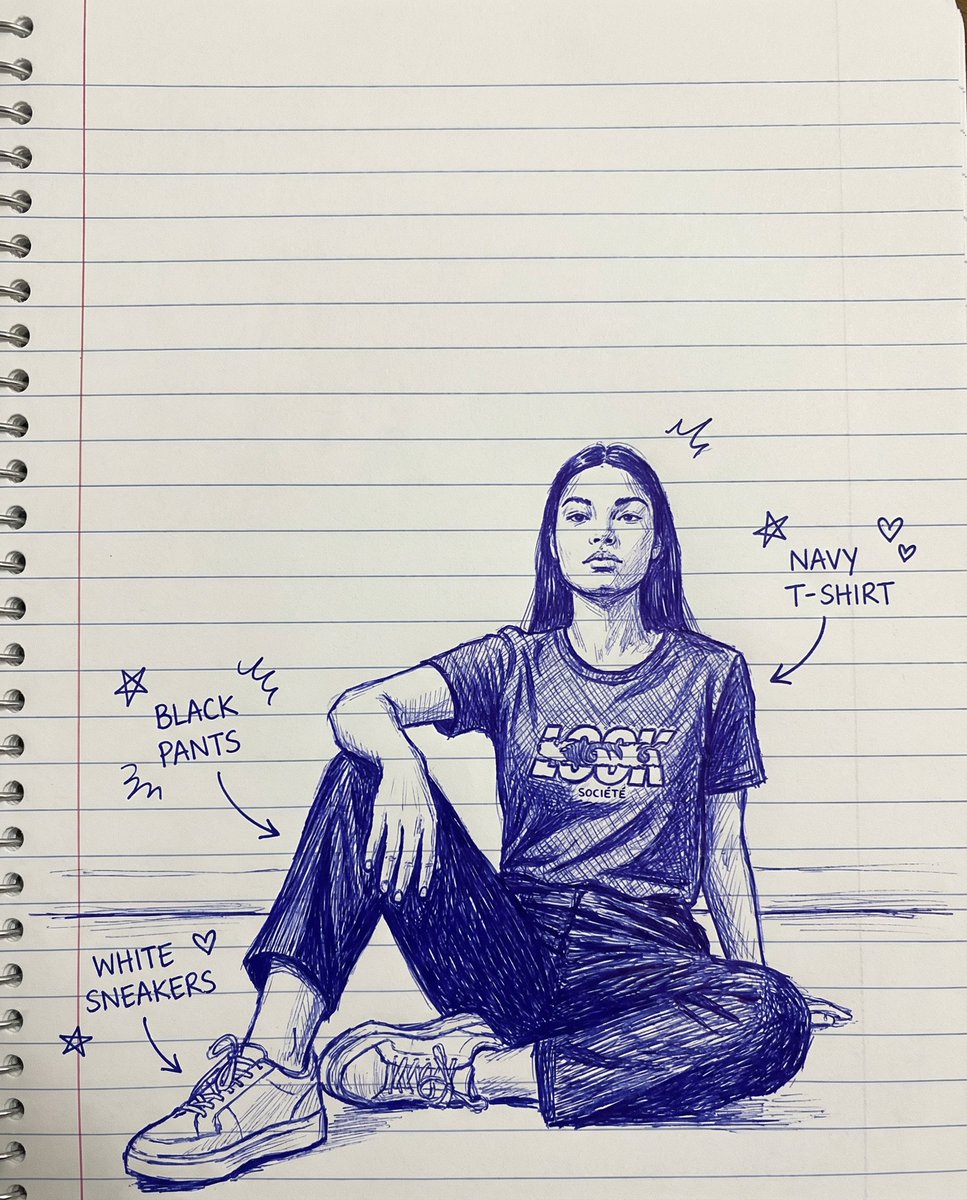
Sketch Drawing Annotation Prompt

Sketch Drawing Annotation Prompt

create a sketch of a hand-drawn drawing with lines on notebook paper, doodles, and arrows identifying each item of clothing

Nano-banana Pro Persona Generation Prompt

Nano-banana Pro Persona Generation Prompt

You are a professional persona designer. Based on the following information, please design a detailed persona. **Target Audience:** {argument name="target audience" default="Women in their 30s, living in the city center, working at an IT company"} **Objective:** {argument name="objective" default="Developing a marketing strategy for a new beauty serum"} **Elements to include in the persona:** 1. Basic information (Name, Age, Occupation, Residence, Family structure) 2. Personality and Values 3. Lifestyle (Daily routine, Hobbies, Information sources) 4. Challenges and Needs (Beauty concerns, Desired solutions) 5. Goals and Motivation 6. Purchasing behavior (Points of emphasis, Budget range, Purchase channels) 7. Touchpoints with the service/product (Usage scenarios, Expected effects) **Output format:** - Use appropriate headings for an easily readable structure. - Include specific descriptions that could be used for a persona image.

部分提示词收录自 X 平台创作者,版权归原作者所有。