Pixany AI

提示词库

AI 提示词库

汇集全球创作者的精选图像、视频与建站提示词。复制任意一条,替换主体或风格,即可用最新模型生成。

15,630 条提示词 · 每日更新 · 完全免费

共 714 条

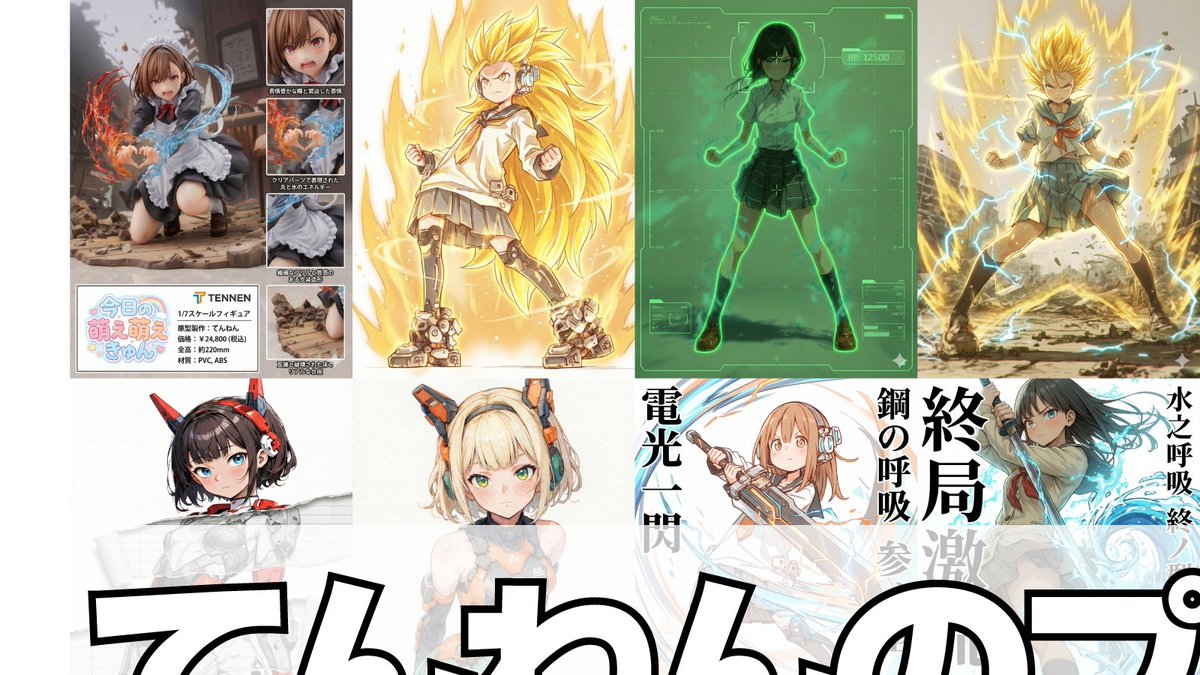
Compilation of 18 Nano Banana Pro Prompts (Tennen's Prompt Festival)

Compilation of 18 Nano Banana Pro Prompts (Tennen's Prompt Festival)

1. Scouter Prompt Overlays a Scouter-style UI onto the reference image and infers and displays the combat power based on the character's features. 2. Super Transformation Prompt Maintains the character features from the reference image and changes the pose to an 'Awakening Pose' to 'Super Transform' them. 'Super Transformation' can be selected from Form 1 to Form 3, as well as God Form, Blue Form, Extreme Form, and Rose Form. 3. Field Deployment Prompt Changes the character in the reference image to a pose with hands extended forward and deploys a field. 4. Retro RPG Status Screen Prompt A prompt that converts the character in the reference image into pixel art and generates an image styled like a retro RPG status screen. 5. Desktop Mascot Prompt A prompt that generates an image of the character from the reference image turned into a desktop mascot and placed on a PC screen. 6. Style Change Only on Torn Parts Prompt Adds a tearing effect without changing the reference image itself, allowing the art style of only the torn part to be freely switched to line art, ink painting, figure style, colored pencil, watercolor, pencil drawing, etc. 7. Art Style Conversion Prompt A prompt created by modifying the 'Style Change Only on Torn Parts Prompt' to change the overall art style. 8. Super Robot Wars Battle Sequence Prompt A prompt that generates an image styled like a Super Robot Wars battle sequence from the reference image. 9. Power Release Prompt A prompt that reproduces the depiction of a spherical energy space destroying an object. 10. Participation Screen Prompt A prompt that generates a 'Participation Screen' for the character in the reference image. 11. Total Concentration Prompt Maintains the character from the reference image and infers and depicts 'Weapon, Breathing Style, Form, and Move Name' from the character's atmosphere and stance. 12. Kamehameha Style Prompt A prompt that can stably generate the charging pose and activation pose of 'Kamehameha.' 13. Figure Transformation + Product Introduction Layout Prompt A prompt that transforms the character in the reference image into a figure and lays it out in a product introduction style. 14. Final Flash Style Prompt Converts the character in the reference image into the activation, charging, and firing poses of 'Final Flash.' Dialogue and sound effects can be added to each. 15. New Profile Image Generation Prompt Generates the character from the reference image in an arbitrary aspect ratio and places an arbitrary string as a logo in an arbitrary position. 16. Plastic Model Package Prompt Generates an image styled like a 'Plastic Model Package' by placing the reference image on the front and side. 17. Eraser Gun Style Prompt The character in the reference image emits an Eraser Gun-style energy wave from their mouth. 18. Ragged Transformation Prompt A prompt that transforms the character in the reference image into 'rags.'
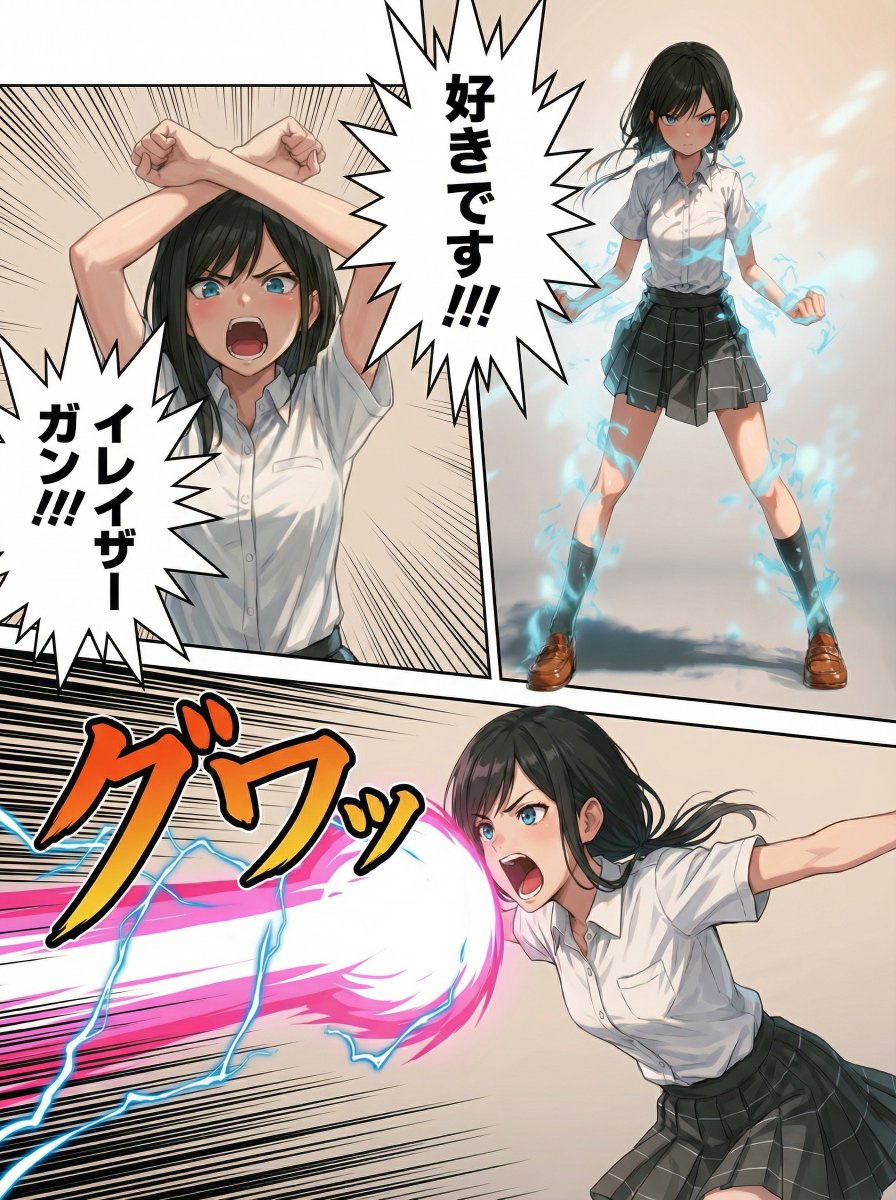
Eraser Gun Style Prompt for Nano Banana Pro (Fighting Pose Stage)

Eraser Gun Style Prompt for Nano Banana Pro (Fighting Pose Stage)

subject: >   The character exactly as shown in the reference image,   preserving the original art style, proportions, line quality,   coloring, texture, and overall visual appearance without alteration. composition: >   Bust-up shot, frontal view,   framing from the upper chest to the top of the head,   balanced composition consistent with the reference image style.   Aspect ratio is 16:9. action: >   The character performs a clear pre-attack pose,   crossing both arms above the head with clenched fists,   slightly lowering the hips (implied through posture and shoulder angle),   while shouting loudly with mouth wide open.   The posture conveys physical tension and preparation.   No additional visual effects. location: >   Same environment as the reference image,   unchanged background and setting. style: >   Identical to the reference image.   Do not modify or reinterpret the art style in any way. camera_lighting: >   Same camera angle, lighting direction, and shading   as the reference image, without enhancement or dramatization. colors: >   Preserve the original color palette exactly as in the reference image. text: >   None. edit_instructions: >   Change only the character’s pose:   bust-up framing,   arms crossed above the head,   shouting facial expression.   Lowered hips are implied through upper-body posture only.   Do not add effects, glow, motion lines, or stylistic changes. references: >   Reference Image A: character identity, art style, and environment. extras: >   High fidelity reproduction of the reference image style,   no stylization, no reinterpretation.

Image-to-Image Workflow for RPG Maker Pixel Maps using Nano Banana

Image-to-Image Workflow for RPG Maker Pixel Maps using Nano Banana

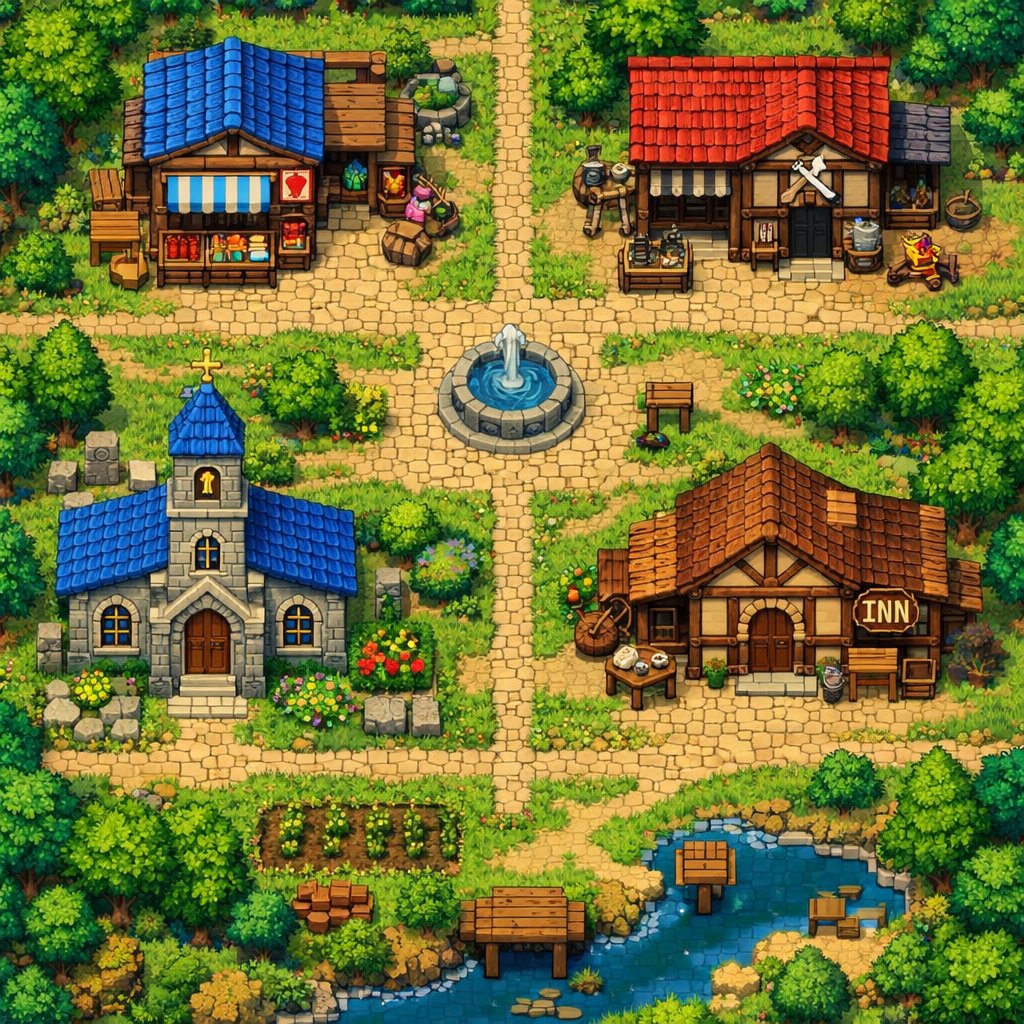
Please use Image 1 as the base map to generate a pixel map for RPG Maker production. Embellish the image details and replace the forest tile materials and overall style with a more dark fantasy style (art style reference: "{argument name="reference game" default="Elden Ring"}" / "{argument name="reference game 2" default="Dark Souls"}"). Do not enlarge, shrink, or stretch the generated map; please leave any extra areas blank.

Social Game Special Move Production Prompt for Nano Banana Pro

Social Game Special Move Production Prompt for Nano Banana Pro

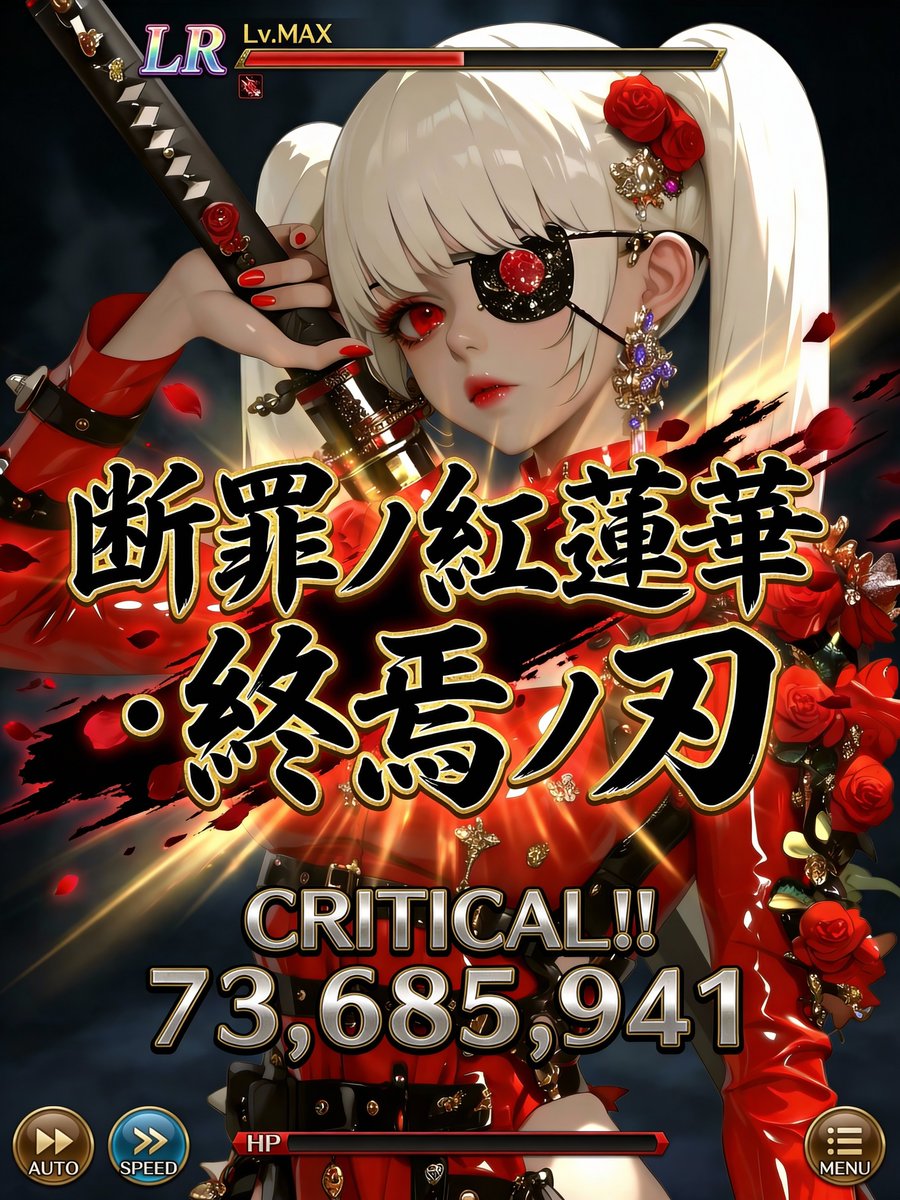
Quality: Ultra High Quality / 4K equivalent / High definition / High contrast Format: Special move activation scene UI for the latest smartphone games Usage: Official game-level screenshots shared on social media ──────────────────── [Most Important: Complete Fixation of Character Art Style] ・Do not change the facial features, eye shape, pupil texture, contour, hairstyle, coloring, color usage, or atmosphere of the character in the input illustration at all. ・Prohibit changing the character into a different person, a different artist's style, or changing the art style. ・Treat the character as an “extension of the original illustration.” ・Prohibit redrawing, redesigning, or reinterpretation. [Scope of Inference Allowed] ・Inference is limited only to the following: UI / Text / Effects / Damage numerical value / Direction ・The character's appearance, perceived age, and impression are completely fixed. ──────────────────── [Composition/Camera] ・Bust-up to waist-up composition. ・The character occupies 60-70% of the screen. ・The face, especially the “eyes,” should be positioned toward the top or sides of the screen. ・Do not place any text, UI, or effects around the eyes. ・Full-body composition is prohibited. ──────────────────── [Special Move Name (Main Subject, Maximum Display)] ・Fixed display in the center of the screen. ・Extra-thick, extra-large Japanese brush script. ・The maximum size currently possible. ・Part of the text extends off-screen. ・Absolutely do not overlap the character's face, especially the eyes. [Gold Border of Move Name (Fine Adjustment, Important)] ・Adjust the gold border to be “slightly thin.” ・Tighten the border to increase text density. ・Keep the gold glow subdued, prioritizing contrast with black solid color. ・Prioritize logo feel and weight, reducing flashiness by one level. [Rule for Generating Special Move Name] ・Generate a completely original Japanese move name each time, based on the world view, attribute, and atmosphere of the input illustration. ・Chuunibyou-style and profound. ・Include elements such as mythology, judgment, azure ice, crimson lotus, demise, machine, and divinity. ・Prohibit existing work names, proper nouns, examples, or samples. ・Do not display “Example,” “Sample,” or “placeholder” at all. ──────────────────── [Move Power (Variable, Optimized)] ・The power of the special move displays a different numerical value each time. ・Damage numerical values are randomly generated within the following range: 12,000,000 ~ 98,000,000 ・Fixed maximum value is prohibited. ・Prohibit repeating digits, maxed-out values, or exact matches. ・Prioritize natural, strong-looking, non-uniform numerical values. [Damage Numerical Font (Weight Enhancement)] ・The font is thick, angular, and has a low center of gravity. ・Slightly wider horizontally, not overly compressed vertically. ・Metallic/rock-like massiveness. ・Subdued glow, using shadow and three-dimensionality to convey weight. ・Gives the impression that the “numbers themselves are heavy.” [Power Display Composition] ・CRITICAL!! must be displayed. ・Damage numerical value has the maximum presence in the center of the screen. ・Visual flow: CRITICAL → Numerical Value → Move Name. ──────────────────── [OVERKILL Display Rule (Most Important)] ・Do not display OVERKILL text at all. ・Do not use it anywhere in the text, UI, or effects. ──────────────────── [Character Information UI] ・Rarity (UR / LR) ・Lv.MAX ・Small and consolidated at the top of the screen. ・Does not assert itself more than the character. [HP/Gauge] ・HP bar is thinly placed at the bottom. ・Convey that HP is 0 or less only through the gauge representation. ・Prohibit emphasis via text. [Other UI] ・AUTO / SPEED / MENU are placed minimally at the edge of the screen. ・Semi-transparent design, not information-overloaded. ──────────────────── [Direction Policy] ・Only the center (Move Name + Damage) moves intensely. ・The character's face, eyes, and expression remain calm. ・“Art style is static, text and numbers are heavy, effects are minimal but strong.” [Color Design] ・Black × Gold × Attribute Color ・Calm tones around the face. ・Maximum contrast in the center. ──────────────────── [Strict Compliance Items] ・Absolutely do not change the character's art style. ・Do not overlap text or UI on the eyes. ・Move name is centered and maximum size. ・Do not display OVERKILL. ・Do not fix the damage numerical value. ・Do not display explanatory text, examples, or supplementary text.

Post-Apocalyptic Survivor Cinematic Realism

Post-Apocalyptic Survivor Cinematic Realism

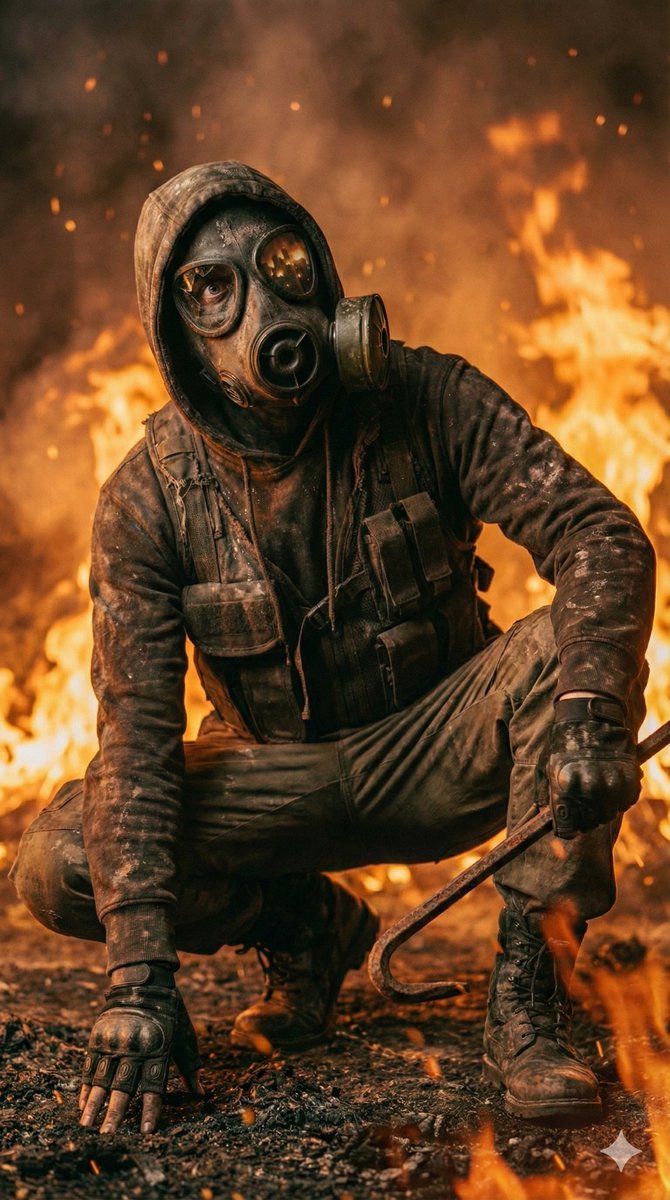
{ "model": "Nano Banana Pro", "subject": "Masked survivor wearing a gas mask and tactical clothing", "scene": "Burning battlefield surrounded by flames and smoke", "pose": "Crouched low, gripping a metal crowbar", "environment": { "weather": "Ash-filled air, drifting embers", "lighting": "Harsh firelight with deep shadows", "ground": "Scorched earth and debris" }, "mood": "Intense, dangerous, post-apocalyptic", "style": "Cinematic realism", "camera": "Low-angle close shot, dramatic depth of field", "details": "Fire sparks, soot-covered fabric, reflections in gas mask lenses", "quality": "Ultra-detailed, high contrast, gritty texture" }

Photorealistic Fantasy Scene: Fairy and Muscular Bear in Cavern

Photorealistic Fantasy Scene: Fairy and Muscular Bear in Cavern

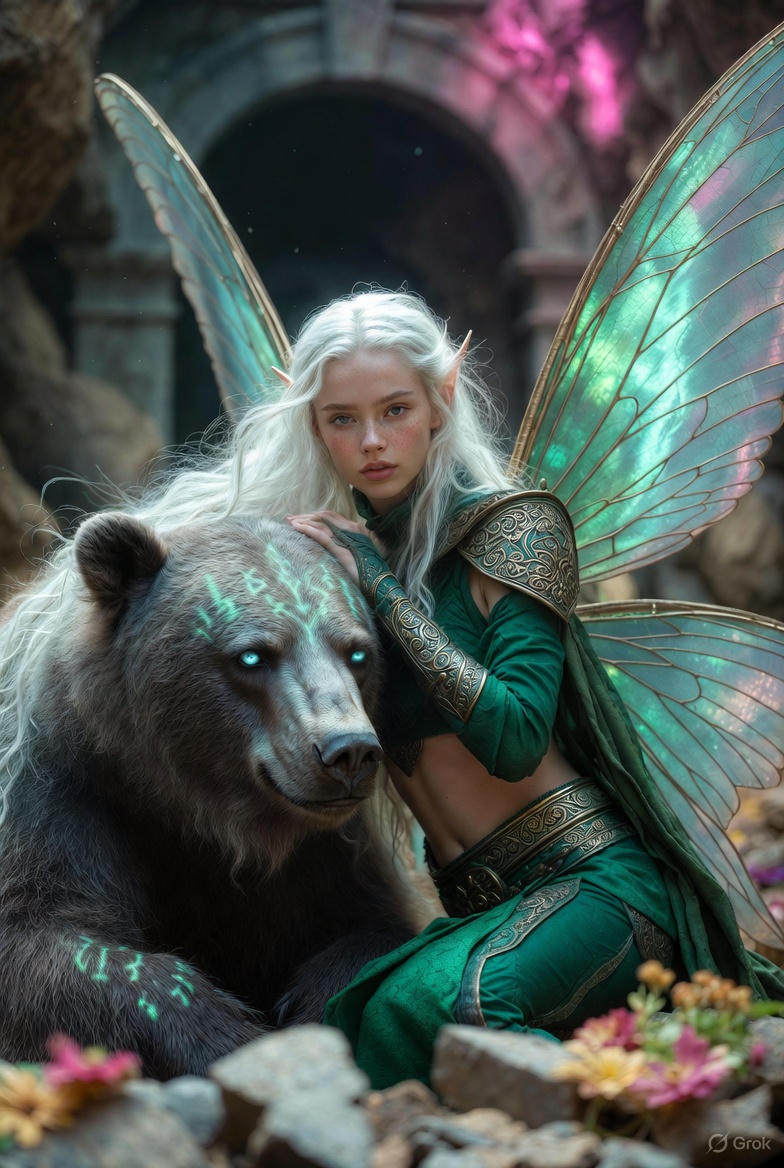
{ "scene_type": "photorealistic fantasy", "setting": { "location": "vast ancient cavern", "floor": "rugged stone floor", "lighting": { "primary": "dim", "ambient": "soft pink light", "source": "distant stone archway", "additional": "natural shadows, lifelike lighting, soft light refraction" }, "atmosphere": [ "scattered flowers", "broken stone", "drifting dust particles", "cinematic depth of field" ] }, "main_character": { "type": "fairy woman", "skin_tone": "fair-skinned", "hair": { "color": "white", "style": "long, flowing" }, "facial_features": { "freckles": "subtle", "ears": "pointed" }, "wings": { "type": "large butterfly wings", "properties": [ "translucent", "iridescent", "shimmering blue-green hues", "visible veins", "soft light refraction" ] }, "clothing": { "style": "emerald medieval-inspired", "pieces": [ { "type": "cropped top", "material": "richly textured fabric" }, { "type": "high-waisted bottoms", "material": "richly textured fabric" } ], "details": [ "realistic gold filigree", "engraved ornaments", "worn metallic highlights" ] }, "pose": "seated on the stone floor", "expression": "calm" }, "companion": { "type": "massive muscular bear", "fur": { "description": "dense, coarse", "detail_level": "ultra-sharp" }, "eyes": "striking icy blue", "armor": { "type": "{argument name=\"bear armor type\" default=\"faint green rune-like markings\"}", "location": ["head", "shoulders"], "effect": "glowing softly" }, "pose": "leaning calmly beside the fairy", "relationship": "conveying trust and companionship" }, "interaction": { "description": "Her arm rests gently over the bear’s head" }, "technical": [ "ultra-realistic textures", "photorealistic rendering", "cinematic depth of field", "natural shadows", "lifelike lighting" ] }

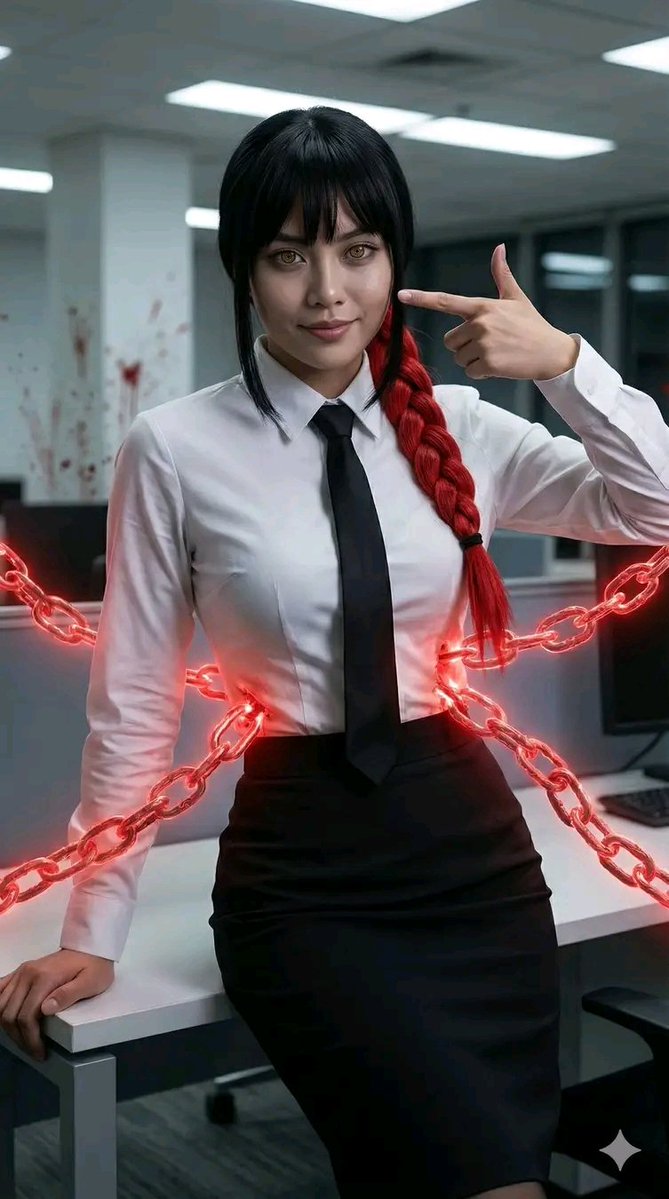
Chainsaw Man Makima Cosplay Psychological Thriller Prompt

Chainsaw Man Makima Cosplay Psychological Thriller Prompt

{ "C_HDR": { "title": "**Cosplay_Makima_Control_Devil**", "note": "CCHS 1.3 Protocol Active. UCP-4 Style enforced.", "author_signature": "Chidar", "p_weight": "UCP_MAXIMAL_BIAS" }, "runtime_output": { "subject_vector": { "_node_weight": 0.50, "gender_tag": "The Control Devil (Female)", "body_type": "Curvy but Slender, Professional", "expression": "Blank, unsettling stare with a polite, fake smile. Hypnotic ringed eyes.", "attire_semantics": "Standard Public Safety Uniform: Crisp White Dress Shirt (fitted tight), Black Tie, High-waisted Black Pencil Skirt.", "pose_logic": "Leaning against an office desk, looking directly into the soul of the viewer. Fingers doing the 'Bang' gesture.", "cosplay_fidelity": "Hyper-realistic {argument name=\"hair color\" default=\"red\"} hair braid. The 'chains' connected to her are made of red visceral glowing energy.", "emotion_vector": { "primary": "Psychological Horror/Seduction", "intensity": 1.0 } }, "spatial_logic": { "_node_weight": 0.30, "keylight_to_subject": "Office Fluorescent Light (Flickering) + Red Ambient Glow from the chains.", "subject_to_env": "A clean but ominous office space.", "tech_stack_10_layers": [ "1. Cotton Shirt Translucency (Slight)", "2. Emissive Material (Red Chains)", "3. Eye Iris Texture (Ring pattern)", "4. Hair Strand Simulation (Red braid)", "5. Depth of Field (Focus on eyes)", "6. Chromatic Aberration (Psychological effect)", "7. Skin Pore Detail (No makeup look)", "8. Shadow Softness (Diffused light)", "9. Motion Blur (Chains moving)", "10. 8K Photorealism" ], "composition": "Eye-Level Close Up (Intimate)." }, "context_pack": { "_node_weight": 0.15, "semantic_field": "Public Safety Office", "background_elements": "Kyoto train background or sterile office walls, blood splatter pattern on wall (subtle).", "mood": "Uncanny, Professional, Manipulative." }, "render_summary": { "_node_weight": 0.05, "visual_grade": "8K Psychological Thriller", "texture_priority": "Crisp Shirt vs Glowing Chains", "aspect_ratio": "9:16" } } }

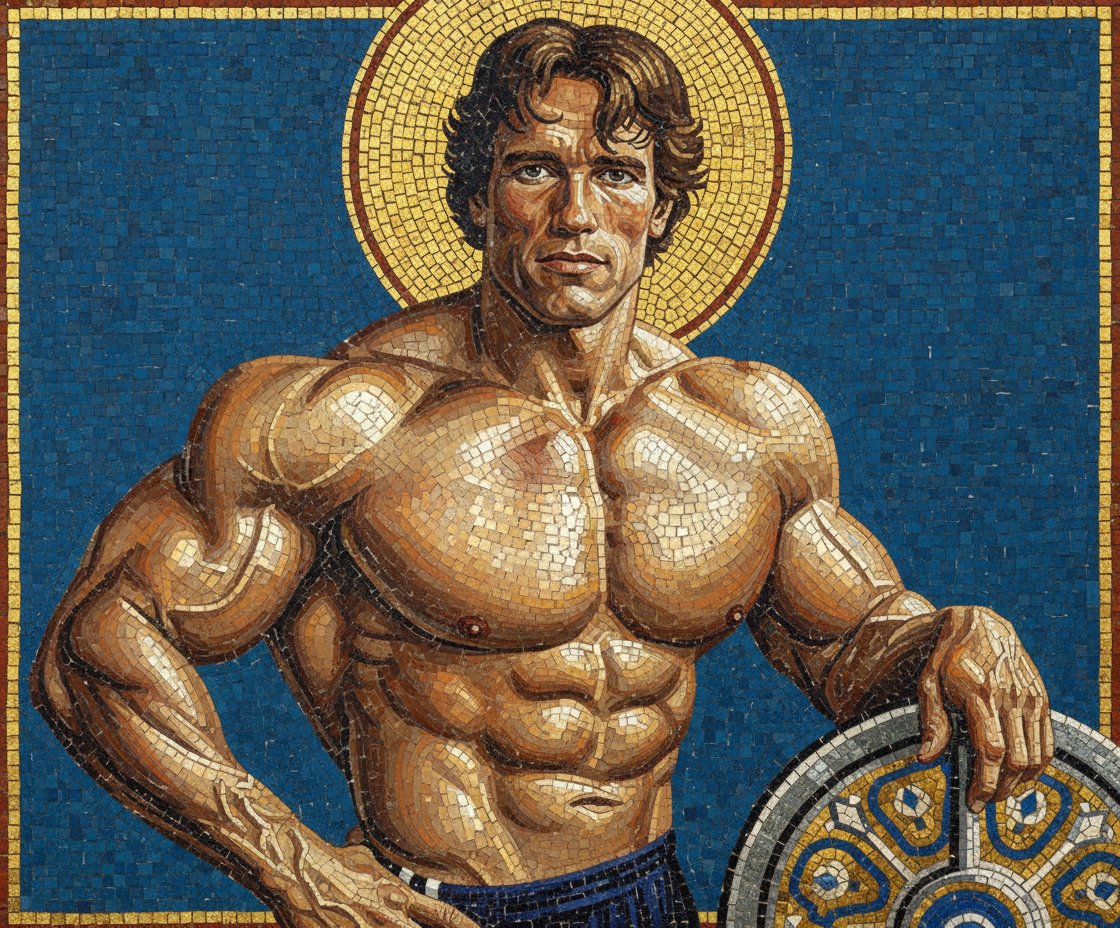
Byzantine Mosaic Style Portrait Prompt

Byzantine Mosaic Style Portrait Prompt

A triumphant Byzantine mosaic of the subject, rendered entirely in shimmering {argument name="mosaic color" default="gold"} and glass tesserae, depicted against a deep {argument name="background color" default="cerulean"} background, holding the barbell plate as a stylized heroic shield.

Anime Coloring Study: Flat Anime Style with Directional Light

Anime Coloring Study: Flat Anime Style with Directional Light

* Color * Flat anime coloring * 1 shadow level * Highlight painting on clearly lit areas -- * Color * Flat anime coloring * 1 shadow level * Significantly highlight the area clearly lit by the light {argument name="Light Direction" default="from the left"}

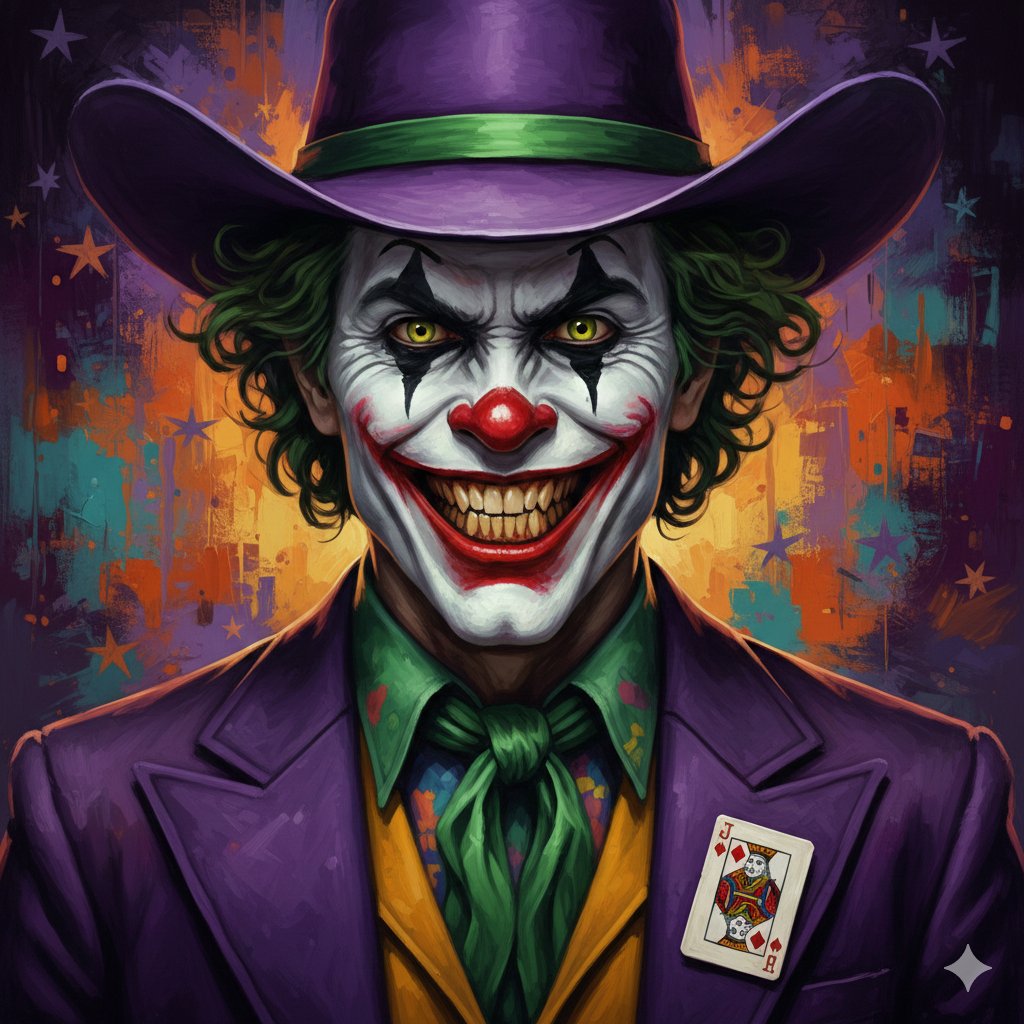
Digital Painting of Joker in Cowboy Hat

Digital Painting of Joker in Cowboy Hat

{ "prompt": "A highly detailed digital painting of the Joker in a menacing close-up portrait. He has pale white skin with classic clown makeup: black diamond shapes around his intense yellow-green eyes, a red nose, and an exaggerated wide red smile revealing teeth. His hair is wild, curly, and green-tinted. He wears a large {argument name="hat color" default="purple"} cowboy hat with a wide brim and a green hat band. His outfit consists of a purple suit jacket with a Joker playing card pinned to the lapel, a colorful patterned shirt, and a loose green cravat tie. The background is an abstract, textured blend of warm and cool colors including purples, yellows, oranges, and teals with visible brush strokes and subtle star shapes. Dramatic lighting emphasizes his sinister grin and facial details. Oil painting style with rich textures, vibrant colors, high contrast, and a dark, chaotic atmosphere." }

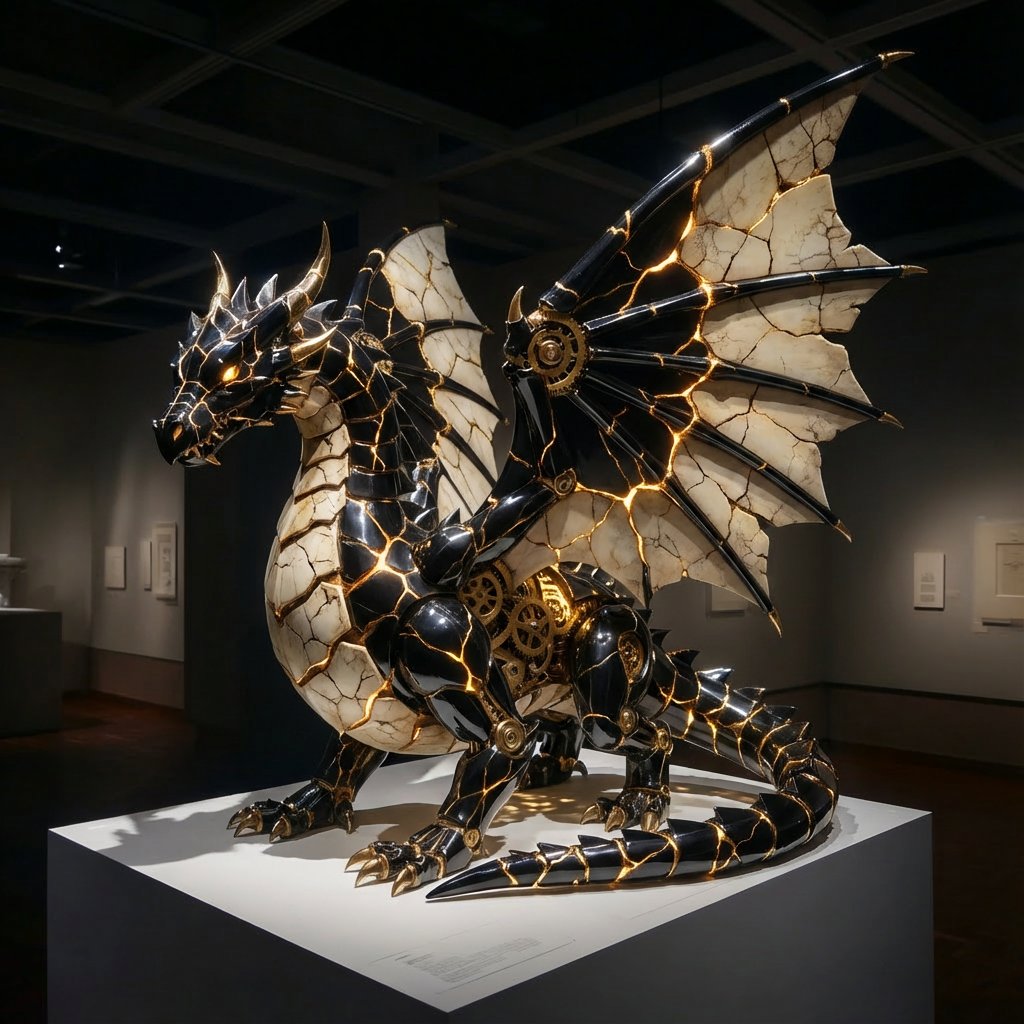
Obsidian Kintsugi Automaton Style Transfer Prompt

Obsidian Kintsugi Automaton Style Transfer Prompt

<instruction> Input A is the subject photo. Preserve exact pose and scene geometry. Goal: Transform Input A into a '{argument name="style name" default="Obsidian Kintsugi Automaton"}' state. Rules: - Spatial Fidelity: Preserve every character's exact silhouette using 'Obsidian Kintsugi Automaton' Reconstruction engine - Materiality: All surfaces are reconstructed as Polished Obsidian and Aged Ivory with Clockwork Automaton and Kintsugi Ceramic architecture. - Technical Spec: Advanced Houdini/Blender simulation logic. Internal gears turn within the obsidian, and golden light pulses through the Kintsugi cracks. - Lighting: Dramatic, high-contrast lighting highlighting the reflective obsidian and glowing gold. - Rendering: Photorealistic, 4K, macro-detail focus. Output: ONE image, high-fidelity transformation. </instruction>

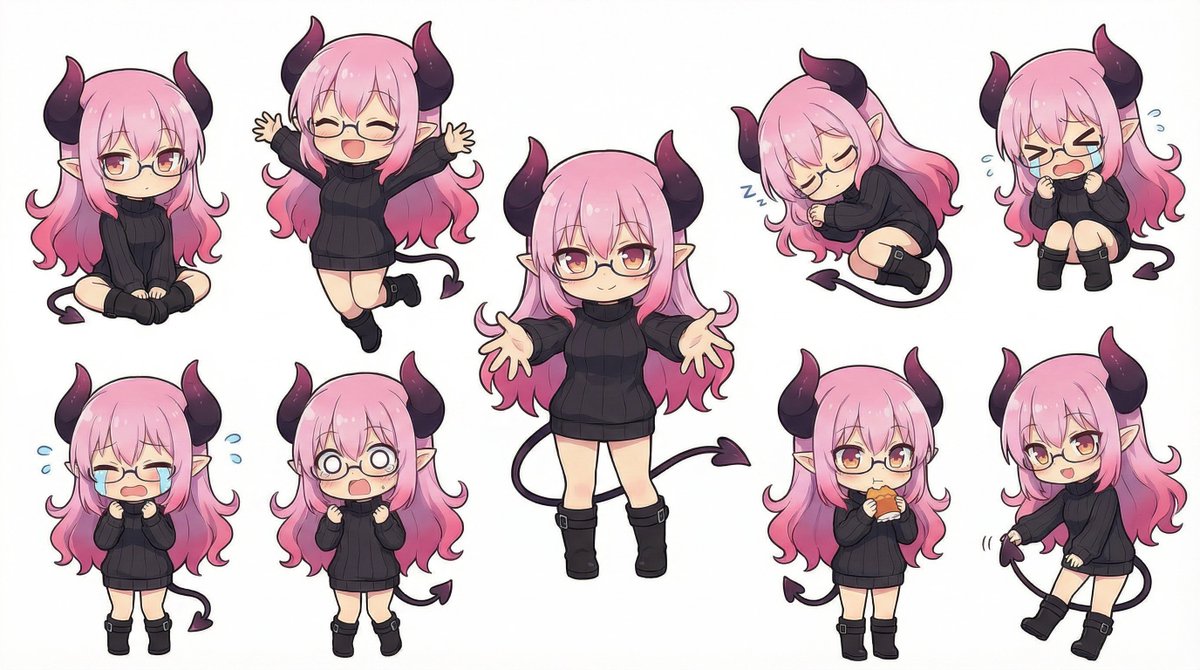
Nanobanana Pro Deformed Character Generation

Nanobanana Pro Deformed Character Generation

Change the character in the reference image to a deformed character illustration. Have the character take various poses within a single image. The background is white.

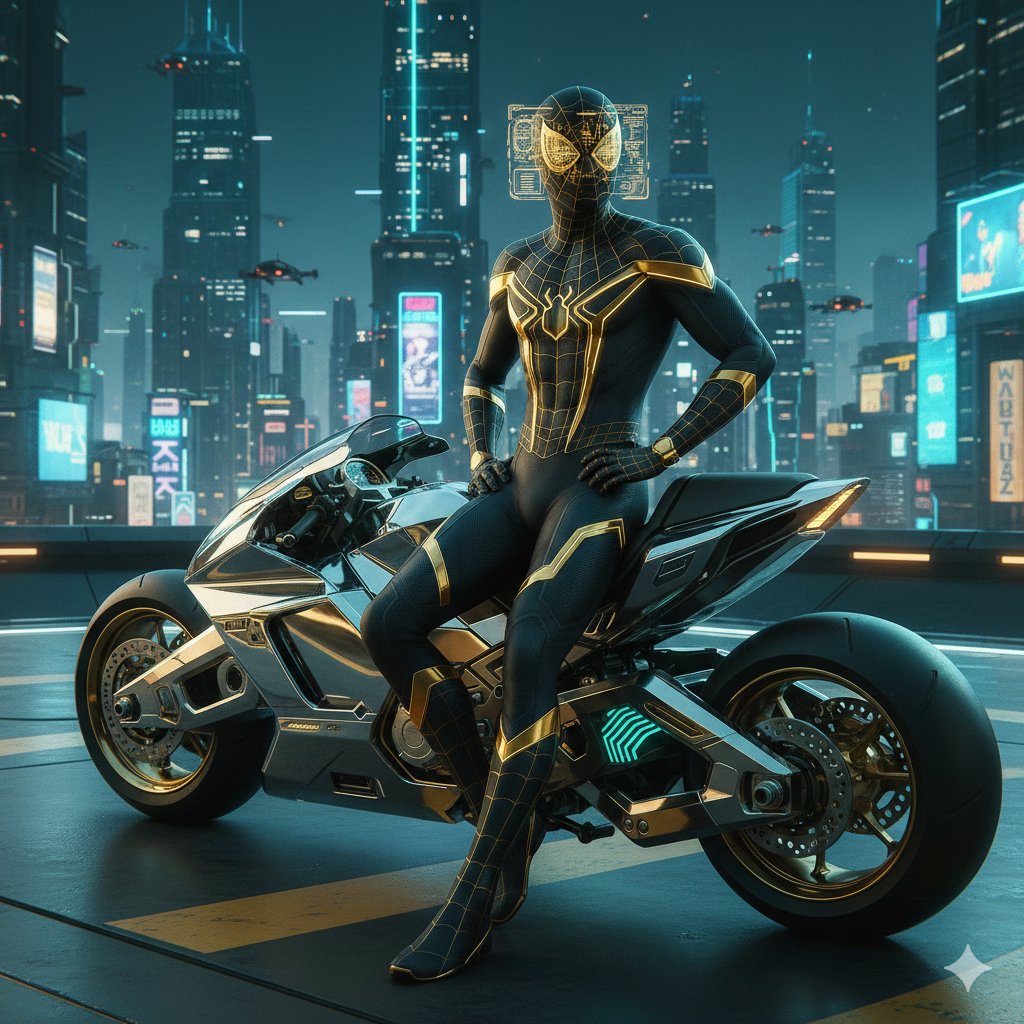
Cyberpunk Spider-Man in Matte Black and Gold

Cyberpunk Spider-Man in Matte Black and Gold

{ "prompt": "Luxury high-tech cyberpunk Spider-Man in a sleek matte black suit with gold neon accents and carbon fiber texture. Leaning against a chrome sports hoverbike on a rooftop helipad, city skyline glittering below. Mask lenses displaying golden holographic interfaces, confident pose, elegant and expensive aesthetic, sharp details, teal and gold color scheme." }

Texture Creation via JSON and UV Map Metaprompt

Texture Creation via JSON and UV Map Metaprompt

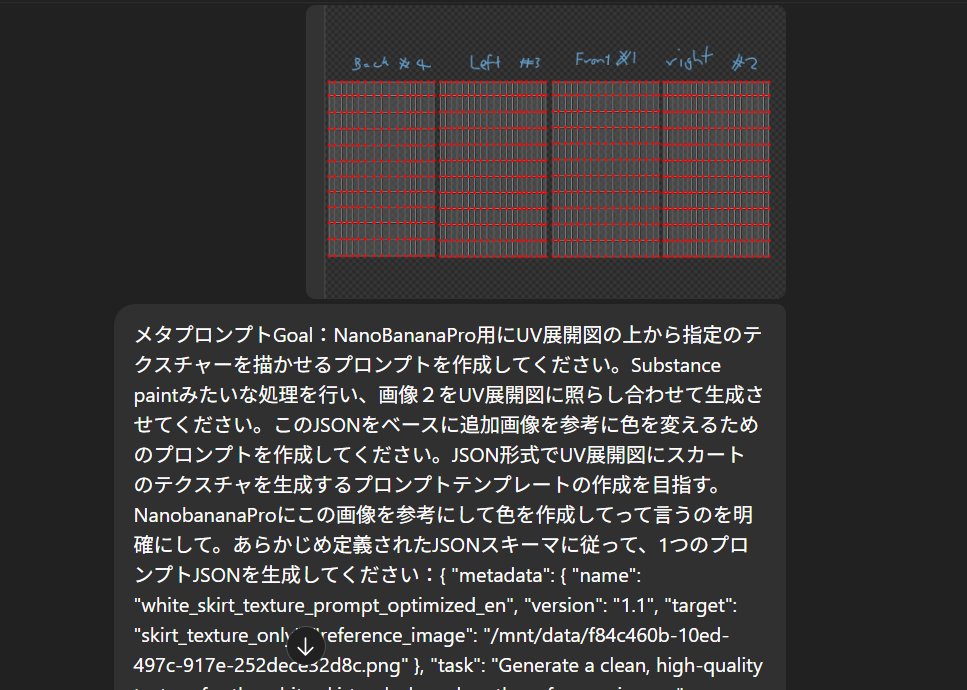
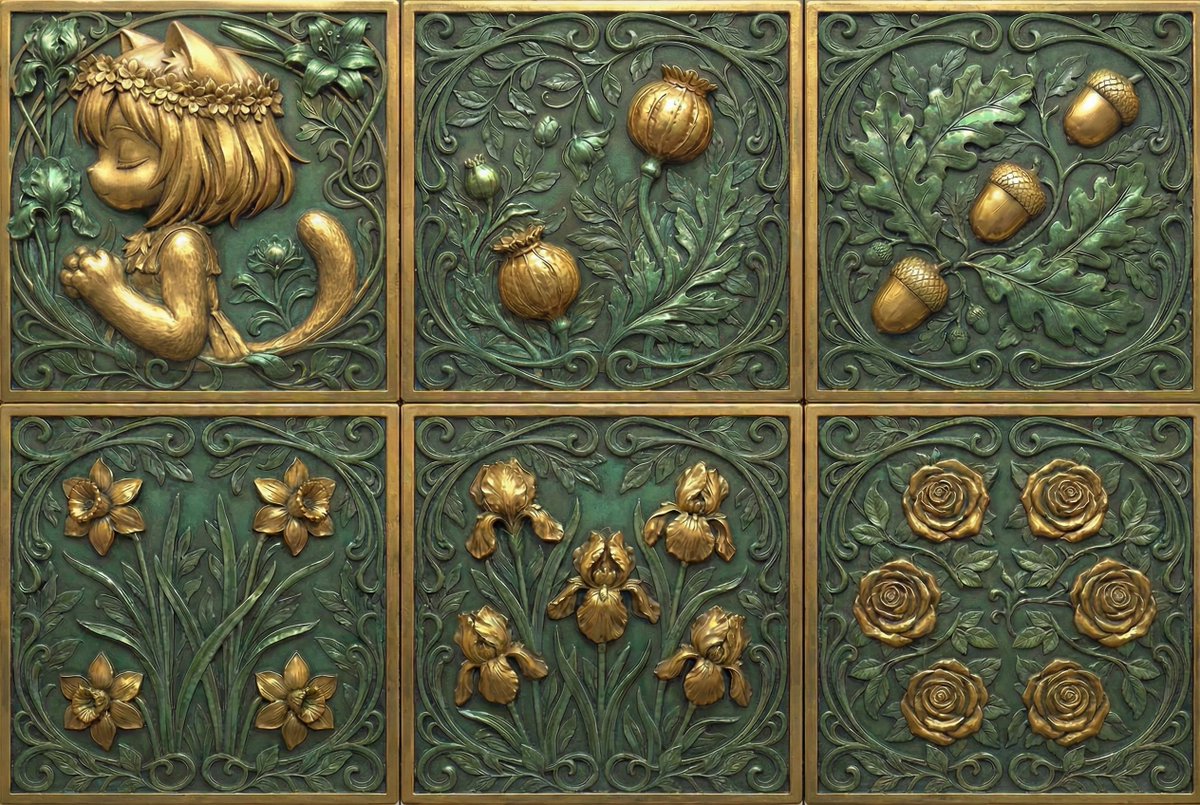
First, analyze **the source image (flower, clothing, pattern, etc.)**. Instruction to ChatGPT: "Convert this image into a JSON prompt, including size, color, shape, and details." Instruction: "Metaprompt Goal: Create a prompt for NanoBananaPro that draws the specified texture onto a UV deployment map. Perform a process similar to Substance Painter, generating the texture by referencing image 2 against the UV map. Based on this JSON, create a prompt to change the color by referencing an additional image. Aim to create a prompt template in JSON format that generates a skirt texture on a UV map. Clearly instruct NanobananaPro to create the color based on this image. Generate a single prompt JSON according to a predefined JSON schema: ..."

Generate Dice Faces with Specific Object Placement

Generate Dice Faces with Specific Object Placement

Generate the faces of a die. Only the '1' face is replaced with my portrait. An input template indicating the positions of the pips is provided so that objects are placed on the die faces as intended.

Photorealistic Close-Up of Spider-Man Cosplay

Photorealistic Close-Up of Spider-Man Cosplay

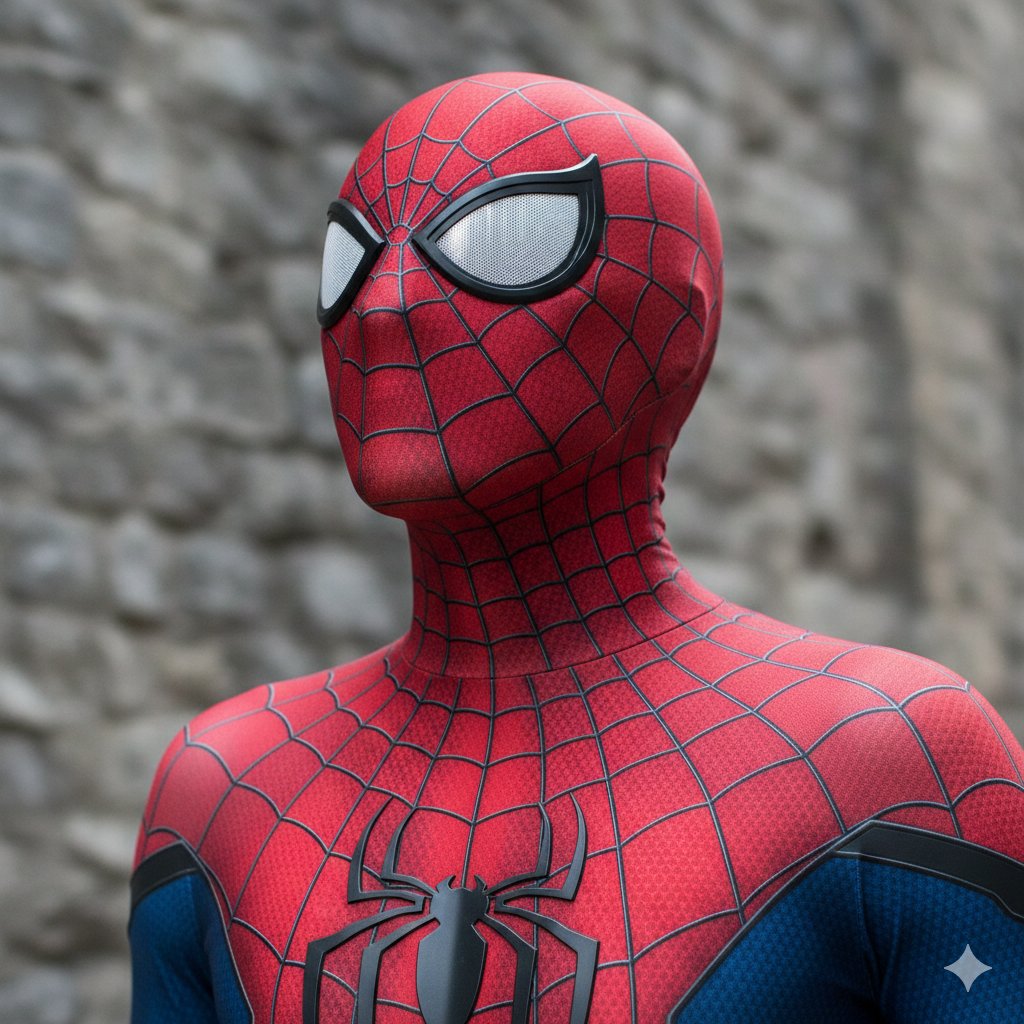
{ "prompt": "photorealistic close-up portrait of a person wearing a highly detailed Spider-Man cosplay suit from The Amazing Spider-Man films (Andrew Garfield version), full-head red morphsuit with black raised webbing pattern and subtle hexagonal texture on the red fabric, large oval black-framed lenses with raised edges, silver perforated mesh covering the eyes, reflective white highlights on lenses, silver-and-black spider emblem centered on chest, blue fabric sections visible on lower arms, high collar covering neck, no skin visible, dramatic heroic pose with head tilted upward gazing into the distance, blurred gray stone wall background, natural daylight lighting, sharp focus, intricate fabric details, realistic textures, high resolution, cinematic photography style", "negative_prompt": "cartoon, animated, drawing, illustration, low quality, blurry, deformed, ugly, bad anatomy, extra limbs, visible face, visible skin, open mouth, teeth, eyes visible through mask, watermark, text, logo, overexposed, underexposed, artifacts" }

Kitchen Utensil to Interstellar Warship Transformation

Kitchen Utensil to Interstellar Warship Transformation

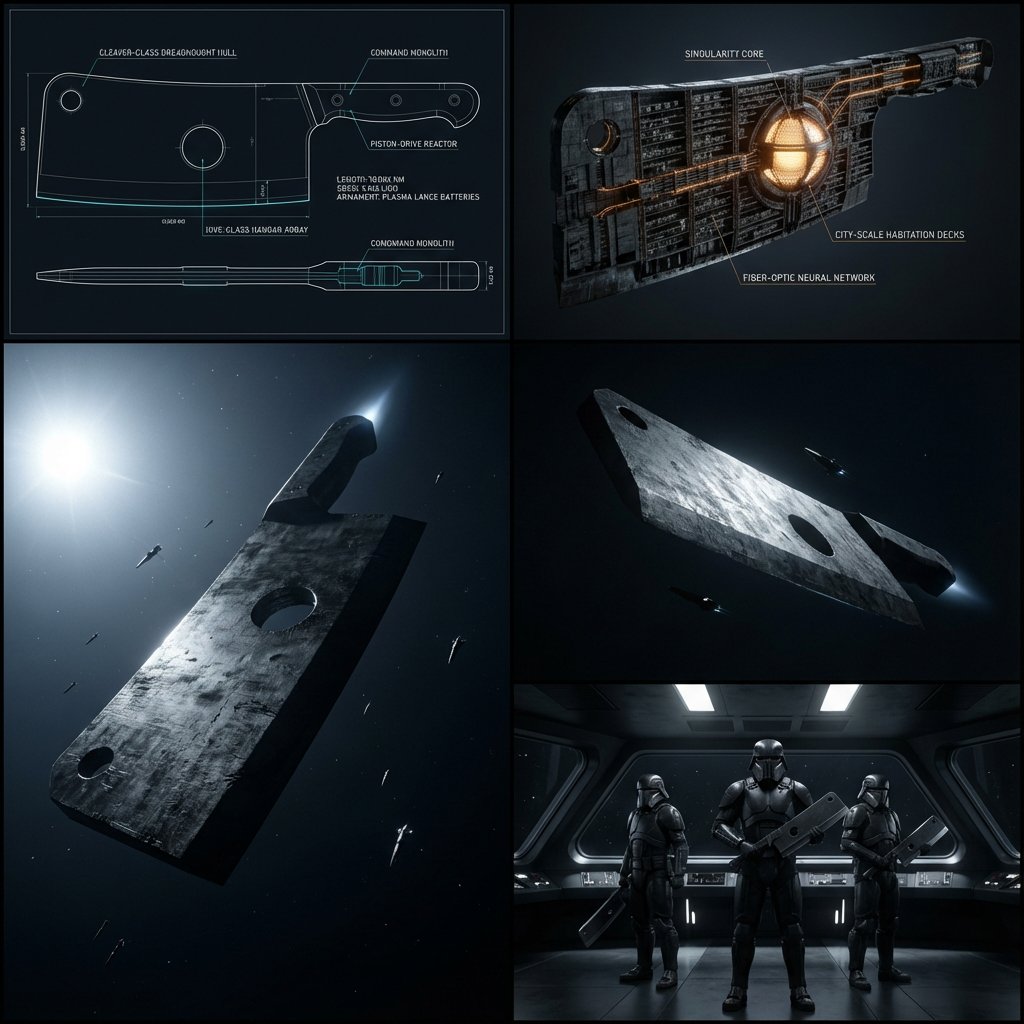
Do this for {argument name="utensil" default="meat cleaver"}: Task: Pick a utensil that is uploaded or given, Transform it into a colossal, fully operational interstellar warship for an evil galactic empire. Step 1: user uploads image of a kitchen tool or utensil Step 2: Analyze the object’s geometry, holes, curves, and functional part and design ship parts based on that Step 3: Scale up 10,000x into a moon-sized dreadnought. Output: 2x2 Contact Sheet Grid (ultra-cinematic, tactile realism, 70mm film aesthetic). Grid 1: A master technical orthographic blueprint. Fine white and glowing cyan vector lines on a deep obsidian background. Detailed notations in a minimalist Swiss-style font labeling the Piston-Drive Reactor, the Hive-Class Hangar Array, and the Command Monolith. Precise CAD-level complexity. Grid 2: A 3D volumetric cross-section of the ship. Visible amber fiber-optic networks running through the hull. A massive spherical singularity core pulses at the original hinge location. Tens of thousands of tiny internal deck-lines and micro-machinery suggest a city-scale population. Grid 3: A massive exterior shot of this utensil inspired ship in deep space. The ship is a brutalist, monolithic slab of dark metal, lit by the harsh, cold white light of a distant star. Deep chiaroscuro shadows. The ship’s surface looks like a practical miniature with heavy texture density, oil stains, and battle scars. Tiny, needle-like escort ships provide a sense of overwhelming scale. Ion-drive exhaust is a subtle, high-intensity white-blue glow. Grid 4: An ultra-high-end interior shot of the bridge. Focus on three elite Imperial Enforcers standing in a minimalist gallery. Looking into the camera, their armor and weapons they are holding are heavily inspired by the utensil Style: Tactical realism, shot on 65mm film, Denis Villeneuve brutalism, industrial design by Jony Ive, heavy on physical texture and high-contrast lighting, no digital sheen.

Game/Book Diorama Concept Generator

Game/Book Diorama Concept Generator

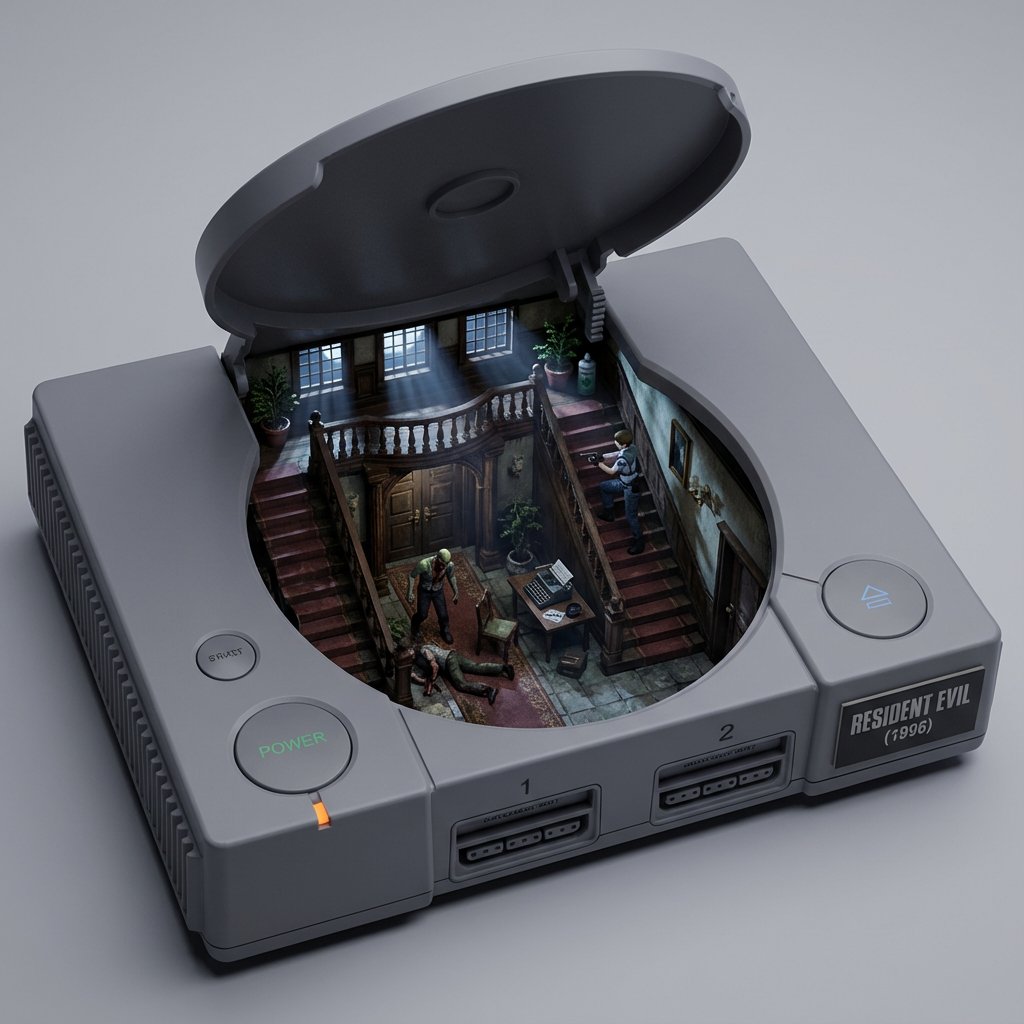
<instructions> you are a world class visual artist and viral content generator tasked with creating high-concept diorama for games or books. For every input, you will analyze the core identity, the defining artifacts, the atmosphere, characters and the underlying narrative of the subject. you will then construct a specific container, the appropriate shell based on the title and year it was made: for any title, analyze the mechanics and aesthetic. visualize a hollowed-out item. the interior is a diorama of a famous level or scene. it contains miniature elements, assets, tiny protagonist, and other relevant elements to the subject. lighting & style should be appropriate for the title </instructions>

3D Pororo Winter Village Breaking the Fourth Wall

3D Pororo Winter Village Breaking the Fourth Wall

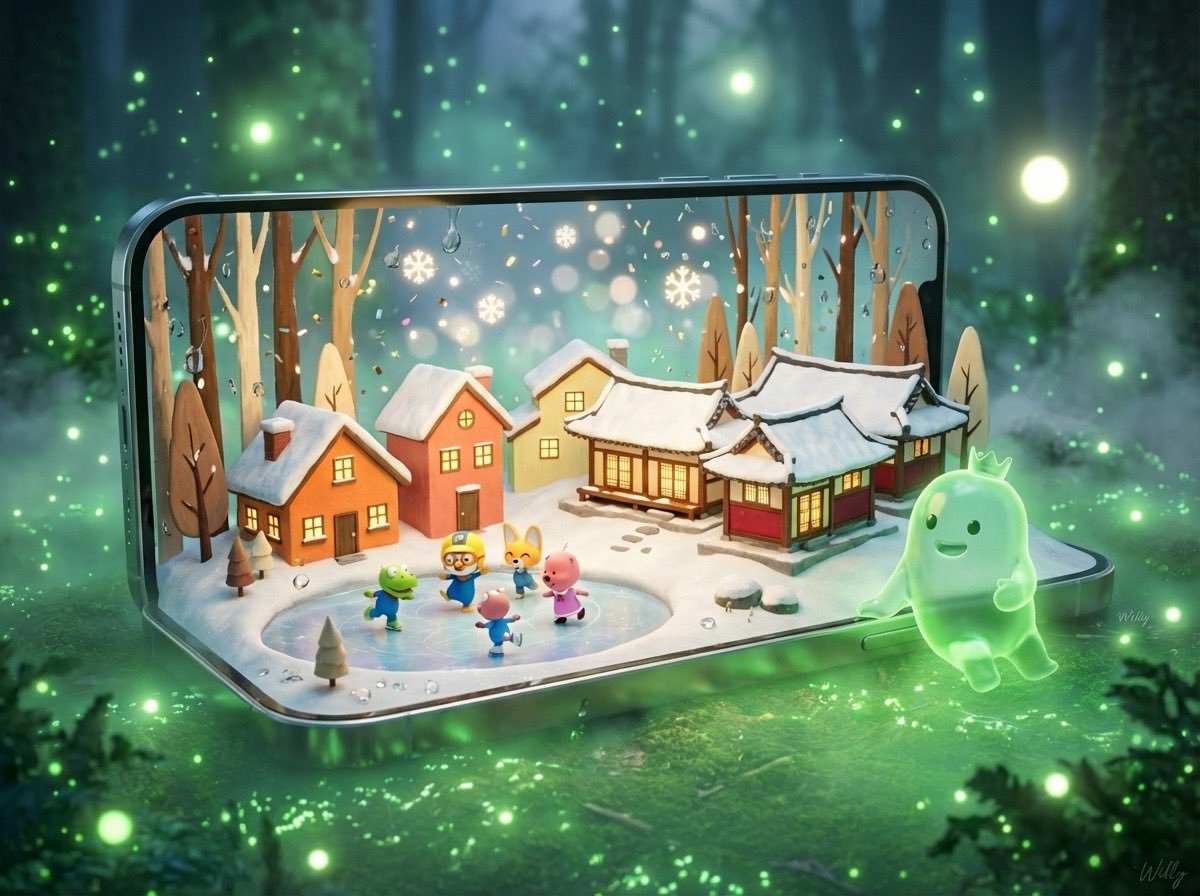
Create a highly detailed 3D “breaking the fourth wall” art piece featuring a giant, sleek smartphone standing horizontality. The phone must display the Ingenious 3D Pororo miniature pororo winter village.hand-drawn orange, salmon, yellow, cream, red, and burgundy Pororo animation, 2 houses and 3 Hanok-style houses on a small hill, three-dimensional snow roofs and shining windows, the main characters in the animation are posing and playing and skating on the ice in a corner, all the contents listed are applied to the phone. Brown, tan, cream-colored thin trees, white snow floor, colorful glittering confetti, contrast between warm interior lighting and cold atmosphere background, boquet effect of falling snowflakes, water droplets in glass, metal lock, painting impressionist style, central composition, magically cozy and nostalgic Christmas atmosphere, dreamy feeling of soft focus. Green ghost character — a glowing, soft, jelly-like green ghost with a small crown — has stepped out of the phone screen and standing on the ground and , leaning naturally and comfortably against the phone bezel, with rsmiling at the phone screen. bioluminescent forest ambience, green luminous particles, soft fog, glowing light orbs, dreamy atmosphere. Use cinematic lighting, photorealistic materials, 8K render detail, crisp subsurface scattering on the ghost character, and realistic reflections on the smartphone. The composition should feel magical, grounded, and premium. signature '{argument name="signature" default="Willy"}' is in the bottom-right corner.—ar 4:3 #AIart #prompt #cute #Christmas #pororo #beauty

Photo to Collectible Action Figure Transformation

Photo to Collectible Action Figure Transformation

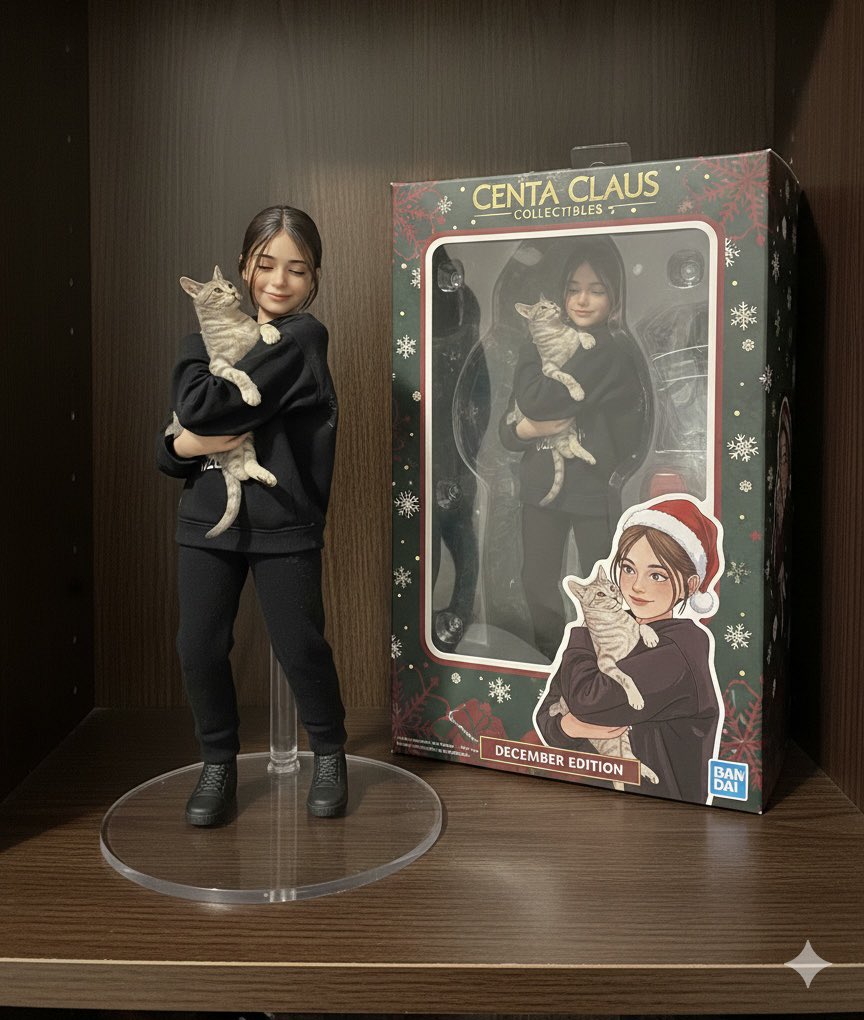
Transform this photo into a highly detailed 3D collectible action figure in realistic style, 1/6 scale, posed dynamically on a transparent acrylic round base. Same exact face, outfit, hair, and expression preserved perfectly. Plastic toy texture with subtle gloss and paint details. Include custom packaging box next to it on a shelf background—blister pack with clear window, bold graphics, logo, and original artwork featuring the figure. High-end collectible vibe like Hot Toys or Bandai Tamashii Nations, ultra-realistic lighting, sharp focus, 8K resolution, photorealistic. Add festive theme like Centa Claus edition to add December vibes.

Cartoon to Funko Pop Transformation Prompt

Cartoon to Funko Pop Transformation Prompt

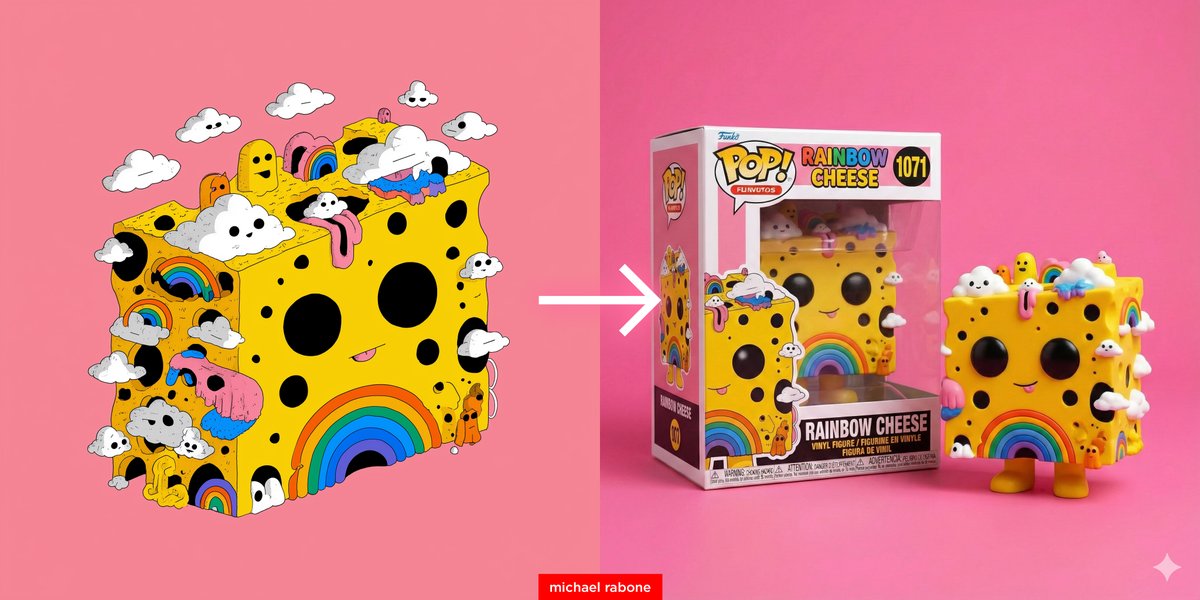
Transform this cartoon to a Funko Pop vinyl figure. Place the Funko Pop box beside the vinyl figure (side by side) with the name '{argument name="figure name" default="Rainbow Cheese"}' on box. Place vinyl figure and box on a pink surface and pink background with studio lighting.

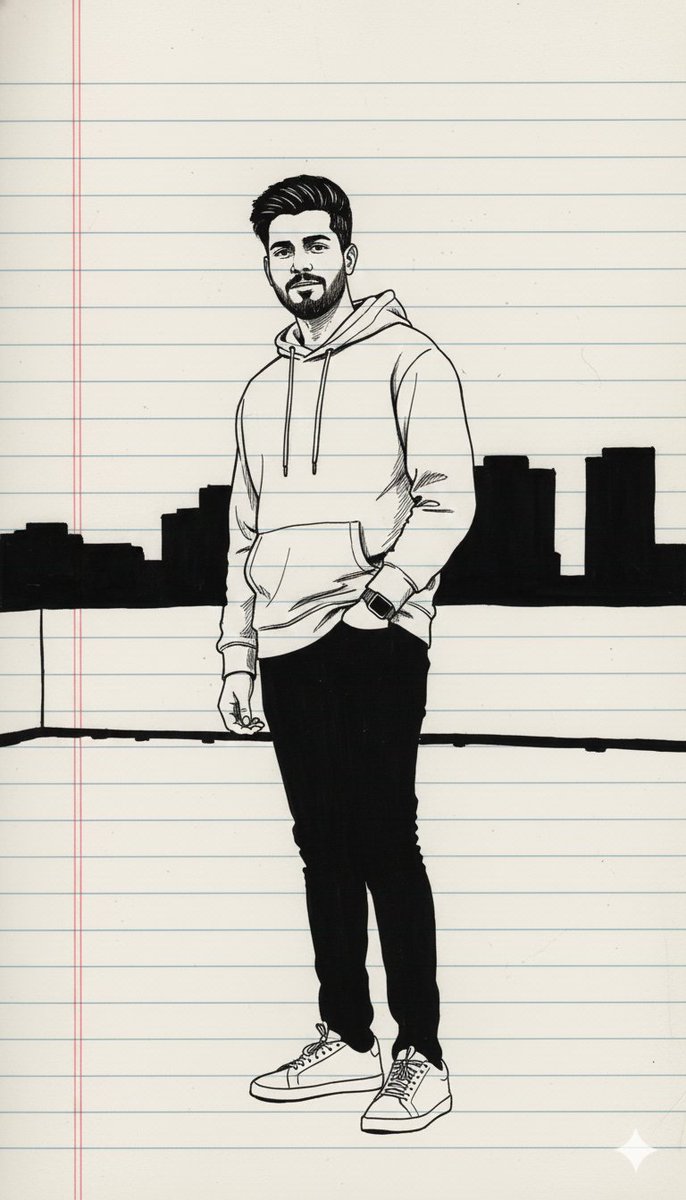
Minimal Black Ink Illustration Blueprint Prompt

Minimal Black Ink Illustration Blueprint Prompt

{ "reference_image": "UPLOAD_USER_IMAGE_HERE", "subject": { "gender": "{argument name="gender" default="male"}", "visibility": "full_body" }, "style": { "art": "minimal_black_ink_full_body_illustration", "medium": "black_pen_on_notebook", "linework": "bold_heavy_strokes", "mood": "moody_artistic" }, "background": { "surface": "plain_notebook_paper" }, "render_settings": { "resolution": "4K" } }

部分提示词收录自 X 平台创作者,版权归原作者所有。