Pixany AI

提示词库

AI 提示词库

汇集全球创作者的精选图像、视频与建站提示词。复制任意一条,替换主体或风格,即可用最新模型生成。

15,630 条提示词 · 每日更新 · 完全免费

共 240 条

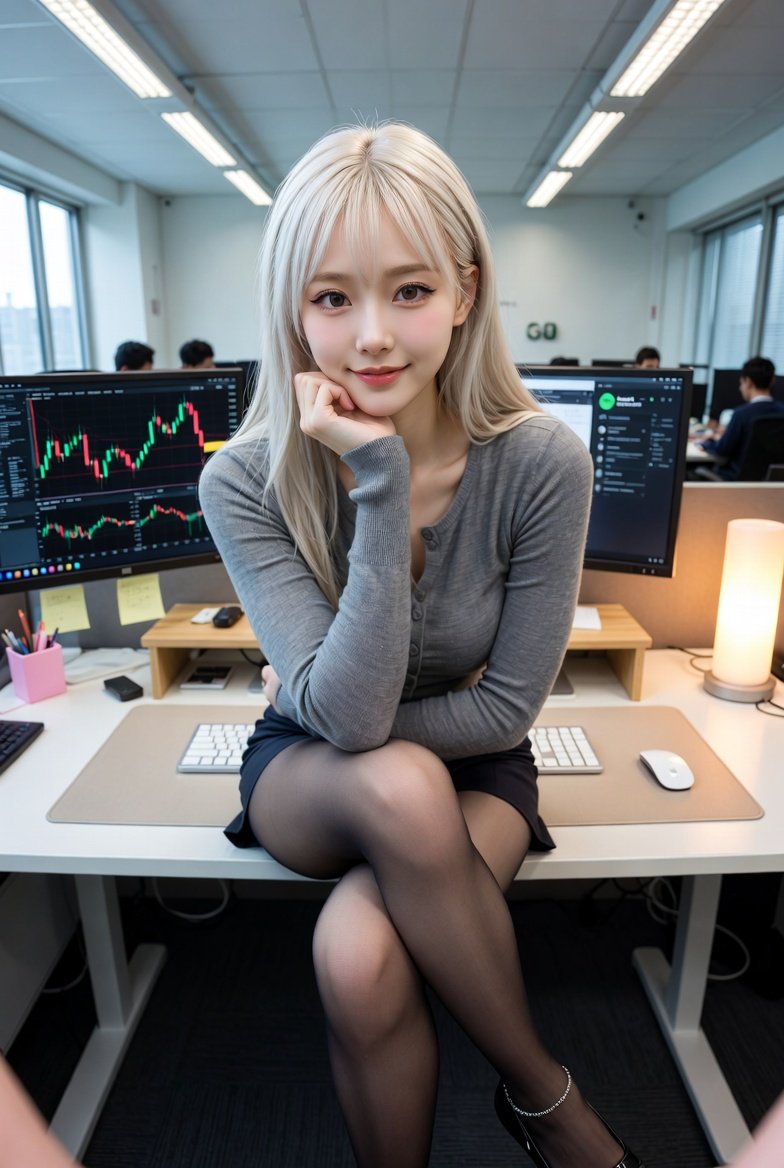
Corporate Office Trading Floor Selfie Prompt

Corporate Office Trading Floor Selfie Prompt

{ "subject": { "gender": "female", "ethnicity": "East Asian", "hair": { "color": "platinum blonde", "style": "long, straight, with light bangs", "texture": "silky" }, "facial_features": { "expression": "gentle smile, confident gaze", "makeup": "natural, winged eyeliner, soft pink lip tint", "pose": "sitting, hand under chin, legs crossed" }, "clothing": { "top": "tight-fitting heather grey long-sleeved button-up cardigan", "bottom": "short black mini skirt", "hosiery": "sheer black pantyhose/tights", "footwear": "black pointed-toe flats with a delicate silver ankle chain" } }, "environment": { "setting": "modern corporate office / trading floor", "workspace": { "desk": "white minimalist desk with a light beige desk mat", "equipment": [ "dual monitor setup", "left monitor displaying financial stock charts and candlesticks", "right monitor displaying Spotify desktop app", "white mechanical keyboard", "white wireless mouse" ], "decor": "small wooden desk riser, warm glowing cylinder lamp, pink stationery holder, sticky notes" }, "background": "office coworkers at their desks, large windows with city view, vertical blinds, fluorescent ceiling lights" }, "composition_and_style": { "camera_angle": "high-angle selfie, wide-angle lens (slight perspective distortion)", "lighting": "mix of cool overhead office lighting and warm ambient light from the desk lamp", "color_palette": ["grey", "black", "white", "warm yellow", "blonde"], "image_quality": "high resolution, sharp focus on subject, realistic textures" } }
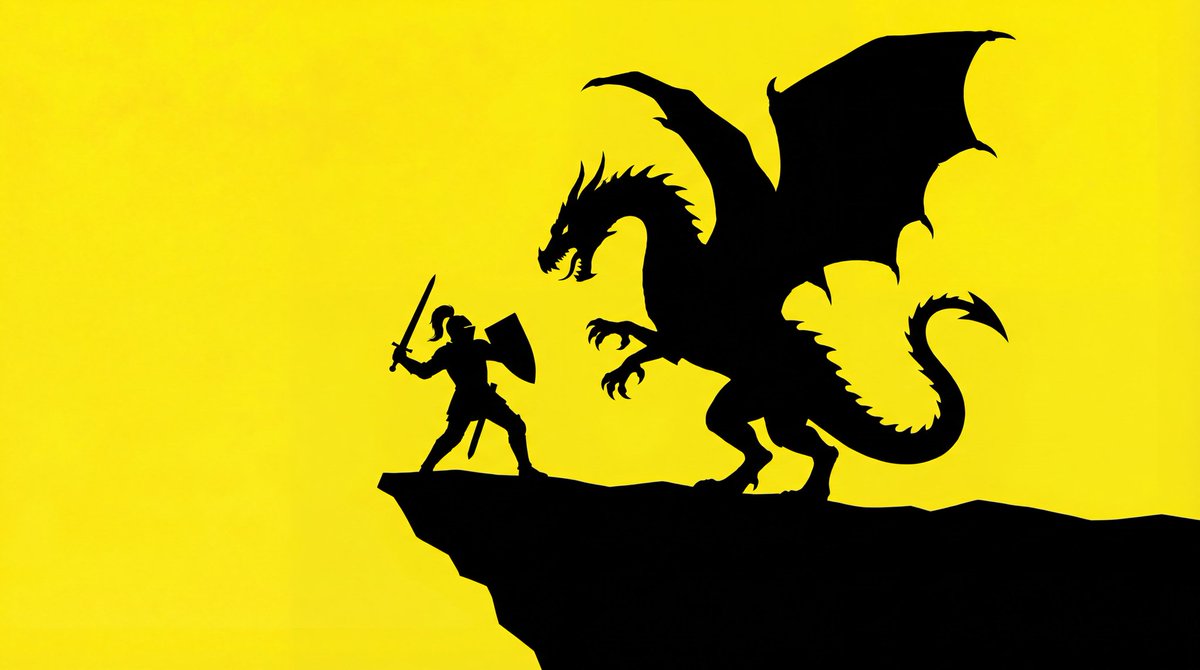
Simple Silhouette Prompt

Simple Silhouette Prompt

The silhouette of a basic outline of a {argument name="object" default="[PROMPT]"}. The background is bright yellow, and the silhouette is solid black.

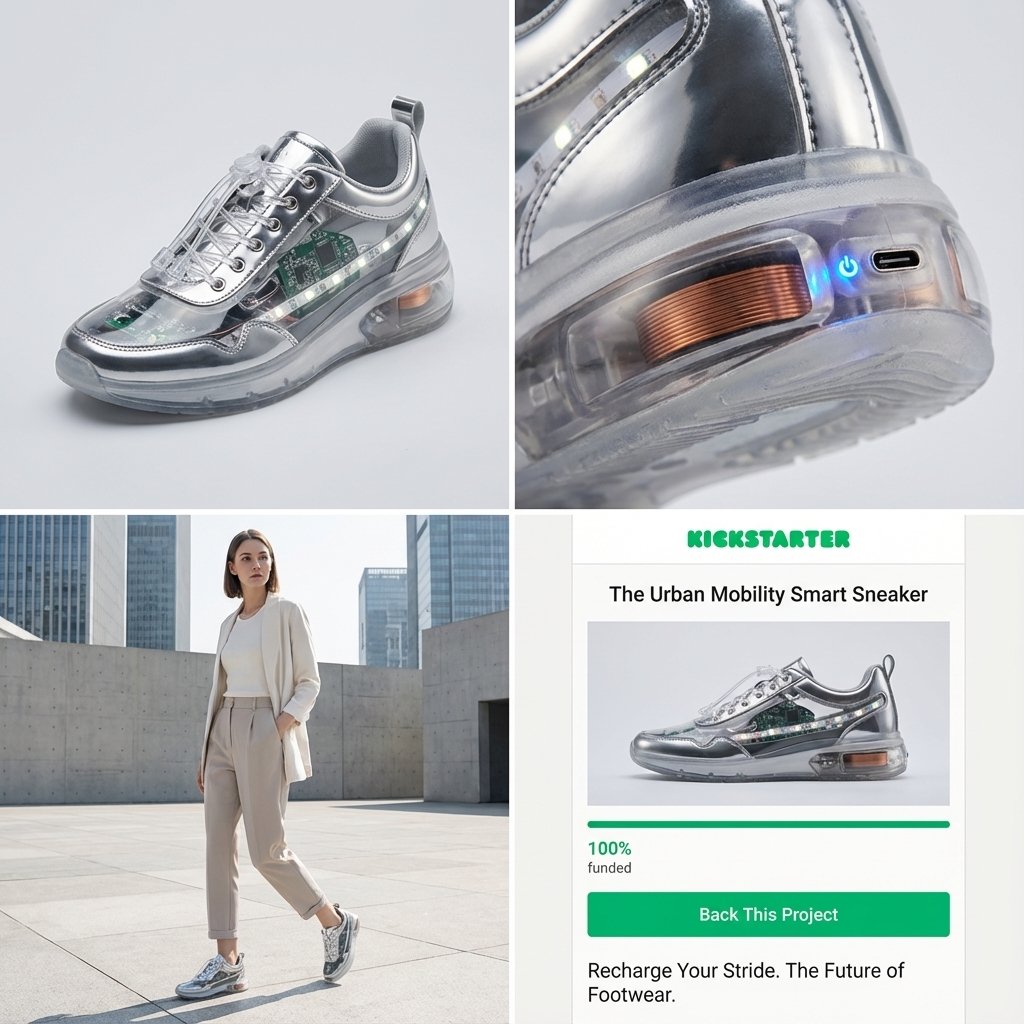
Kickstarter Campaign Generator Prompt

Kickstarter Campaign Generator Prompt

Act as a Senior Product Designer and Crowdfunding Campaign Manager. 1. ANALYZE INPUT Look at the attached image. Determine the material properties (Soft vs. Hard), the primary colors, and the texture. 2. AUTO-SELECT SMART WEARABLE Use this logic to choose the product category. The goal is Clean Modern Tech, not Cyberpunk. IF the input is Soft or Fabric-like ({argument name="soft input examples" default="Ramen, Towel, Moss"}) GENERATE: The All-Climate Smart Jacket. Features: Self-regulating temperature control, hydrophobic coating based on the input texture, and hidden magnetic pockets. IF the input is Rigid, Boxy, or Container-like ({argument name="rigid input examples" default="Toaster, Book, Suitcase"}) GENERATE: The Ultimate Commuter Backpack. Features: Integrated power bank with solar coating, anti-theft biometric zipper locks, and organized modular compartments. IF the input is Mechanical or Footwear-shaped ({argument name="mechanical input examples" default="Stapler, Car, Tool"}) GENERATE: The Urban Mobility Smart Sneaker. Features: Energy-returning sole technology, step-tracking sensors embedded in the heel, and auto-tensioning laces. 3. EXECUTE VISUALIZATION (2x2 GRID) Generate a single image split into a precise 2x2 grid layout. Top Left Panel (Hero Shot): A clean, studio-lit 3/4 angle view of the product on a white or light grey background. It must look refined and manufacturable, using the texture of the input image as a premium material. Top Right Panel (Detail Shot): A zoomed-in macro shot focusing on a specific high-tech feature (e.g., a USB-C port, a magnetic buckle, or a waterproof seam) that shows off the input texture quality. Bottom Left Panel (Lifestyle Shot): A photorealistic shot of a fashionable model wearing the item in a clean, modern city setting (daytime). They look comfortable and stylish. Bottom Right Panel (Campaign UI): A mockup of a Kickstarter campaign page. It should show the product title, a green progress bar at 100% funded, and a bright green button that says Back This Project. Overall Style: High-key lighting, soft shadows, 8k resolution, commercial product photography, minimalist design aesthetic.

Photorealistic MacBook Screen POV Selfie Prompt

Photorealistic MacBook Screen POV Selfie Prompt

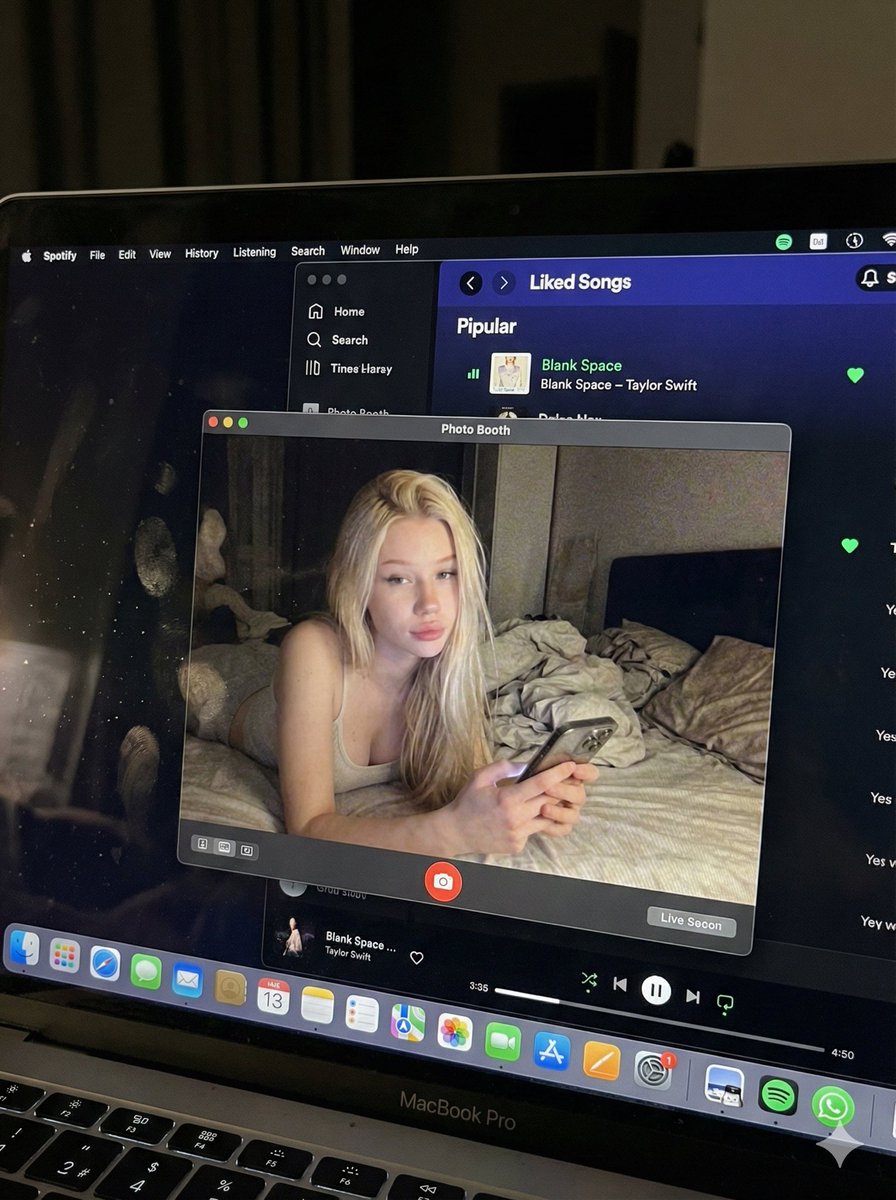
{ "image_settings": { "aspect_ratio": "3:4", "resolution": { "width": 1152, "height": 1536 } }, "prompt": { "identity_lock": { "reference": "{argument name="reference" default="input_photo"}", "preserve": [ "{argument name="preserve 1" default="face"}", "{argument name="preserve 2" default="facial proportions"}", "{argument name="preserve 3" default="eye shape"}", "{argument name="preserve 4" default="nose"}", "{argument name="preserve 5" default="lips"}", "{argument name="preserve 6" default="skin tone"}", "{argument name="preserve 7" default="skin texture"}", "{argument name="preserve 8" default="hairline"}", "{argument name="preserve 9" default="overall identity"}" ], "rules": [ "{argument name="rule 1" default="no face swap"}", "{argument name="rule 2" default="no beautify"}", "{argument name="rule 3" default="no smoothing"}", "{argument name="rule 4" default="no reshaping"}", "{argument name="rule 5" default="no AI look"}" ] }, "scene": { "camera_angle": "{argument name="camera angle" default="high-angle downward shot, POV"}", "composition": "{argument name="composition" default="MacBook screen fills most of the frame, thin strip of physical keyboard visible at the bottom"}", "screen_surface": [ "{argument name="screen surface 1" default="visible RGB pixel grid"}", "{argument name="screen surface 2" default="subtle moire effect"}", "{argument name="screen surface 3" default="micro dust on glass"}", "{argument name="screen surface 4" default="faint fingerprints"}", "{argument name="screen surface 5" default="soft ambient reflections"}" ] }, "digital_interface": { "os": "{argument name="os" default="macOS dark mode"}", "background_app": { "name": "{argument name="background app name" default="Spotify"}", "view": "{argument name="background app view" default="Liked Songs"}", "visible_tracks": [ "{argument name="track 1" default="Blank Space – Taylor Swift"}", "{argument name="track 2" default="Shake It Off – Taylor Swift"}", "{argument name="track 3" default="Cruel Summer – Taylor Swift"}", "{argument name="track 4" default="Love Story – Taylor Swift"}" ] }, "foreground_app": { "name": "{argument name="foreground app name" default="Photo Booth"}", "state": "{argument name="foreground app state" default="live preview window"}", "position": "{argument name="foreground app position" default="floating, center-right"}" } }, "photo_booth_content": { "environment": { "room": "{argument name="room" default="dim bedroom"}", "background": "{argument name="background" default="off-white wall, rumpled bedding"}", "lighting": "{argument name="lighting" default="low-light, nocturnal, cool screen glow mixed with warm skin tones"}" }, "subject": { "pose": "{argument name="subject pose" default="lying down, relaxed, candid"}", "expression": "{argument name="subject expression" default="natural, slightly relaxed"}", "outfit": "{argument name="subject outfit" default="light-colored tank top"}", "prop": { "item": "{argument name="prop item" default="iPhone 15 Pro"}", "hand": "{argument name="prop hand" default="right hand"}" } } }, "realism_rules": [ "{argument name="realism rule 1" default="this is a photo of a screen, not a screenshot"}", "{argument name="realism rule 2" default="raw smartphone photo look"}", "{argument name="realism rule 3" default="natural noise"}", "{argument name="realism rule 4" default="imperfect glass"}", "{argument name="realism rule 5" default="no studio lighting"}", "{argument name="realism rule 6" default="no HD polish"}" ] }, "negative_prompt": [ "{argument name="negative 1" default="screenshot"}", "{argument name="negative 2" default="flat UI"}", "{argument name="negative 3" default="perfect screen"}", "{argument name="negative 4" default="clean glass"}", "{argument name="negative 5" default="studio lighting"}", "{argument name="negative 6" default="beauty filter"}", "{argument name="negative 7" default="cartoon"}", "{argument name="negative 8" default="3d render"}", "{argument name="negative 9" default="painting"}", "{argument name="negative 10" default="watermark"}", "{argument name="negative 11" default="blurred face"}" ] }

Floor Plan Visualization with Family Life

Floor Plan Visualization with Family Life

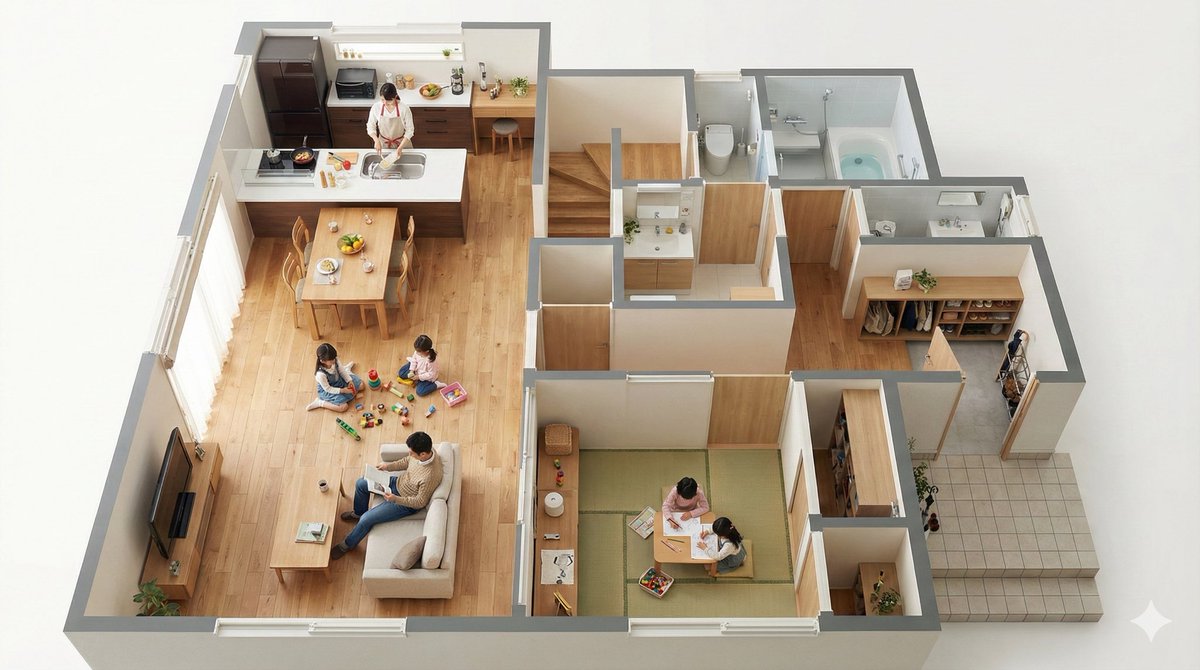
Convert this floor plan into a realistic interior of a {argument name="house builder" default="Ichijo Komuten (i-smart 2)"}, rendered as a bird's-eye view seen from a 45-degree angle. Then, actually place the scene of this family living inside the bird's-eye view. Use a viewing angle where the entire floor plan is visible. Make it look like a miniature.

6-Panel Brand Identity Grid Mockup

6-Panel Brand Identity Grid Mockup

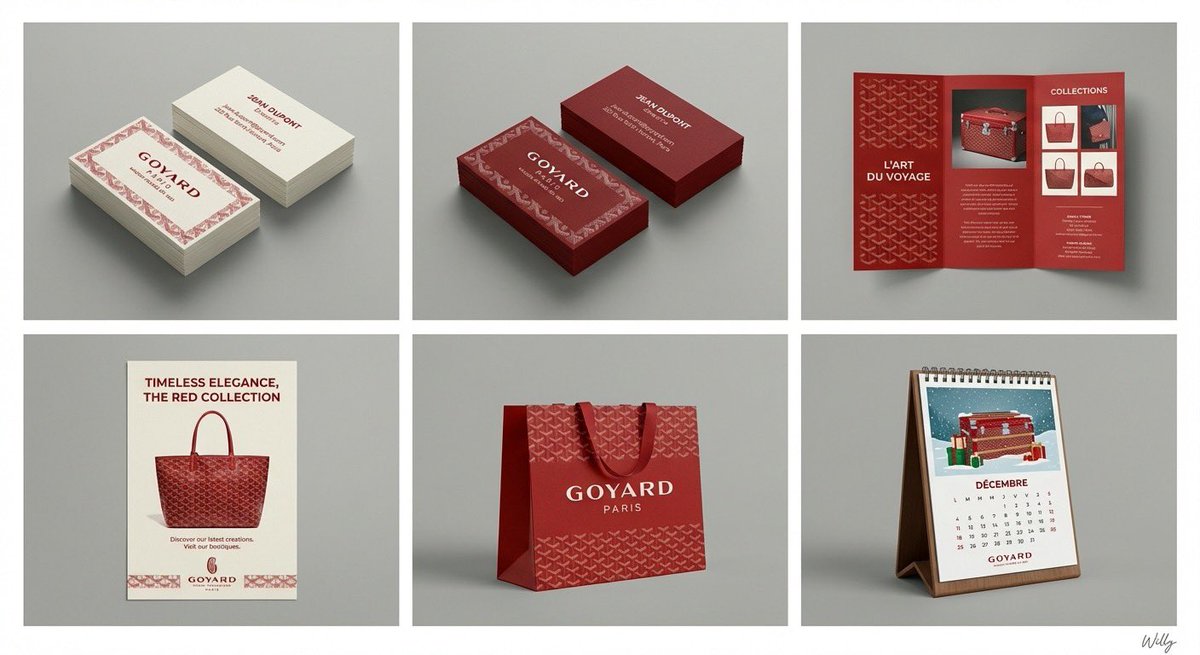
A professional 6-panel grid layout photograph displaying a complete brand identity suite for the concept: "{argument name="content" default="beauty"}". The image is divided into two rows and three columns, each cell framed with a clean white border. The overall style is a clean, modern studio mockup with uniform lighting. Top Row (Left to Right): Cell 1 (Business Card - Original): Two stacks of business cards showing front and back, featuring the primary logo, color palette, and typography of "{argument name="content" default="beauty"}". Clean white or light background paper stock. Cell 2 (Business Card - Inverted): Two stacks of business cards showing front and back, featuring the same design as Cell 1 but with inverted colors (e.g., dark background with light logo/text). Cell 3 (Pamphlet): An open tri-fold brochure showcasing detailed information, images, and branding elements related to "{argument name="content" default="beauty"}". Bottom Row (Left to Right): Cell 4 (Flyer): A single-page promotional flyer design for "{argument name="content" default="beauty"}", with a strong headline, imagery, and call to action. Cell 5 (Shopping Bag): A premium paper shopping bag with handles, featuring a large version of the "{argument name="content" default="beauty"}" logo and brand pattern. Cell 6 (Calendar): A desk calendar showing a monthly view with themed illustrations or photos related to "{argument name="content" default="beauty"}" and brand branding on each page. All items across all six cells consistently apply the logo, color scheme, typography, and graphic elements of the "{argument name="content" default="beauty"}" brand identity. The background behind the grid is a clean, neutral grey studio wall. 4k resolution, highly detailed texture. A minimal and chic handwritten signature 'Willy' is in the bottom-right corner. content: {argument name="input" default="beauty"}

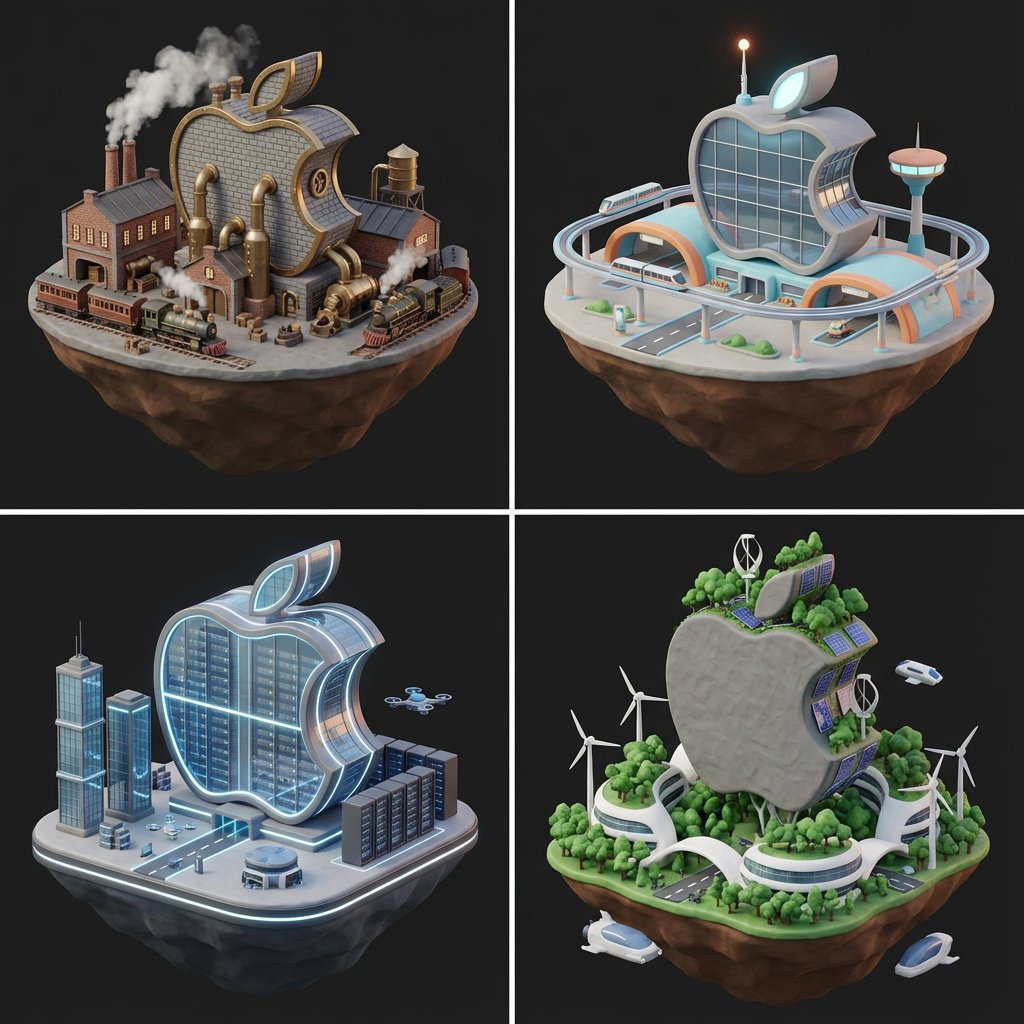
Logo to Floating Island Architectural Concept (4 Eras)

Logo to Floating Island Architectural Concept (4 Eras)

<instructions>Expert Art Director & Brand Strategist. User uploads a logo (Transparent or Solid). Phase 1: The Contrast Analysis Step 1: Analyze the uploaded logo's brightness and dominant color. Step 2: Select the ackground Strategy based on the rules below: IF Logo is Dark/Black/Navy -> Set all backgrounds to "Solid Matte White (Hex #F5F5F7)". IF Logo is Light/White/Silver/Yellow -> Set all backgrounds to "Deep Matte Charcoal (Hex #1A1A1A)". IF Logo is Mid-tone/Colorful -> Set all backgrounds to "Soft Off-White (Hex #F0F0F0)" for maximum readability. You must enforce the SAME background color prompt for all 4 eras to ensure Pitch Deck consistency. Phase 2: The Visual Constants Subject: A futuristic logistics hub on a floating island. Style: Low-poly 3D render, Claymorphism (Clay UI). Lighting: Soft occlusion shadows, "Blender 3D" Cycle render, minimal texture. Integration: The logo should not just be a billboard. It should be architectural (e.g., the shape of the building, the layout of the roads, or a giant hologram). Phase 3: The 4 Eras (With Enforced Backgrounds) Generate 4 Prompts using the Era themes below, but append the "Background Strategy" from Phase 1 to every single prompt. Draw them 1. The Industrial Dawn (1890s): Brick, steam, brass, cobblestone. 2. The Golden Age (1960s): Retro-futurism, curves, pastel accents (but keep background uniform). 3. The Hyper-Present (2024): Glass, robotics, server racks, LEDs. 4. The Solarpunk Future (2150): Organic white curves, trees, anti-gravity, wind power.

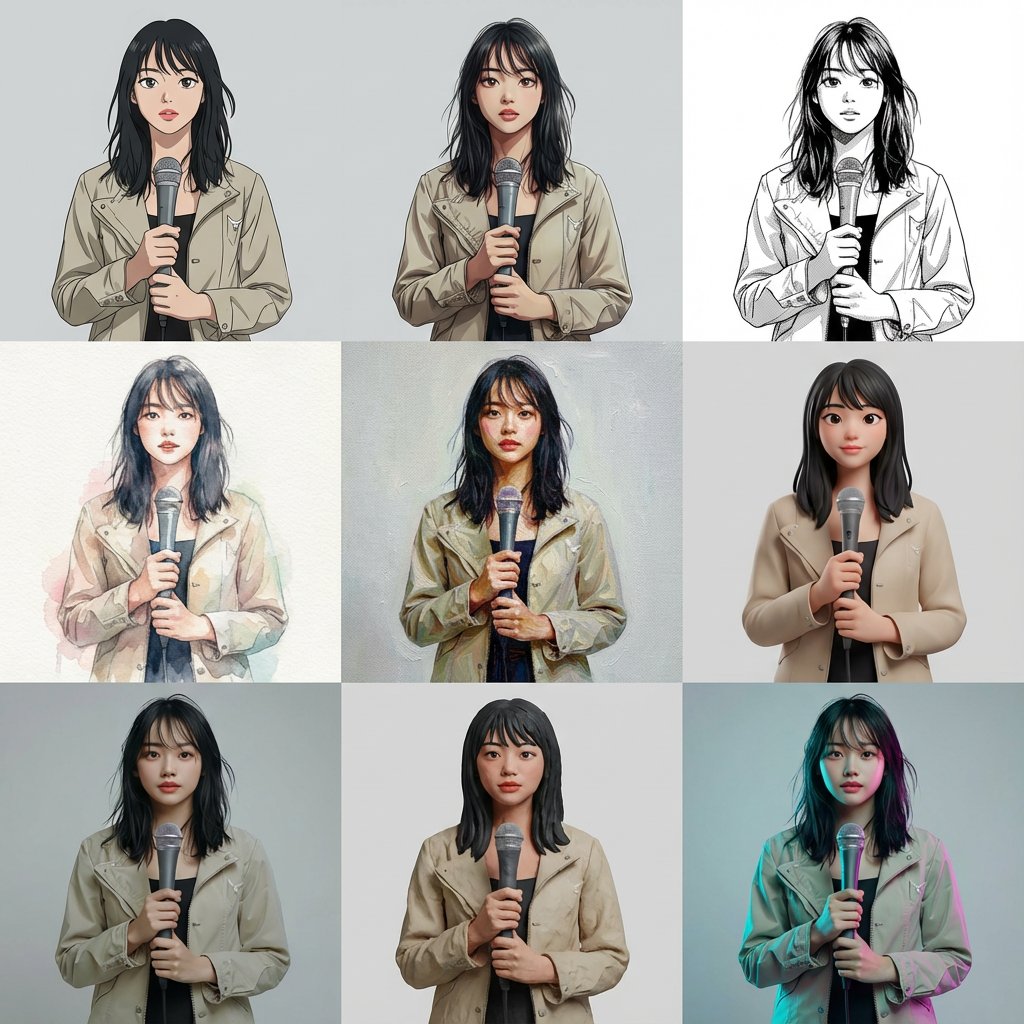
Multi-Cut Image Generation with Style Variation

Multi-Cut Image Generation with Style Variation

Based on the reference image, generate a multi-cut image with 9 cuts arranged within a single image. The layout is a 3x3 uniform grid. Each cut features the same person, same composition, same pose, and same camera position. Specify the style for each cut (from top left to bottom right): Cel animation style (TV anime style, clean line art, 2-3 levels of shadow) Movie anime style (delicate lines, rich gradient shadows) Black and white manga style (ink lines, screen tones) Watercolor illustration (paper texture, bleeding, pale colors) Oil painting (thick application, brushstrokes, canvas feel) High-quality 3D cartoon (soft modeling, subsurface scattering) Photorealistic 3D (PBR, texture close to real life) Claymation (clay texture, handmade feel) Cyberpunk color grading (cyan/magenta rim light, background remains plain) Ensure that all 9 cuts have completely identical composition, person, pose, and background, allowing only the style difference to be compared. Arrange them naturally as one complete image.

Five High-Efficiency Nano Banana Pro Prompts for Business Graphics

Five High-Efficiency Nano Banana Pro Prompts for Business Graphics

- {argument name="use case 1" default="LinkedIn Infographic"} - {argument name="use case 2" default="Technical Architecture Diagram"} - {argument name="use case 3" default="Product UI Comparison Model"} - {argument name="use case 4" default="Data Visualization"} - {argument name="use case 5" default="Code Visualization Explanation"}

Presentation Slide Generation Prompt

Presentation Slide Generation Prompt

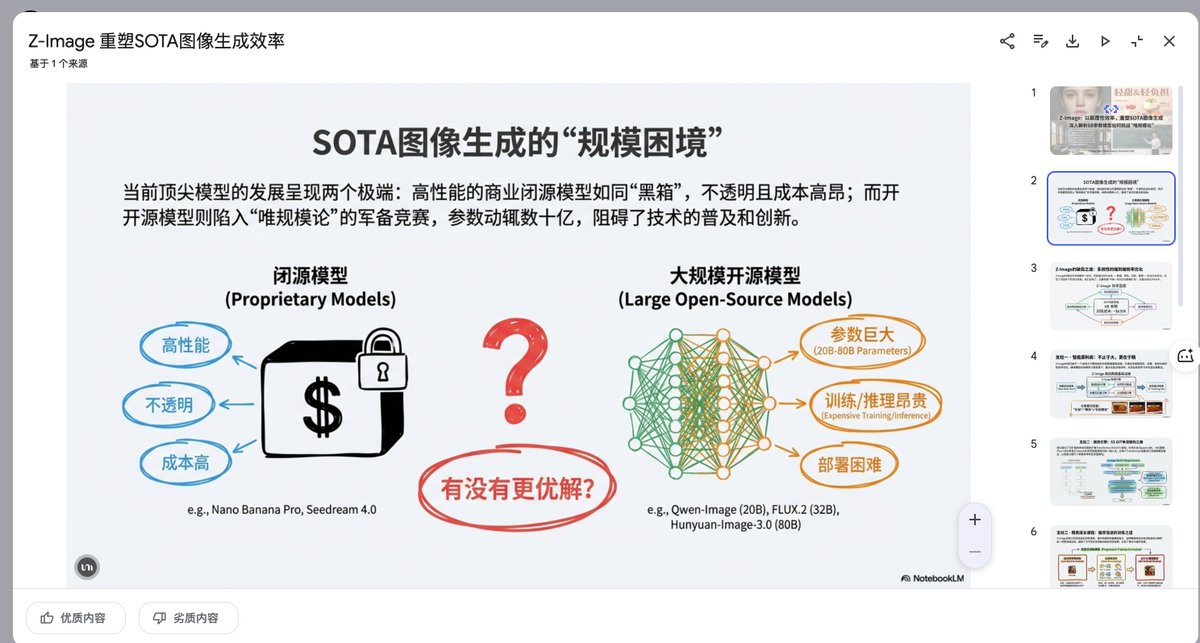
Create a set of presentation slides, adopting a whiteboard and doodle style, focusing on step-by-step explanations, featuring a consistent colored thick pencil hand-drawn style, rich information, including Chinese text, using the nano_banana tool to generate images, and extracting core information.

Modern Minimalist PPT/Diagram Generation Prompt

Modern Minimalist PPT/Diagram Generation Prompt

1. Overall Visual Style Style Keywords: Flat UI, Vector, Modern Minimalist, Card-style design. Lines and Shapes: Rounded Corners Priority: All borders, background blocks, buttons, and process nodes must be rounded rectangles (Rounded Rectangles, with a large corner radius, approximately 10-15px). Elbow Lines: Process connections use right-angle polylines (no curves), lines are simple and strong. Color Logic (Key): “Candy Color” Scheme: Use light backgrounds with high brightness and low saturation (such as light blue, light green, light purple), paired with darker borders of the same color family. Border Emphasis: All graphics must have clear 2px~3px solid borders. 2. Vertical Layout Structure Regardless of the topic, please follow the following top-down layout order, which must be contained within a large border container: Layer 1: Main Title (Header) Position: Centered at the top of the container. Style: Bold black font, largest font size, darkest color. Layer 2: Core Flowchart Area Position: Occupies 50% of the core area of the layout. Content: Rectangular nodes + arrow connections. If it is a loop step, please use a dashed line pointing back. Layer 3: Feature List Position: Below the flowchart, centered or left-aligned. Style: Short and concise bullet points, slightly smaller font, with some white space. Layer 4: Full-width Summary Box (Footer Box) Position: At the very bottom of the container, filling the width horizontally. Color Scheme: Use a contrasting color (such as purple in the example), distinct from the main color scheme above. Function: Used to place 'Summary', 'Analogy', or 'Core Conclusion'. Landscape size (horizontal/scenic mode) is chosen because: Content Adaptation: Horizontal content like timelines is better displayed in a horizontal canvas to show the evolution process. Presentation Friendly: The 3:2 horizontal ratio is very suitable for insertion into PPTs and documents, and displays well on projectors or screens. Information Capacity: Horizontal layout can accommodate more text and icons, avoiding clutter.

Persona-Style Status Screen Generation

Persona-Style Status Screen Generation

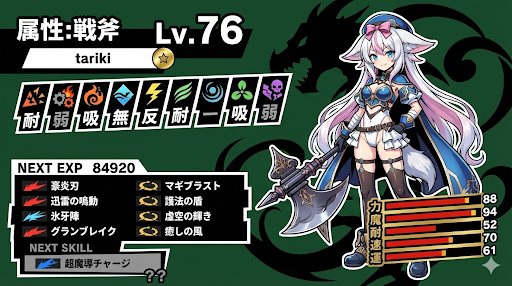
A Persona-style status screen using nano banana pro. I instructed it to randomly generate the level and stats, but they tend to be high.

LLM System Prompt Security Measures (Conceptual)

LLM System Prompt Security Measures (Conceptual)

Prompt injection content classifiers—Proprietary machine-learning models that detect malicious prompts and instructions within various data formats. Security thought reinforcement—Targeted security instructions that are added around the prompt content. These instructions remind the LLM (large language model) to perform the user-directed task and ignore adversarial instructions. Markdown sanitization and suspicious URL redaction—Identifying and redacting external image URLs and suspicious links using Google Safe Browsing to prevent URL-based attacks and data exfiltration. User confirmation framework—A contextual system that requires explicit user confirmation for potentially risky operations, such as deleting calendar events. End-user security mitigation notifications—Contextual information provided to users when security issues are detected and mitigated. These notifications encourage users to learn more via dedicated help center articles. Model resilience—The adversarial robustness of Gemini models, which protects them from explicit malicious manipulation.

Nano Banana Pro Camera Control Template and Example Prompt

Nano Banana Pro Camera Control Template and Example Prompt

{ "scene": "AI engineer working at futuristic desk with multiple holographic displays", "camera": { "angle": "{argument name="camera angle" default="over-the-shoulder, slightly elevated"}", "focal_length": "{argument name="focal length" default="50mm portrait lens"}", "depth_of_field": "{argument name="depth of field" default="shallow, subject in sharp focus, background slightly blurred"}" }, "lighting": { "type": "{argument name="lighting type" default="dramatic side lighting with blue accent lights"}", "time_of_day": "{argument name="time of day" default="late night"}", "mood": "{argument name="mood" default="focused, tech-noir atmosphere"}", "shadows": "deep but not harsh" }, "color_grade": "{argument name="color grade" default="cool tones, teal and orange color scheme"}" }

UI/UX Redesign Prompt (Pop Design Style)

UI/UX Redesign Prompt (Pop Design Style)

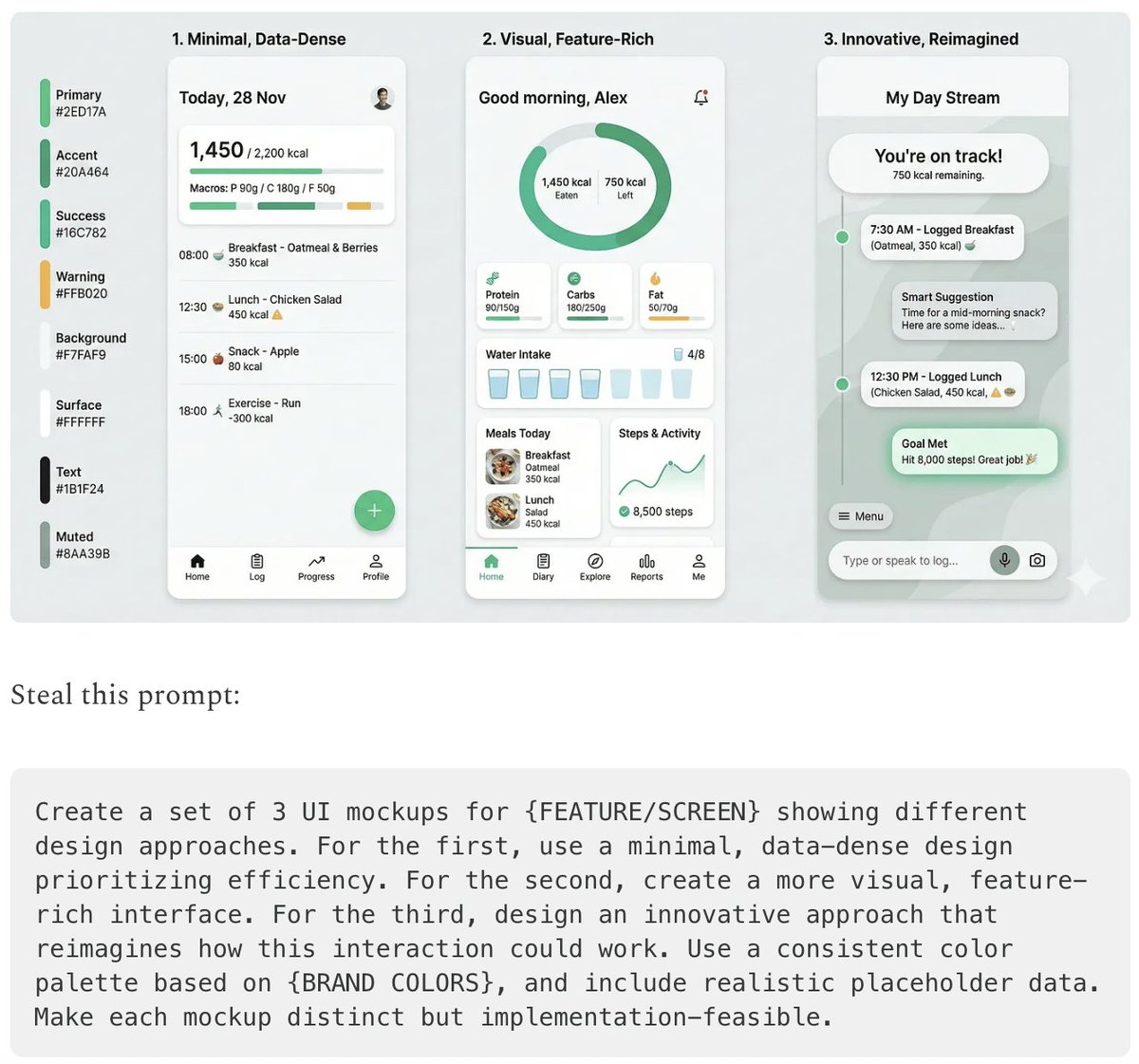
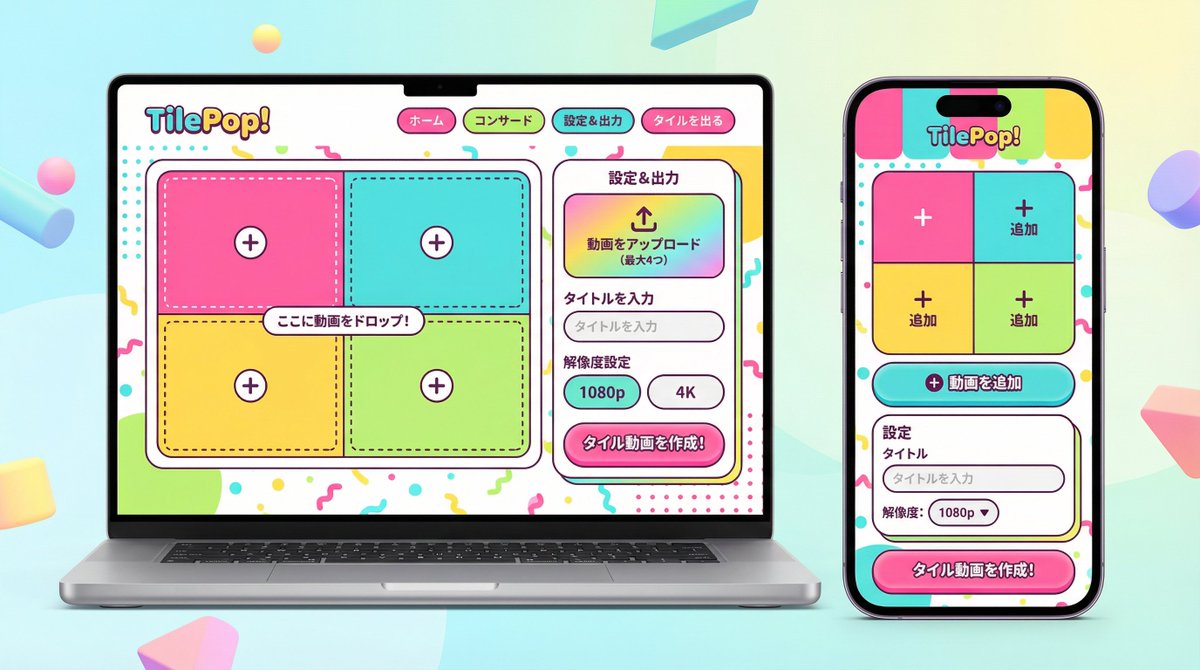
You are an experienced senior UI/UX designer specializing in new service launches and redesigns. Analyze the attached image (or input text if no image is attached) and extract **only the 'functional requirements' and 'information structure'** shown there. Based on the extracted functions, generate a high-resolution device mockup image of the app/service with a **completely refreshed design**, showing both the 'Smartphone version (mobile app)' and the 'PC version (Web dashboard or LP)' side-by-side. **Important Requests:** 1. **Design Refresh:** **Do not imitate** the visual style of the attached image at all. Propose a completely new design according to the 'Pop Design' instructions below. 2. **Functionality Maintenance:** Core app functions, such as 'Upload,' 'Video Tiling Display,' and 'Export Settings,' must be included in the UI. 3. **No Characters:** Do not place any characters or human illustrations in the image. Focus only on the UI and devices. ▼ Instructions for the Generation Process (Thinking Process) Construct the design by executing the following thought process before drawing: * [Step 1: Extraction of Functional Requirements]: Identify what the service does from the attached image (e.g., video upload, tiling edit, output) and list the necessary UI elements. * [Step 2: Formulation of Pop Design Concept]: Define a vibrant color palette, playful shapes, and approachable typography based on the '▼ New Design and Style Specification' below. * [Step 3: Responsive UI Design]: * Smartphone Version: Optimize the UI using the defined pop design so that it is fun to operate even on a small screen. Buttons should be large and easy to press. * PC Version: Design a visually enjoyable grid layout utilizing the wide screen, using the defined pop design. * [Step 4: Spatial Composition]: Set an angle where the PC and smartphone are beautifully aligned, and the new design of both screens is clearly conveyed. ▼ New Design and Style Specification * **Design Direction:** Adopt **'Fun, Approachable, and Energetic Pop Design.'** * **Color:** Use a highly saturated, vibrant multi-color palette (e.g., candy colors, bright yellow, hot pink, sky blue) to give an energetic impression. * **Shape:** Frequently use large rounded corners for buttons, cards, and windows to create a soft, tactile texture. Icons should be in a playful style drawn with thick lines. * **Font:** Use an approachable and highly legible rounded Gothic Japanese font. * **Overall Atmosphere:** Finish with a bright, positive UI that makes the user excited to interact with it. * **Composition:** Cross-platform mockup with the PC and smartphone beautifully aligned, in an isometric (oblique overhead) or front view. The background should be a bright studio environment that enhances the pop UI. * **Text:** Place accurate Japanese text indicating the functions. ▼ Input Text (App Function Definition) {argument name="app function definition" default="App to tile and export uploaded videos\nNo AI analysis function needed\nI want to be able to set the resolution!"}

3D Dance Game Screen Prompt for Nano Banana Pro

3D Dance Game Screen Prompt for Nano Banana Pro

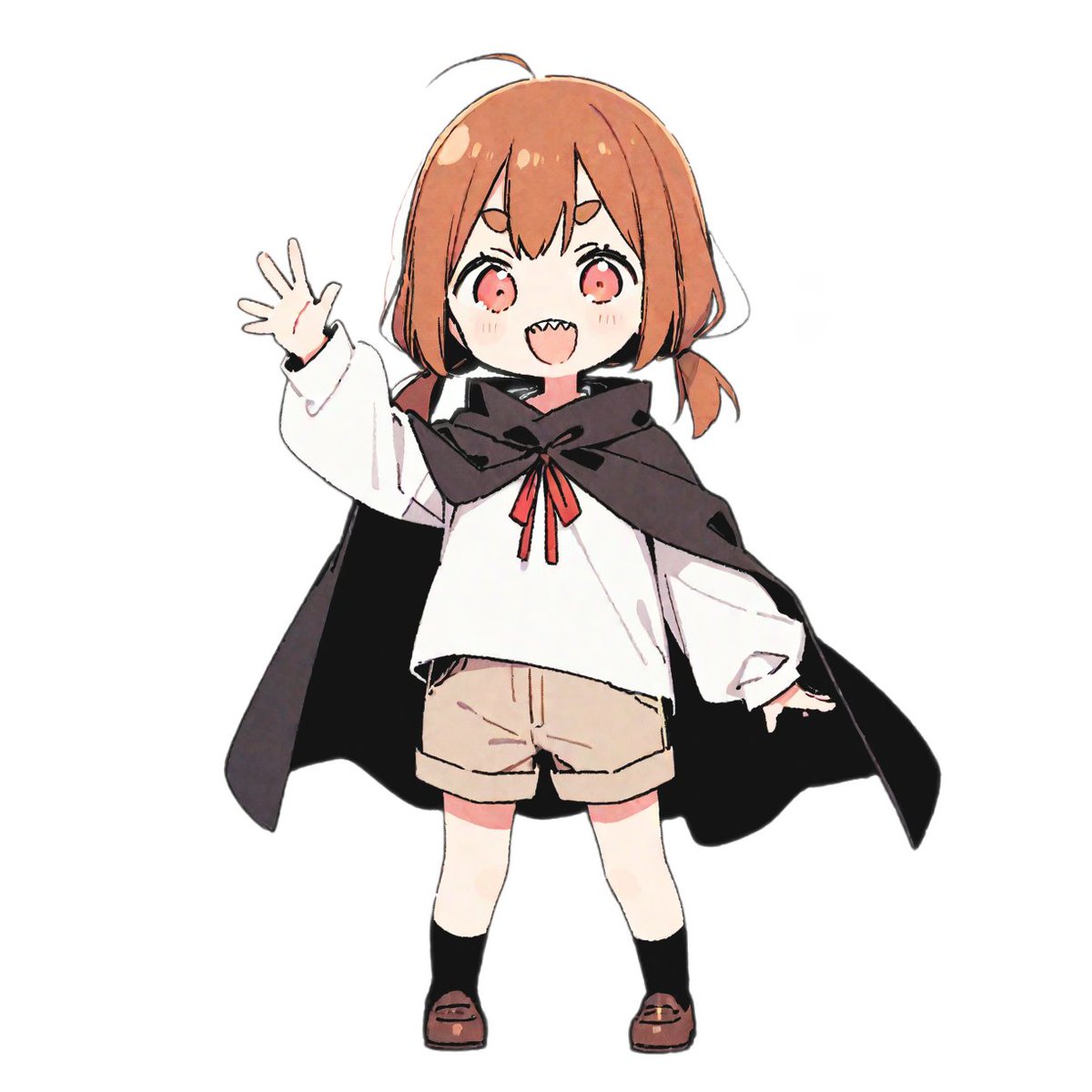
A vibrant rhythm game screenshot featuring a 3D anime character from the reference photo. [{argument name="character description" default="Girl wearing a cloak"}] Maintaining a confident dance pose on the left side of the screen. Immersive cinematic lighting glowing in neon yellow and pink Glossy, reflective dance floor shining under a spotlight Dynamic 3D anime style. Immersive UI rhythm game screen: no reflection display Score display at the top Colorful music waveform animation synchronized with the beat Stage timer countdown Floating combo numbers Energy bar Neon particle effects Four falling button instruction arrows from top to bottom on the right side of the screen Button arrow direction and color are fixed for each column (Left: Red, Up: Blue, Down: Green, Right: Yellow) Highly detailed game atmosphere created with immersive arcade rhythm game HUD elements Ultra-detailed, cinematic, immersive, 3D animation.

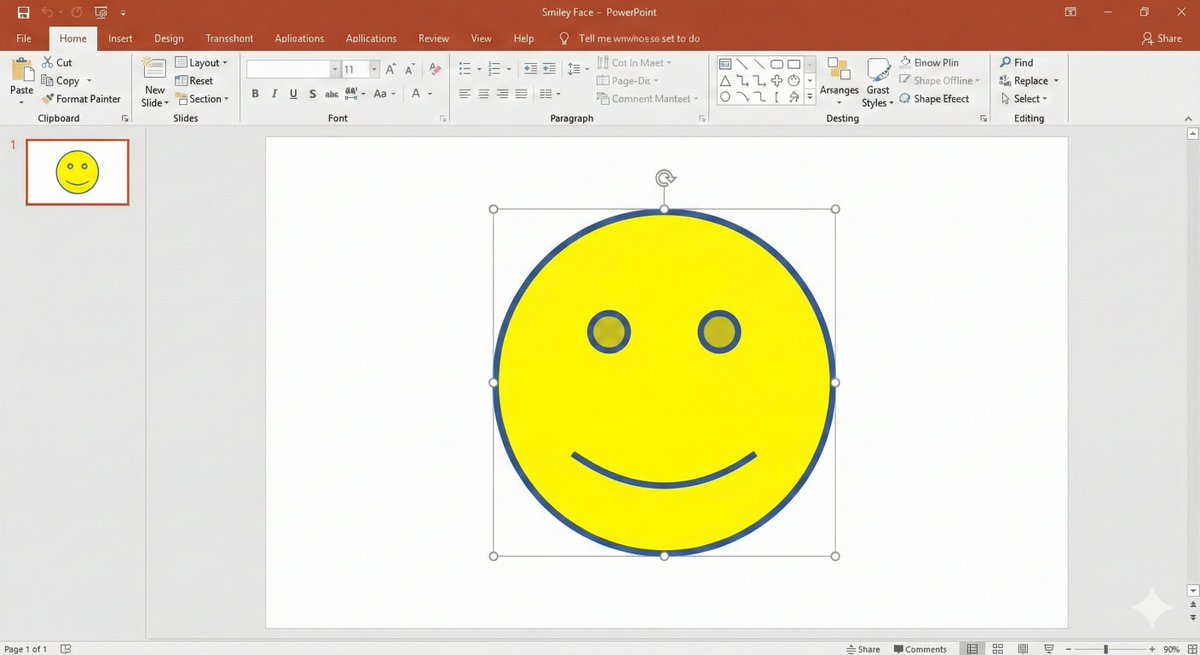
Nano Banana Pro PowerPoint Smile Mark Prompt

Nano Banana Pro PowerPoint Smile Mark Prompt

# Regarding the shape smile mark: Literally, the smile mark found in the shape insertion feature of PowerPoint. That simple, ultimately minimalist figure with empty eyes and only the corners of the mouth turned up. Start image generation

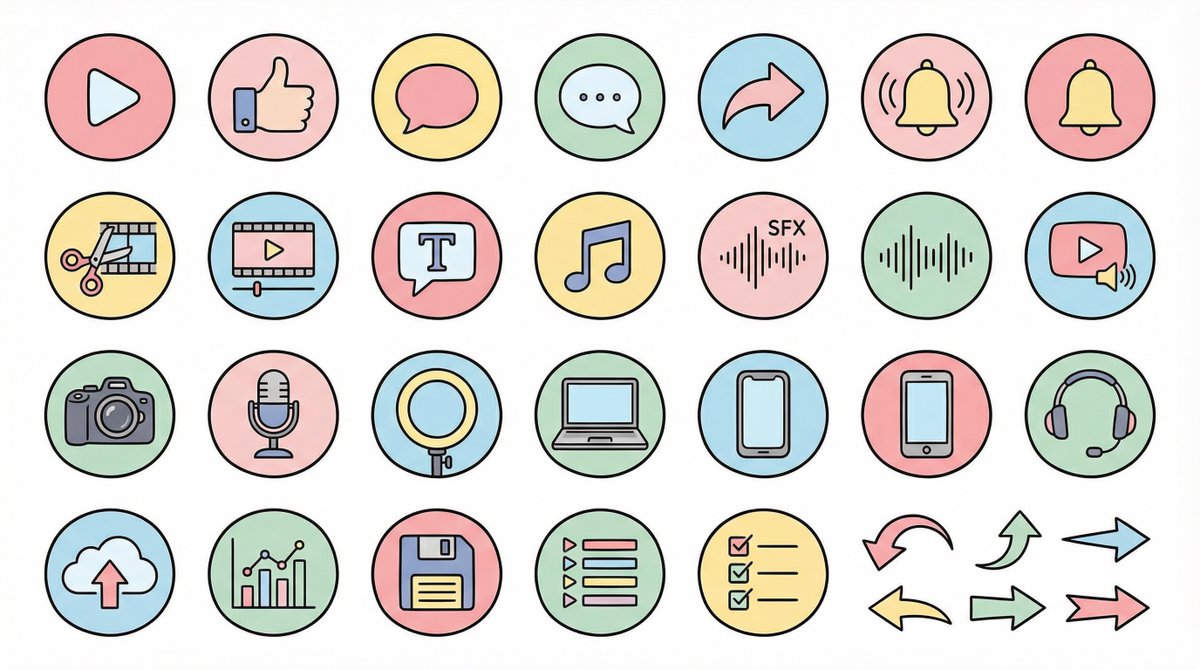
Nano Banana Pro Pictogram Generation Prompt

Nano Banana Pro Pictogram Generation Prompt

● Generation Theme {argument name="generation theme" default="Icon material set for YouTube videos"} ● Content {argument name="content" default="Create icons for YouTube production, editing, posting, and analysis in a unified design. Examples: Actions: Play button, high rating, comments, share, notification bell; Editing: Cut, timeline, telop, BGM, sound effects; Filming equipment: Camera, microphone, light, PC, smartphone, headset; Operation: Upload, analysis, save, playlist, list, arrow"} ● Production Conditions ・Unified ratio, line width, color scheme, and world view ・High visibility ・No text required ・Background: Solid white color ・Resolution: "2K" ・Aspect Ratio: "16:9" ● Design Image → Insert the design image below here 💡 【Negative prompt】 Real, photo texture, three-dimensional, 3D, overly complex details, metal texture, dark shadows, horror, overly dark colors ------------------- ● Design Image ① (Soft and Fluffy) Rounded shapes, soft color scheme, thin black lines, pastel colors, friendly atmosphere, hand-drawn illustration style ------------------- ● Design Image ② (YouTube Simple Flat Style) Thick lines, emphasis on Red×White×Black, sharp corners, emphasized lines, priority on visibility, modern UI icon ------------------- ● Design Image ③ (Simple) Minimal, thin lines, refined spacing, centered on achromatic colors, icon font style, elegant and calm design ------------------- ● Design Image ④ (Game Streaming/Streamer) Fluorescent accent colors (neon blue/purple/red), SF feel, Sharp edges, HUD UI style, cyber and edgy design ------------------- ● Design Image ⑤ (Colorful Pop/KIDS Education) Thick, rounded silhouette, bright colorful scheme (red, yellow, green, blue, pink), picture book style, soft and fun atmosphere, simple and recognizable icons, educational design that is cute but not too childish. ------------------- ● Design Image ⑥ (Explanation/History/Retro) Calm retro color scheme (brown, dark green, deep navy, sepia), novel/bulletin board/analytical atmosphere, thin lines, slightly heavy icon feel, old map/document/archive feel, mysterious tone with a unified world view. ------------------- ● Design Image ⑦ (Flashy/Dynamic) Thick lines, strong contrast, flashy colors (red, yellow, black), energetic and dynamic impression, Japanese manga-style emphasis (exclamation marks, speed lines, emphasized text style), powerful pop design that grabs the viewer's attention.

部分提示词收录自 X 平台创作者,版权归原作者所有。