Pixany AI

Prompt Library

AI Prompt Library

Curated image, video and web design prompts from creators around the world. Copy any prompt, swap the subject or style, and generate with the latest models.

15,630 prompts · Updated daily · 100% free

599 prompts

Historical Scientist Rivalry Macro Diorama Prompt

Historical Scientist Rivalry Macro Diorama Prompt

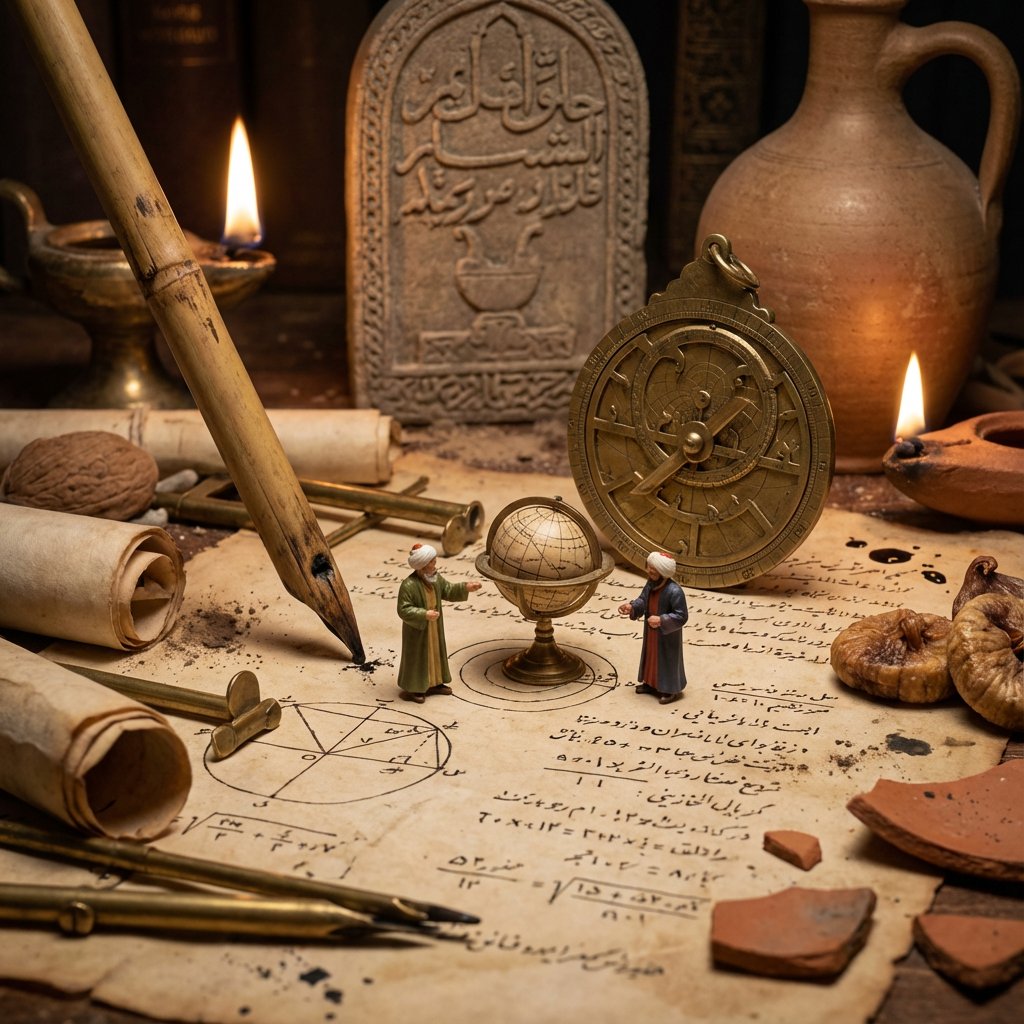
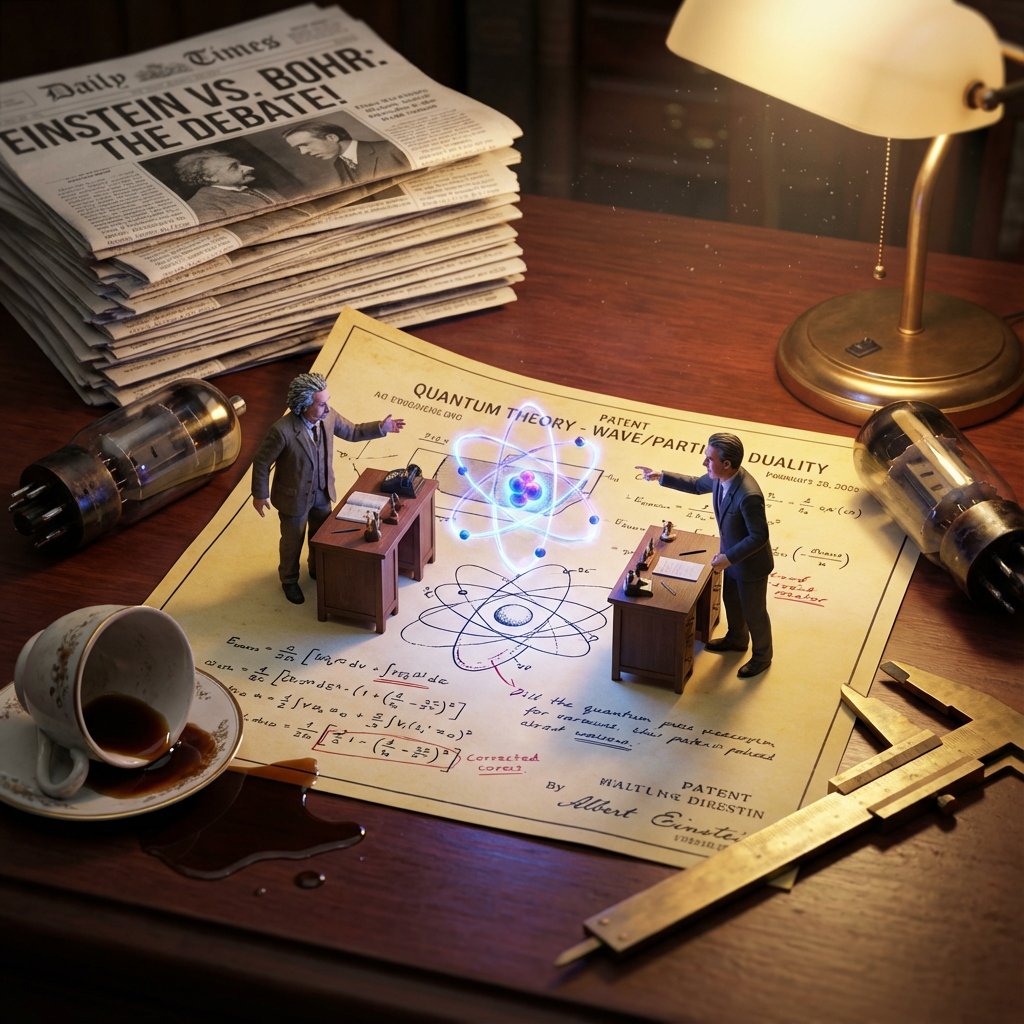
Do this for {argument name="scientist 1" default="Einstein"} and a competitor of his <instructions> Invention = [{argument name="invention" default="Electricity"}] Phase 1: Historical Conflict Analysis 1. Identify Rivals: Determine the two main historical figures associated with this invention (e.g., Tesla vs. Edison, Wright Bros vs. Curtiss). 2. Identify The Tech: Distinguish their competing methods (e.g., AC Coils vs. DC Bulbs). 3. Identify The Era: Select appropriate "Giant" background clutter (e.g., Victorian newspapers, 1920s fountain pens). Phase 2: Visual Execution Goal: A "Macro Diorama" of a Rivalry. A messy, highly detailed flat-lay of a shared historical workspace where the two rivals exist as tiny living figurines battling over their creation. Rules: The Stage: A large, yellowed Patent Diagram or Blueprint lies flat on a wooden desk. The paper is wrinkled and covered in scribbled corrections. The Tiny Rivals: Two hyper-realistic miniature figurines (Inventor A and Rival B) are standing on opposite sides of the document. They are positioned at their own tiny wooden desks or workstations on top of the paper. The Conflict: They are gesturing aggressively at each other. The Invention itself is physically emerging from the center of the paper between them (e.g., a glowing 3D lightbulb or a spinning biplane propeller), acting as the barrier or prize they are fighting over. The "Giant" Terrain (Surroundings): The scene is surrounded by massive, period-accurate objects acting as a landscape: A "Giant" wall of newspapers with headlines about their legal battles. Massive burnt fuses or broken prototypes scattered like boulders. A spilled cup of coffee creating a "lake" near one of the figures. Giant tools (calipers, screwdrivers) casting long shadows. Perspective: Slightly angled 45-degree macro shot looking down at the patent. Texture: Dust motes, scratched mahogany wood, paper grain, metallic reflections. Lighting: Cinematic Macro Lighting. A warm desk lamp illuminates the scene, but the Invention in the center emits its own light (e.g., blue electrical arcs vs. yellow filament glow), lighting the faces of the tiny figures. Output: ONE image, 4:5 aspect ratio, photorealistic historical macro photography, tilt-shift effect. </instructions>
Nano Banana Pro Diagram Generation Prompts (15 Templates)

Nano Banana Pro Diagram Generation Prompts (15 Templates)

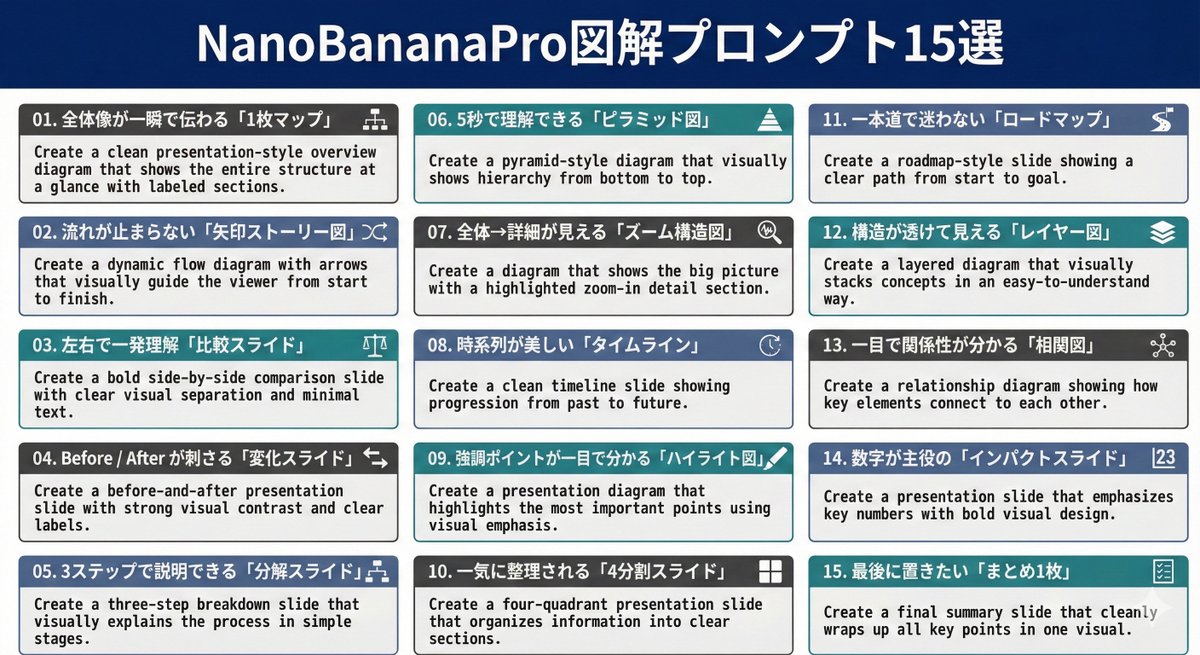
01. Create a clean presentation-style overview diagram that shows the entire structure at a glance with labeled sections. 02. Create a dynamic flow diagram with arrows that visually guide the viewer from start to finish. 03. Create a bold side-by-side comparison slide with clear visual separation and minimal text. 04. Create a before-and-after presentation slide with strong visual contrast and clear labels. 05. Create a three-step breakdown slide that visually explains the process in simple stages. 06. Create a pyramid-style diagram that visually shows hierarchy from bottom to top. 07. Create a diagram that shows the big picture with a highlighted zoom-in detail section. 08. Create a clean timeline slide showing progression from past to future. 09. Create a presentation diagram that highlights the most important points using visual emphasis. 10. Create a four-quadrant presentation slide that organizes information into clear sections. 11. Create a roadmap-style slide showing a clear path from start to goal. 12. Create a layered diagram that visually stacks concepts in an easy-to-understand way. 13. Create a relationship diagram showing how key elements connect to each other. 14. Create a presentation slide that emphasizes key numbers with bold visual design. 15. Create a final summary slide that cleanly wraps up all key points in one visual.

Food Recommendation System Prompt for Cookbook Generation

Food Recommendation System Prompt for Cookbook Generation

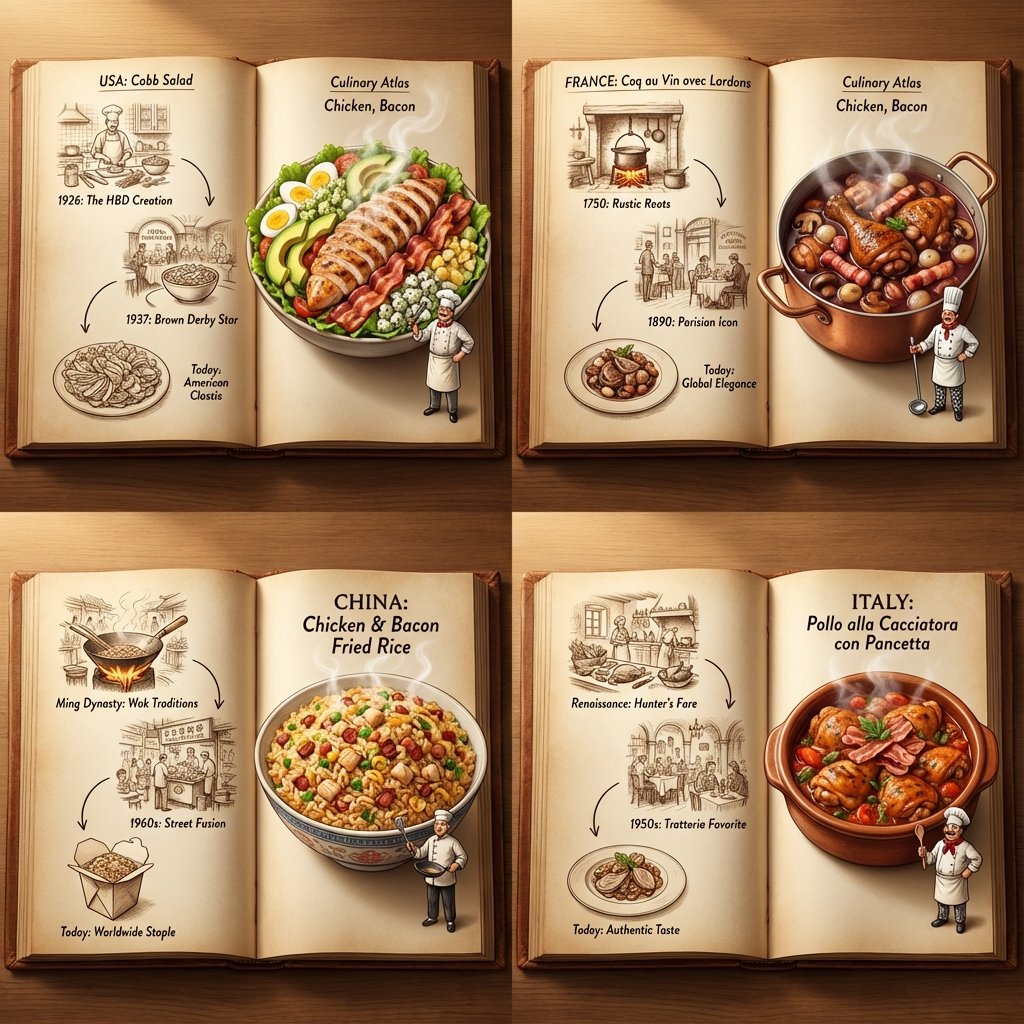
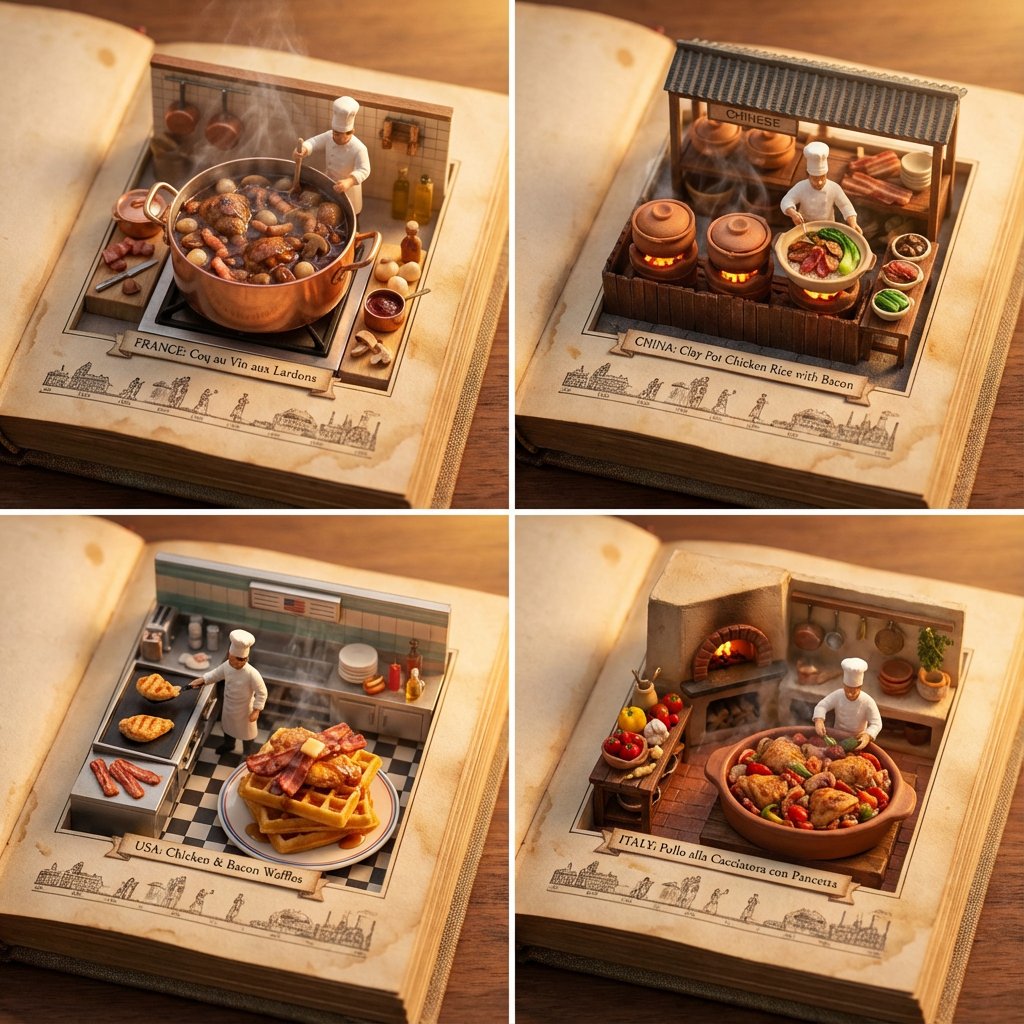
do this for {argument name="ingredient one" default="bacon"} and {argument name="ingredient two" default="chicken"}: <instructions> step 1. user enters one or more ingredients. step 2. analyze the ingredients, their taste and delicious meals that can be made with all of them. step 3. pick 4 random countries and their popular food that maybe be less known that use all these ingredients (if given one, only that, if given 2, the meal should have both those). Goal: A cookbook where ingredients and dishes emerge in delicious detail Rules: Base: A vintage cookbook with stained pages and fabric cover, historical timeline of food Scene: 3D Miniature kitchen or market scene with 3D chef & ingredients Details: Detailed and accurate food textures, steam effects, cooking implements Lighting: Warm kitchen lighting with golden hour quality Output: a 2x2 grid, each with a Single 1:1 image of the meals with appetizing details </instructions>

Culinary Atlas Grid: 3D Pop-up Recipe Dioramas

Culinary Atlas Grid: 3D Pop-up Recipe Dioramas

<instruction> Inputs: Ingredients = [{argument name="ingredient 1" default="Chicken"}, {argument name="ingredient 2" default="Bacon"}] Step 1: Global Analysis Analyze the ingredients. Select 4 Distinct Countries with a famous dish using these ingredients Goal: A "Culinary Atlas" Grid showing 4 different cultural variations of the ingredients. Layout Rule: Output Format: A 2x2 Grid. Content per Panel: Each of the 4 panels must show a Single Open Book Spread for that specific country. Inside Each Panel (The Book Spread Rule): Left Page (The History): 2D Vintage Sepia Sketches. A visual timeline or illustrated recipe of the dish (e.g., "1850 -> 1920 -> Today"). Flat, ink-drawn style. Right Page (The Reality): 3D Pop-up Diorama. The finished, steaming meal emerges physically from the page. A tiny miniature chef from that country is standing on the page next to the massive food. Consistency: All 4 books should look like part of the same series, but with different cultural contents. Lighting: Cinematic top-down lighting, highlighting the depth difference between the flat left page and the 3D right page. Output: 2x2 Grid, High Definition, Macro Detail. </instruction>

Historical Macro Diorama: Culinary Atlas Grid

Historical Macro Diorama: Culinary Atlas Grid

Role:Historical Art Director & Macro Photographer. Input: Invention or Rivalry = [{argument name="user choice" default="User Choice"}] Phase 1: Chronological Profiling Before rendering, analyze the Year of the invention to determine the "Era Texture": If Ancient (e.g., 200 BC): Surface = Rough Stone or Papyrus. Light = Oil Lamp/Torch. Clutter = Clay shards, bronze chisels, scrolls, figs/grapes. If Renaissance (e.g., 1500): Surface = Dark Oak & Vellum. Light = Candle. Clutter = Quill feathers, wax seals, brass astrolabes, leather binding. If Industrial (e.g., 1890): Surface = Green Felt or Mahogany. Light = Gas/Filament. Clutter = Newsprint, pocket watches, copper wire, soot. If Modern (e.g., 1980): Surface = Formica or Metal. Light = Fluorescent/Neon. Clutter = Circuit boards, Polaroid photos, soda cans, plastic casings. Phase 2: Visual Execution Goal: A hyper-detailed "Macro Diorama" where the environment tells the story of the time period. Subject: A messy, chaotic workspace viewed through a macro lens. 1. The Stage (The Document): The "ground" is the primary design medium of that era The surface is filled with era-specific sketches/carvings of the invention. 2. The Living Miniatures: Two tiny, hyper-realistic figurines (The Inventor & The Rival) stand on this surface. They are dressed strictly in period-accurate clothing (Togas vs. Frock Coats vs. Turtlenecks). Action: They are interacting with a 3D Prototype of the invention that is rising physically out of the document/tablet. 3. The "Giant" Atmosphere (Dynamic Enrichment): The Wall: A massive background object establishing context (e.g., a carved stone stele, a tapestried wall, a vintage newspaper, or a stack of VHS tapes). The Tools: Giant-scale tools used to make the invention loom over the figures like trees (e.g., a giant chisel, a massive quill dipped in ink, or a soldering iron). The Debris: The mess of the creative process (e.g., stone dust, spilled ink, burnt fuses, or crumpled layout paper). The Comforts: Food/Drink of the era (e.g., an earthen jug of wine, a porcelain tea cup, or a can of cola). 4. Technical Specs: Lighting: Must match the "Era Light" determined in Phase 1 (Flickering warm fire vs. cold electric buzz). Perspective: Tilt-shift macro photography (45-degree angle). Texture: Extreme focus on material weathering (rust, dust, parchment cracks, or plastic sheen). Output: ONE image, 4:5 aspect ratio, "Historical Macro Realism."

AI Comic Production Workflow and Infographic Prompt

AI Comic Production Workflow and Infographic Prompt

Please create a cartoon-style infographic based on the provided content, following these guidelines: Adopt a hand-drawn illustration style, horizontal layout (16:9 aspect ratio) Add a small number of simple cartoon elements, icons, or recognizable figures to enhance visual interest and memorability If the content includes sensitive or copyrighted figures, replace them with visually similar alternatives; do not refuse to create the illustration All images and text must strictly adhere to the hand-drawn style, avoiding realistic visual elements Information should be concise, highlighting keywords and core concepts. Use ample white space to clearly emphasize key points Unless explicitly stated otherwise, use the same language as the provided content or Chinese Please use nano banana pro to create the image based on the following provided content. <{argument name="content" default="Replace this entirely with the extracted AI comic production workflow text from the previous step"}>

Topographic Relief Diorama of Classic Books

Topographic Relief Diorama of Classic Books

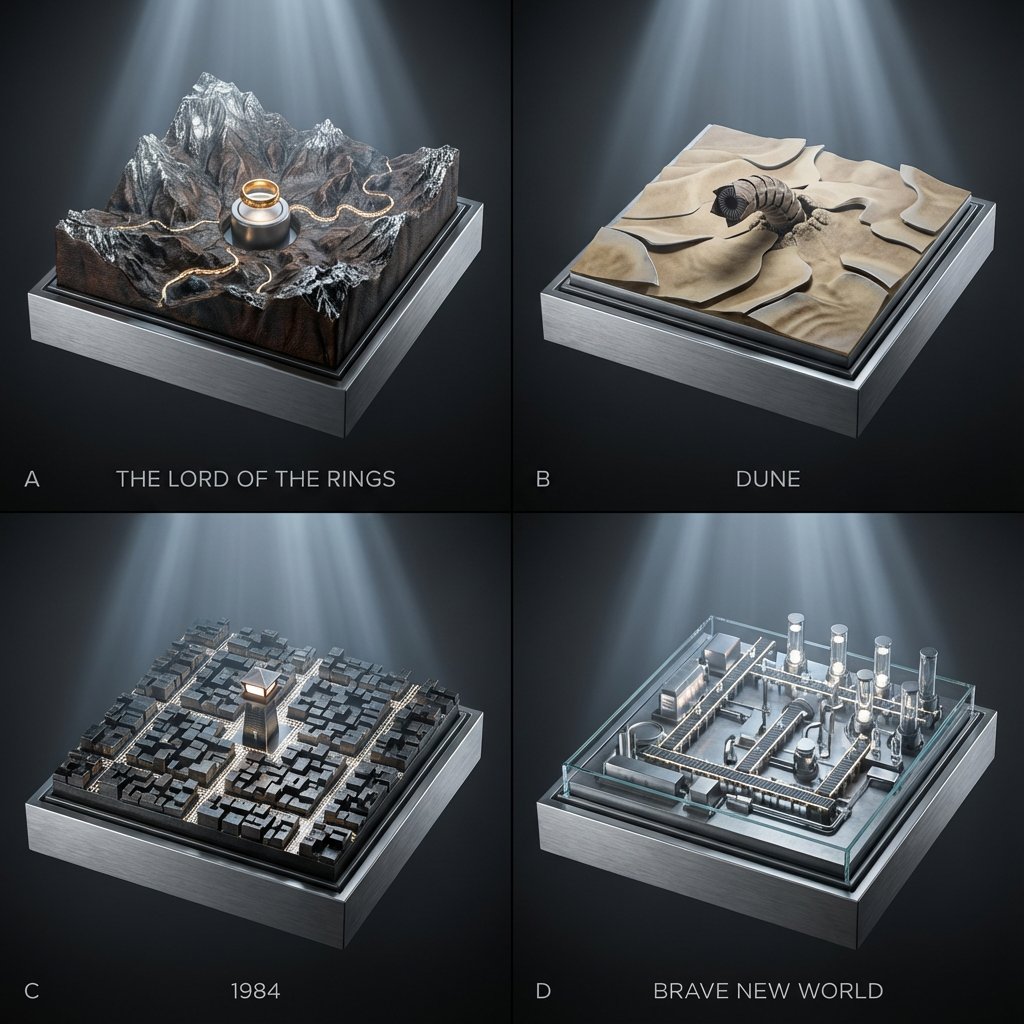
2x2 grid; each panel is a classic book turned into a topographic relief diorama where landscapes/cities are driven by hidden gears (plates rise, rivers “flow” via moving bands, lights pulse subtly). Panel A: {argument name="Panel A Book" default="The Lord of the Rings"} — mountain relief map with a slow-rotating ring pedestal and tiny marching-path bands. Panel B: {argument name="Panel B Book" default="Dune"} — dune relief with shifting sand-ripple plates and a worm above the surface. Panel C: 1984 — city-block relief where streets illuminate in scanning patterns from a central watchtower. Panel D: Brave New World — factory-campus relief where conveyor paths light up and vial towers rise/fall on cams. Style: Premium cinematic sci-fi museum look, cool silver-blue lighting with gentle volumetric beams, seamless background in graphite-to-black gradient, crisp micro-detail, shallow depth of field, 45mm perspective, materials echo the book bindings (cloth, leather, foil stamping).

Supermassive Black Hole Museum Presentation Board

Supermassive Black Hole Museum Presentation Board

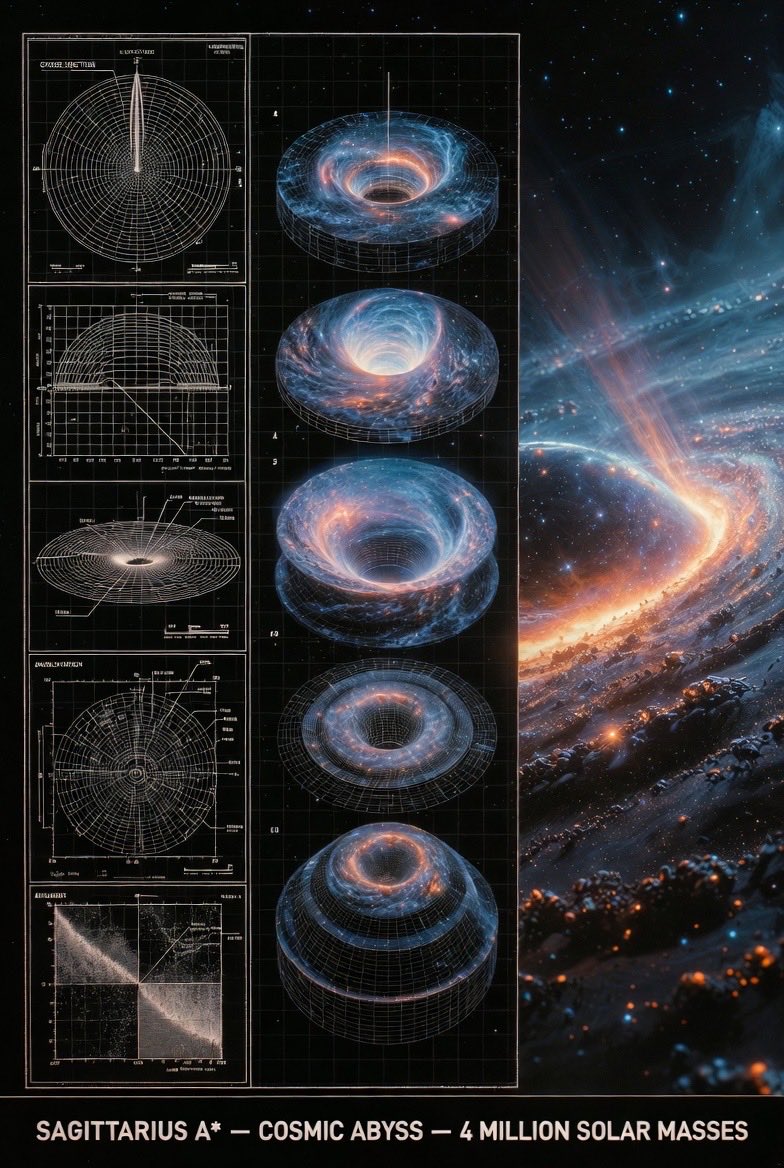
An expert astronomer's museum-grade presentation board for a supermassive black hole — event horizon, glowing accretion disk, relativistic jets. Left: black-and-white 2D scientific diagrams (cross-section, orbital paths, spectral analysis) with precise annotations, scale bars, and technical labels. Center: exploded axonometric or layered diagram revealing singularity core, plasma torus, and spacetime curvature layers. Right: photorealistic 3D render of the black hole in the galactic center with swirling stars and distorted light, vibrant orange and blue plasma glow, stellar debris trails. Visual style transitions from archival blueprint tones (graphite schematics, orbital precision) to cosmic atmospheric palette (deep blacks, fiery oranges, electric blues). Clean grid layout with subtle borders, ultra-detailed cinematic realism, NASA or Hubble exhibition quality, high resolution. Title block at bottom: 'SAGITTARIUS A* — COSMIC ABYSS — 4 MILLION SOLAR MASSES'.

Historical Ingredient Journey Diorama

Historical Ingredient Journey Diorama

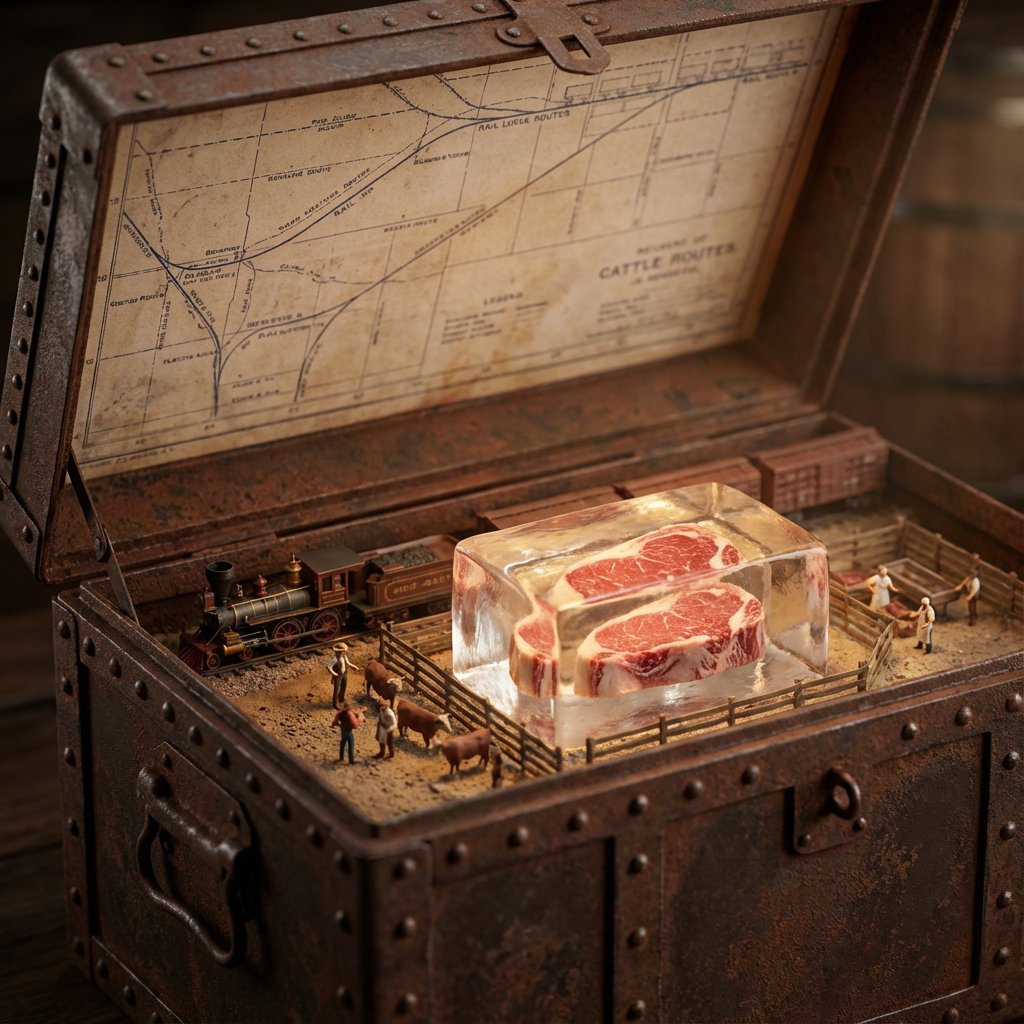
<instructions>Input Variable: {argument name="ingredient" default="INSERT INGREDIENT"} Logic 1. Analyze the Era: Before generating, determine the Golden Age of trade for the [Input]. (Example: Beef = 1880s Industrial Rail; Spices = 1500s Silk Road; Bananas = 1920s Steamships). 2. The Container: The chest material must match the Era. If Industrial: Rusted steel, riveted iron, or branded shipping crate wood. If Ancient: Carved sandalwood, brass-bound oak, or woven reed. If Modern: Polymer, aluminum, or sterile medical glass. 3. The Map (Inner Lid): Style must match the Era. (Blueprints for industrial, parchment for ancient, nautical charts for maritime). Route must be accurate. (Rail lines for beef, trade winds for fruit, caravan trails for spices). 4. The Diorama (Base): Transport: Use only the historically correct vehicle. (Steam train, Cargo ship, Camel, Truck, Ox-cart). Figures: Dress figurines in period-correct attire. (Cowboys/Butchers, Sailors/Dockworkers, Nomads/Merchants). Setting: The background of the box interior must match the source origin. (Stockyards, Tropical Port, Desert Oasis). 5. The Specimen (Center): The ingredient is the "Jewel." Encased in a preservation method distinct to the item. (Block of unmelting ice for meat, vacuum tube for delicate organics, crystal phial for powders, wax seal for liquids). Visual Output Rules: Macro lens, shallow depth of field. Volumetric lighting appropriate to the setting (e.g. sunlight, Lantern). No text overlays. Aspect Ratio 1:1.</instructions>

Presentation Slide Generation Prompt

Presentation Slide Generation Prompt

Please create a presentation document summarizing the trends in collected prompt guides and the differences in best practices for prompts across LLM, image generation, and video generation models.

3D Clay Style Year-End Summary Poster Generator

3D Clay Style Year-End Summary Poster Generator

Task Goal: Based on the data and information in the year-end summary screenshot uploaded by the user, design a 3D year-end summary poster with a distinct style and strong visual impact, username {argument name="Username" default="[guizang]"} Overall Style and Mood (Fixed Style): Core Style: Blending 3D trends, gamification elements, and high-saturation colors. Material Feel: The main body of the image presents exquisite clay or soft plastic material rendering, with rounded edges and soft light and shadow, giving a friendly 'blind box toy' feel. Layout Sense: The overall layout should resemble a refined, high-end magazine, well-spaced, with clear information architecture. Text layout should be concise and clear, without adding any decorative backgrounds like cards, capsules, or bottom frames. Main Visual (Core Visual): The visual center is a massive, tightly stacked Q-version 3D clay sphere. The elements composing the sphere need to be dynamically generated based on the specific content in the user's uploaded screenshot: Data Bubbles: Key numbers and corresponding labels extracted from the screenshot (e.g., total messages, chat times, images generated, activity ranking, etc.) are made into rounded clay data bubbles embedded in the sphere. Theme Icons: Based on the user's interests reflected in the screenshot, add corresponding general clay icons (e.g., game controller, brain, chart, chat bubble, etc.). Category Buildings (Core Requirement): Analyze the focus of the content in the screenshot and integrate several exquisite miniature clay buildings representing different chat categories into the sphere. For example: If it includes AI/technology content, incorporate a futuristic data center building with a sense of technology. If it includes gaming content, incorporate a pixel-style game castle. If it includes creative/art content, incorporate a miniature art studio. Combination Method: All these elements (bubbles, icons, buildings) must be very tightly and harmoniously squeezed together, seamlessly forming a perfect sphere, without revealing the internal structure. Background Design (Fixed Frame): Base Color: Use a high-saturation gradient background from warm orange to soft purple (referencing previous style). Background Text: Behind the sphere, place six massive Chinese characters with splatter texture and reverse etching effects. The themes can be "Adventure Innovation Exploration" (top row) and "Creation Hardcore Impact" (bottom row), partially obscured by the sphere to add a street-style hardcore feel. Information Architecture and Layout (Content Extracted from Screenshot): Top (Header): Place the white ChatGPT Logo and generate a title based on the screenshot information, formatted as: "[{argument name="Username" default="Username extracted from screenshot"}]'s [Year] Year-End Summary". Bottom Data Area (Data Grid): Below the sphere, create a minimalist 2x2 pure text data grid. Select the 4 most core data points from the screenshot, use an extra-bold sans-serif font to display the large numbers, and accompany them with corresponding text labels and interesting social attribute phrases (e.g., "Social Superstar," "Chatterbox," "Hexagonal Warrior," etc., generated based on data characteristics). Footer Summary (Footer): Typeset two paragraphs of text in small font at the very bottom, with content extracted directly from the summary paragraphs in the user's screenshot (such as "Your Chat Style" and "Annual Highlights").

Wireframe Grid Overlay Prompt

Wireframe Grid Overlay Prompt

"semi-transparent 3D wireframe grid overlay in {argument name="grid color 1" default="blue"} horizontal lines and {argument name="grid color 2" default="red"} vertical lines to show volume, like a digital modeling sketch." + "photo faded to 50% opacity for emphasis on the grid" + "show only the grid, white bg"

Micro-World Mathematical Symbols Grid Prompt

Micro-World Mathematical Symbols Grid Prompt

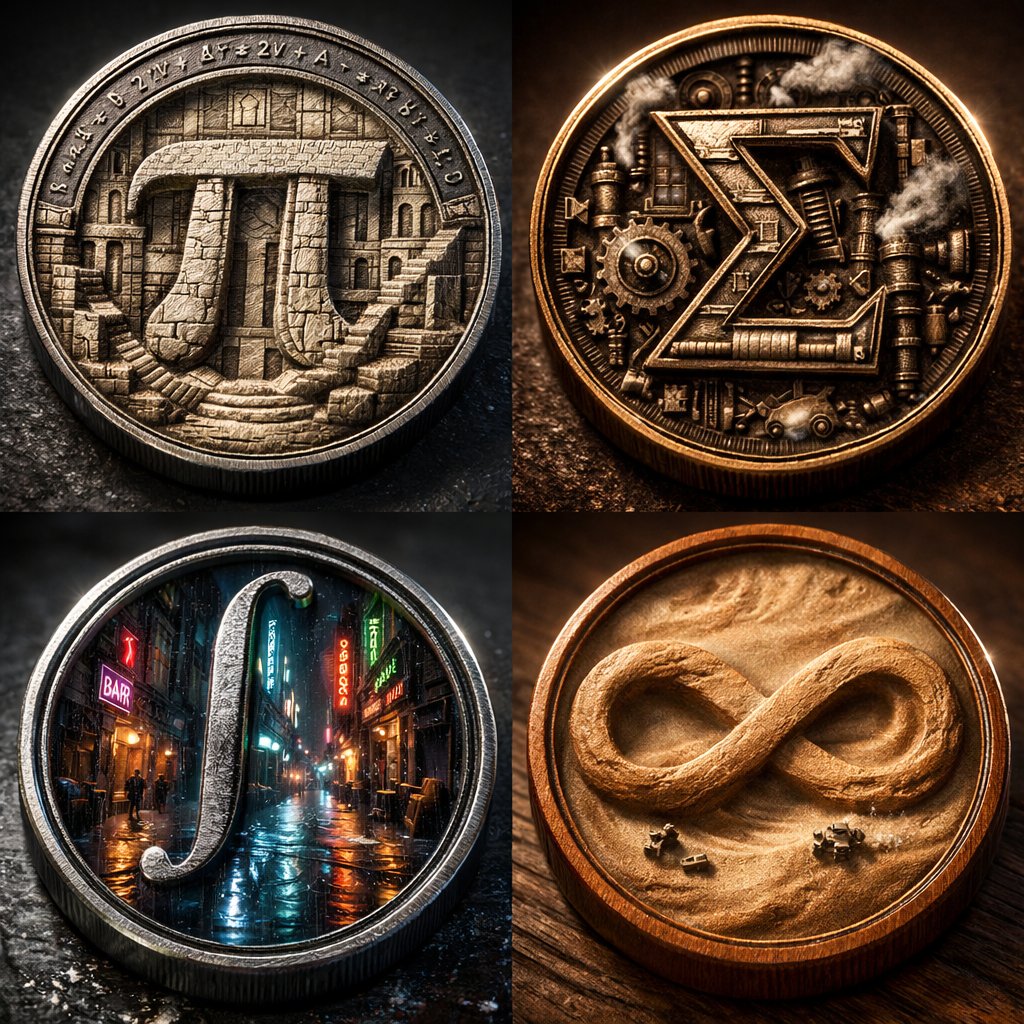
2x2 grid of 4 monumental mathematical symbols built as 3d micro-world reliefs inside circular medallions [Top Left: The Pi (π) as a carved stone relief city inside a metal coin, tiny staircases and colonnades, equations engraved around the rim] [Top Right: The Sigma (Σ) as a mechanical relief with gears and steam vents, patinated bronze, sharp rim lighting] [Bottom Left: The Integral (∫) as a neon rain-soaked micro-alley world inside a steel medallion, reflective puddles, tiny silhouettes] [Bottom Right: The Infinity (∞) as a dust-storm desert relief inside a warm wooden coin, swirling sand texture, miniature rovers] Collector macro product photography, crisp rim highlights, realistic metal/wood grain, shallow DOF, high contrast, swiss 2x2 grid layout.

Tarot Celtic Cross Spread Reading Generation Prompt

Tarot Celtic Cross Spread Reading Generation Prompt

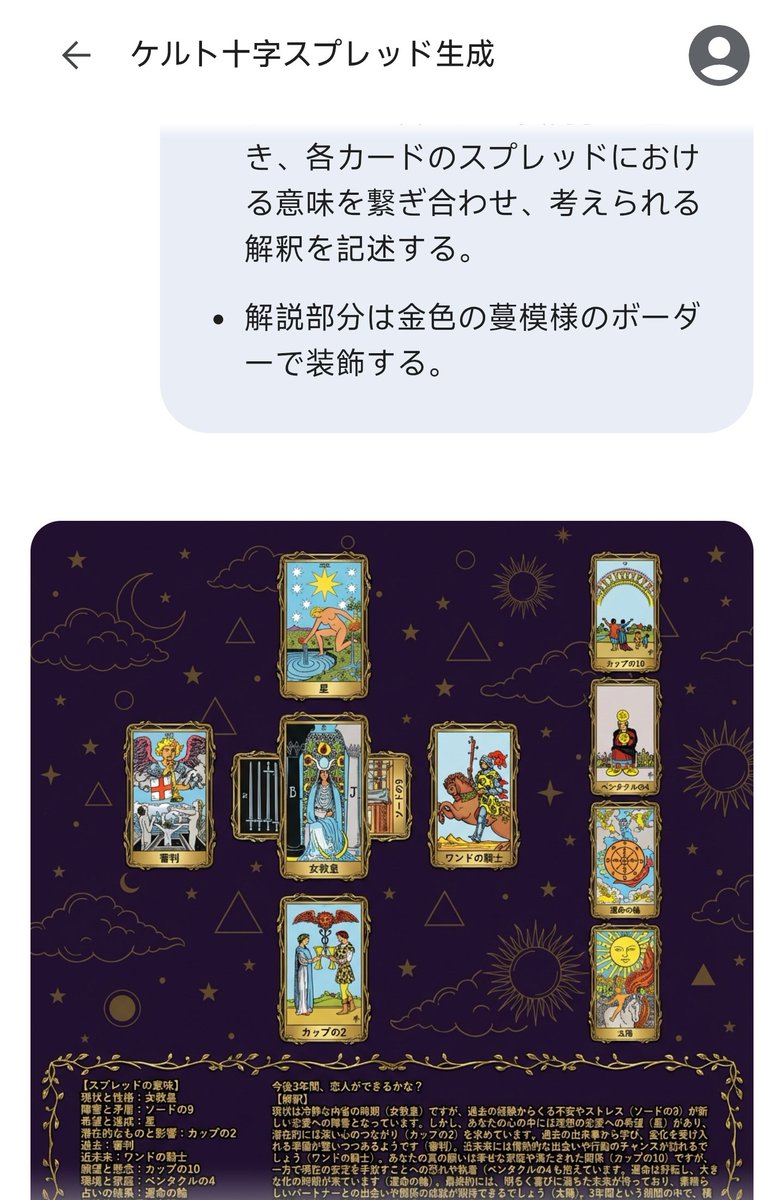
# Generate Results for the Celtic Cross Spread ## Fortune-Telling Parameters - Card indicating the essence of the problem: {argument name="card essence of problem" default="(Fill in 1 card from 78 cards)"} - Question to be asked: {argument name="question to ask" default="(Describe in one sentence)"} ## Image Requirements ### Canvas Settings - 2048*2048px 2K image - Cards and text elements must be at least 20px away from the canvas edges - The card layer should be placed horizontally centered and in the upper 2/3 vertically - The text layer (explanation section) should be placed in the lower 1/3 vertically ### Background Layer - Dark purple background with dark gold stars, clouds, moon, sun, and lines of circles and triangles added to create a mystical atmosphere ### Card Layer - Use all 78 standard Tarot cards. Breakdown: 22 Major Arcana (from "The Fool" to "The World") and 56 Minor Arcana (4 suits: Wands, Cups, Swords, Pentacles). - Each Minor Arcana suit includes number cards 1 through 10 and 4 Court cards. - The edges of the cards are framed with golden metallic vines, and the inside depicts the corresponding image and the name in Japanese. The size of each card is unified and arranged so as not to be cramped. To ensure the text and images of the overlapped cards are visible, the short side (bottom and top edges) of the card should be 1/2 the length of the long side. - Each extracted card must appear only once. If duplication occurs during random extraction, redraw a different card. - Exclude the card specified in "Fortune-Telling Parameters - Card indicating the essence of the problem," and extract the spread from the remaining cards. - Extract 1 card randomly, placed vertically in the center. - Extract 1 card randomly, placed horizontally in the center (with the top of the card facing left), overlapping the vertical center card to form a cross. - Extract 1 card randomly for each position (Up, Down, Left, Right) surrounding the central cross. - Extract 4 cards randomly in a vertical column on the right side. ### Meaning of the Spread - Center, vertical: Current situation and personality - Center, horizontal: Obstacles and contradictions - Up: Hopes and achievements - Down: Potential and influence - Left: Past - Right: Near future - Right column, 1st card: Wishes and concerns - Right column, 2nd card: Environment and family - Right column, 3rd card: Result of the reading - Right column, 4th card: Final outcome ### Text Layer - Use Mincho font, dark gold color, with a 2px black border (#000). - Card Name: Display the name in Japanese at the bottom center of each generated card image. For horizontally placed cards, the name should be displayed at the bottom of the card itself (not the bottom relative to the horizontal placement). - Explanation Section: Include the following content in the explanation section. - On the left side of the explanation section, list all extracted cards in the format: "[Meaning of the Spread] Card Name". - On the right side of the explanation section, describe the possible interpretation by connecting the meaning of each card in the spread, based on the "Fortune-Telling Parameters - Question to be asked". - Decorate the explanation section with a golden vine pattern border.

Surreal Abstract Concept Contained in a Display Case

Surreal Abstract Concept Contained in a Display Case

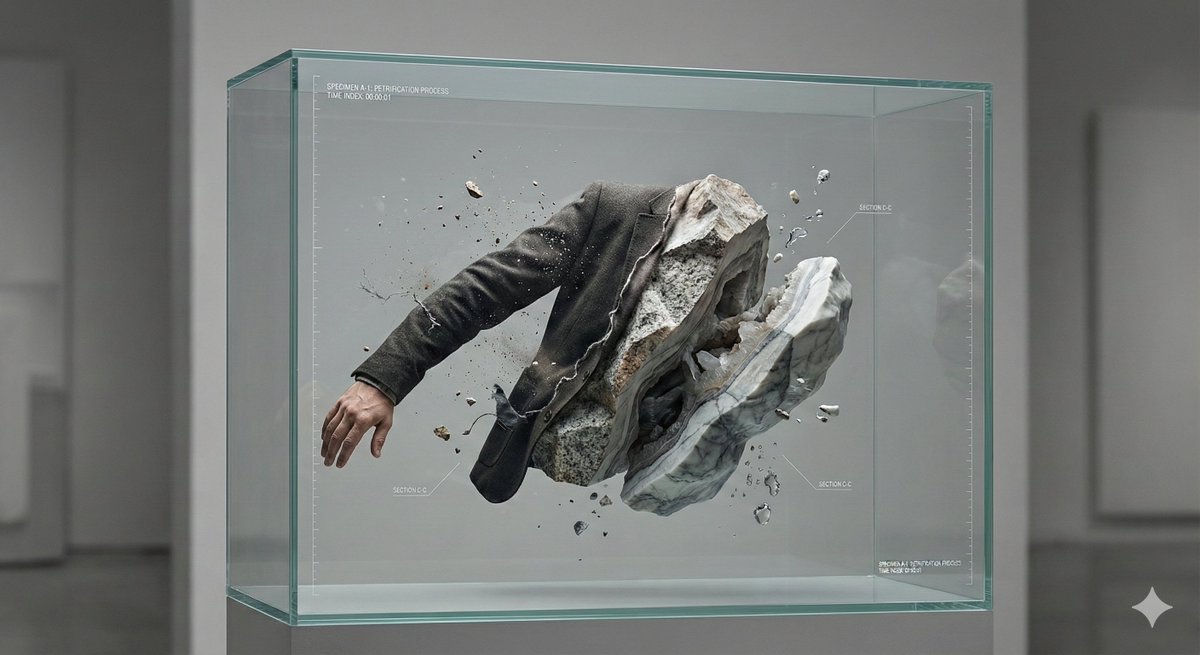
A hyper-detailed, surreal but believable studio scene where an abstract concept is physically contained and made visible. Main structure: A transparent, museum-grade display container (thick glass or acrylic), placed alone in a neutral studio space. Inside the container is a frozen moment in time. Core subject: A human-scale subject (person or symbolic object) partially transformed into another material that contradicts its original nature — for example: {argument name="transformation example" default="skin turning into stone, soft fabric crystallizing, organic elements embedded in mechanical structures"}. The transformation is incomplete, showing a clear boundary between “before” and “after”. Conceptual twist: The interior of the container is treated like a scientific or archival exhibit: – clearly layered composition – visible cross-sections or cutaway logic – subtle measurement marks, labels, or annotation-style details – the feeling that this object is being studied, preserved, or explained Spatial logic: Gravity behaves normally, but time does not — motion is implied yet completely frozen. Small secondary elements ({argument name="secondary elements" default="dust, droplets, fragments, threads, petals, gears, etc."}) are suspended mid-air, reinforcing the sense of paused time. Lighting: Soft, directional studio lighting with strong material definition. Light emphasizes texture differences (smooth vs rough, organic vs artificial). No dramatic colors — restrained, high-end, museum-like color palette. Camera & composition: Straight-on or slightly elevated perspective. Centered composition, calm framing. Depth comes from internal layers, not camera tricks. Photorealistic, macro-level detail, cinematic clarity. Mood: Quiet, unsettling, contemplative. The image should feel intelligent rather than emotional, poetic rather than decorative. Style constraints: No fantasy clichés. No obvious sci-fi UI. No decorative surrealism. Everything should feel physically possible, even if conceptually strange. Ultra high resolution, extremely sharp details, realistic materials, controlled studio background, premium art photography aesthetic.

Universal 3D Anatomy Dissection Prompt

Universal 3D Anatomy Dissection Prompt

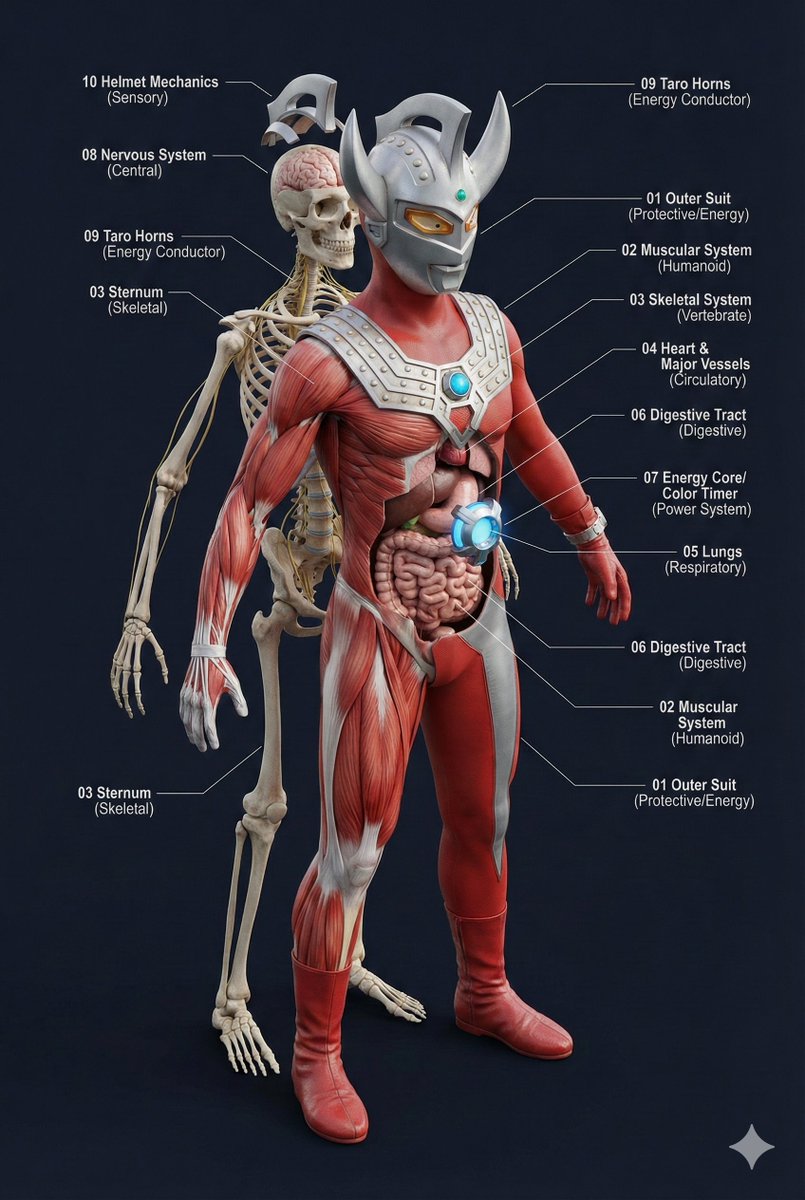
A single prompt can 'dissect' the body structure of any creature?! This universal prompt can generate: ✨ Ultra-detailed 3D anatomical diagrams ✨ Automatically adapted skeletal/visceral systems ✨ Numbered professional medical annotations Whether it's the internal structure of Pikachu or the core of Godzilla, everything can be seen through! 👀

AI Agent Development 'Swamp' Diagram Prompt

AI Agent Development 'Swamp' Diagram Prompt

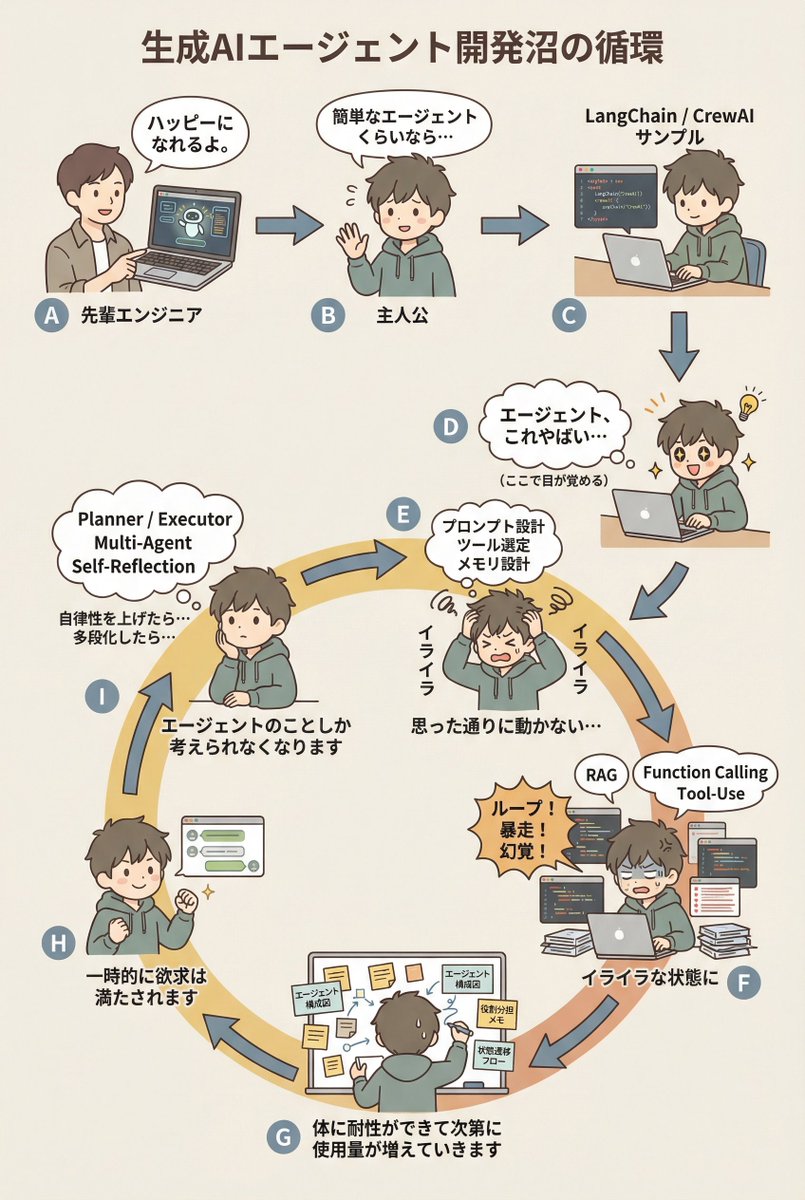
diagram: title: "{argument name="diagram title" default="The Cycle of the Generative AI Agent Development Swamp"}" style: character: "simple_editorial_cute" tone: "light_like_original" line: "soft_round" shading: "flat_minimal" palette: "muted_editorial" background: "light_beige_or_white" rule: first_character_only: "Only the first person is different" others_same_character: "All others are the same person" anxiety_requires_tech_terms: true dialogue_tone: "Maintain the short, light phrasing of the original diagram" layout: intro_track: "The upper section is a straight line (left to right), then drops down to join the loop" loop_track: "Arranged as a loop (ring), with arrows curving clockwise along the circumference" nodes: # ===== Upper Section: Straight Introduction ===== - id: A zone: "intro" position: "upper_left" actor: "Different person (Senior Engineer)" visual: "Pointing at a laptop" item: "AI Agent Demo Screen" says: "It'll make you happy." arrow_to: { id: B, shape: "straight", direction: "right" } - id: B zone: "intro" position: "upper_center" actor: "Protagonist (Same person)" visual: "Waving lightly" says: "Even a simple agent..." arrow_to: { id: C, shape: "straight", direction: "right" } - id: C zone: "intro" position: "upper_right" actor: "Protagonist (Same person)" visual: "Executing sample code" item: "LangChain / CrewAI Sample" arrow_to: { id: D, shape: "straight", direction: "down" } # ===== D: Awakening Point ===== - id: D zone: "connector" position: "right_outer_before_loop" actor: "Protagonist (Same person)" visual: face: "Eyes wide open (cute)" effect: "Small flash of inspiration line" posture: "Leaning forward" state: "Awakening" says: "Agents, this is insane..." micro_text: "(Wakes up here)" arrow_to: id: E shape: "gentle_curve" direction: "down_into_ring" # ===== Loop Start (Must rotate from here) ===== - id: E zone: "loop" position: "loop_right_upper" actor: "Protagonist (Same person)" visual: "Holding head in hands (cute)" state: "Anxiety/Irritation Begins" says: "Irritated" thought_terms: - "Prompt Design" - "Tool Selection" - "Memory Design" thought_text: "It's not working as intended..." arrow_to: { id: F, shape: "curved_along_ring", direction: "clockwise" } - id: F zone: "loop" position: "loop_right_lower" actor: "Protagonist (Same person)" visual: "Surrounded by code and logs" state: "Irritation Settles In" says: "In a state of irritation" callout: "Loop! Runaway! Hallucination!" thought_terms: - "RAG" - "Function Calling" - "Tool-Use" arrow_to: { id: G, shape: "curved_along_ring", direction: "clockwise" } - id: G zone: "loop" position: "loop_bottom" actor: "Protagonist (Same person)" visual: "Covered in sticky notes and diagrams" says: "The body gradually develops tolerance, and usage increases." items: - "Agent Architecture Diagram" - "Role Assignment Memo" - "State Transition Flow" arrow_to: { id: H, shape: "curved_along_ring", direction: "clockwise" } - id: H zone: "loop" position: "loop_left_lower" actor: "Protagonist (Same person)" visual: "Works well, small fist pump" state: "Temporary Satisfaction" says: "Desire is temporarily satisfied" arrow_to: { id: I, shape: "curved_along_ring", direction: "clockwise" } - id: I zone: "loop" position: "loop_left_upper" actor: "Protagonist (Same person)" visual: "Thinking again" state: "Obsession/Thought Occupation" says: "Thinking about the agent

Architectural Illustrator Presentation Board Template

Architectural Illustrator Presentation Board Template

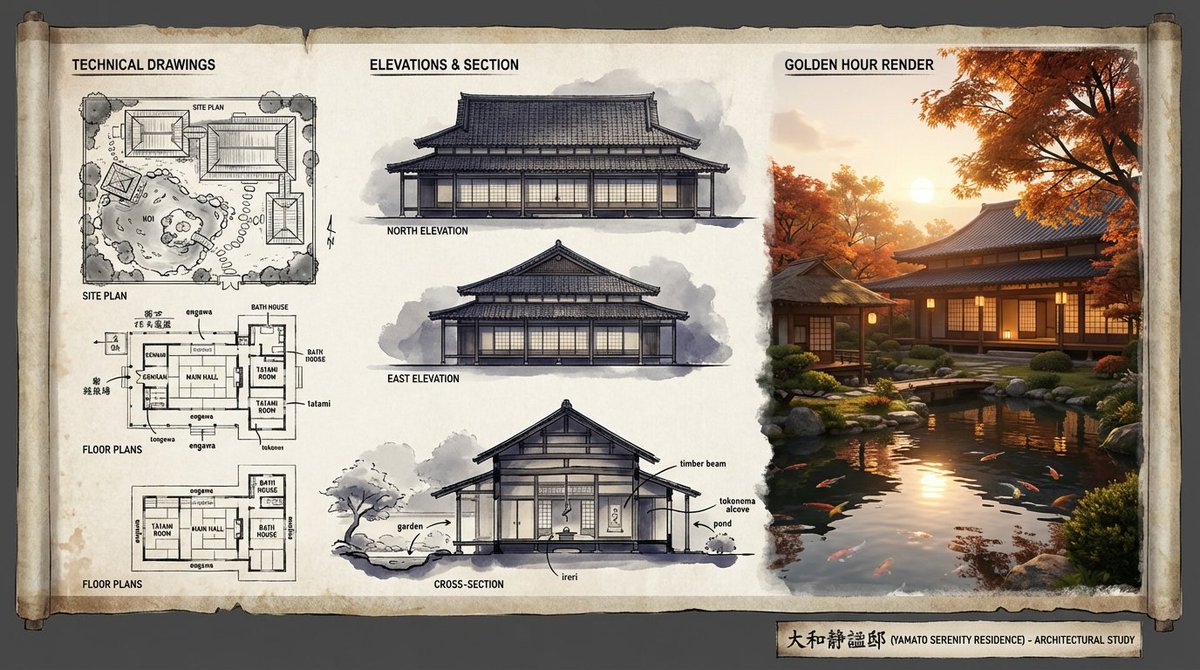
An expert architectural illustrator's presentation board for a [{argument name="style" default="STYLE"}] residence featuring [{argument name="architectural elements" default="KEY ARCHITECTURAL ELEMENTS"}]. The canvas flows left to right: black and white 2D drawings (Site Plan, Floor Plans) on the left, Elevations and Cross-Section in the center, and a photorealistic 3D render at [{argument name="time of day" default="TIME OF DAY/LIGHTING"}] on the right. Unified aesthetic blending [{argument name="linework style" default="LINEWORK STYLE"}] with [{argument name="texture" default="TEXTURE/MATERIAL"}]. [{argument name="drawing tones" default="TECHNICAL DRAWING TONES"}] transitioning to [{argument name="render palette" default="RENDER COLOUR PALETTE"}]. Title block reads '[{argument name="project name" default="PROJECT NAME"}]'.

Food Analysis Periodic Table Display Board

Food Analysis Periodic Table Display Board

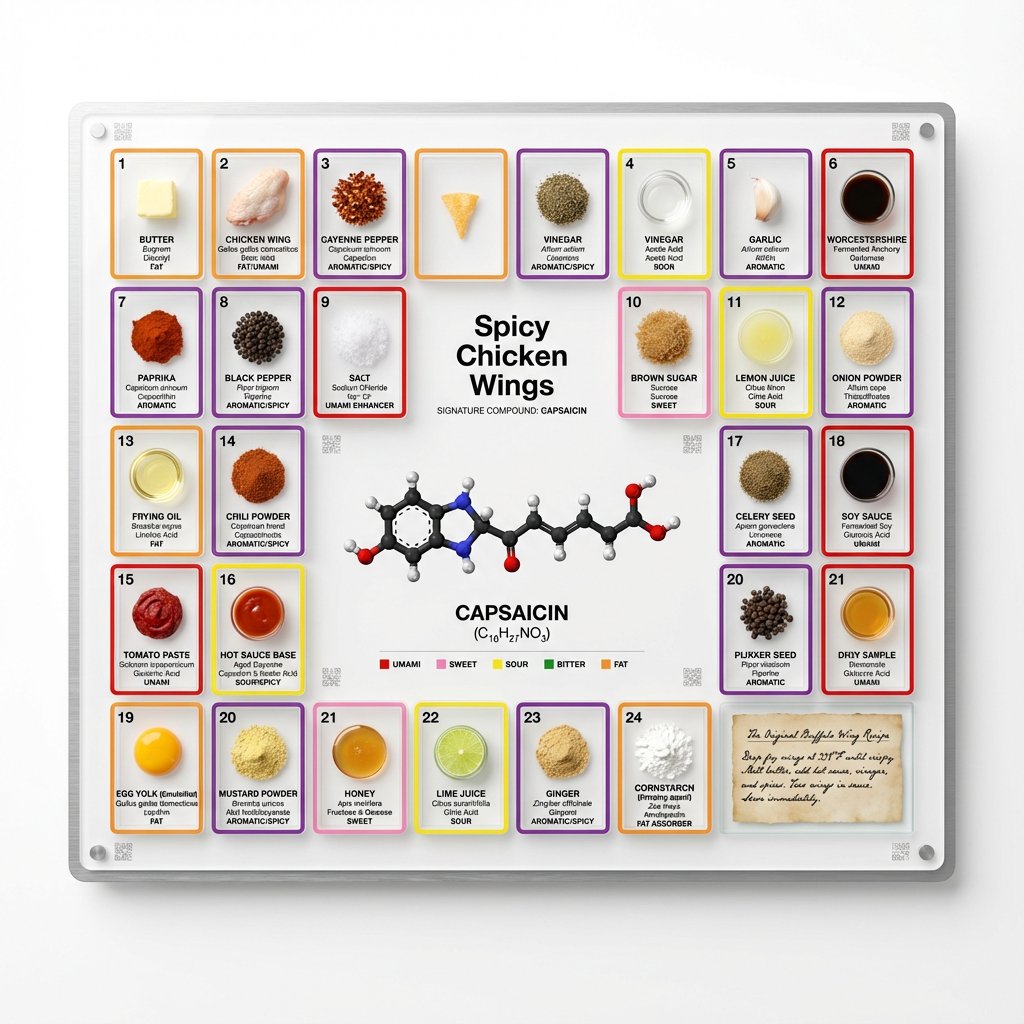
<instruction> Input A is a famous dish (photo or dish name). Analyze the dish's complete ingredient breakdown, primary flavor compounds, chemical interactions, and scientific basis for why ingredients work together. Optional Input B is a style reference (laboratory equipment / tech product packaging). If missing, choose scientific periodic table meets Apple product design aesthetic. Goal: Grid-format display board (20"x16") in periodic table structure, with each ingredient in its own compartment labeled with both culinary and scientific information, color-coded by flavor profile. Rules: Brushed aluminum, white acrylic, or frosted glass backing 20-30 small clear compartments in periodic table grid layout Each compartment contains: ingredient specimen, common name, scientific name, primary flavor molecule Color-coded borders: umami (red), sweet (pink), sour (yellow), bitter (green), fat (orange), aromatic (purple) Center "legend" section: 3D molecular structure diagram of signature compound Lower corner: actual handwritten recipe on aged vellum or parchment under glass AR markers for scanning to see animated 3D molecule models Clean sans-serif typography (like Helvetica or Futura) Minimal design with generous white space Include atomic-style "numbers" for each ingredient showing ratio/importance Output: ONE image, 4:5 clean product photography style with soft shadows on pure white background </instruction>

Some prompts are collected from creators on X. Copyright belongs to the original authors.