Pixany AI

Prompt Library

AI Prompt Library

Curated image, video and web design prompts from creators around the world. Copy any prompt, swap the subject or style, and generate with the latest models.

15,630 prompts · Updated daily · 100% free

599 prompts

3D Isometric Miniature Models of Western TV Characters

3D Isometric Miniature Models of Western TV Characters

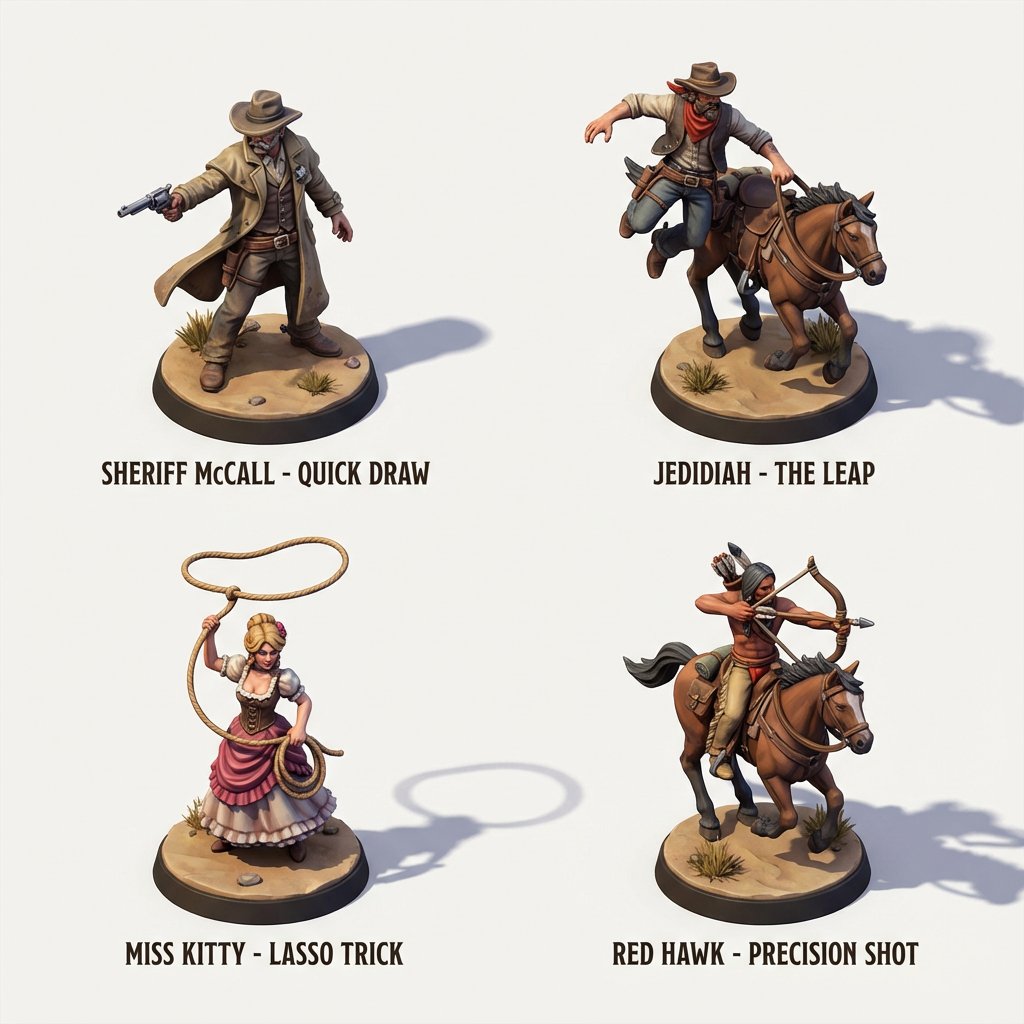
Stylized and incredibly detailed ultra-high-fidelity 3D isometric miniature models showcase the core characters of the {argument name="TV series genre" default="American Western"} TV series. Each character displays a different signature move, while soft studio lighting creates stunning light and shadow effects. The highly detailed 3D models are placed on {argument name="setting" default="city streets"} against a pure white background.

Minimalist 3D Isometric Architectural Diorama

Minimalist 3D Isometric Architectural Diorama

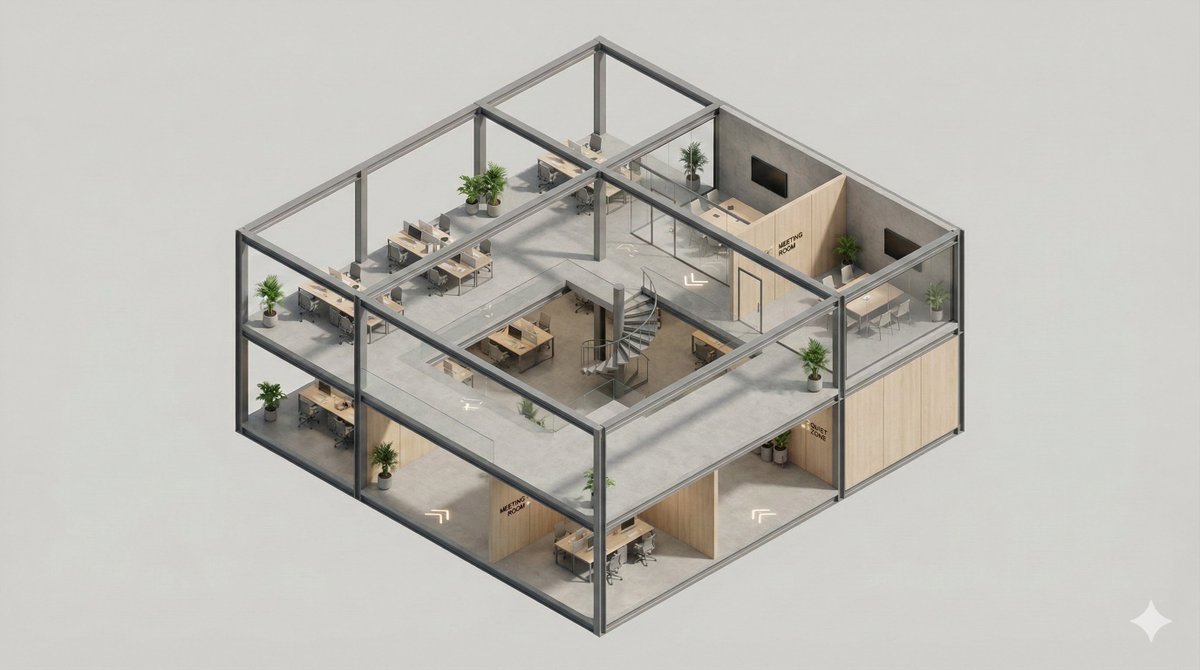
A clean, minimal 3D isometric diorama of a [{argument name="building type" default="BUILDING TYPE"}] section, featuring [{argument name="elements" default="INTERIOR / EXTERIOR ELEMENTS"}] visible in a [{argument name="style" default="CUTAWAY / OPEN STYLE"}], simple [STRUCTURAL FRAME], subtle [INFORMATIONAL SIGNAGE], smooth [MATERIAL FINISH], soft studio lighting, realistic materials, rounded edges, miniature architectural model style, high detail, neutral background.

Hyper-Realistic Exploded Food Infographic Prompt

Hyper-Realistic Exploded Food Infographic Prompt

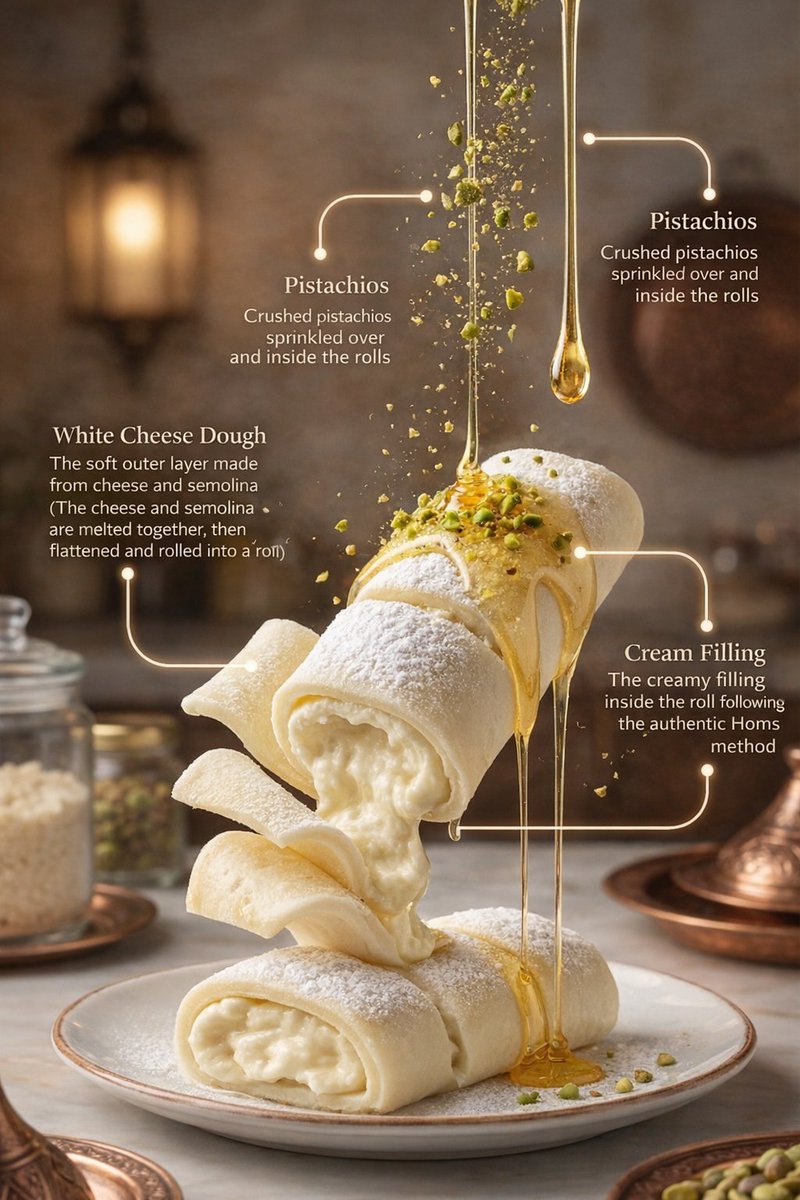
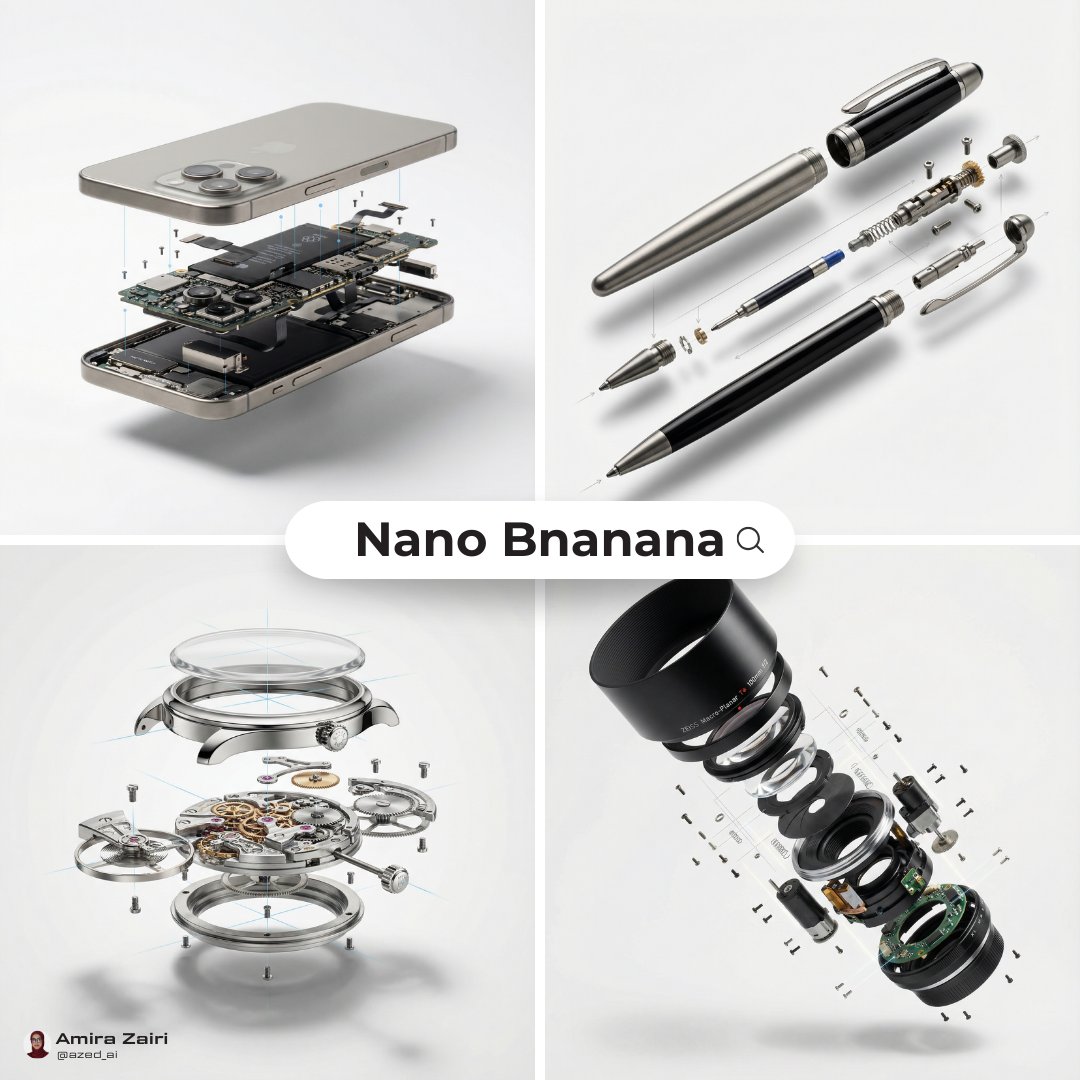
{ "global_settings": { "resolution": "8K ultra high definition", "aspect_ratio": "3:4", "camera_style": "studio food photography with cinematic lighting", "depth_of_field": "shallow depth of field, sharp subject, soft background", "lighting": "soft directional key light, subtle rim light, controlled highlights", "style": "hyper-realistic food illustration with editorial infographic overlays", "composition_rules": [ "no zoom", "no crop", "center-weighted vertical composition", "floating elements frozen in motion" ], "text_design": { "ingredient_name_color": "metallic gold", "ingredient_description_color": "pure white", "font_style": "elegant serif for titles, clean sans-serif for descriptions", "indicator_lines": "long, thin, smooth golden lines with rounded corners" } }, "module_1_image_1_style": { "scene_description": "A vertical stack of assorted cake slices floating above a white ceramic plate against a soft pink gradient background.", "background": { "color": "{argument name="background color" default="soft pastel pink"}", "texture": "smooth gradient", "lighting": "even, studio-lit, no harsh shadows" }, "main_subjects": [ "multiple layered sponge cake slices", "white whipped cream layers", "raspberry cream layer", "chocolate cream topping" ], "visible_ingredients": [ "vanilla sponge cake", "whipped cream", "raspberries", "blueberries", "strawberries", "macarons (vanilla and chocolate)", "chocolate bar pieces", "mint leaves", "small nut fragments" ], "motion_elements": [ "floating fruits", "floating macarons", "crumbs suspended in air" ], "text_labels": [ "Vanilla Cake – soft, fluffy sponge cake layered with white cream filling", "Macaron – creamy filling between almond meringue shells", "Raspberries – juicy, fresh raspberries", "Chocolate Bar – chunks of smooth milk chocolate", "Raspberry Cream – soft sponge cake layered with creamy, fruity raspberry cream" ] }, "module_2_image_2_style": { "scene_description": "Rolled Syrian dessert presented vertically with syrup pouring from above, placed in a warm, rustic kitchen environment.", "background": { "environment": "traditional kitchen", "elements": [ "warm lantern light", "wooden surfaces", "brass and copper utensils" ], "lighting": "warm ambient lighting with soft highlights" }, "main_subjects": [ "rolled white dessert dough", "cream filling spilling out", "golden syrup stream" ], "visible_ingredients": [ "white cheese dough", "cream filling", "pistachios", "sugar syrup" ], "motion_elements": [ "syrup dripping vertically", "pistachio cr" ] } }
Exploded-View Structural Cutaway for Food Photography

Exploded-View Structural Cutaway for Food Photography

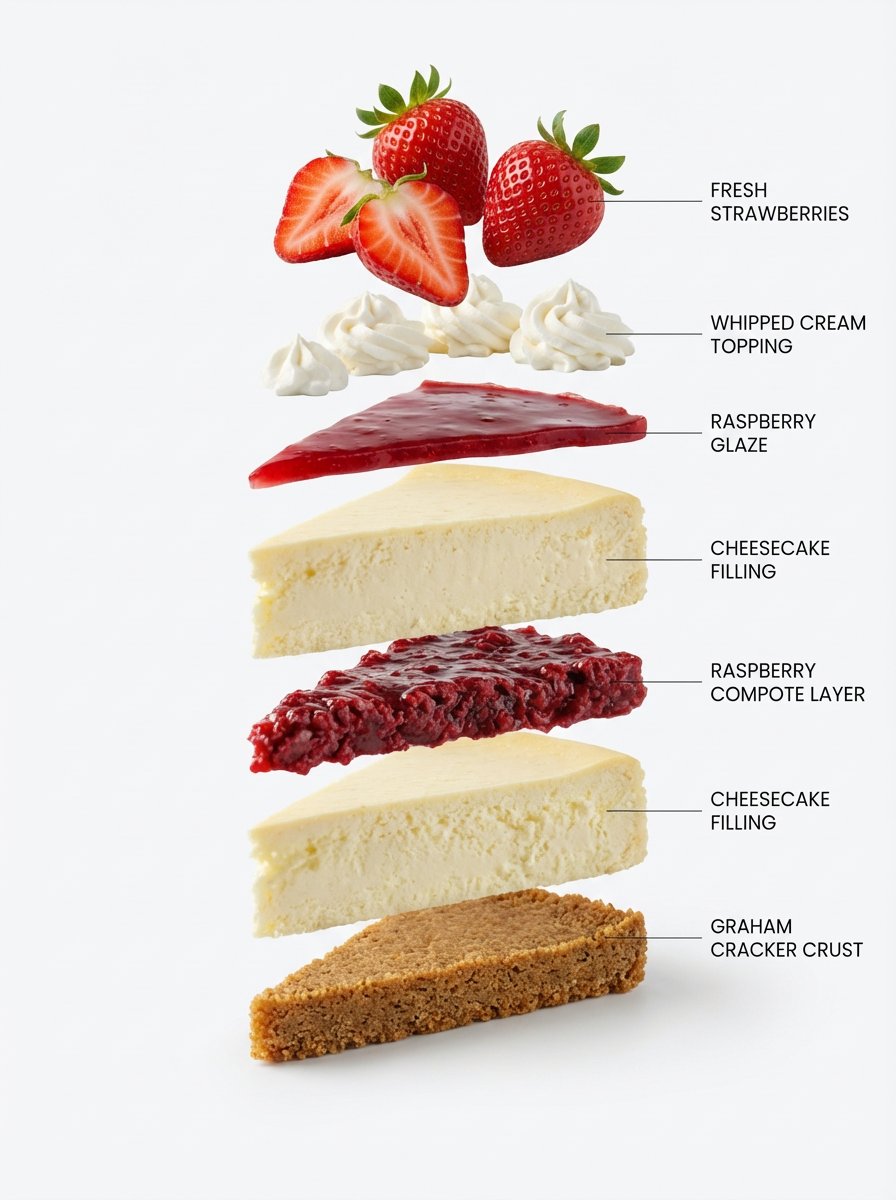
Using the first image as the base, create a clean exploded-view structural cutaway. Separate each ingredient vertically one by one, keep perfect alignment, spacing, and scale. White studio background, labeled diagram style, ultra sharp, realistic.

Exploded View Taco Visualization and Commercial Food Photography Prompt

Exploded View Taco Visualization and Commercial Food Photography Prompt

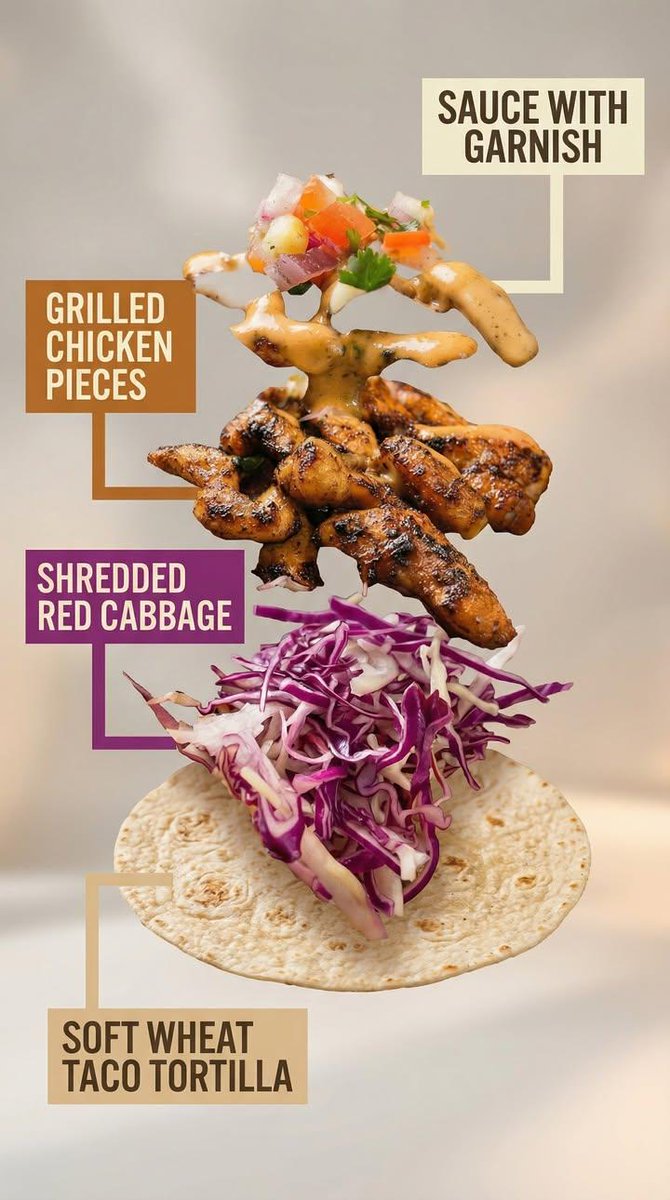
Motion Prompt: The food start to round spin while ingredients separate gently and precisely, maintaining alignment and scale. The motion is smooth, with no extra effects. Image 1: A high-end commercial food photograph of the same two tacos from the reference image, preserving their exact structure, fillings, proportions, and arrangement. The camera angle is slightly adjusted to a more flattering three-quarter close-up, enhancing depth and appetite appeal without altering the tacos themselves. Soft cinematic lighting highlights the textures of the tortillas and fillings, with subtle steam and natural sheen to emphasize freshness. The background is replaced with a clean, modern, out-of-focus setting in warm complementary tones that enhance the food without distracting from it. Shallow depth of field, crisp focus on the tacos, rich contrast, natural colors, and premium restaurant advertising quality. No added or removed ingredients, refined composition, lighting, and environment. Image 2: Exploded-view commercial visualization of the taco from the image, presented as premium recipe-style breakdown. The taco is deconstructed into four visible ingredients, matching the original taco precisely in composition, color, and texture. No additional ingredients. The ingredients are separated and arranged in a clean vertical stack, evenly spaced from bottom to top, floating in place with precise alignment and symmetry. Ingredient order (bottom → top): Soft wheat taco tortilla Shredded red cabbage Grilled chicken pieces Sauce with garnish (topped with a small mixed garnish of diced onion, tomato, and parsley, approximately 5–6 small cubes total, lightly mixed, placed naturally on top) Each ingredient is visually distinct and clearly readable in shape and texture. Annotation design requirements: – Large, bold sans-serif font, high legibility at feed scale – Each annotation placed inside a solid or softly rounded rectangular color block – Background color of each block corresponds subtly to the ingredient color (tomato red, lettuce green, meat warm brown, sauce white/cream, pita beige) – High contrast text (dark on light, light on dark) – Thick, clean connector lines pointing clearly to each ingredient – No transparency that reduces readability – Annotations must visually dominate over background without covering ingredients Background is soft, neutral, and atmospheric, with subtle depth and gentle gradients, inspired by premium food advertising. Overall style is clean, modern, and appetizing, commercial-ready without technical or schematic feel. No extra elements, no substitutions, no reinterpretation of ingredients.

Elemental Physics Spill Collage Prompt

Elemental Physics Spill Collage Prompt

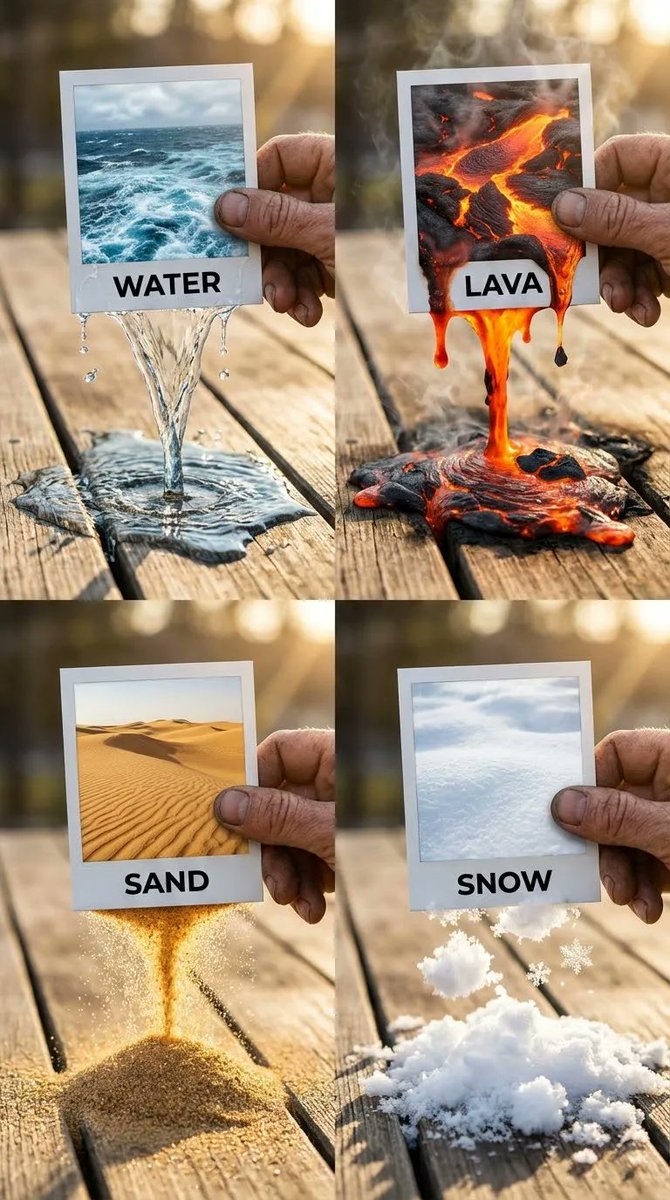
{ "panels": { "top_left": { "element": "WATER", "visuals": { "text_label": "WATER", "spill_effect": { "details": "Caustics, refraction of light through the clear stream, wet darkening effect on the wood, small splashing droplets", "physics": "Fluid dynamics, low viscosity liquid pouring", "interaction": "Water breaching the bottom paper edge, forming a continuous stream", "surface_contact": "Creating a spreading puddle on the wood, surface tension visible at edges" }, "photo_content": "Turbulent blue ocean surface with white foam" } }, "top_right": { "element": "LAVA", "visuals": { "text_label": "LAVA", "spill_effect": { "details": "Smoke and steam wisps rising (volumetric effects), incandescence, heat haze distortion, charred edges where lava meets wood, black solidifying rock floating in the liquid magma", "physics": "High viscosity fluid simulation, thick and gooey", "interaction": "Molten rock dripping heavily from the frame", "surface_contact": "Pooling on the table, glowing intense orange/red" }, "photo_content": "Molten magma with cooling black crust" } }, "bottom_left": { "element": "SAND", "visuals": { "text_label": "SAND", "spill_effect": { "details": "Individual grains visible in macro focus, golden light catching facets of the sand, dust particles in the air, seamless transition from the 2D dune image to the 3D falling stream", "physics": "Granular particle simulation, dry flow", "interaction": "Sand pouring like an hourglass from the photo edge", "surface_contact": "Forming a conical pile on the wooden surface" }, "photo_content": "Golden desert dunes with ripple textures" } }, "bottom_right": { "element": "SNOW", "visuals": { "text_label": "SNOW", "spill_effect": { "details": "Crystalline structure of snowflakes, glistening highlights, high contrast between the cold white snow and the warm brown wood, soft diffused shadows, texture of packed powder versus loose flakes", "physics": "Soft body powder simulation, clumping snow", "interaction": "Tumbling snow clumps falling from the frame", "surface_contact": "Accumulating in a fluffy mound on the table" }, "photo_content": "Pristine white snow field, soft texture" } } }, "composition": { "type": "2x2 Grid Collage", "aspect_ratio": "1:1 square", "overall_theme": "Surreal transition between 2D photography and 3D reality, featuring elemental physics simulations spilling from Polaroid frames.", "camera_settings": { "lighting": "Golden hour natural sunlight, warm backlighting causing rim light on the hands and elements", "perspective": "Clos"

Pop-Up Book Diorama Generator Prompt

Pop-Up Book Diorama Generator Prompt

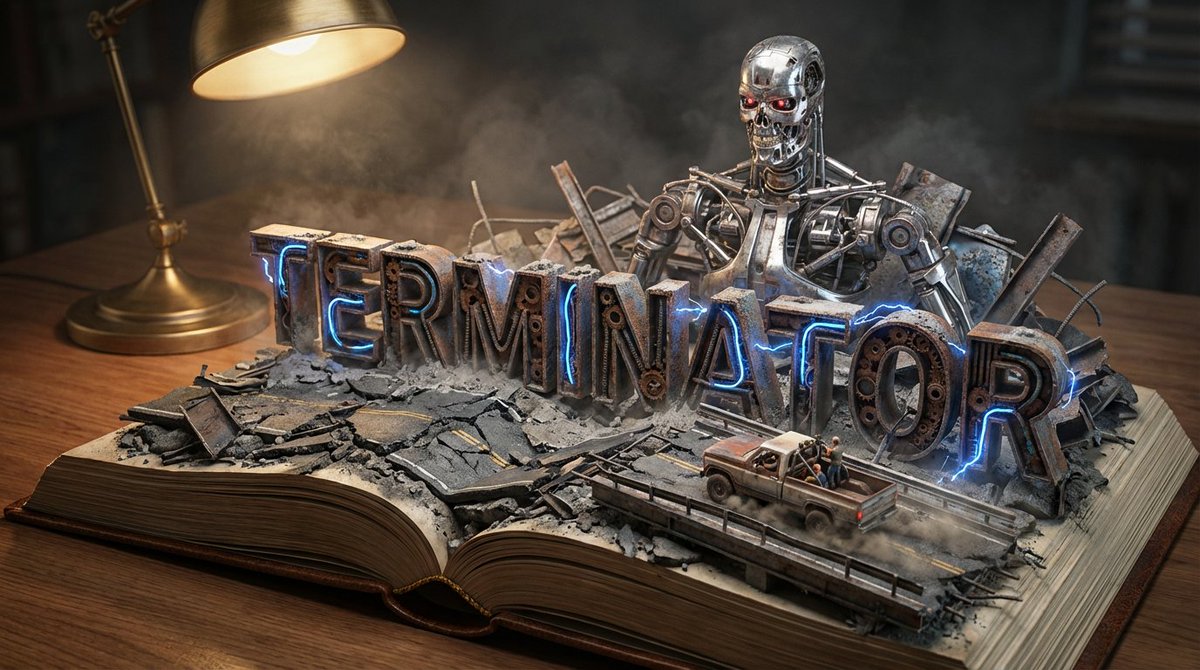
Do it for Terminator: {argument name="title" default="Moby Dick"} System Instruction: Act as a Master Prop Maker. Generate a hyper-realistic, macro-photography shot of a "Pop-Up Book Diorama." 1. Forensic Analysis: Analyze the Input Title to determine the visual components: The Biome: Identify the primary setting (e.g., Ocean, Jungle, Space, Desert). The Conflict: Identify the Antagonist or Monster (e.g., The White Whale, T-Rex, Darth Vader). The Vessel/Hero: Identify the main vehicle or protagonist (e.g., The Pequod, The Jeep, The Millennium Falcon). The Materiality: Identify the texture of the world (e.g., Wood & Water; Amber & Leaf; Metal & Stars). 2. Container (The Open Book): The Object: A massive, vintage, leather-bound hardcover book lying flat on a wooden desk. The Transformation: The book is open to the middle. The pages do not just lie flat; they physically mutate into the "Biome" identified in Step 1. Example: If Ocean, the pages turn into turbulent resin waves. If Desert, they turn into dunes. 3. Typography (The Floating Title): The Text: The [Title of the Input] rises out of the landscape as massive, 3D block letters. Integration: The letters must interact with the environment. Texture: The letters are made of materials from the story (e.g., Driftwood, Stone, Bone). Placement: The waves crash over the letters; vines wrap around the letters. 4. The Action Scene : CRITICAL: Construct a specific scene using miniature models on top of the book. The Threat: Place the "Antagonist" looming large in the background (e.g., The Whale breaching behind the text). The Hero: Place the "Vessel" or "Protagonist" navigating the terrain in the foreground (e.g., A tiny ship rocking on the waves). Scale: The scene must look like a high-end model kit (1:87 scale). 5. Lighting & Atmosphere: The Lamp: A vintage brass desk lamp is visible in the corner, casting a warm, directional "reading light" onto the scene. Atmosphere: Magical realism. The water should glisten; the fog should swirl. Depth: Shallow depth of field to blur the edge of the desk, keeping focus on the book. Output: ONE image, 16:9 Aspect Ratio, Cinematic Miniature Photography, 8k Resolution.

Expedition Planning Board Collage Prompt

Expedition Planning Board Collage Prompt

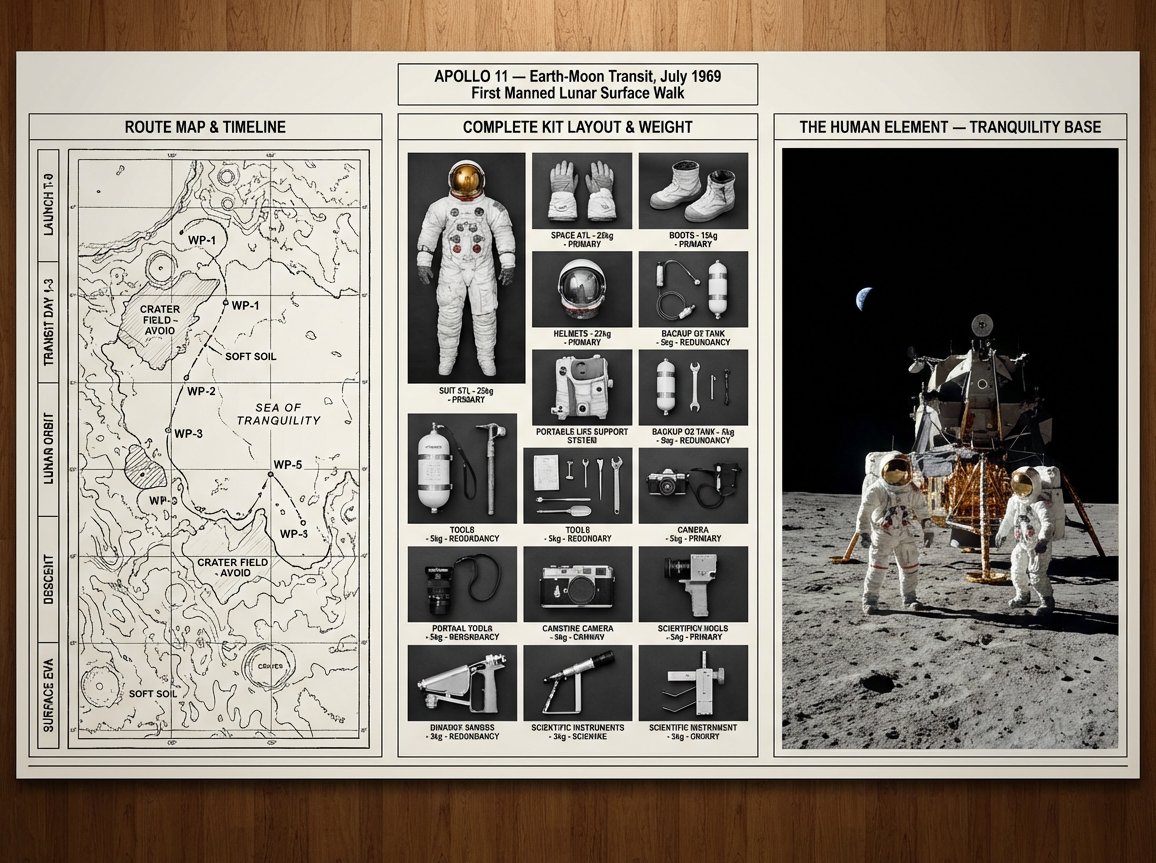
An expedition leader's planning board for {argument name="journey mission" default="[JOURNEY / MISSION]"} — {argument name="destination era" default="[DESTINATION / ERA]"}. Left section: route map with topographical detail, waypoints marked, danger zones annotated, and timeline running along the margin. Center section: complete kit layout, every piece of equipment photographed from above in organized rows, weight and function noted, redundancies highlighted, nothing extraneous. Right section: the expedition in progress or the destination achieved, figures in landscape, scale established, the human element against the immense. Visual style transitions from cartographic precision through utilitarian inventory to epic environmental photography. Title block reading "{argument name="expedition name" default="[EXPEDITION NAME]"} — [ROUTE], [DATE], [OBJECTIVE]".

Ultra-Realistic Chocolate Bar Advertising Prompts (Motion and Exploded View)

Ultra-Realistic Chocolate Bar Advertising Prompts (Motion and Exploded View)

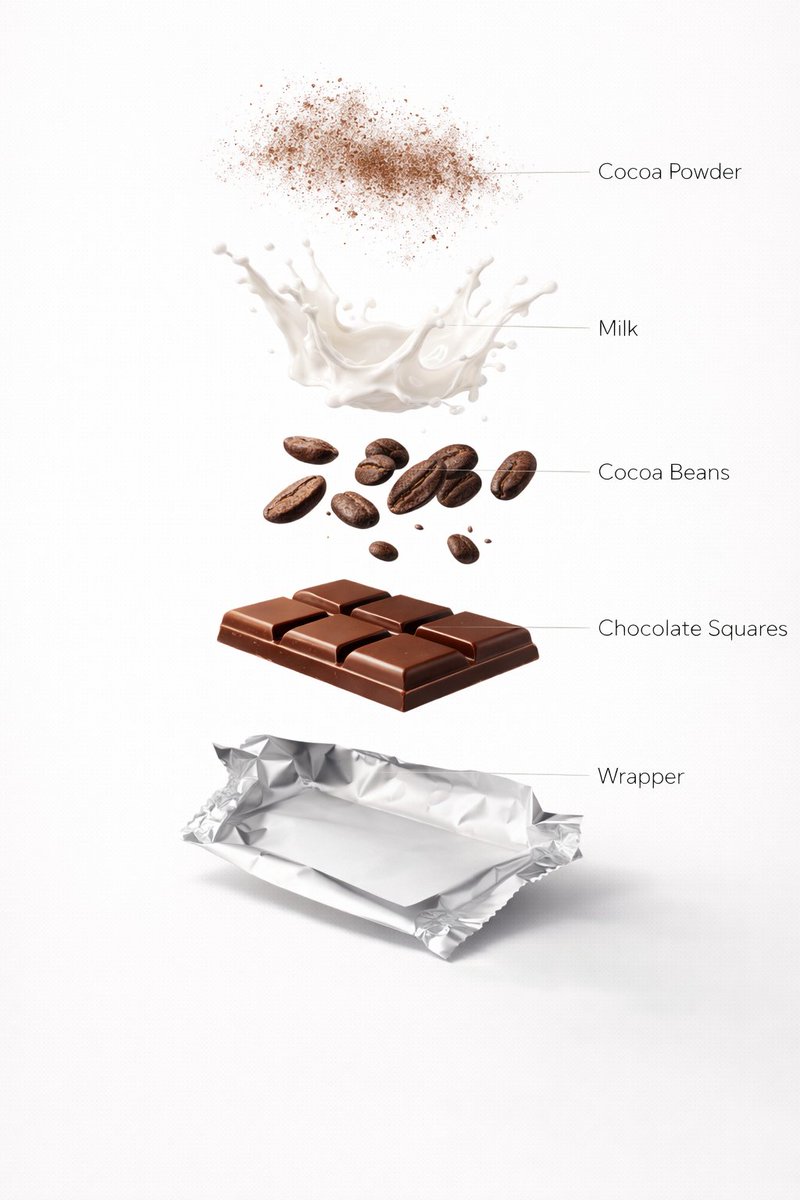
Motion Prompt: The Chocolate start to round spin while ingredients separate gently and precisely, maintaining alignment and scale. The motion is smooth, with no extra effects. Image 1:- Ultra-realistic premium milk chocolate bar, fully prepared and ready to eat, neatly segmented glossy chocolate squares resting on a partially unwrapped silver foil wrapper. Smooth polished chocolate surface with subtle shine, rich warm brown tones, realistic thickness and sharp edges. Clean white studio background, premium food advertising lighting, soft diffused highlights, gentle natural shadows, shallow depth of field, DSLR macro photography, ultra-sharp focus, luxury confectionery aesthetic, minimal composition, no text, no labels, no ingredients visible, 8K photorealism. Image 2 :- Design an ultra-realistic exploded chocolate bar infographic. Top layer cocoa powder dust floating in air, below milk splash frozen mid-motion, cocoa beans, chocolate squares, and wrapper base. Rich brown tones, clean white background, premium food ad lighting, glossy textures, soft shadows, labeled infographic style, ultra-photorealistic, 8K resolution.

Simplified Comparative Infographic Grid Generator Prompt (Legs and Stockings)

Simplified Comparative Infographic Grid Generator Prompt (Legs and Stockings)

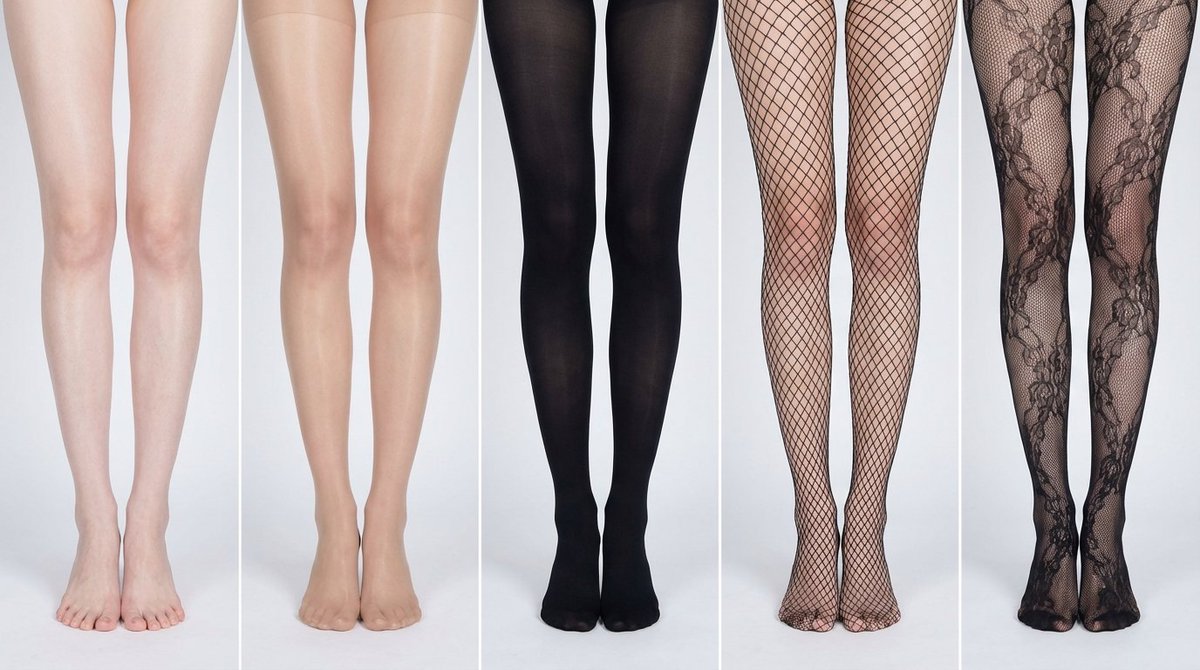
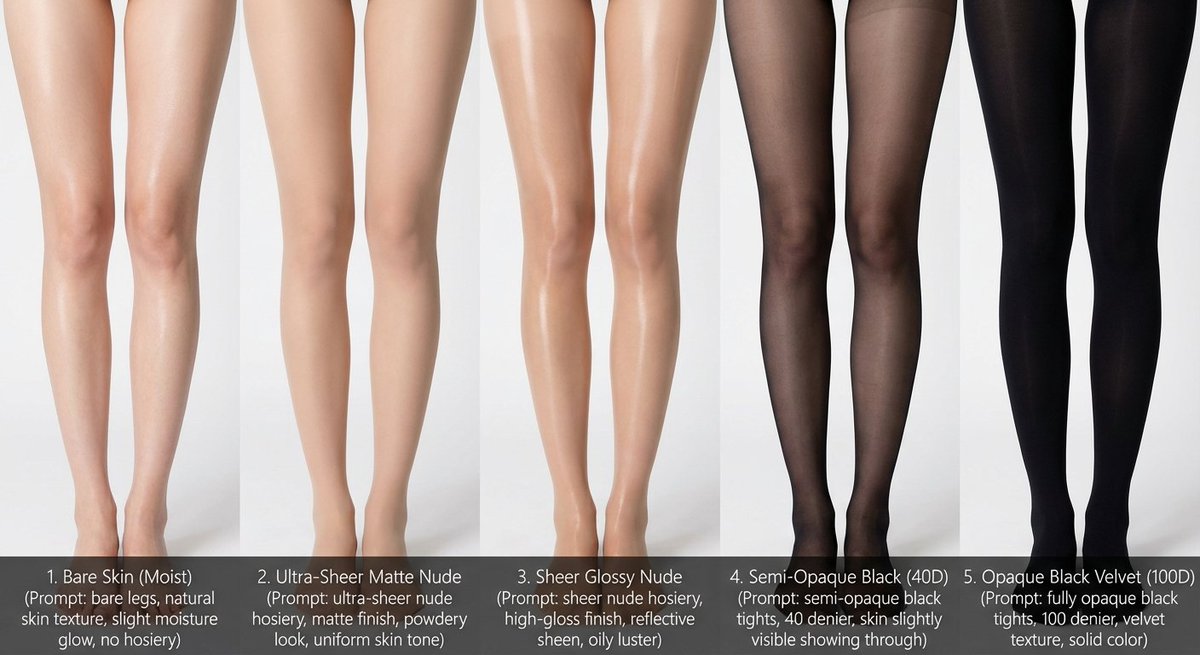
# Role: Comparison Infographic Generator (Design-Centric with Toggles) # === USER INPUT SETTINGS (FILL THESE IN) === # 1. Grid Size (e.g., "2x2 (4 panels)", "3x3 (9 panels)"): {argument name="grid size" default="1x5"} # 2. Base Subject Description (Identical base scene for all panels): [{argument name="subject description" default="Cold white, slender, fair Asian female legs, skin delicate and smooth, without blemishes, almost invisible pores and hair follicles. Skin is not dry, slightly moist"}] # 3. Variations Theme (What is being compared?): {argument name="variation theme" default="Comparison of bare legs with different stocking materials and styles"} The feet need to be fully displayed in the frame # 4. Show Text Overlay at Bottom (Yes/No): NO # =========================================== # Task Description: Generate a multi-panel infographic grid chart for a comparative visual study based on the User Input Settings above. The goal is to showcase different textural or stylistic variations (defined in the data list below) applied to the identical Base Subject defined above. # Global Constraints & Style: 1. **Layout:** A **[Insert setting from "1. Grid Size" here]** infographic grid chart. 2. **Consistency is Key:** The Base Subject, camera angle, composition, and lighting must remain absolutely identical across ALL panels to emphasize only the specific variations defined in the data list. 3. **Photography Style:** Clean, controlled studio photography with neutral, even lighting designed to highlight texture differences. # Text Overlay Display Logic (CONDITIONAL): (AI Instructions: First, check the value of User Input Setting "# 4. Show Text Overlay at Bottom". You MUST execute ONLY ONE of the following logic blocks based on that value.) ##### ➤ LOGIC PATH A: IF Setting #4 is "Yes" (Show Overlay) If the user selected "Yes", EVERY panel must feature a precisely designed text overlay at the bottom following these strict rules: * **Background:** A clean, sharply defined solid rectangular color block (e.g., charcoal grey or black) spanning the entire width of the panel's bottom section. * **Typography:** Inside this block, the text must be rendered in an **elegant, ultra-thin, minimalist sans-serif font**. * **Layout:** The text "[Number]. [Short Title] (Prompt: [Key English Prompt Snippet])" must be perfectly centered within the color block. * **Aesthetic:** The overall effect should be that of professional, minimalist graphic design, with crisp lines and perfect alignment. ##### ➤ LOGIC PATH B: IF Setting #4 is "No" (Hide Overlay) If the user selected "No", apply this CRITICAL rule: * **CRITICAL:** DO NOT add any text overlay, numbers, titles, background color blocks, or prompt snippets to the images. * **Result:** The bottom of every panel must be clean image data only, showing the subject fully without obstruction. # Base Subject Definition: The base scene for every panel is: **[Insert description from "2. Base Subject Description" here]**. The variations below will modify the surface or appearance of this base subject. # Variations Data List (Apply sequentially to the grid): (AI instructions: Iterate through this list based on the required grid size. For each panel, apply the user-defined 'Visual Change' to the base

Comparative Infographic Grid Generator Prompt (Legs and Stockings)

Comparative Infographic Grid Generator Prompt (Legs and Stockings)

# Role: Comparison Infographic Generator (Design-Centric with Toggles) # === USER INPUT SETTINGS (FILL THESE IN) === # 1. Grid Size (e.g., "2x2 (4 panels)", "3x3 (9 panels)"): {argument name="grid size" default="1x5"} # 2. Base Subject Description (Identical base scene for all panels): [{argument name="subject description" default="Cold white, slender, fair Asian female legs, skin delicate and smooth, without blemishes, almost invisible pores and hair follicles. Skin is not dry, slightly moist"}] # 3. Variations Theme (What is being compared?): {argument name="variation theme" default="Bare legs versus different stockings"} # 4. Show Text Overlay at Bottom (Yes/No): YES # =========================================== # Task Description: Generate a multi-panel infographic grid chart for a comparative visual study based on the User Input Settings above. The goal is to showcase different textural or stylistic variations (defined in the data list below) applied to the identical Base Subject defined above. # Global Constraints & Style: 1. **Layout:** A **[Insert setting from "1. Grid Size" here]** infographic grid chart. 2. **Consistency is Key:** The Base Subject, camera angle, composition, and lighting must remain absolutely identical across ALL panels to emphasize only the specific variations. 3. **Photography Style:** Clean, controlled studio photography with neutral, even lighting designed to highlight texture differences. # Text Overlay Display Logic (CONDITIONAL): (AI Instructions: First, check the value of User Input Setting "# 4. Show Text Overlay at Bottom". You MUST execute ONLY ONE of the following logic blocks based on that value.) ##### ➤ LOGIC PATH A: IF Setting #4 is "Yes" (Show Overlay) If the user selected "Yes", EVERY panel must feature a precisely designed text overlay at the bottom following these strict rules: * **Background:** A clean, sharply defined solid rectangular color block (e.g., charcoal grey or black) spanning the entire width of the panel's bottom section. * **Typography:** Inside this block, the text must be rendered in an **elegant, ultra-thin, minimalist sans-serif font**. * **Layout:** The text "[Number]. [Short Title] (Prompt: [Key English Prompt Snippet])" must be perfectly centered within the color block. * **Aesthetic:** The overall effect should be that of professional, minimalist graphic design, with crisp lines and perfect alignment. ##### ➤ LOGIC PATH B: IF Setting #4 is "No" (Hide Overlay) If the user selected "No", apply this CRITICAL rule: * **CRITICAL:** DO NOT add any text overlay, numbers, titles, background color blocks, or prompt snippets to the images. * **Result:** The bottom of every panel must be clean image data only, showing the subject fully without obstruction. # Base Subject Definition: The base scene for every panel is: **[Insert description from "2. Base Subject Description" here]**. The variations below will modify the surface or appearance of this base subject. # Variations Data List (Apply sequentially to the grid): (AI instructions: Iterate through t

Photorealistic Product Anatomy Image Prompt (Instant Noodles)

Photorealistic Product Anatomy Image Prompt (Instant Noodles)

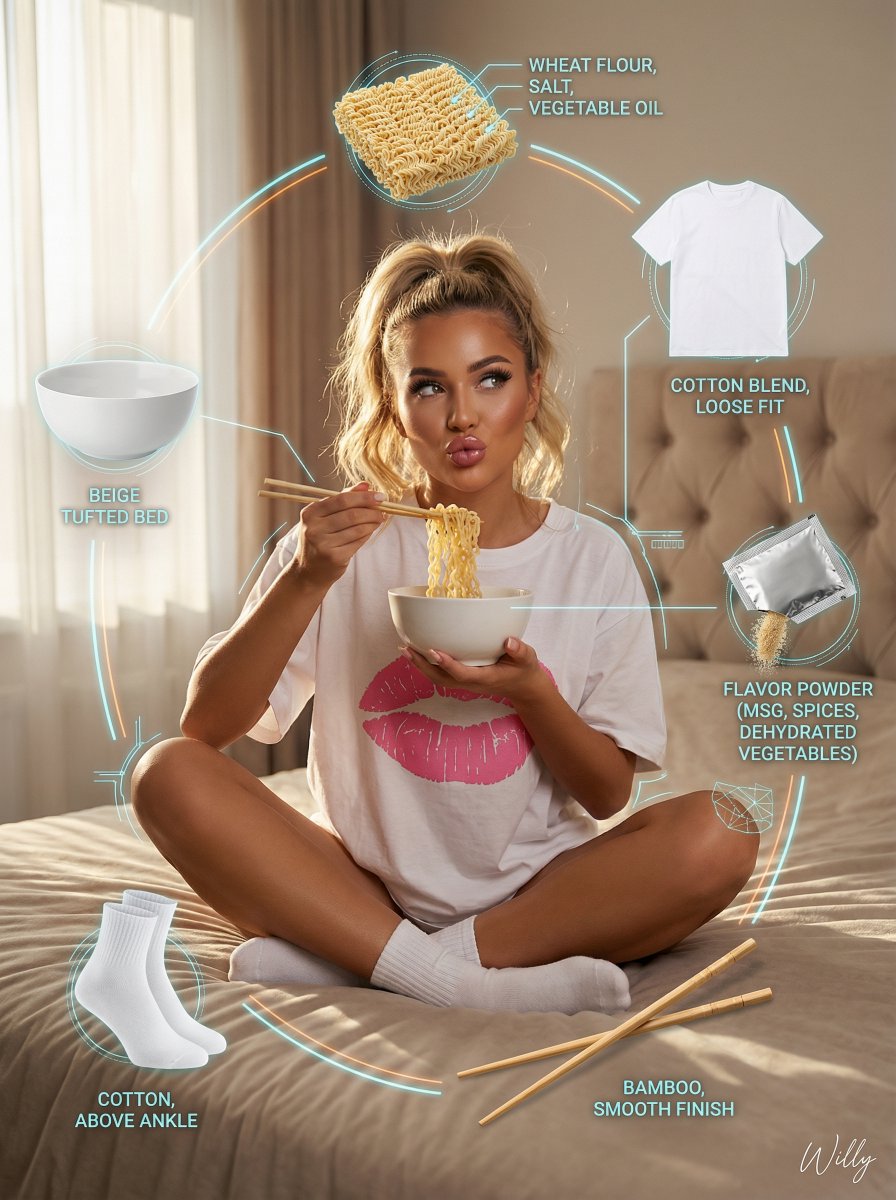
Young eastern european woman (20-24), tanned skin, long wavy blonde hair in messy high ponytail, seductive duck-lip, glamorous makeup, long lashes, glossy lips, LAYOUT: Central hero + orbiting ingredient visuals (product exploded view) HERO: - Young woman sitting cross-legged on beige tufted bed - Wearing oversized white t-shirt with pink lips print and white socks - Eating instant noodles with chopsticks, cozy sexy vibe - Soft natural window light with gentle rim light, warm intimate atmosphere INGREDIENT CALLOUTS: - Top: Instant noodles block (wheat flour, salt, vegetable oil) - Right: Small sachet of flavor powder (MSG, spices, dehydrated vegetables) - Bottom: Two wooden chopsticks (bamboo, smooth finish) - Left: White ceramic bowl (beige tufted bed) - Top-Right: Oversized White T-shirt with pink lips print (cotton blend, loose fit) - Bottom-Left: White socks (cotton, above ankle) TECHNICAL DETAILS: - Photorealistic, highly detailed face and skin - Contemporary influencer aesthetic, cinematic color grading, 8k, sharp focus STYLE: photorealistic, contemporary influencer aesthetic, product anatomy, exploded diagram style, flavor note diagram, technical overlay graphics Keywords: product exploded view, tech deconstruction layout, ingredient floating display, component breakdown visualization, wireframe overlay, neon annotation lines, technical specification, premium product anatomy. A stylish handwritten signature {argument name="signature name" default="Willy"} is elegantly and small letters placed at the Bottom Right corner.

Multi-Step Diagram Generation and Coloring Book Creation

Multi-Step Diagram Generation and Coloring Book Creation

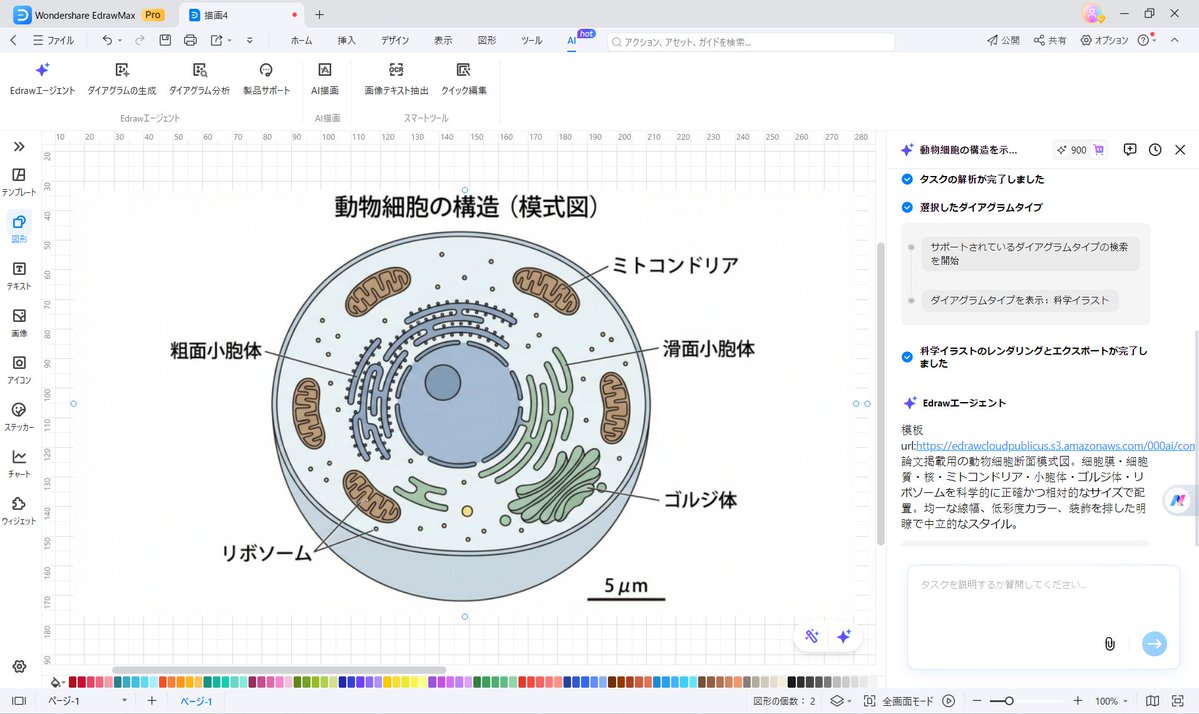
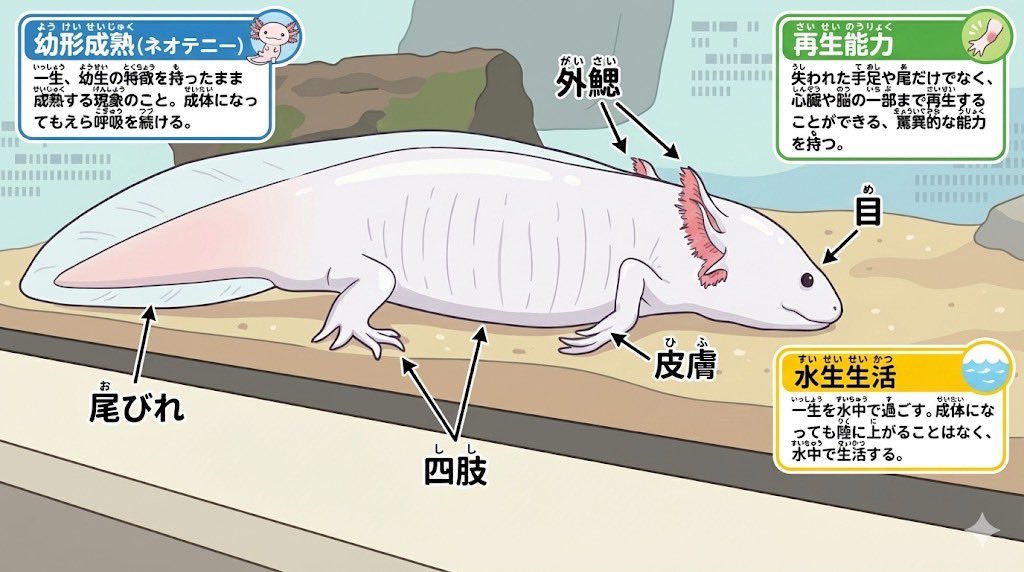
Animal photo -> Diagram Clean diagram completed ↓ Modified for elementary school students Ruby text (furigana) is also included in the coloring ↓ Turn it into a coloring book page ↓ Your own diagram is complete♪

Shawarma Product Photography and Exploded Infographic

Shawarma Product Photography and Exploded Infographic

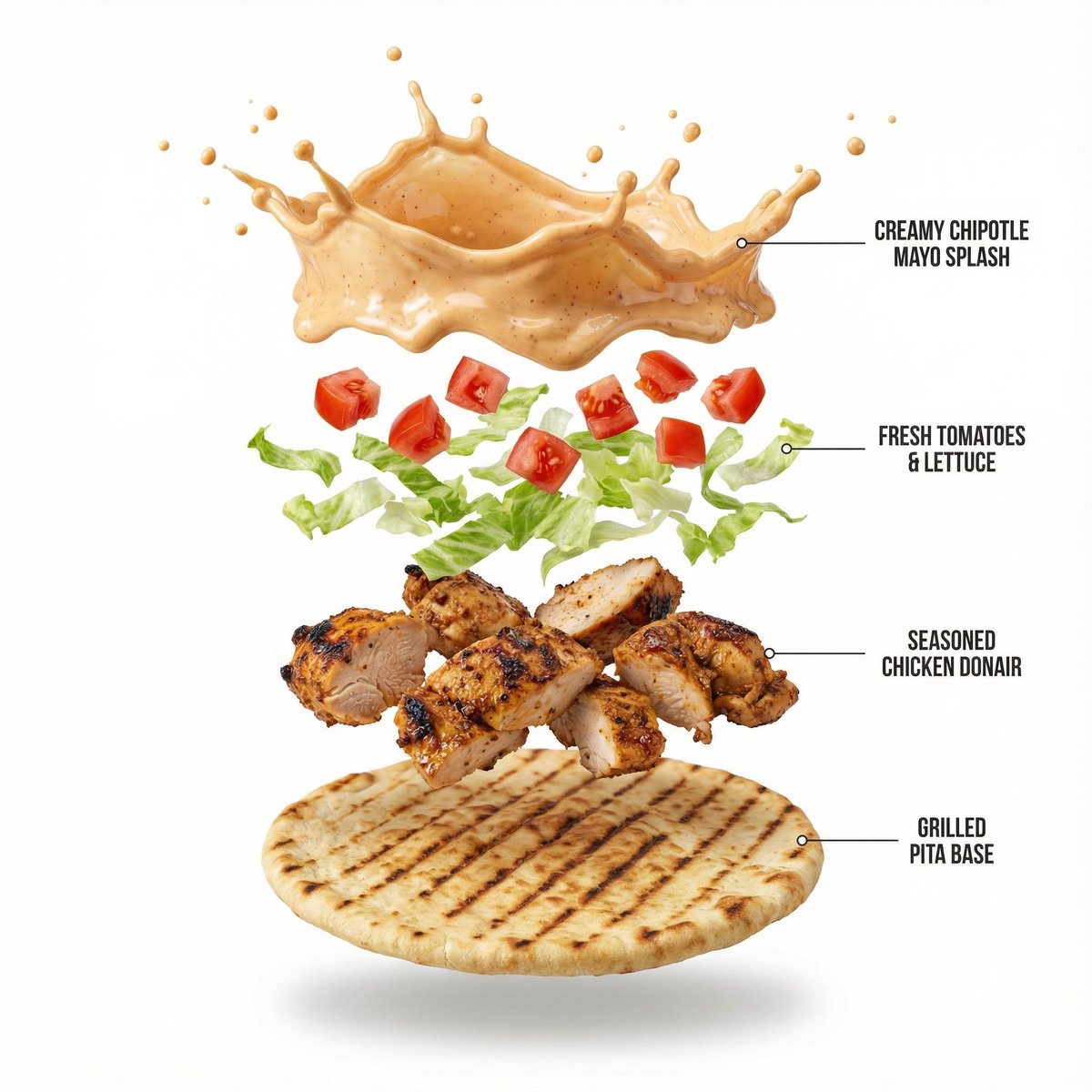
Image 1: A high-quality, professional product photograph of Shawarma wrap filled with chopped tomatoes, lettuce, chipotle mayo, donair meat (chicken). The wrap has a crisp grilled texture to it. Minimalist style, shot against a pure solid white background with soft, natural shadows. 8k resolution, sharp focus, clean aesthetic. Image 2: Create a hyper-realistic exploded vertical infographic composition of a Chicken Shawarma Wrap. At the top, a creamy chipotle mayo splash frozen mid-air with tiny droplets and a glossy texture. Below it, a vibrant layer of diced red tomatoes and fresh, crisp shredded lettuce floating gracefully. Underneath, succulent pieces of seasoned donair chicken with visible charred edges and spice texture. At the bottom, a crisp, golden-brown grilled pita wrap base with distinct grill marks. Pure white background, soft studio lighting, subtle shadows under each floating element, ultra-sharp focus, DSLR macro photography, clean infographic text labels with thin pointer lines, premium food photography aesthetic, 8K quality.

Minimalist Exploded View Industrial Design Diagram

Minimalist Exploded View Industrial Design Diagram

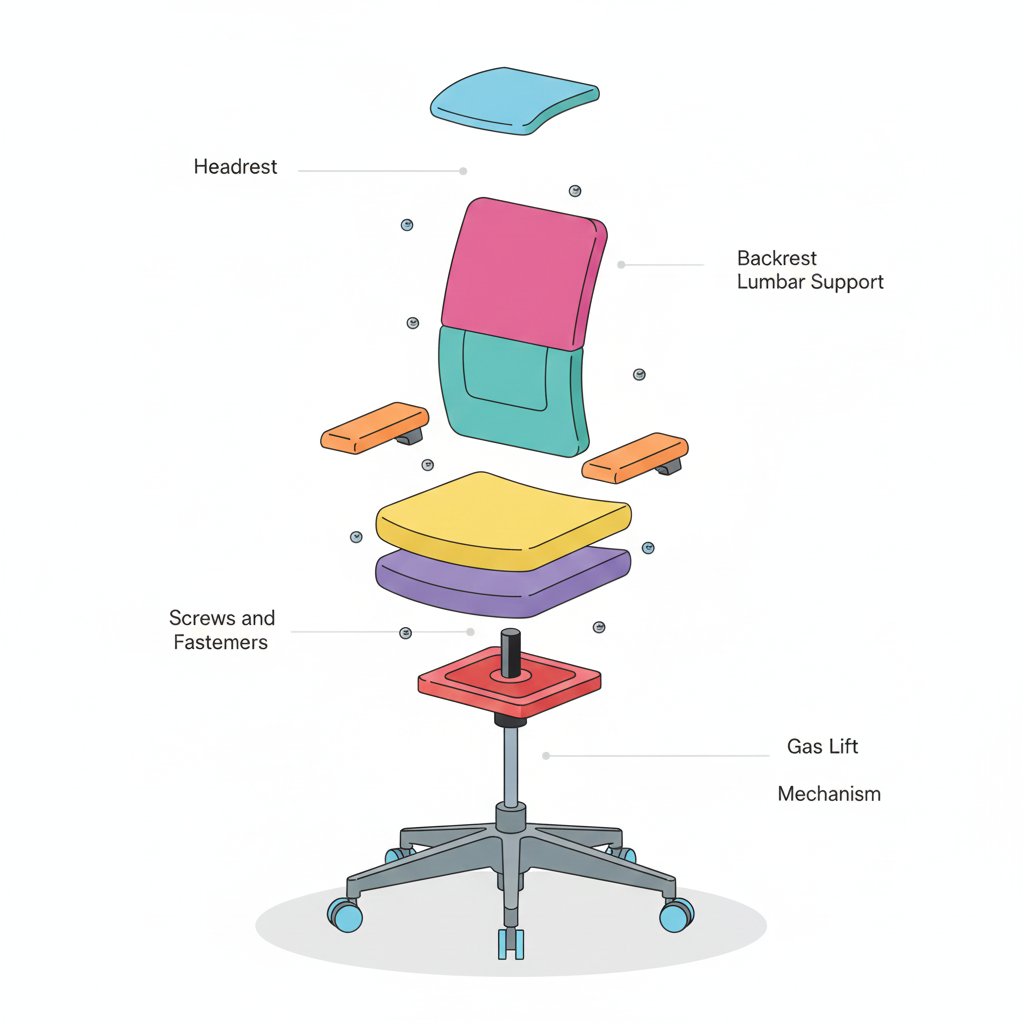
{ "prompt": { "objective": "Create a colorful minimalist exploded view of a chair with clearly labeled parts", "style": "minimalist, modern industrial design, flat yet slightly 3D, clean lines, soft shadows", "composition": "chair centered in frame, all components separated vertically in an exploded view, evenly spaced, balanced layout", "subject": { "type": "chair", "chair_style": "modern ergonomic chair", "parts": [ "Headrest", "Backrest", "Lumbar Support", "Seat Cushion", "Seat Base", "Armrests", "Armrest Pads", "Gas Lift Cylinder", "Tilt Mechanism", "Five-Star Base", "Caster Wheels", "Screws and Fasteners" ], "labels": "clear part names placed beside each component, thin connector lines, clean sans-serif font" }, "colors": "bright yet soft colors for each part, pastel and vibrant mix, each component in a different color, white or very light background", "lighting": "soft studio lighting, gentle shadows under each floating part", "camera": { "angle": "slight isometric view for depth", "focus": "all parts sharp and readable" }, "extra": "educational product diagram look, no clutter, modern design presentation, Instagram-friendly composition" }, "size": "1024x1024", "format": "png", "style_transfer": false }

Gaming History Console Architecture Grid Template

Gaming History Console Architecture Grid Template

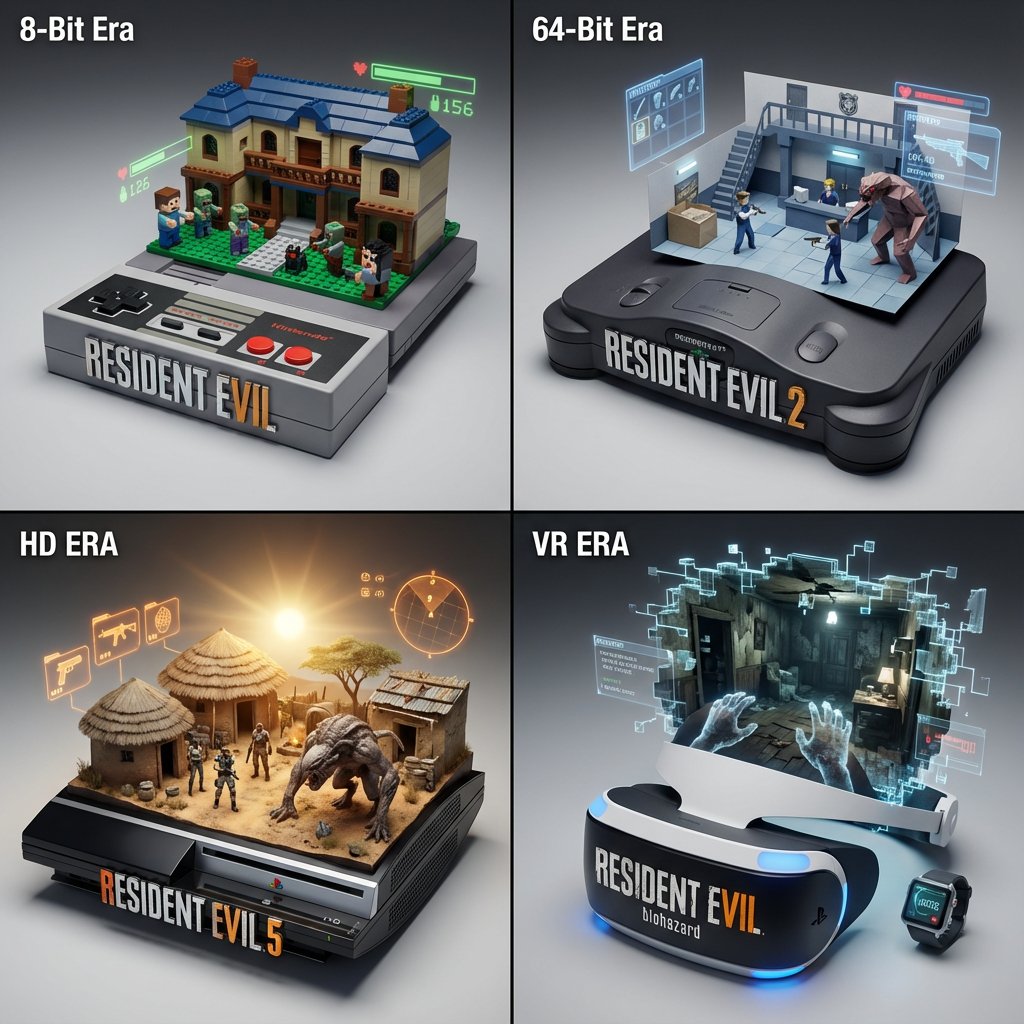
<instructions> Concept: A timeline of gaming history emerging from physical consoles. Input: [{argument name="Game Franchise" default="Resident Evil"}] (e.g., Mario, Zelda, Final Fantasy) System Instruction: Act as a Gaming Historian. Create a 2x2 Grid of "Console Architecture." Evolution Logic: Select 4 eras of the franchise (8-bit, 64-bit, HD, VR). The Container: The base is the Physical Console/Controller of that era (e.g., NES Controller, N64 Console, Disc Drive). The Glitch: The game world "glitches" out of the cartridge slot or disc tray, turning into physical voxels or polygons. Panel 1 (8-Bit): The world is made of Lego-like plastic blocks. Panel 2 (Poly): The world is made of Sharp, low-poly folded paper. Panel 3 (HD): The world is Photorealistic Resin. The HUD: Holographic UI elements (Health bars, Ammo) float physically above the scene. Label: The front of the console features the Game Logo in chrome. </instructions>

AI-Assisted LP Page Design with Automation Focus

AI-Assisted LP Page Design with Automation Focus

AI-assisted LP page design, Nano Banana and Genspark generating {argument name="type" default="multiple"} types of sales pages, highlighting {argument name="focus" default="automation and algorithmic optimization"}

LLM prompt for generating a detailed travel itinerary for a trip to Japan

LLM prompt for generating a detailed travel itinerary for a trip to Japan

I am planning a 7-day trip to Japan. I want to visit Tokyo, Kyoto, and Osaka. Please create a detailed itinerary for me. Include specific activities, transportation methods between cities, and suggested accommodations (e.g., traditional ryokan in Kyoto, modern hotel in Tokyo). Also, include a rough estimate of the daily budget (excluding flights). Focus on cultural experiences and local cuisine.

Epic 3D Architectural Blueprint Construction Scene

Epic 3D Architectural Blueprint Construction Scene

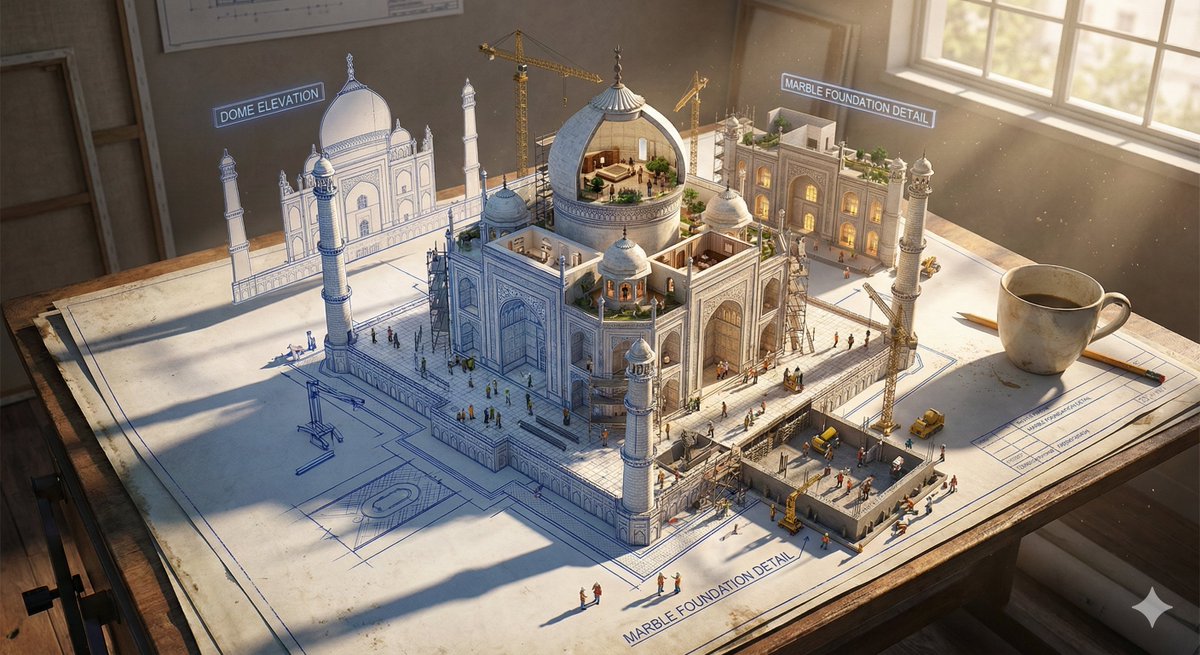
Epic 3D scene: a massive architectural blueprint of [Name] pinned to a drafting table, its ink lines rising off the paper into fully realized construction. Blue lines become steel beams mid-weld, floor plans inflate into furnished rooms, elevation drawings push outward into facades with working windows. Construction phases coexist simultaneously: foundation being poured in one corner while the penthouse is already inhabited in another. Tiny workers, cranes, and scaffolding swarm the rising structure. The flat drawing and the living building merge at impossible angles. Technical annotations float as dimensional signage. Architect's coffee cup sits at the edge, casting shadow across unbuilt sections. Extreme scale contrast, construction dust catching afternoon light, 8K, photorealistic.

Some prompts are collected from creators on X. Copyright belongs to the original authors.