Pixany AI

Prompt Library

AI Prompt Library

Curated image, video and web design prompts from creators around the world. Copy any prompt, swap the subject or style, and generate with the latest models.

15,630 prompts · Updated daily · 100% free

599 prompts

Technical Product Documentation Prompt (Porsche)

Technical Product Documentation Prompt (Porsche)

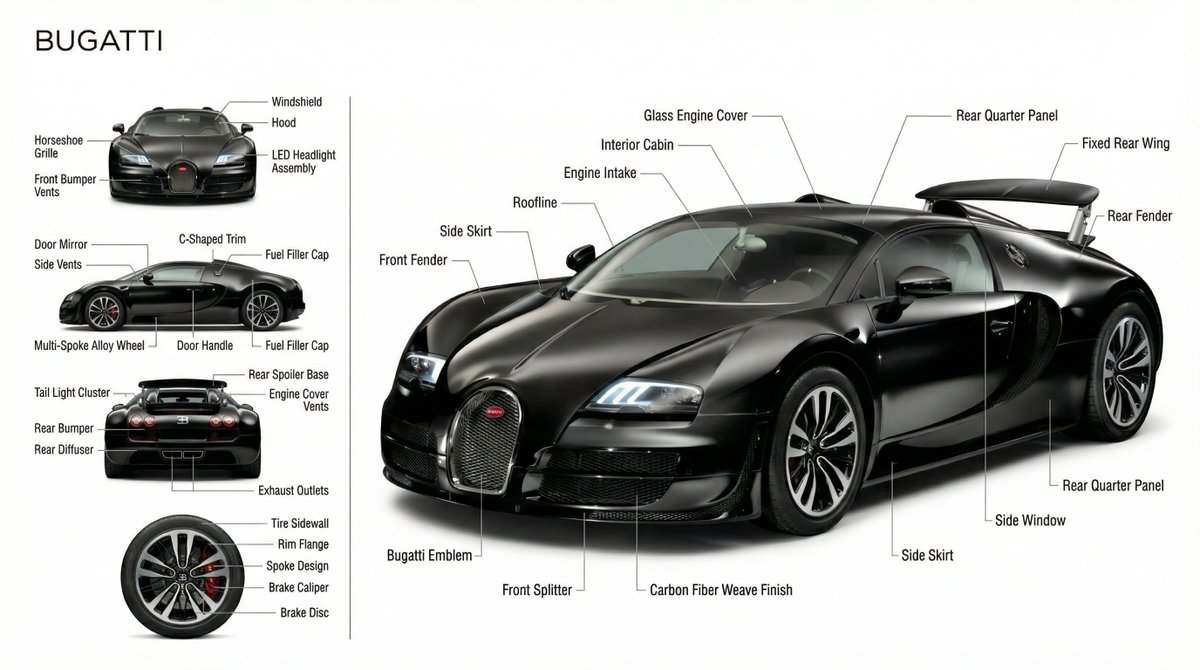
Use the uploaded image as the sole source of truth. Do NOT assume model, specs, or performance. Pure white, distraction-free background. Top-left: PORSCHE (modern sans-serif). Left column: auxiliary views (front / side / rear / detail). Right side: large photorealistic hero render. Visually analyze only what is visible. Identify distinct physical components. Label each component with hairline-thin vector lines. Use neutral, factual terms only. No marketing language. No hallucinated features. No assumed performance. Scandinavian, modern, industrial documentation style. Soft studio lighting. Ultra-high resolution. Exact proportions and geometry fidelity.

Universal Pet Feeding Guide Generator

Universal Pet Feeding Guide Generator

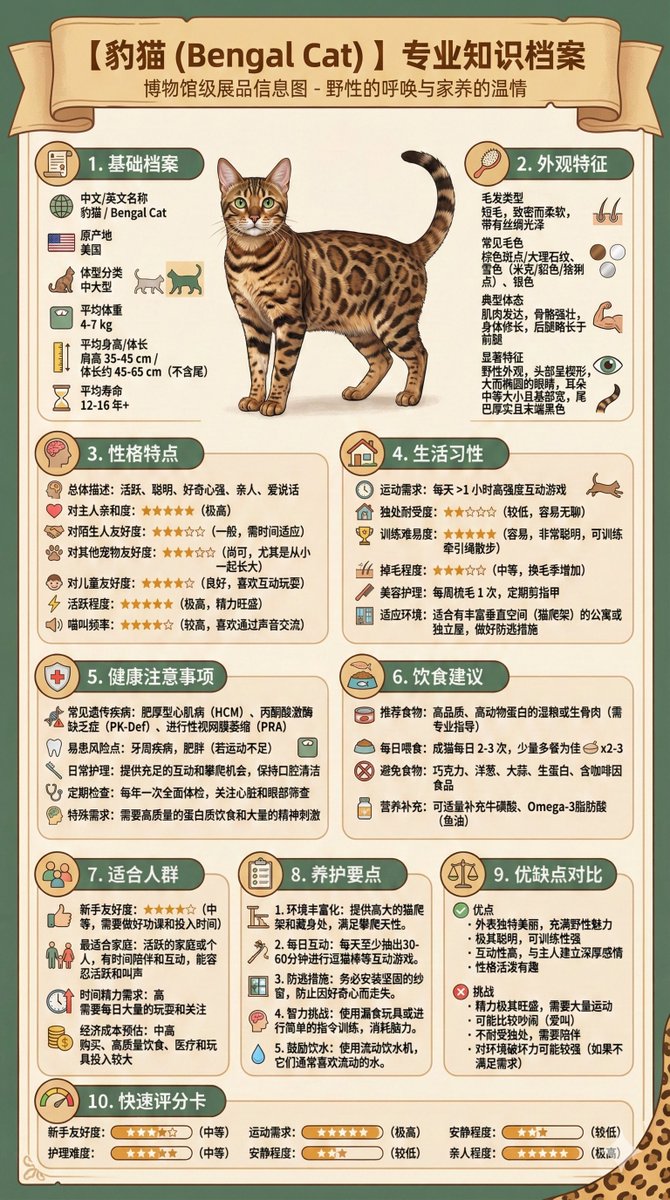
I am considering getting a pet dog but am still struggling to choose a breed. Please help me generate an infographic that centrally displays the characteristics, temperament, common health issues, and feeding guide for the following potential breeds: {argument name="breeds" default="Golden Retriever, Poodle, Corgi"}. The infographic needs to be clear and easy to compare.

Minimal Abstract Vector Illustration Style

Minimal Abstract Vector Illustration Style

Minimal abstract illustration. Flat but layered vector-style shapes, precise curves, consistent stroke logic, limited color palette with high harmony, balanced spacing and alignment, designed to feel systemized and scalable, like a mature brand illustration set.

Minimalist Flowchart/Diagram Generation Style Guide

Minimalist Flowchart/Diagram Generation Style Guide

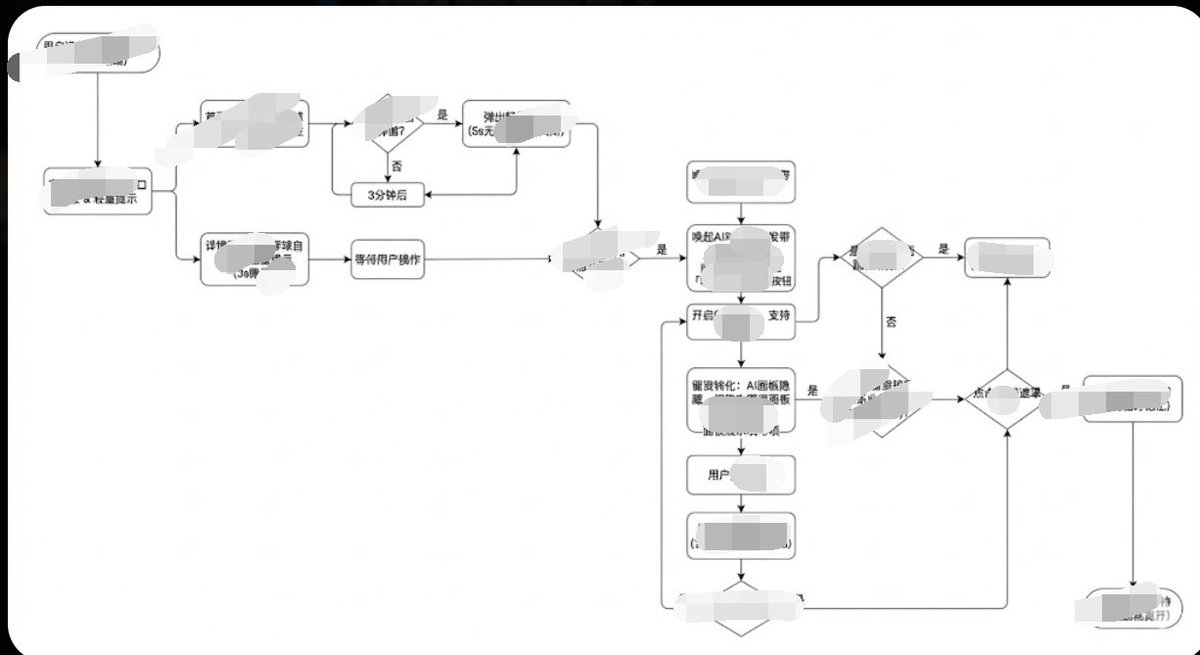
Generate image, 1. Style Core Parameter Extraction (Style Guide) Please refer to the following parameters: Color Palette: Background: Pure white (#FFFFFF) Lines/Borders: Dark gray or pure black (#333333 or #000000) Text: Dark gray (#333333), regular weight, no bold. Fill: No fill (transparent) or pure white fill, to cover lines behind. Lines/Connectors: Type: Orthogonal/Elbow lines, meaning only vertical and horizontal lines, with right-angle corners. Thickness: Extremely thin (1px). Arrow: Solid small triangle (Solid Arrowhead), black. Shapes: Normal Node: Rounded Rectangle, very small corner radius (approx. 4px - 8px). Decision Node: Diamond. Start/End: Capsule shape or rectangle with larger rounded corners. Typography: Alignment: Center aligned. Font: Sans-serif font, such as Arial, Roboto, or Source Han Sans. Small font size (approx. 12px-14px). Apply the style above along with your user journey/process to Gemini, and it will present the corresponding effect without needing adjustments.

Infographic Image with Technical Annotation Overlay

Infographic Image with Technical Annotation Overlay

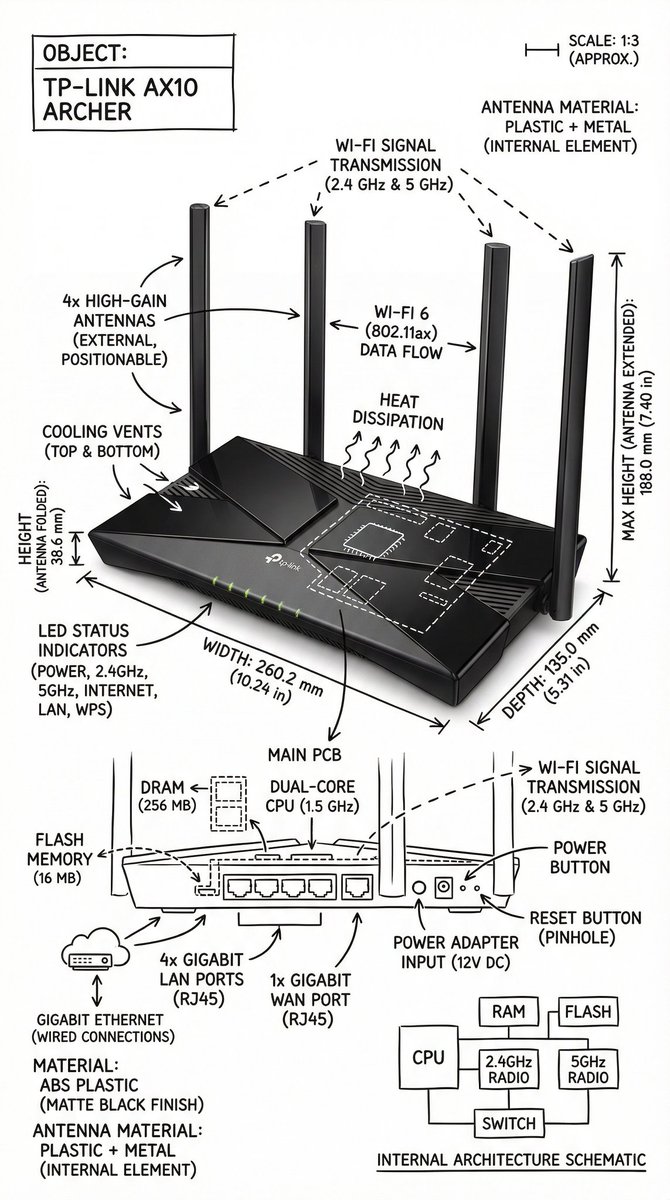
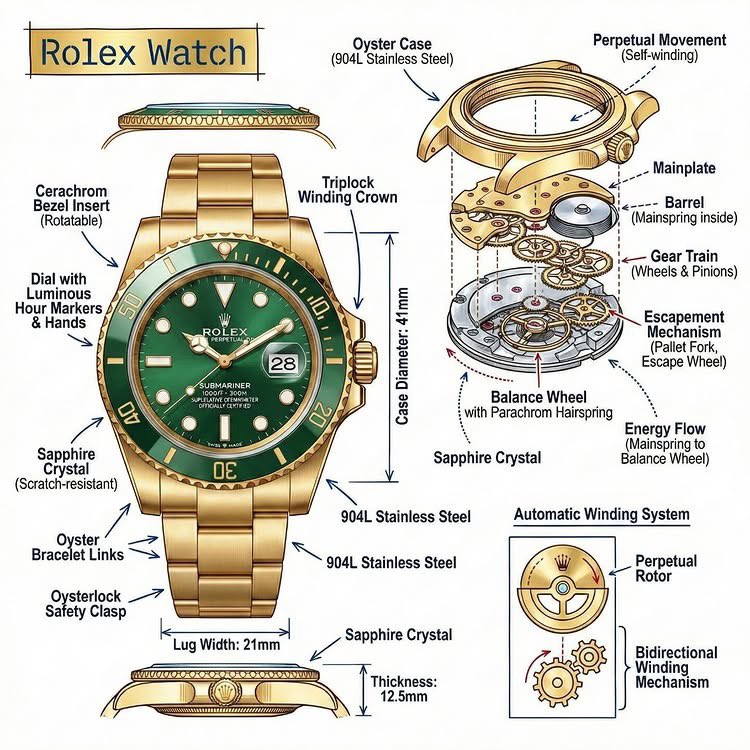
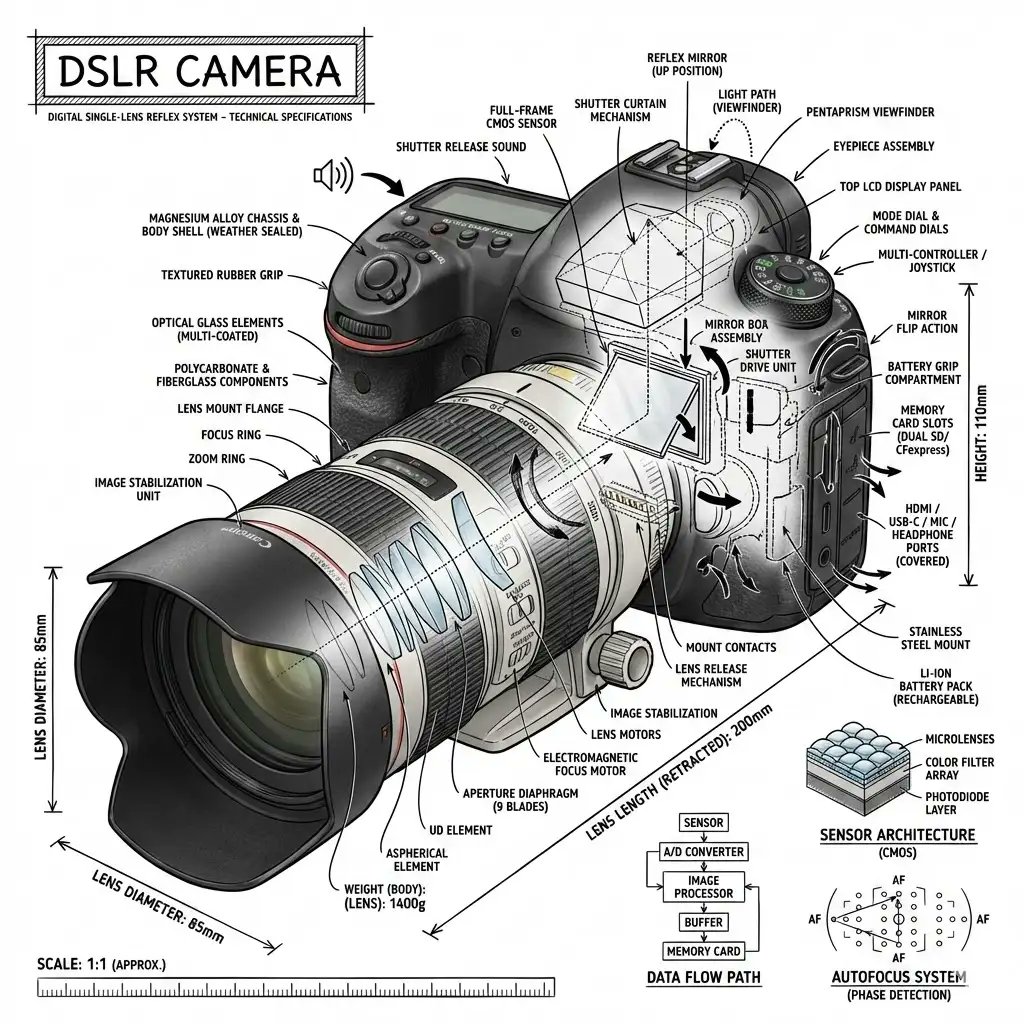
Create an infographic image of {argument name="object" default="[OBJECT]"}, combining a realistic photograph or photorealistic render of the object with technical annotation overlays placed directly on top. Use black ink–style line drawings and text (technical pen / architectural sketch look) on a pure white studio background. Include: •Key component labels •Internal cutaway or exploded-view outlines (where relevant) •Measurements, dimensions, and scale markers •Material callouts and quantities •Arrows indicating function, force, or flow (air, sound, power, pressure, movement) •Simple schematic or sectional diagrams where applicable Place the title {argument name="object title" default="[OBJECT]"} inside a hand-drawn technical annotation box in one corner. Style & layout rules: •The real object remains clearly visible beneath the annotations •Annotations look hand-sketched, technical, and architectural •Clean composition with balanced negative space •Educational, museum-exhibit / engineering-manual vibe Visual style: Minimal technical illustration aesthetic. Black linework layered over realistic imagery. Precise but slightly hand-drawn feel. Color palette: Pure white background. Black annotation lines and text only. No colors. Output: 1080 × 1080 resolution Ultra-crisp Social-feed optimized No watermark

Mixed Reality Retail Experience Prompt

Mixed Reality Retail Experience Prompt

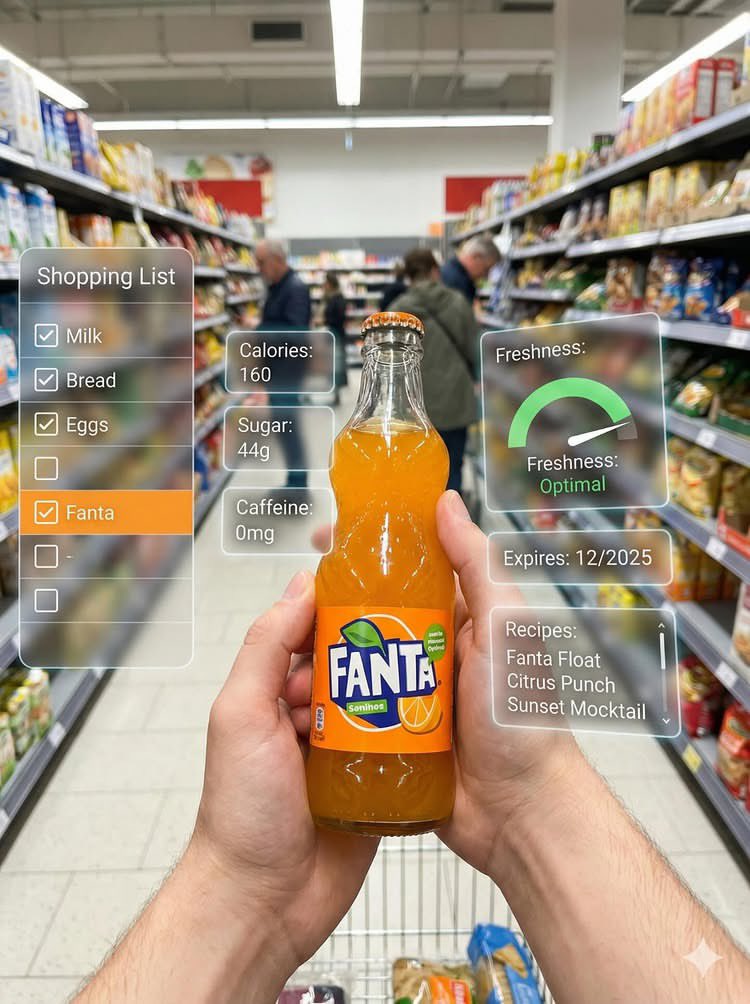
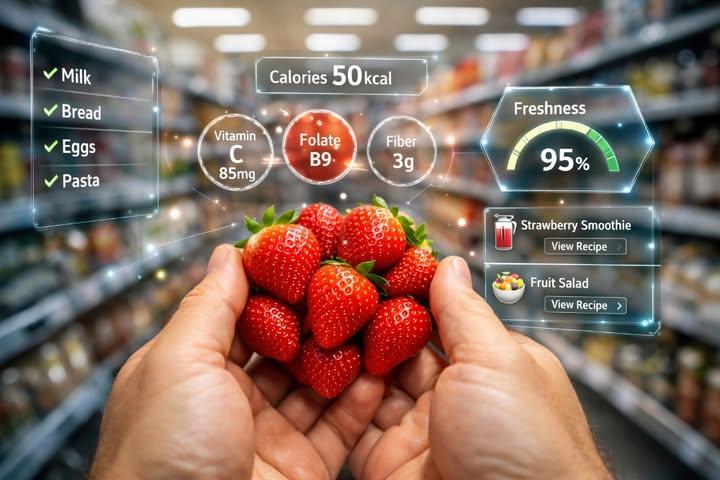
First-person perspective inside a brightly lit supermarket aisle or section. Realistic human hands are holding {argument name="product name" default="[PRODUCT NAME]"} close to the camera. The product’s [key visual traits: color, texture, packaging, freshness details] are clearly visible under natural store lighting. The {argument name="product name 2" default="[PRODUCT NAME]"} is surrounded by a multi-layered holographic augmented reality interface displaying relevant product information, including [nutritional or product data such as calories, protein/sugar/caffeine, vitamins, freshness indicator, origin, expiration date, usage or recipe suggestions]. The AR UI elements smoothly shift and reorganize based on the viewer’s gaze direction, as if dynamically responding to user focus. In the left peripheral vision, a vertical semi-transparent shopping list is visible with checked-off items, where {argument name="product name 3" default="[PRODUCT NAME]"} is highlighted as the currently active selection. Hyper-realistic mixed reality, clean futuristic AR design, glass-like UI panels, soft ambient glow, realistic lighting and shadows, natural depth of field, immersive first-person interface, showcasing next-generation retail technology.

Prompt for Generating Logical Tree Diagrams with Nano Banana Pro

Prompt for Generating Logical Tree Diagrams with Nano Banana Pro

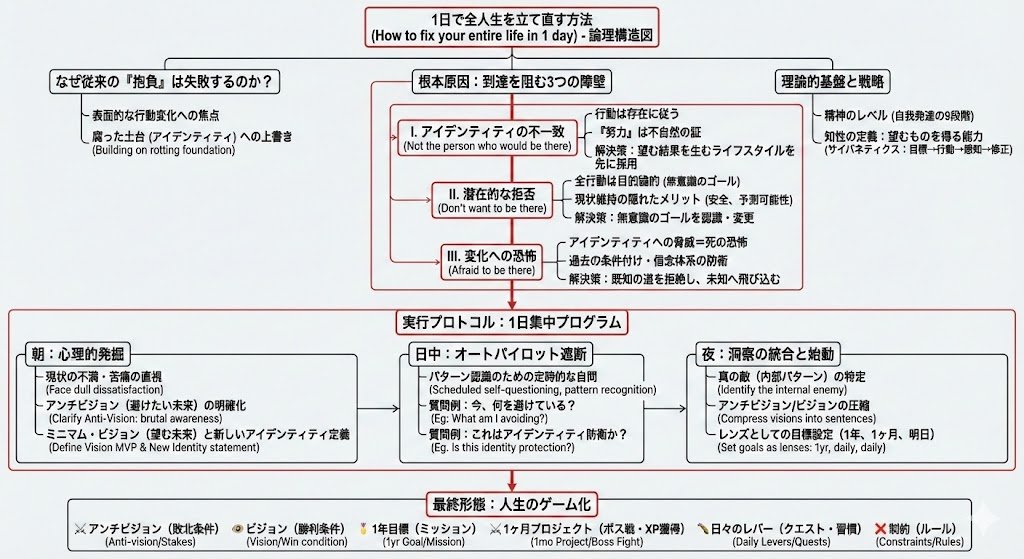
Illustrate this article ``` ({argument name="article text" default="Paste the article text you want to illustrate"}) ``` This is how to illustrate it ``` A dense and expansive Japanese logic tree diagram drawn on a clean white page. The image is packed with structured information: neat hierarchical boxes, lists of bullet points, and precise connecting lines drawn with a fine-point pen. There is no messiness; the "chaos" comes from the sheer overwhelming volume of organized data and Japanese text. It looks like a complex master plan or algorithm design. Important nodes are boxed in red. The handwriting is small, neat, and rapid. Style: Technical diagram, neat handwriting, information visualization, minimalist background. Quality: High definition, distinct Japanese text.

Technical Infographic for E-commerce Product Description

Technical Infographic for E-commerce Product Description

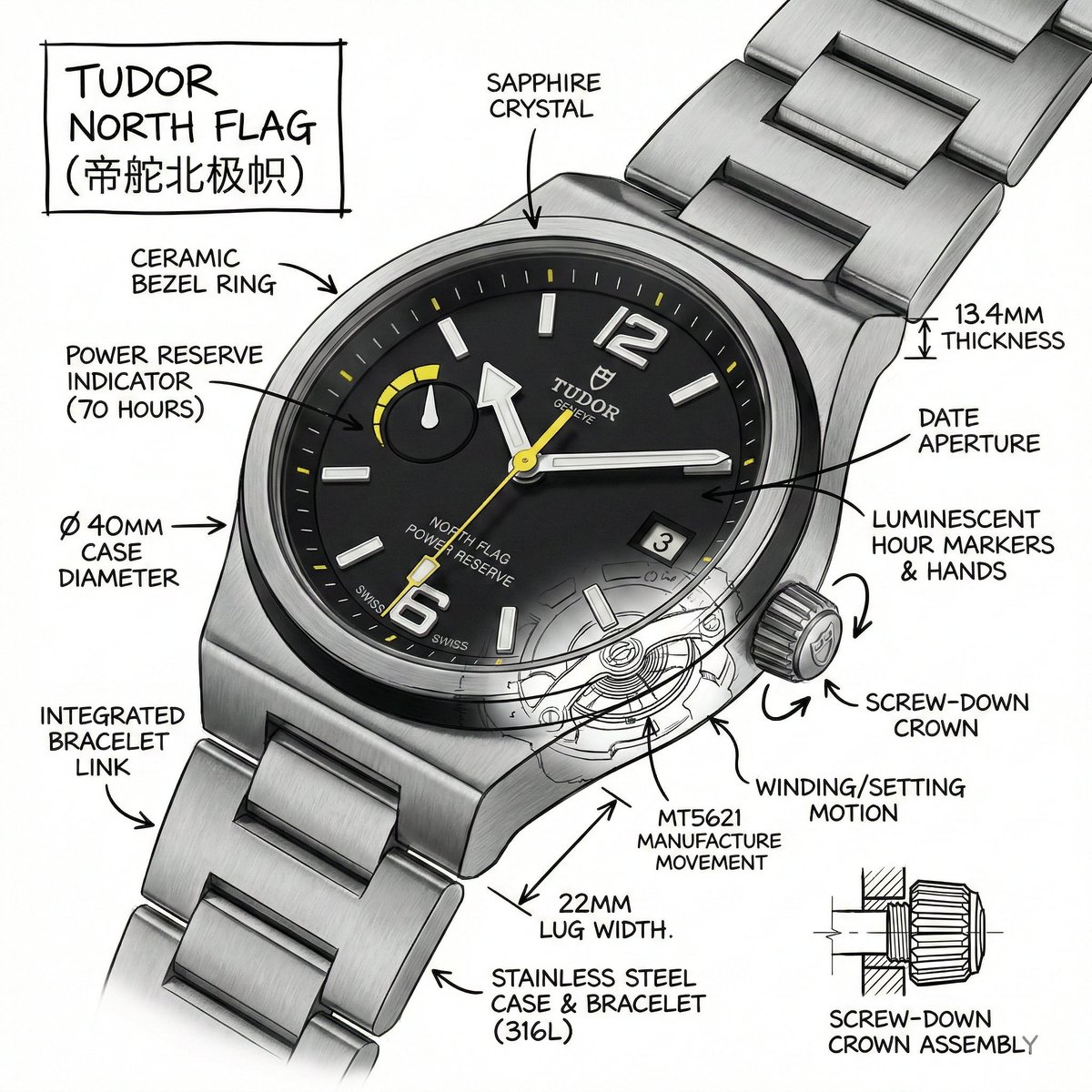
Create an infographic image of {argument name="object" default="Tudor North Flag"}, combining a realistic photograph or photorealistic render of the object with technical annotation overlays placed directly on top. Use black ink–style line drawings and text (technical pen / architectural sketch look) on a pure white studio background. Include: •Key component labels •Internal cutaway or exploded-view outlines (where relevant) •Measurements, dimensions, and scale markers •Material callouts and quantities •Arrows indicating function, force, or flow (air, sound, power, pressure, movement) •Simple schematic or sectional diagrams where applicable Place the title {argument name="object title" default="[OBJECT]"} inside a hand-drawn technical annotation box in one corner. Style & layout rules: •The real object remains clearly visible beneath the annotations •Annotations look hand-sketched, technical, and architectural •Clean composition with balanced negative space •Educational, museum-exhibit / engineering-manual vibe Visual style: Minimal technical illustration aesthetic. Black linework layered over realistic imagery. Precise but slightly hand-drawn feel. Color palette: Pure white background. Black annotation lines and text only. No colors. Output: Ultra-crisp Social-feed optimized No watermark

Technical Infographic Overlay on a Photorealistic Object

Technical Infographic Overlay on a Photorealistic Object

Create an infographic image of {argument name="object" default="[OBJECT]"}, combining a realistic photograph or photorealistic render of the object with technical annotation overlays placed directly on top. Use black ink–style line drawings and text (technical pen / architectural sketch look) on a pure white studio background. Include: •Key component labels •Internal cutaway or exploded-view outlines (where relevant) •Measurements, dimensions, and scale markers •Material callouts and quantities •Arrows indicating function, force, or flow (air, sound, power, pressure, movement) •Simple schematic or sectional diagrams where applicable Place the title {argument name="object title" default="[OBJECT]"} inside a hand-drawn technical annotation box in one corner. Style & layout rules: •The real object remains clearly visible beneath the annotations •Annotations look hand-sketched, technical, and architectural •Clean composition with balanced negative space •Educational, museum-exhibit / engineering-manual vibe Visual style: Minimal technical illustration aesthetic. Black linework layered over realistic imagery. Precise but slightly hand-drawn feel. Color palette: Pure white background. Black annotation lines and text only. No colors. Output: 1080 × 1080 resolution Ultra-crisp Social-feed optimized No watermark

Photorealistic Diorama Isometric Map Prompt

Photorealistic Diorama Isometric Map Prompt

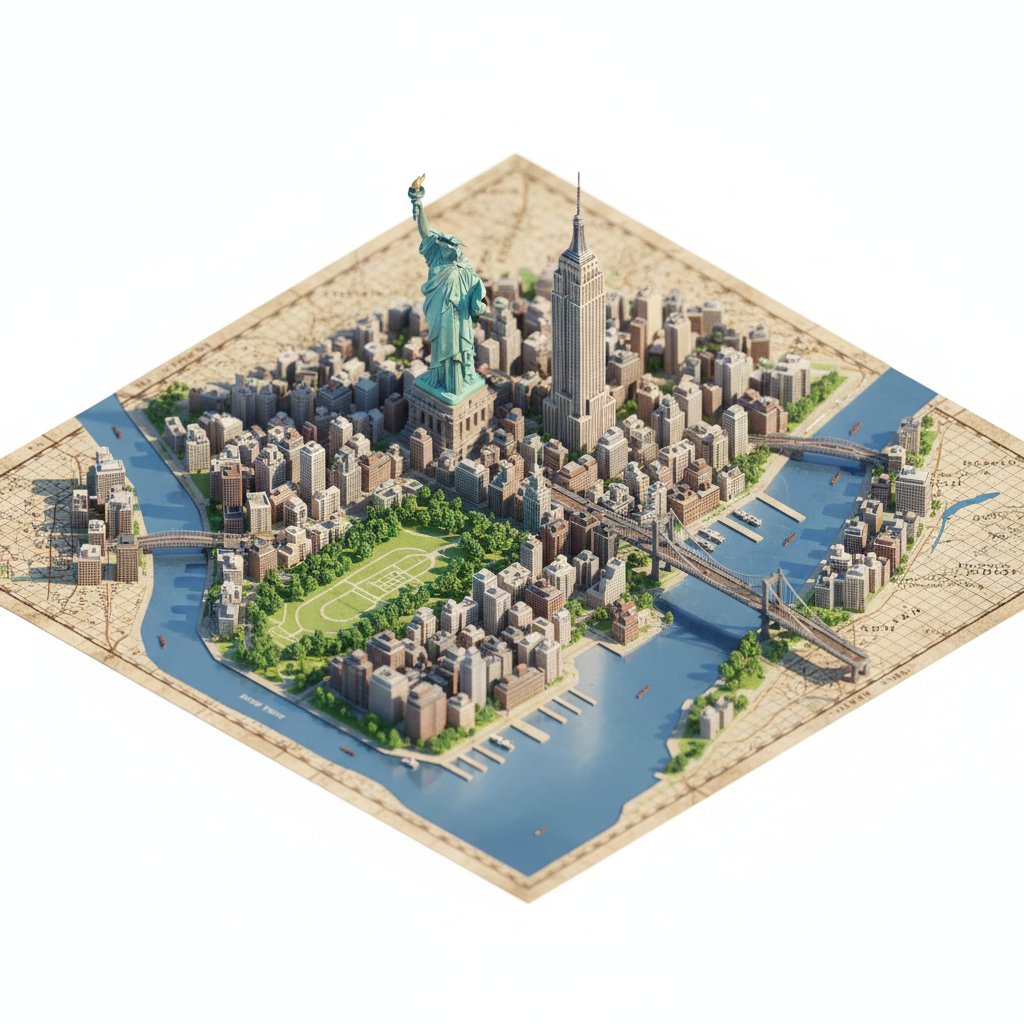
"description": "Create a highly detailed, photorealistic miniature diorama style isometric map of {argument name="city location" default="CITY/LOCATION"} placed on a vintage textured paper map.", "perspective": { "type": "isometric", "angle": "45 degree top down", "look": "macro photography with tilt-shift miniature effect" }, "geography": { "shape": "follows real geographic shape of {argument name="city location" default="CITY/LOCATION"}", "landmarks": { "oversized": true, "dominant": true, "primary_focus": "monuments", "secondary_elements": "smaller and simplified" }, "architecture": "ultra detailed miniature", "roads": "selective", "greenery": true, "water_bodies": true, "terrain": true, "materials": ["stone", "wood", "concrete", "glass", "foliage"] }, "lighting": { "type": "soft cinematic daylight", "effects": ["natural shadows", "warm highlights", "subtle atmospheric depth"] }, "water": { "rivers": true, "coastlines": true, "depth_gradients": "smooth", "reflections": "gentle" }, "map_base": { "type": "old world cartographic paper", "features": ["visible grid lines", "paper grain", "printed place names"] }, "focus": { "sharp_on_landmarks": true, "edge_falloff": "gentle" }, "quality": { "museum_quality": true, "handcrafted_diorama_realism": true, "ultra_high_resolution": true }, "background": { "color": "clean pure white", "restrictions": ["no floating text", "no logos", "no watermarks", "no futuristic or cartoon elements"] }, "aspect_ratio": "4:5" }
Atmospheric Product Interface Visual Prompt for SaaS UI

Atmospheric Product Interface Visual Prompt for SaaS UI

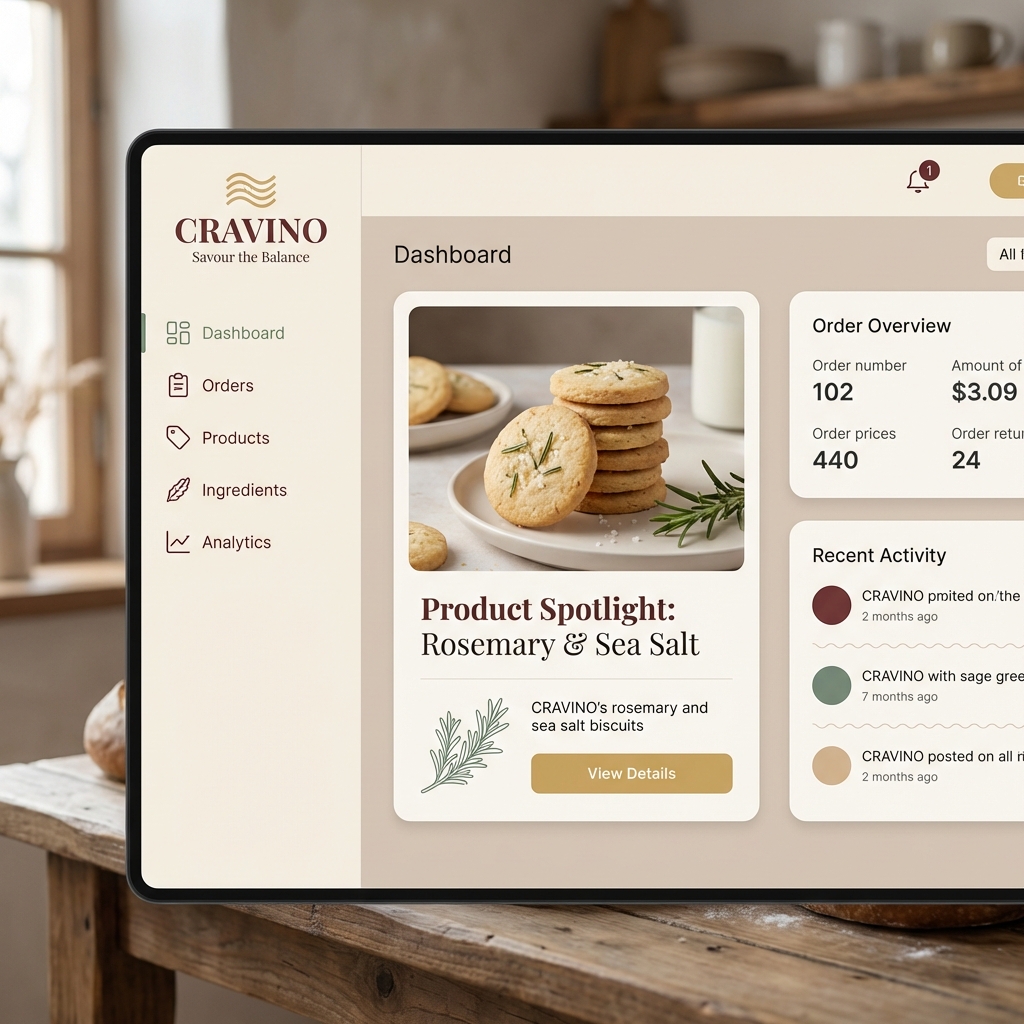
Atmospheric product interface visual for a modern SaaS platform. Clean hierarchy, balanced contrast, soft shadows, neutral color palette, focus on clarity and calm, designed like a best-in-class SaaS experience.

Motion and Image Prompt for Ultra-Realistic Food Photography of Pasta

Motion and Image Prompt for Ultra-Realistic Food Photography of Pasta

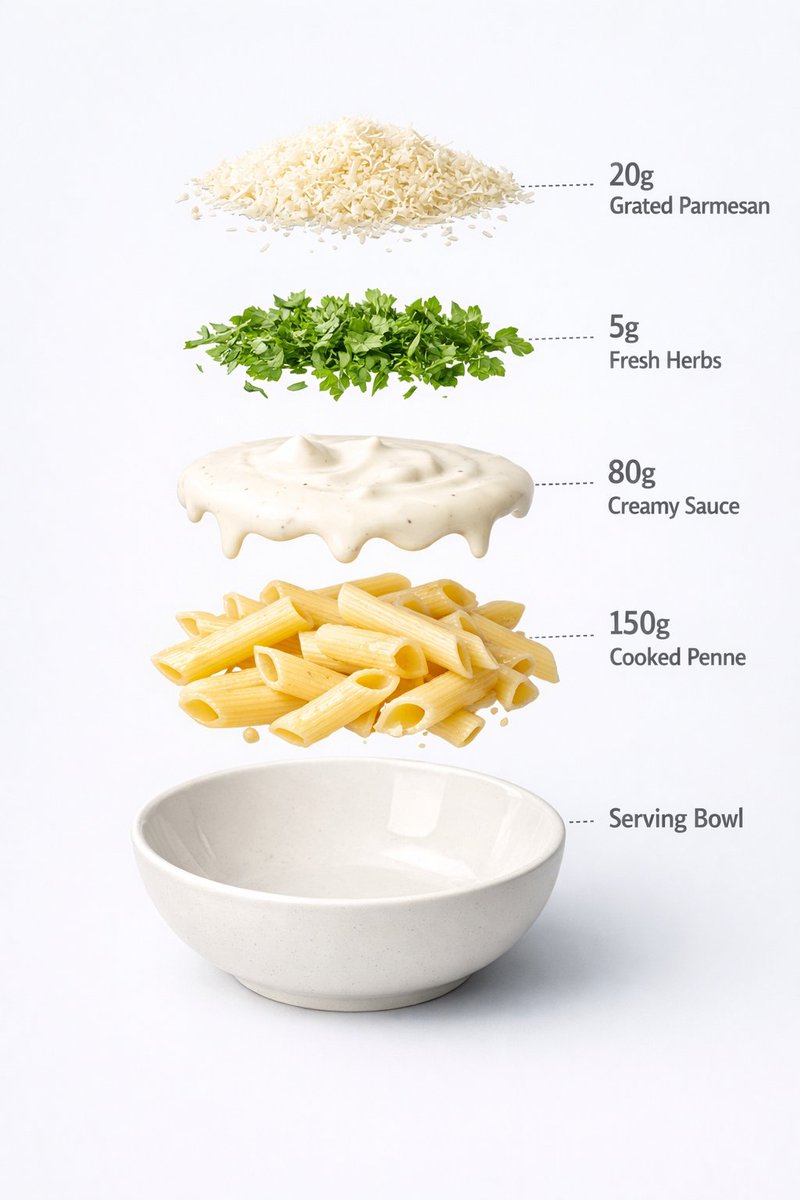
Motion Prompt: The pasta Cup start to round spin while ingredients separate gently and precisely, maintaining alignment and scale. The motion is smooth, with no extra effects. IMAGE 1 - Ultra-realistic food photography of a prepared creamy white sauce penne pasta served in a minimal ceramic bowl. Perfectly cooked penne coated evenly in rich, glossy cream sauce, topped with freshly grated parmesan cheese and finely chopped green herbs. Clean white studio background, soft diffused lighting, gentle shadows under the bowl, natural highlights on the sauce, realistic texture and thickness. Centered composition, shallow depth of field, premium restaurant-style presentation, high-detail food styling, 8K quality, sharp focus, no text, no labels, no hands, no props, no watermark. IMAGE 2 - Exploded view of a creamy pasta bowl, presented as a clean commercial breakdown. Exactly five ingredients, evenly spaced in vertical order. Ingredient order (top → bottom): Grated parmesan cheese — 20 g Fresh herbs garnish — 5 g Creamy white sauce — 80 g Cooked penne pasta — 150 g Serving bowl base — 200 g (bottom) Minimal infographic annotations, instructional food design.

First-Person AR Shopping Interface Overlay

First-Person AR Shopping Interface Overlay

A realistic first-person perspective (POV) shot of a person's hands holding a bunch of fresh, red strawberries in a blurred supermarket aisle. The image features a futuristic Augmented Reality (AR) interface overlay. Glowing holographic graphics surround the strawberries displaying nutritional information like 'Calories {argument name="calories" default="50kcal"}', 'Vitamin C', 'Folate', and 'Fiber'. On the right, a digital gauge shows 'Freshness {argument name="freshness" default="95%"}' and recipe suggestions like 'Strawberry Smoothie'. On the left, a holographic shopping list checks off items like Milk and Bread. High-tech, smart shopping concept, photorealistic lighting, 8k resolution.

Newspaper Mid-Unfold Diorama Prompt

Newspaper Mid-Unfold Diorama Prompt

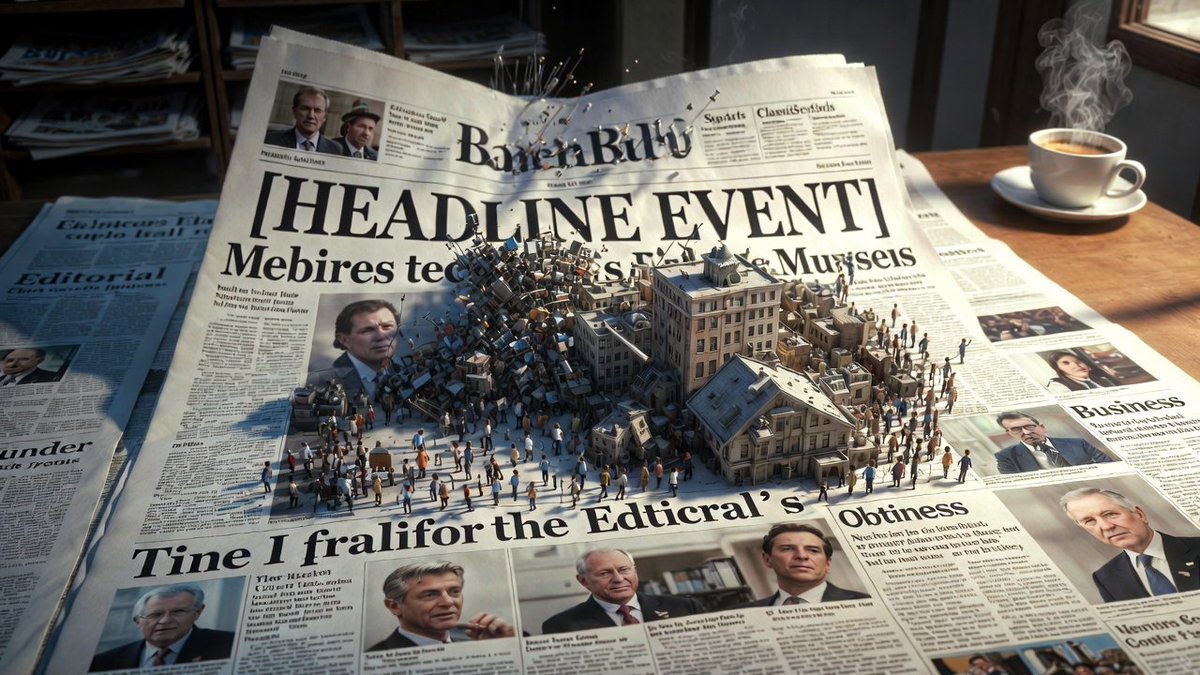
Epic 3D scene: a massive broadsheet newspaper mid-unfold, its headlines erupting into the events they describe. Front page stories become dioramas pushing off the page. {argument name="headline event" default="[HEADLINE EVENT]"} manifests in miniature chaos. Photographs animate and expand into three dimensions. Column text rises as city blocks of information. Editorial section becomes a battlefield of arguing figures. Classifieds transform into tiny desperate lives. Different sections occupy different worlds: sports as stadium, business as trading floor, obituaries as memorial garden. Yesterday's news composites beneath as fading ghost layer. Ink smells almost visible as atmosphere. Newsstand visible at the edge, morning light, coffee steam, 8K, photorealistic.

Isometric 3D Diorama of Product Evolution Prompt

Isometric 3D Diorama of Product Evolution Prompt

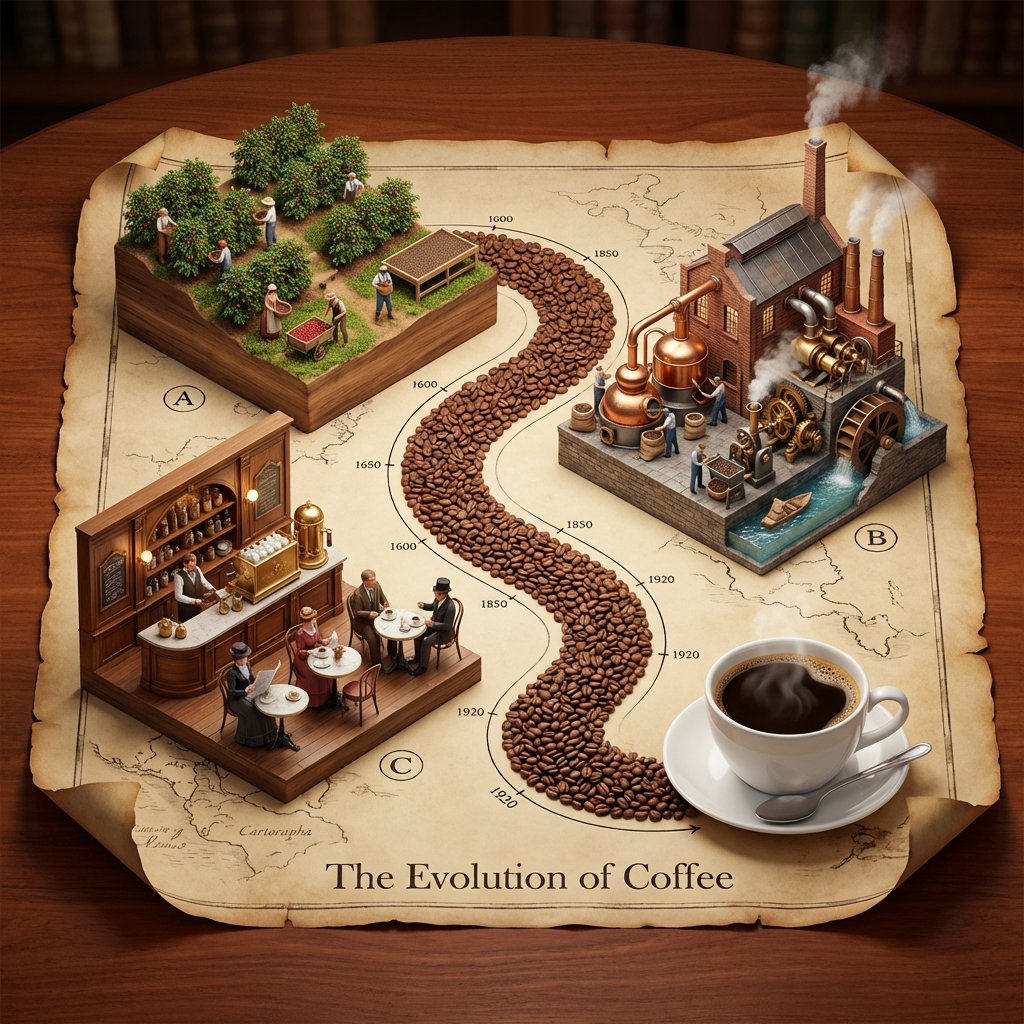
Input Variable: {argument name="topic" default="[INSERT TOPIC]"} (e.g., The History of Bread, The Making of Whiskey, The Story of Silk, The Evolution of Paper) System Instruction: Generate a hyper-realistic, isometric 3D diorama displayed on an unrolled antique map. Use the following logic to procedurally generate the scene: 1. Deconstruction: Analyze the Input: Break the topic into 3 Phases of Production (From Nature to Consumption). The Material Path: Identify the raw unit of the topic (e.g., Coffee Beans, Wheat Grains, Silk Cocoons, Wood Chips). This material will form the physical "Road" connecting the scenes. 2. Container (The Chart): The Object: A large, textured Parchment Scroll with curled edges, unrolled on a rich Mahogany wooden table. The Layout: An "S-Curve" Path winds through the center of the scroll, connecting three distinct raised platforms. The Timeline: Delicate black ink timeline markers (dates like 1600, 1850, 1920) run alongside the path. 3. Vignettes (The Production Line): CRITICAL: Do not generate Sci-Fi. Stick to Historic and Modern Classic aesthetics. Top Left - The Source): Concept: The Agricultural or Raw Origin. Visuals: Rows of crops, a mine, or a forest growing directly out of a wooden block base. Figures: Tiny farmers or laborers in period-appropriate rustic clothing harvesting the raw material. Top Right - The Industry): Concept: The Processing and Refinement (Industrial Revolution Era). Visuals: A factory or mill with Copper Stills, Brass Gears, Smokestacks, or Water Wheels . Figures: Workers operating machinery, steam rising from vents. Bottom Left - The Experience): Concept: The Final Consumption (The "Golden Age"). Visuals: A warm, inviting interior. A Victorian Pub, a Parisian Cafe, a Tailor Shop, or a Library. Figures: Patrons enjoying the finished product in a social setting. 4. The "Hero" Object (Bottom Right): Instead of a fourth building, the path ends at a Life-Sized "Hero" Object sitting on the paper. (e.g., A perfect porcelain Cup of Coffee, A Loaf of Sourdough, A Crystal Whiskey Tumbler). 5. Visual Syntax: The Path: The road connecting the buildings is NOT dirt or asphalt. It is a River of the Raw Material (e.g., A road paved with Coffee Beans or Wheat grains). Typography: An elegant Serif Header at the bottom: "The Evolution of [Input]". Lighting: Warm, indoor "Library" lighting. Soft shadows, rich wood tones, no harsh neons. Output: ONE image, 1:1 Aspect Ratio, Isometric Diorama, "Anno 1800" Strategy Game Aesthetic, High Texture,

Layered Diorama of Religious Architecture Evolution

Layered Diorama of Religious Architecture Evolution

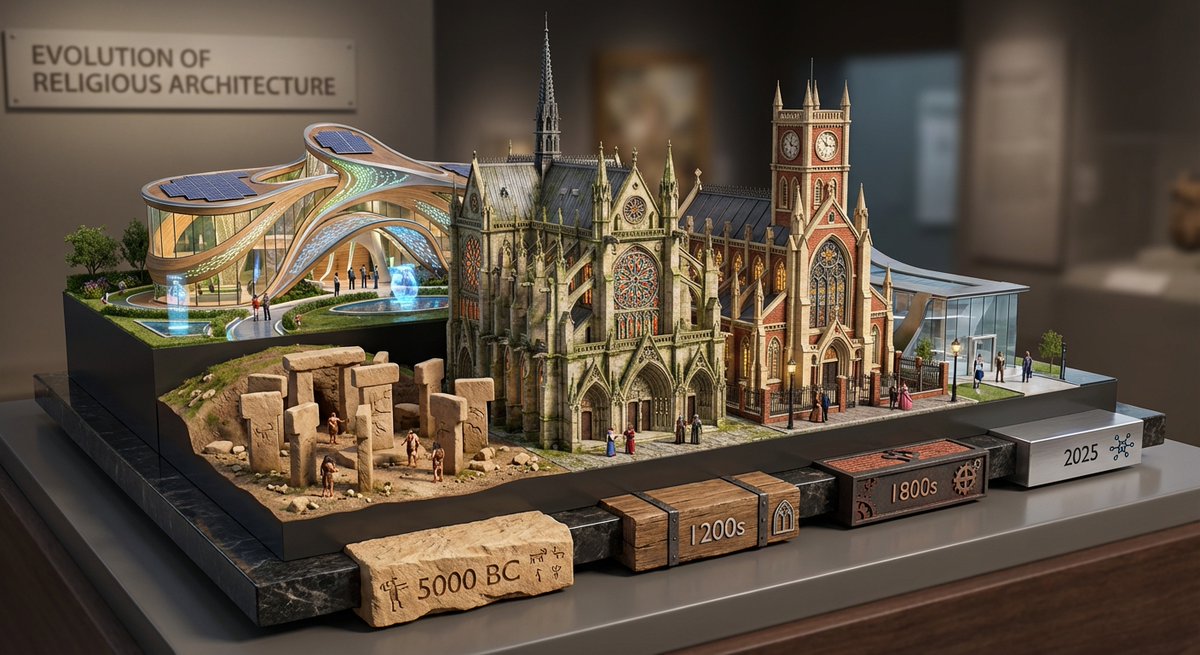
Layered Diorama: Evolution of Religious Architecture Layers: Front ({argument name="era 1" default="5000 BC Architecture"}), middle 1 ({argument name="era 2" default="1200s Architecture"}), middle 2 ({argument name="era 3" default="1800s architecture"}) rear (2025 Architecture). Details: Polished stone base with era-coded tabs (with appropriate materials and elements for each era). Details include stained glass windows, flying buttresses, and other era relevant elements. All years should be visible

Infographic for Minato-ku Women's Fashion Magazine

Infographic for Minato-ku Women's Fashion Magazine

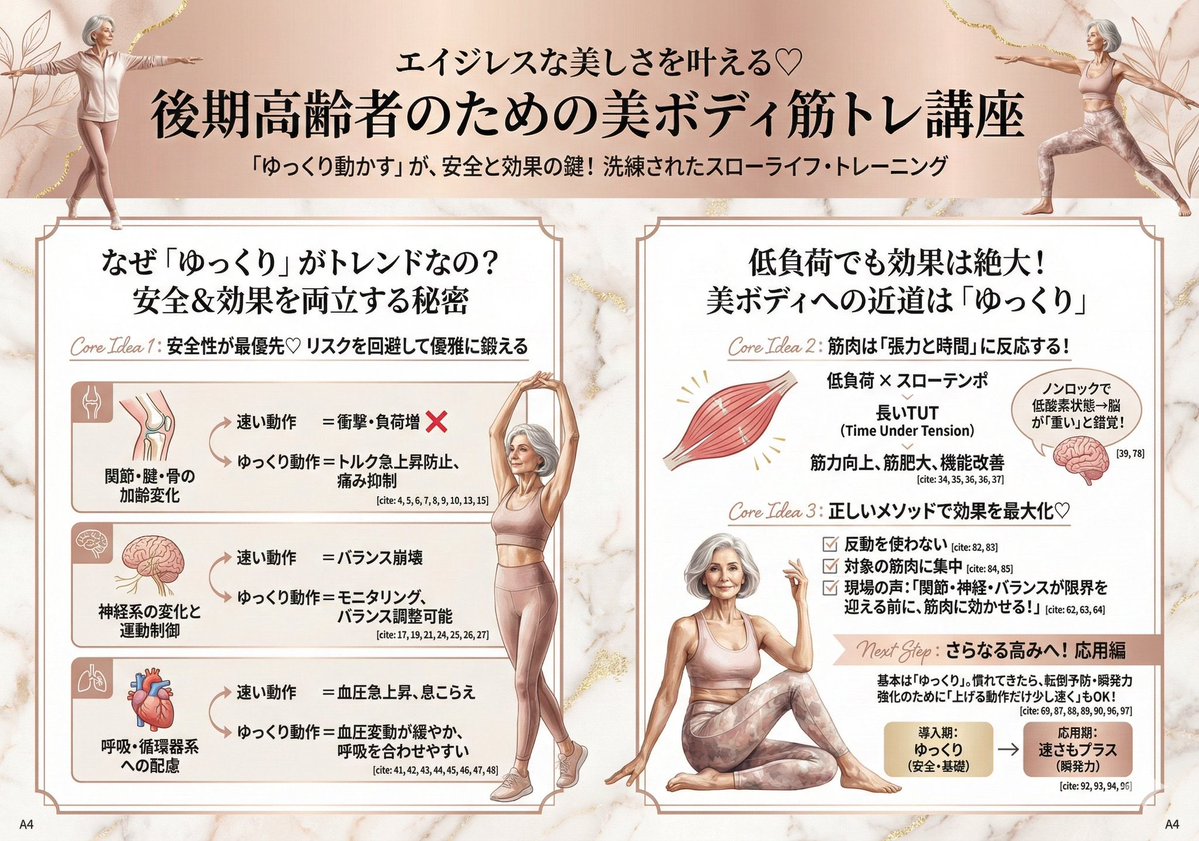
Design a feature page for a fashion magazine read by beautiful Minato-ku women. The content should be systematic, constructive, and easy to understand. Include icons, photos, graphs, diagrams, and handwritten pop-ups if necessary.

Ultra-realistic Commercial Veg Burger Photography and Exploded View

Ultra-realistic Commercial Veg Burger Photography and Exploded View

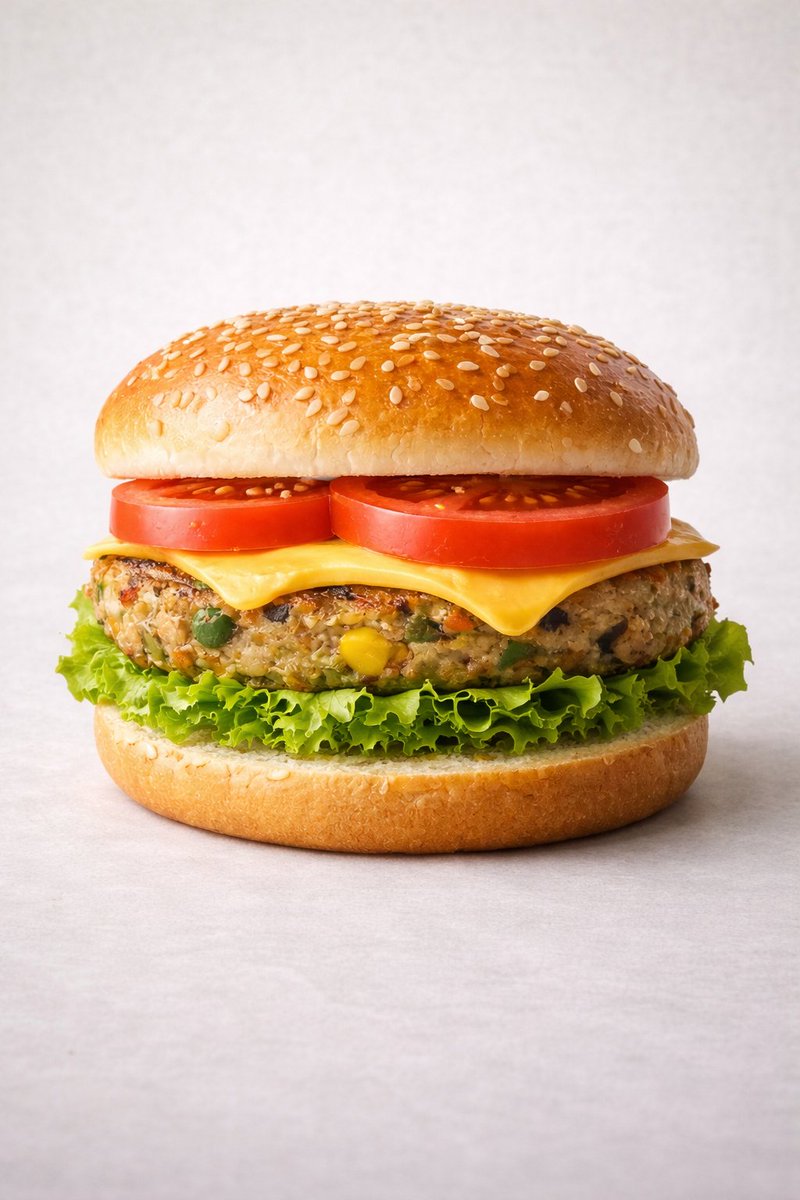
Motion Prompt: The burger start to round spin while ingredients separate gently and precisely, maintaining alignment and scale. The motion is smooth, with no extra effects. IMAGE 1 - Ultra-realistic studio food photography of a freshly prepared {argument name="burger type" default="vegetarian"} burger, centered in frame. A soft sesame seed bun on top, layered with ripe red tomato slices, melted cheddar cheese, a thick grilled veg patty with visible vegetables (corn, peas, carrots), crisp green lettuce, and a soft bottom bun. Perfectly stacked and symmetrical. Neutral light grey studio background with subtle texture, soft diffused lighting, gentle shadows beneath the burger, high sharpness and natural colors. Premium fast-food commercial style, realistic textures, glossy highlights on cheese and bun, shallow depth of field, ultra-high resolution, clean composition, no text, no labels, no hands, no props, no watermark. IMAGE 2 - Exploded view of the same veg burger, presented as a clean, commercial recipe-style breakdown. Exactly five ingredients, separated and arranged vertically from top to bottom, evenly spaced and perfectly aligned. Ingredient order (top → bottom): Fresh tomato slices — 30 g Cheddar cheese slice — 25 g Grilled veg patty — 90 g Crisp lettuce — 20 g Soft sesame burger bun — 80 g (bottom base) Add clear infographic-style annotations for each ingredient with exact weights. Minimal, instructional, commercial style on a light neutral background.

Encyclopedia of Flavor Diorama Generator

Encyclopedia of Flavor Diorama Generator

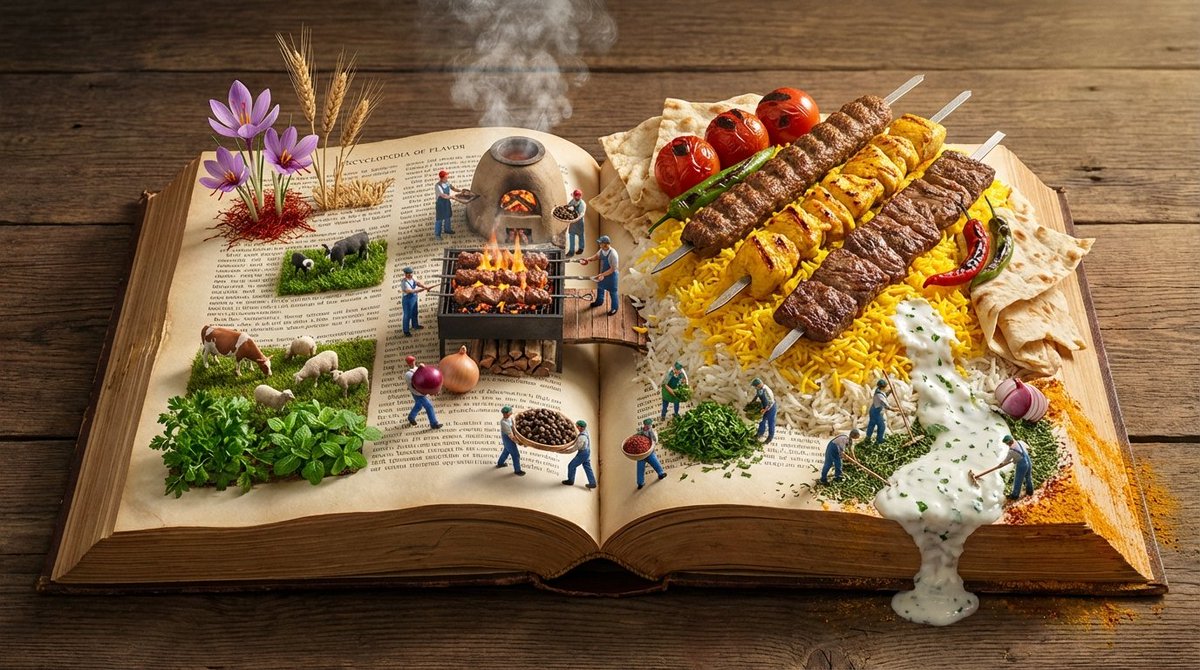
Input Variable: [{argument name="cuisine or dish" default="INSERT CUISINE OR DISH"}] (e.g., Persian Kebabs, Japanese Sushi, Italian Pasta, Mexican Tacos) System Instruction: Generate a hyper-realistic, wide-angle (16:9) 3D diorama of an "Encyclopedia of Flavor." Use the following logic to procedurally generate the scene: 1. Flavor Profiling: Analyze the Input: Determine the Region , Staple Ingredients , and Cooking Method . (e.g., Kebab = Fire/Coal, Rice, Meat. Sushi = Water, Fish, Rice). The Terrain: The pages of the book must physically transform into the landscape of the cuisine. Grain: Rice or Couscous forms dunes. Liquid: Sauces or Broths form rivers. Solid: Bread or Meat forms mountains/cliffs. 2. Container (The Wide Atlas): The Object: A massive, horizontal Landscape-Format Atlas lying open on an aged wooden banquet table. The Spine: Runs horizontally through the center, acting as the "Equator" or "Main Road" of the scene. The Paper: Parchment texture. The edges of the pages are tattered and stained with spices (Saffron, Paprika, Turmeric). 3. Panoramic Composition (Left to Right Flow): CRITICAL: Do not place distinct plates. Create a continuous flow across the open spread. Left Side (The Origin - Agriculture): The raw ingredients grow out of the paper. (e.g., Wheat stalks rising from the text; Cattle grazing on parsley fields; Fishermen casting nets into ink-blue water). Center (The Process - The Kitchen): The spine is the cooking zone. (e.g., A miniature Tandoor oven or Grill built into the book binding; Steam rising volumetrically). Right Side (The Result - The Feast): The finished dish explodes in scale. (e.g., A mountain of Saffron Rice topped with the Kebab; A Ziggurat of Sushi). 4. The Micro-Population The Figures: 1:87 Scale (HO Scale) figures populate the landscape. The Action: They are working the food. Harvesting: Picking herbs from the margins. Transporting: Carrying giant peppercorns like boulders. Cooking: Using flamethrowers to char the meat or rakes to fluff the rice. 5. Lighting & Atmosphere: Aspect Ratio: 16:9 Horizontal. Lighting: "Golden Hour" side-lighting. It should skim across the texture of the food and the paper grain, emphasizing the "Landscape" feel. Steam: Volumetric steam connects the three zones (Left, Center, Right). Output: ONE image, 16:9 Aspect Ratio, Macro Diorama Photography, Octane Render, High Texture Fidelity.

Infographic Prompt Template for Objects

Infographic Prompt Template for Objects

“Create an infographic image of [{argument name="object" default="OBJECT"}], combining a realistic photograph or photoreal render of the object with technical annotation overlays placed directly on top. Use black ink–style line drawings and text (technical pen / architectural sketch look) on a pure white studio background, including: •Key component labels •Internal cutaway or exploded-view outlines •Measurements, dimensions, and scale markers •Material callouts and quantities •Arrows indicating function, force, or flow (air, sound, power, pressure) •Simple schematic or sectional diagrams where relevant Place the title [OBJECT] inside a hand-drawn technical annotation box in one corner. Style & layout rules: •The real object remains clearly visible beneath the annotations •Annotations feel sketched, technical, and architectural •Clean composition with balanced negative space •Educational, museum-exhibit / engineering-manual vibe Visual style: Minimal technical illustration aesthetic, black linework over realistic imagery, precise but slightly hand-drawn feel. Color palette: White background, black annotation lines and text only. No colors. Output: 1080×1080, ultra-crisp, social-feed optimized, no watermark.”

Infographic Prompt Template for Body Parts

Infographic Prompt Template for Body Parts

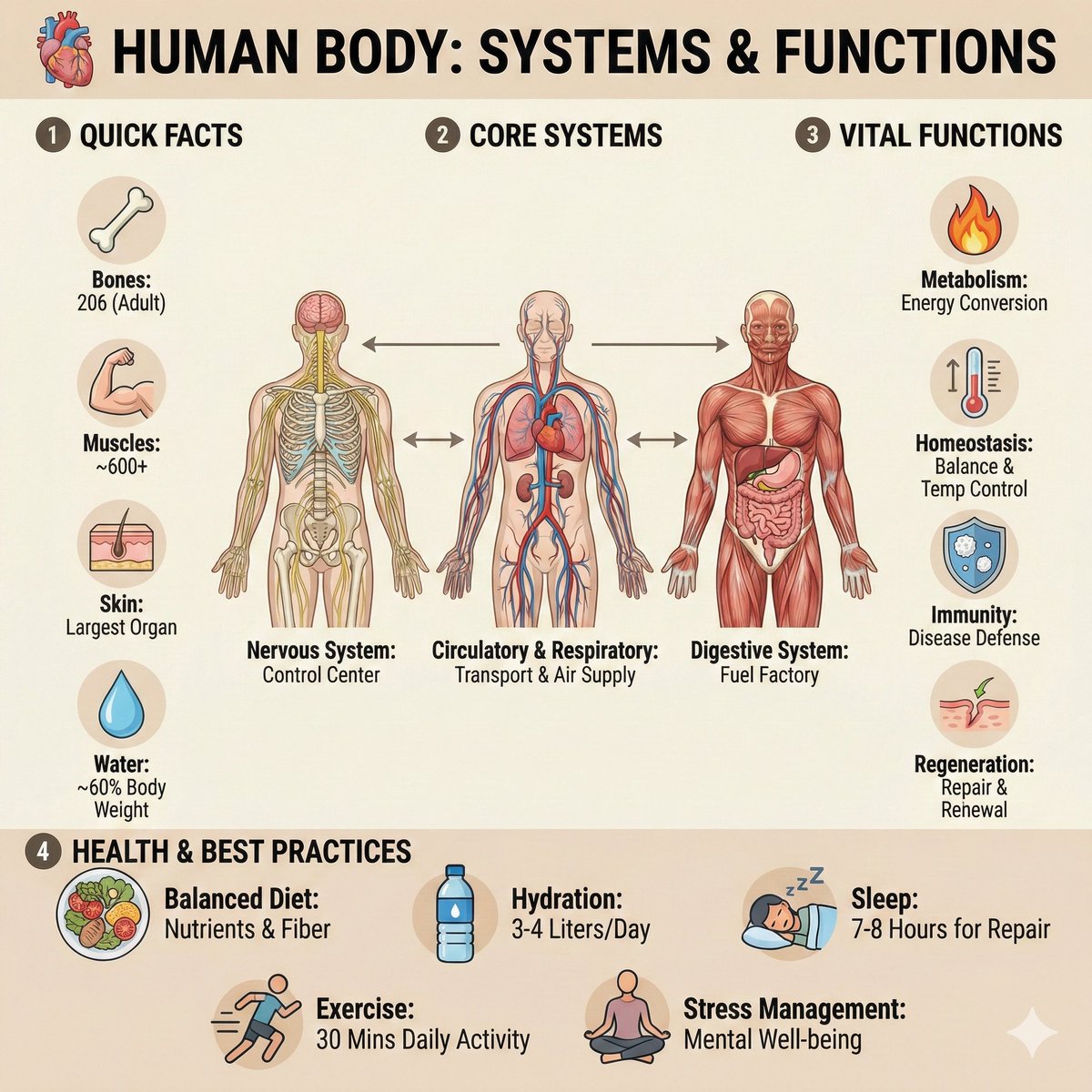
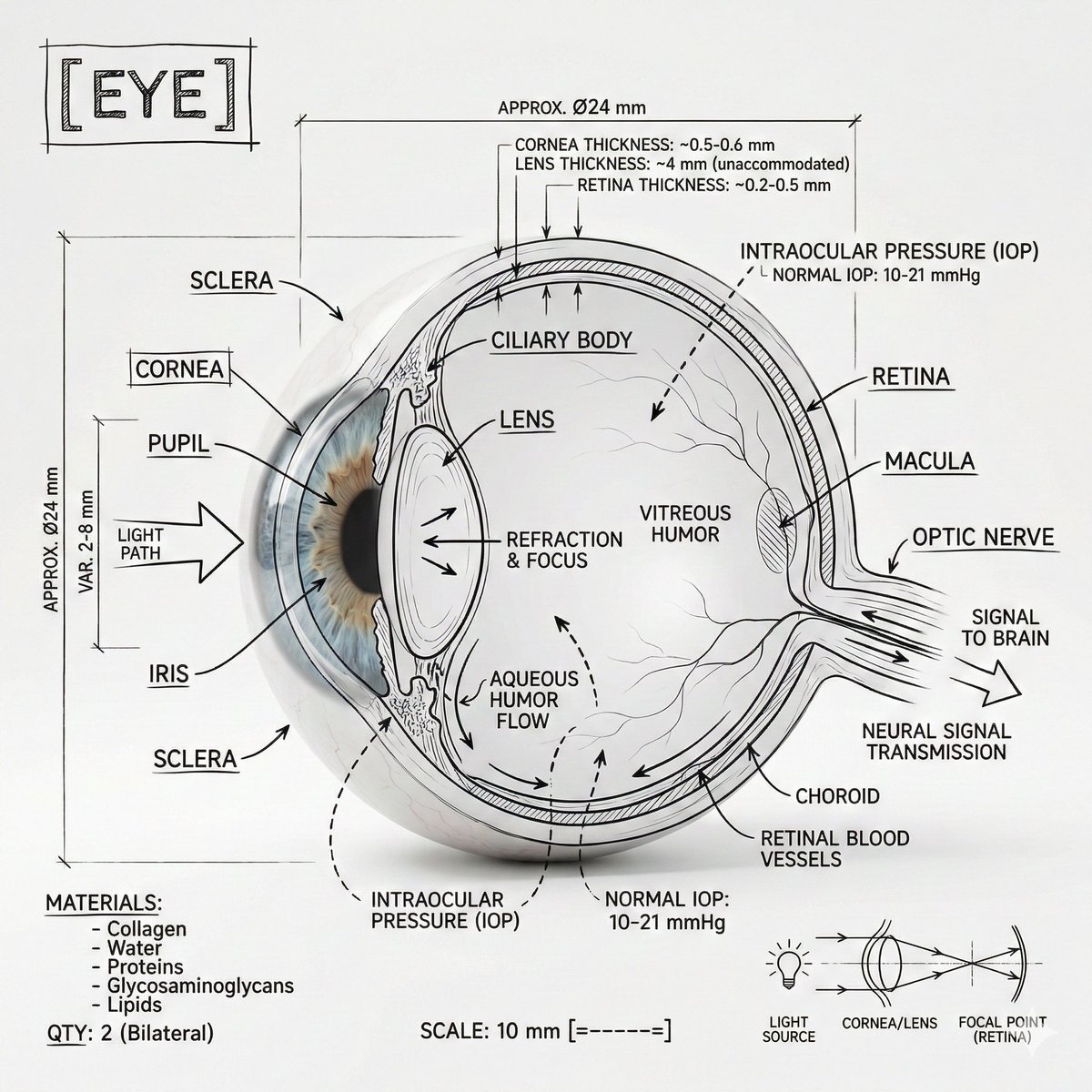
Create an infographic image of [{argument name="body part" default="Eye"}], combining a realistic photograph or photoreal render of the object with technical annotation overlays placed directly on top. Use black ink–style line drawings and text (technical pen / architectural sketch look) on a pure white studio background, including: •Key component labels •Internal cutaway or exploded-view outlines •Measurements, dimensions, and scale markers •Material callouts and quantities •Arrows indicating function, force, or flow (air, sound, power, pressure) •Simple schematic or sectional diagrams where relevant Place the title [BODY PART] inside a hand-drawn technical annotation box in one corner. Style & layout rules: •The real object remains clearly visible beneath the annotations •Annotations feel sketched, technical, and architectural •Clean composition with balanced negative space •Educational, museum-exhibit / engineering-manual vibe Visual style: Minimal technical illustration aesthetic, black linework over realistic imagery, precise but slightly hand-drawn feel. Color palette: White background, black annotation lines and text only. No colors. Output: 1080×1080, ultra-crisp, social-feed optimized, no watermark.

Generating a Food Infographic for a Hamburger

Generating a Food Infographic for a Hamburger

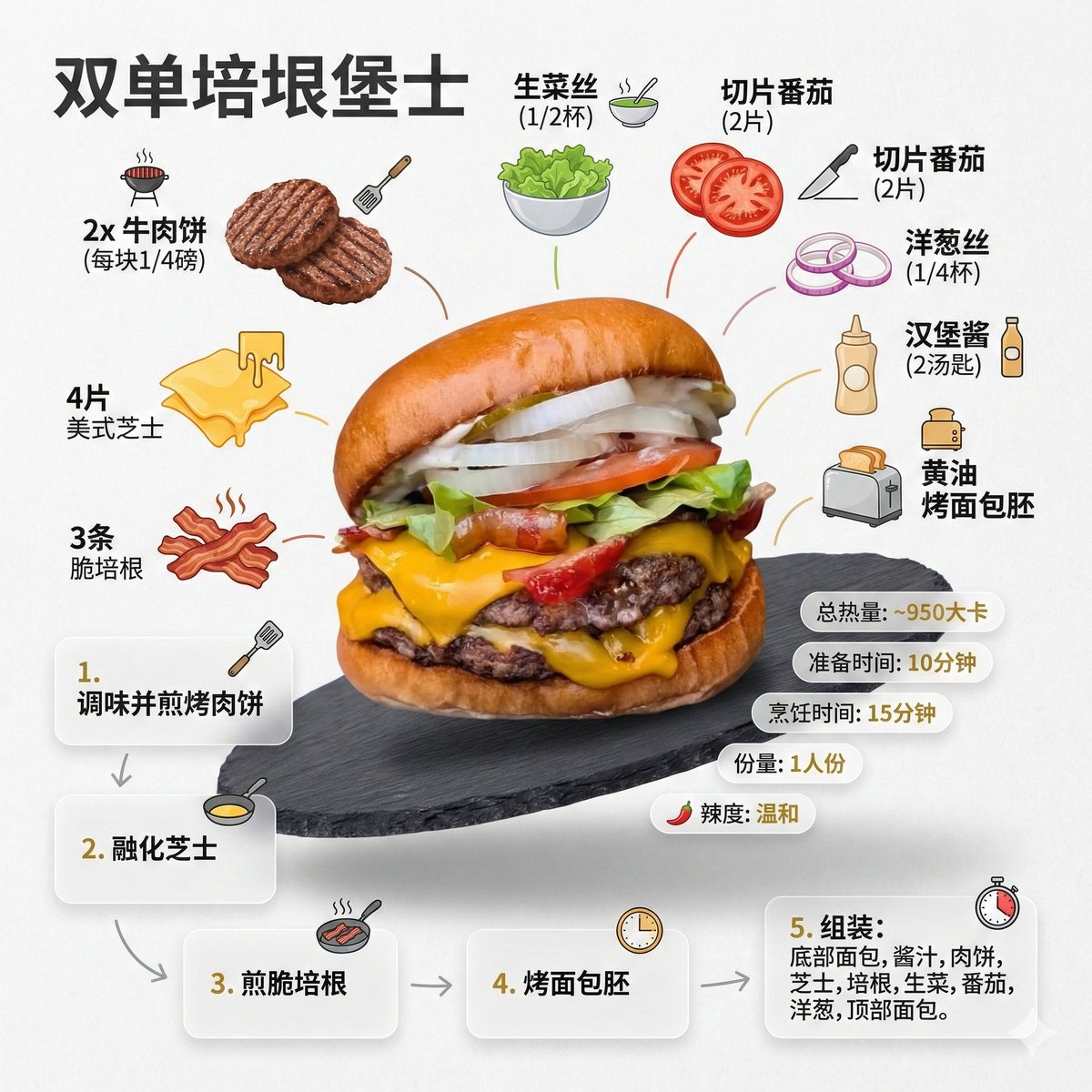
Role Setting: You are an AI prompt engineer proficient in food photography and visual design. Task: Please analyze the food image I uploaded, identify the dish name, main ingredients, cooking logic, and approximate calories. Output: Please strictly follow the following [General Prompt Template] format, fill in the specific content analyzed, and generate a prompt for AI painting. [General Prompt Template] Ultra-clean, modern style recipe infographic. Display the {argument name="dish name" default="[Fill in the analyzed dish name here]"} in a highly attractive finished form, with a slight floating effect, using a perspective or tilted view. Arrange the ingredients, steps, and tips around the main dish in a dynamic, editorial layout, not limited to a top-down view. Core Instruction (Language): All text, labels, and step descriptions in the image must strictly use "Simplified Chinese." 1. Ingredient Area: Pair each ingredient ({argument name="main ingredients list" default="[Fill in the analyzed list of 5-8 main ingredients here]"}) with an icon or mini illustration, and label the quantity in Chinese. Arrange them in groups, lists, or circular flow lines, connected to the main dish via visual lines. 2. Step Area: Use numbered panels (1, 2, 3...), arrows, or lines to display the production process ({argument name="key cooking steps" default="[Fill in the inferred 3-4 key cooking steps here]"}), forming a clear logical flow around the main dish. 3. Supplementary Information (Optional): Label in Chinese: Total calories ([Estimated calories]), preparation time ([Estimated time]), cooking time ([Estimated time]), serving size, spiciness, etc., presented in simple bubbles or badge forms near the main dish. 4. Visual Style: Editorial infographic combined with lifestyle food photography. Food colors are bright and natural, paired with slight shadows, clean vector icons, and modern sans-serif fonts (Chinese HeiTi style). Step panels can use soft gradients or glass-morphism effects. Accent colors are used to highlight key information. 5. Composition Guide: The finished dish serves as the visual core, using perspective or a tilted angle; Ingredients and steps flow dynamically around the main dish; Clear hierarchy: Main dish > Steps > Ingredients > Optional data; Maintain sufficient white space for an overall light and readable feel. 6. Lighting and Background: Soft, natural studio lighting, minimalist texture or gradient background, creating a high-end editorial look. 7. Output Specifications: 1080×1080, ultra-sharp, suitable for social media display, no watermark.

Some prompts are collected from creators on X. Copyright belongs to the original authors.